00196920-07_SIPLACE_Pro_FeatureDescription_DE_EN.pdf - 第17页
SIPLACE Pro Fe ature Des cription Ausgabe 05/2014 Edit ion 17
SIPLACE Pro Feature Description Ausgabe 05/2014 Edition
16
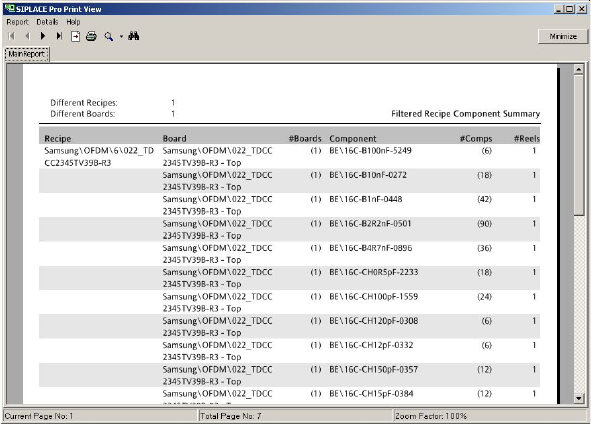
2.2.11.1 Filtered recipe component summary
The filtered recipe component summary shows the used components and reels in relation to the
defined recipe(s).
The filtered recipe component summary is started via the optimized recipe list.
2.2.11.2 Report Data Export to Excel
Following reports can be exported (Report -> Export XML Data for Excel). These XML files could
be imported in Excel Diese XML-Dateien können anschließend in Excel importiert werden.
● Board-Report
● Component Shape List-Report
● Recipe Analysis Grid-Report
● Placement List-Report
● Filtered Recipe Component Summary-Report
● Setup-Report
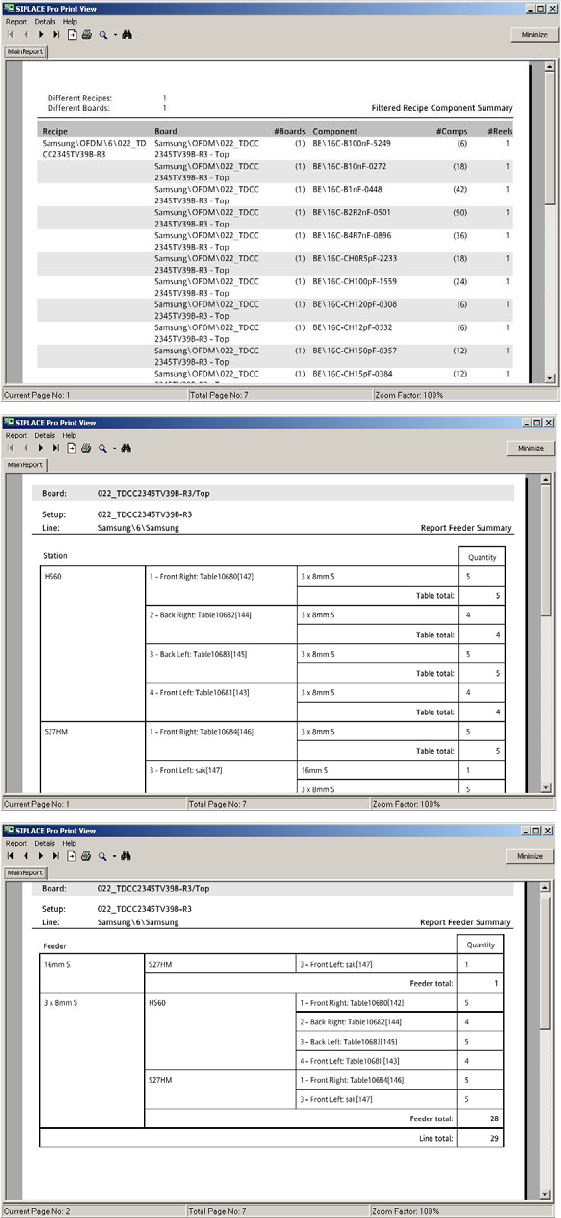
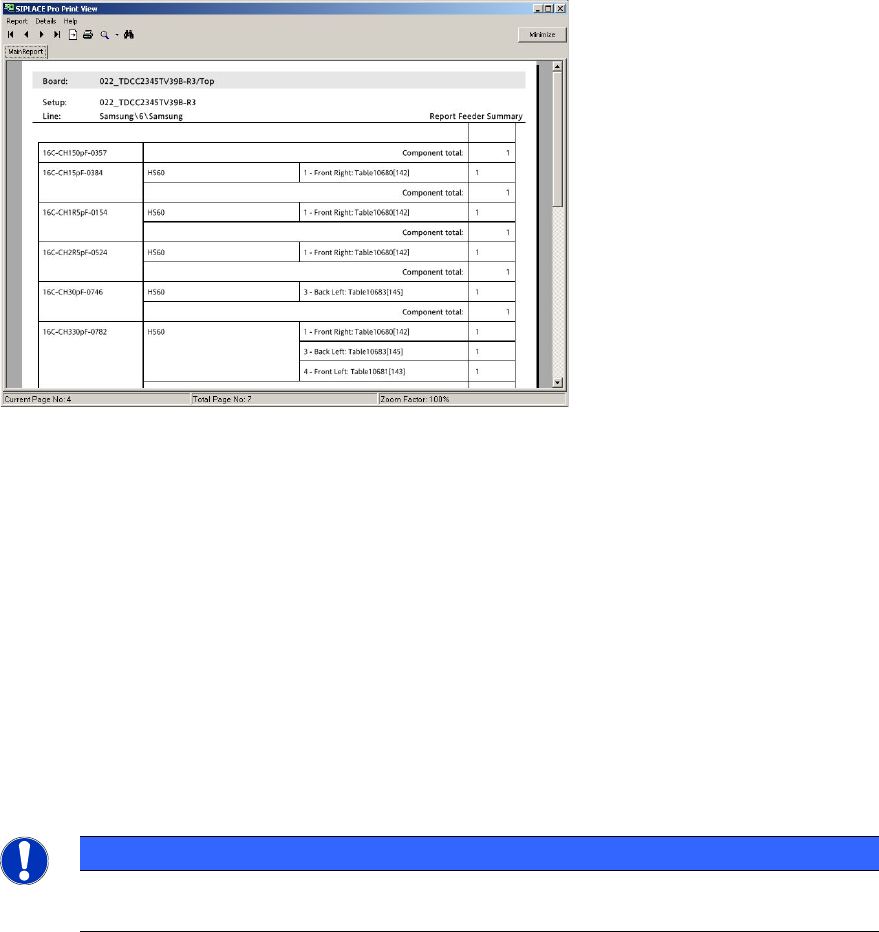
2.2.11.3 Filtered Feeder Summary
The report for the filtered feeder summary is a table consisting of following data:
● Station – Table/Location – Feeder
● Feeder – Station – Table/Location
● Component – Station – Table/Location
The filtered feeder summary is started via the optimized recipe list.
SIPLACE Pro Feature Description Ausgabe 05/2014 Edition
17
SIPLACE Pro Feature Description Ausgabe 05/2014 Edition
18
2.2.11.4 Reports for multi-selected Recipes
For all reports the multi-selection of recipes is possible. This means for all selected recipes the
individual reports are created.
2.2.11.5 Board Report
The board report consists of following data:
● View (top, bottom)
● PCB basic data
● Bitmap
● Precedences (yes, no)
● Comments
NOTICE
The board report can only be created for one board only. A multi-selection of several
boards for one report is not possible.
The board report can be accessed via:
● the context menu
● the button "Report" in the toolbar if a board is open