00196920-07_SIPLACE_Pro_FeatureDescription_DE_EN.pdf - 第148页
SIPLACE Pro Fe ature Des cription Ausgabe 05/2014 Edit ion 148 The dipp ing m ode and dipp ing proper ties for t he respe ctive LDU - X m odule are s et in the H andling tab of th e Component S hape Editor . Figure 9- 15…
SIPLACE Pro Feature Description Ausgabe 05/2014 Edition
147
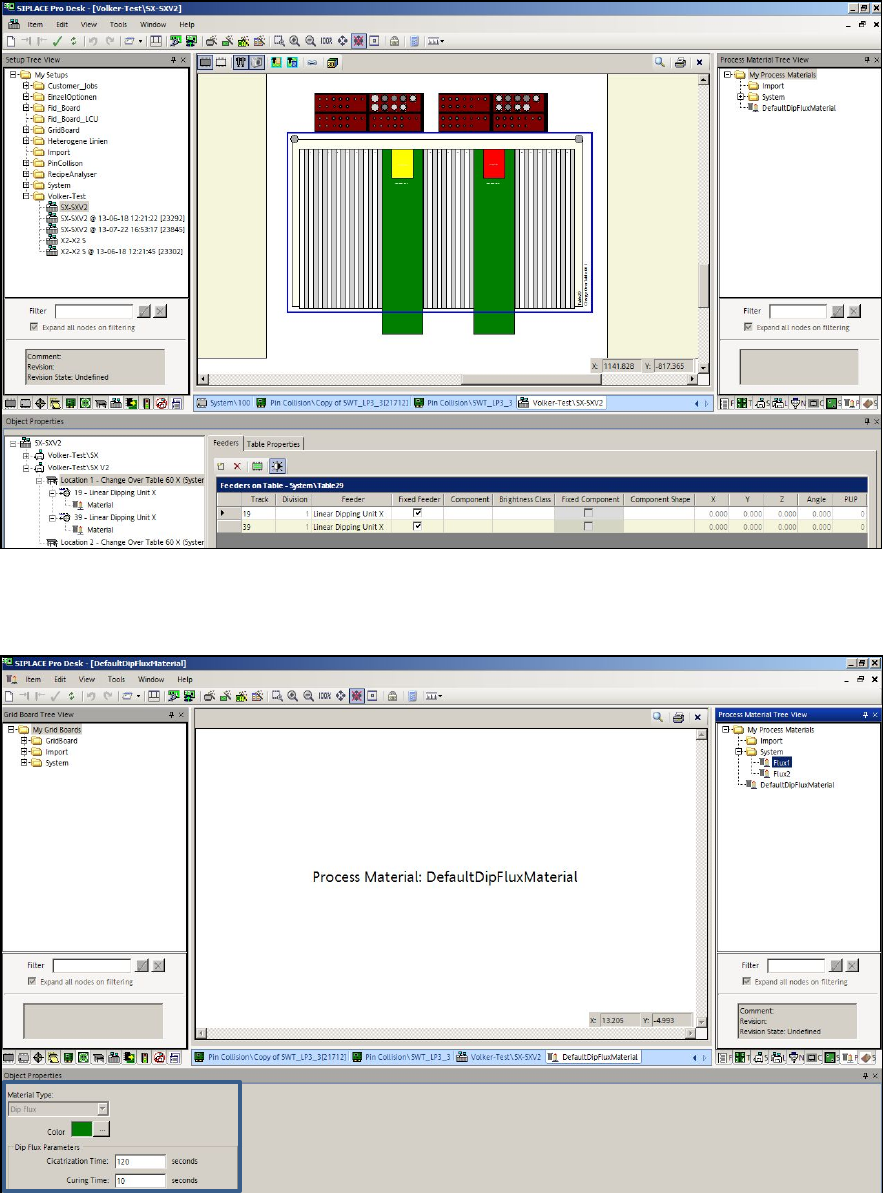
In the Feeders tab of the Table Editor, new LDU-X modules are placed on the table, a process
material assigned and the flux thickness entered.
Figure 9-13: Table Editor – Adding LDU-X modules
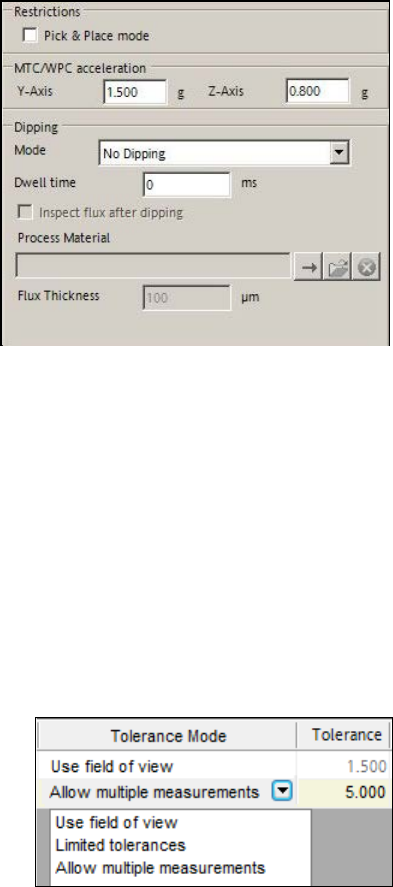
The component shape must be linked to the corresponding process material and the appropriate
Cicatrization time and Curing time have to be defined.
Figure 9-14: Defining process material
SIPLACE Pro Feature Description Ausgabe 05/2014 Edition
148
The dipping mode and dipping properties for the respective LDU-X module are set in the Handling
tab of the Component Shape Editor.
Figure 9-15: Setting dipping mode and dipping properties
Additionally, the Dipping is required option has to be enabled for the corresponding component in
the Component tab of the Component Editor.
9.2.21 Improved Fiducial Recognition
The fiducial recognition has been enhanced as follows:
– The search area for a board fiducial has been extended to 8 mm * 8 mm.
– Up to four fiducials may be defined as global board fiducials.
– Up to four fiducials per panel may be defined.
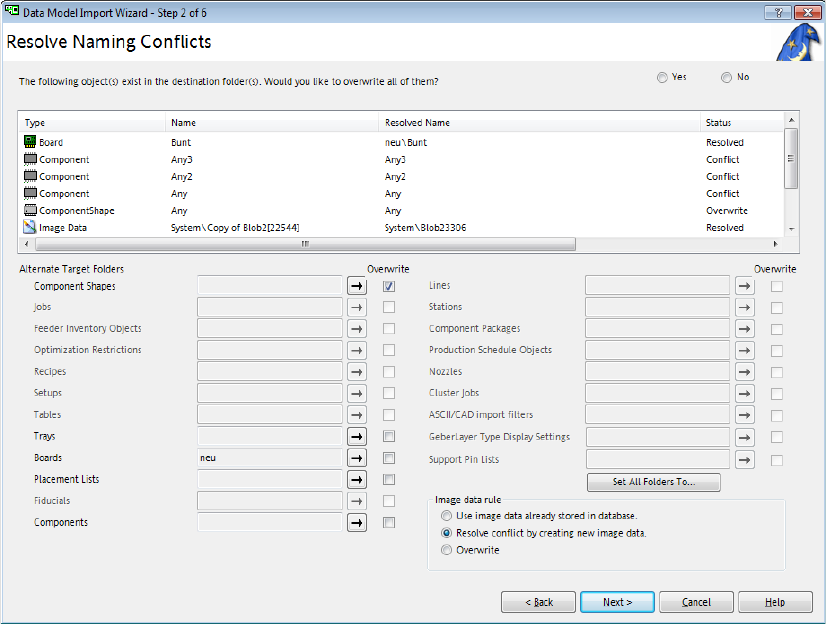
– Three tolerance modes are available for selection in the Board Editor:
Figure 9-16: Tolerance modes for fiducial recognition
Use field of view
Maximum tolerance (default value). The Tolerance field is empty and disabled.
Limited tolerances
Tolerance values between 0.1 mm and 2.5 mm are allowed. E.g., if board structures possibly
would prevent a secure fiducial recognition.
Allow multiple measurements
Tolerance values between 0.1 mm and 5.0 mm are allowed. If the fiducial and the tolerance
included should not fit into the field of view, the station will perform multiple measurements. On
stations with a station software version < 707, this option will be ignored and the default value
used.
SIPLACE Pro Feature Description Ausgabe 05/2014 Edition
149
9.2.22 Overwriting Single Object Types during Import
Previously, only a global overwriting of all available objects was supported by the import wizard
during import of objects in SIPLACE Pro Desk. As of this SIPLACE Pro version it is possible to tag
and overwrite single object types.
Figure 9-17: Overwriting object types during import
All object types have e check box of their own to be tagged with a checkmark. Only the object
types for which naming conflicts exist are enabled.
9.2.23 Job Editor – Query for Board Top Side and Bottom Side
If a board is added in an opened job in the Job Editor, the board top side will be automatically
assigned to the new created recipe.
As of this software version, an additional dialog will open if the board bottom side is not empty,
querying if the board bottom side shall be added. The board bottom side is regarded as empty if no
placement list is assigned to it.
The query is displayed in the Job Editor only.