00196920-07_SIPLACE_Pro_FeatureDescription_DE_EN.pdf - 第144页
SIPLACE Pro Fe ature Des cription Ausgabe 05/2014 Edit ion 144 9.2.17 New Tolera nce Values for Small Components The def ault toleranc e value s for small com ponents hav e been reduc ed to ach ieve a hi gher placem ent …
SIPLACE Pro Feature Description Ausgabe 05/2014 Edition
143
9.2.15 Fixing / Un-Fixing Objects
The Setup Editor has been enhanced so that multiple objects may be fixed or un-fixed comfortably
at the same time.
It is now even possible to select nozzles to be fixed or un-fixed in the context menu to the displayed
setup.
Additionally, you can define if the objects shall be fixed or un-fixed at the selected location, the
selected station or in the entire setup.
9.2.16 Feeder View for Line or Station
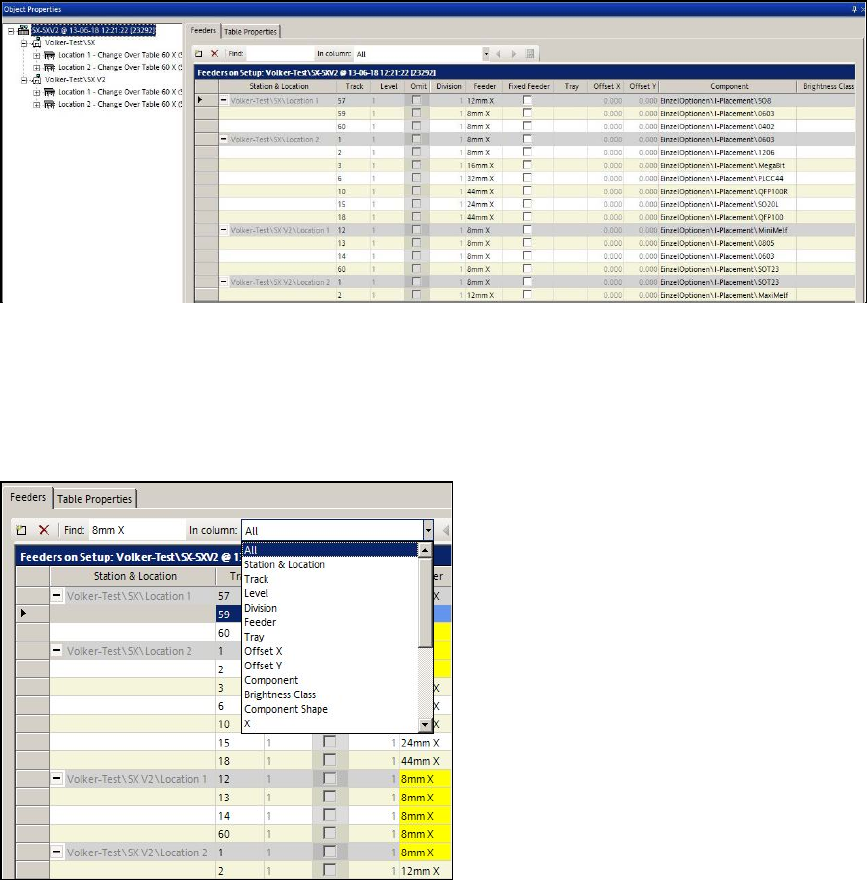
For a better overview, there is a new view in the Setup Editor in which all feeder data is listed for a
whole line or a station.
Figure 9-8: Feeder víew for line or station
By clicking on the root node in the tree view, all feeders of the whole line are displayed.
By clicking on a station in the tree view, all feeders of the whole station are displayed in a new
window.
It is possible to search in the displayed list.
Figure 9-9: Searching in Feeder view
SIPLACE Pro Feature Description Ausgabe 05/2014 Edition
144
9.2.17 New Tolerance Values for Small Components
The default tolerance values for small components have been reduced to achieve a higher
placement quality.
The new, reduced tolerance values will be entered if a new feeder is assigned and the component
lies within a certain size range.
The component type designations represent the size ranges.
Component type Component dimensions
X/Y [µm]
X-
tolerance
[µm]
Y-tolerance
[µm]
Angle
[°]
03015 [300 – 350] x [150 – 170] 80 80 12
01005 [350 – 500] x [170 – 250] 100 100 15
0201 [500 – 800] x [250 – 400] 150 150 15
0402 [800 – 1300] x [400 – 700] 200 200 30
0603 [1300 -1800] x [700 – 1000] 250 250 30
Table 9-5: Tolerance values for small components
9.2.18 Vision Measurement before and after Dipping
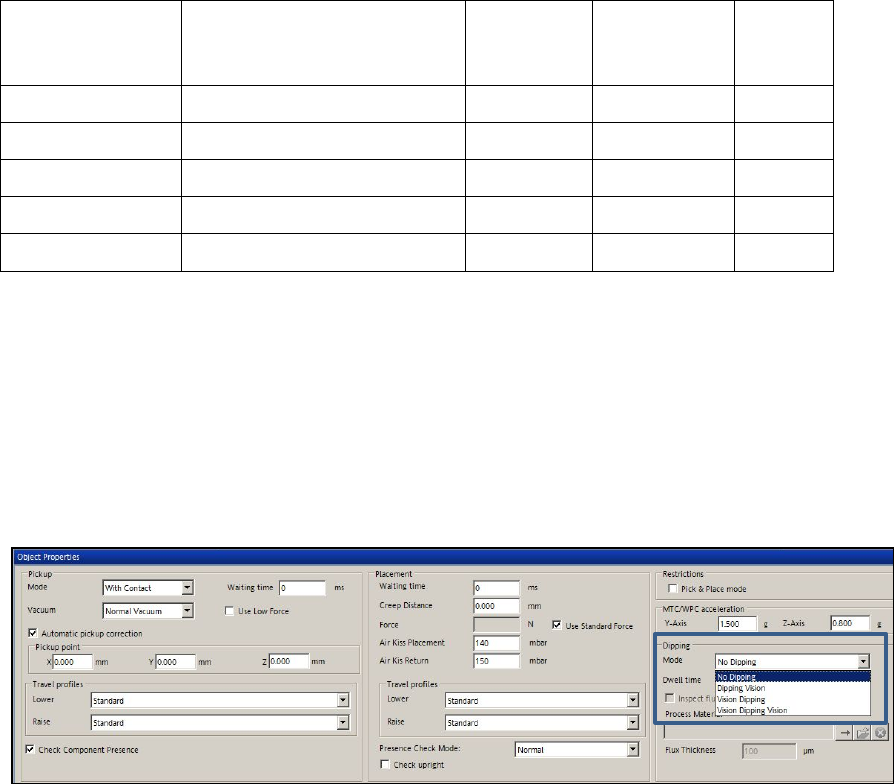
As default, the Vision measurement is performed after dipping.As of this SIPLACE Pro version, the
Vision measurement can optionally be performed before and after dipping.
Thus, slipped components can be detected and the position corrected after dipping.
The option is set in the drop-down list for dipping mode in the Handling tab of the Component
Shape Editor.
Figure 9-10: Vision before and after dipping
SIPLACE Pro Feature Description Ausgabe 05/2014 Edition
145
9.2.19 Smart Pin Support – Enhancements in SIPLACE Pro
The enhancements in SIPLACE Pro for Smart Pin Support are briefly described in the following
sections. Detailed information can be found in the User Manual Smart Pin Support, item no.
[00197001-xx].
9.2.19.1 Linking of Multiple Boards
If different boards are used to define top side and bottom side of the board, these boards may now
be linked to each other provided that no board bottom side is defined for the currently selected
board.
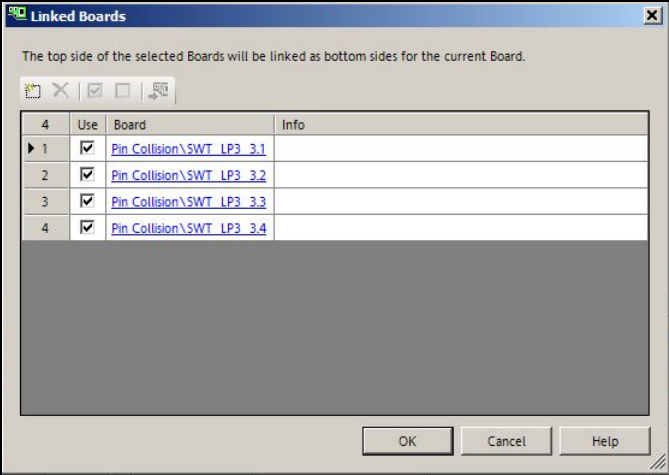
By clicking on the Link Board Side Data button in the Board Editor, the following dialog opens in
which one or multiple boards may be selected or added to be displayed as board bottom side.
Figure 9-11: Linking boards
The board top side of the selected board will be displayed as board bottom side of the current
board in the 3D view.
The board top side of the linked board will be displayed as board bottom side in the 2D view by
clicking on the "Show bottom side" icon.
Single, linked boards can be hidden in the graphical view. For this, the checkmark has to be
removed from the Use field in the dialog box.
It is not possible to switch to the board bottom side if linked boards are selected.