00196920-07_SIPLACE_Pro_FeatureDescription_DE_EN.pdf - 第92页
SIPLACE Pro Fe ature Des cription Ausgabe 05/2014 Edit ion 92 8.2.5 A dditiona l Workflow for LED Pa iring You can n ow def ine which w orkflow you want t o use: ● One com ponent per LED t ype with add itional brightnes …
SIPLACE Pro Feature Description Ausgabe 05/2014 Edition
91
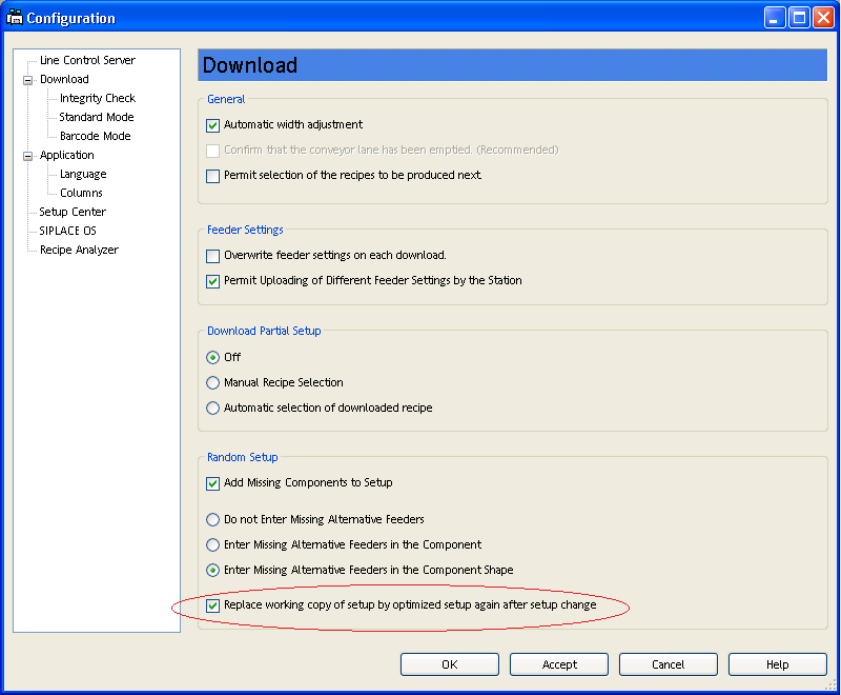
8.2.4 Working Copy Setup Replaced with Optimized Setup for Random Setup
In Random Setup mode, after downloading the first recipe which refers to the next optimized setup,
all recipes which refer to working copies of the previously optimized setup will be linked back to the
previously optimized setup itself. The working copies of the setups generated by Random Setup
will then be deleted.
Figure 8-3: Replacing working copy setup
SIPLACE Pro Feature Description Ausgabe 05/2014 Edition
92
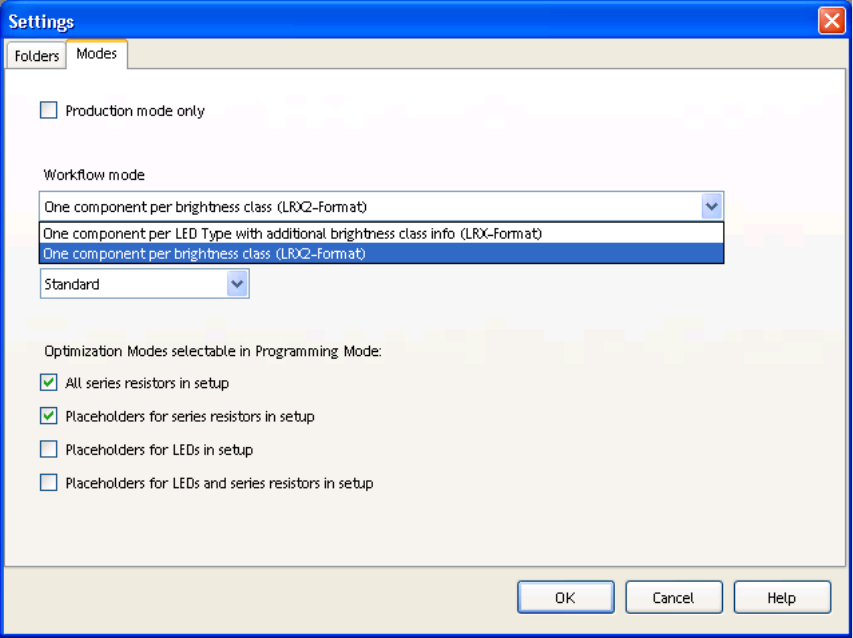
8.2.5 Additional Workflow for LED Pairing
You can now define which workflow you want to use:
● One component per LED type with additional brightness class data (LRX format) or
● One component per brightness class (LRX2 format).
Figure 8-4: LED Pairing workflows
SIPLACE Pro Feature Description Ausgabe 05/2014 Edition
93
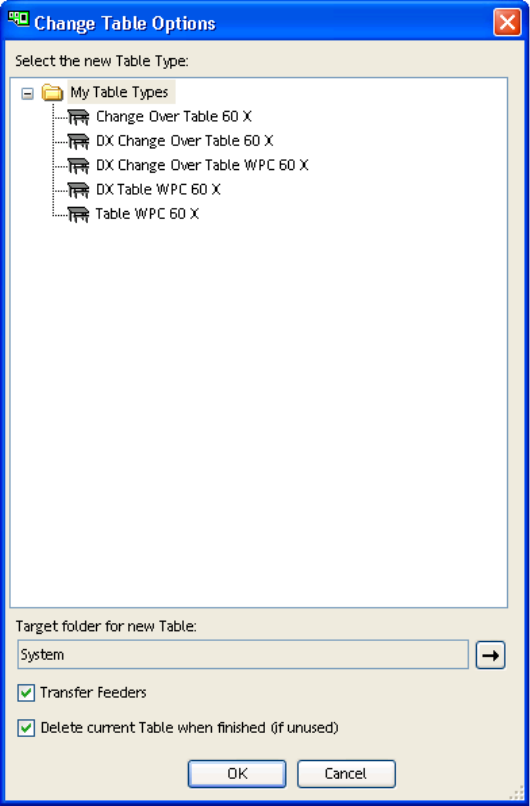
8.2.6 Change Tables
With the help of the new function Change Table, the Setup Editor can now show all available
tables for each location. As an option, you can apply feeders which have already been configured
and delete the previously used table. These functions are useful, for example, when replacing a
fixed DX table with a DX changeover table.
Figure 8-5: Changing table options
8.2.7 Improved Configuration of MTC 2
The procedure for filling tower feeders has been enhanced and there are now two additional new
options available.
● The two new top performance filling strategies Fill up for all boards and Fill up for any board
take into account the number of components needed. In this case, the towers are only filled up
as much as is really needed to produce the number of boards specified in the recipe.
● The best performance filling strategies configure the components in the tower so that these are
emptied preferably from bottom to top.
● To enhance performance, the wide tower of the MTC 2 only has one component configured per
level as a default.
● This same component will no longer be configured in both towers.