00196920-07_SIPLACE_Pro_FeatureDescription_DE_EN.pdf - 第155页
SIPLACE Pro Fe ature Des cription Ausgabe 05/2014 Edit ion 155 From the too l bar a dialog b ox can be called in which a ll exist ing proc ess attri butes are l isted. F rom this list o ne or m ultiple proc ess attribute…
SIPLACE Pro Feature Description Ausgabe 05/2014 Edition
154
9.2.30 Definition of Process Attributes
Process attributes for board sides and lines can be defined in SIPLACE Pro.
For this, SIPLACE Pro Desk and the Data Maintenance Tool have been enhanced.
9.2.30.1 Process Attributes in SIPLACE Pro Desk
Process attributes can be entered for board sides and lines. By means of the process attributes,
the user can define process capabilities of the line and process requirements of the board sides.
The boards will then be distributed to the lines based on these process attributes (among others).
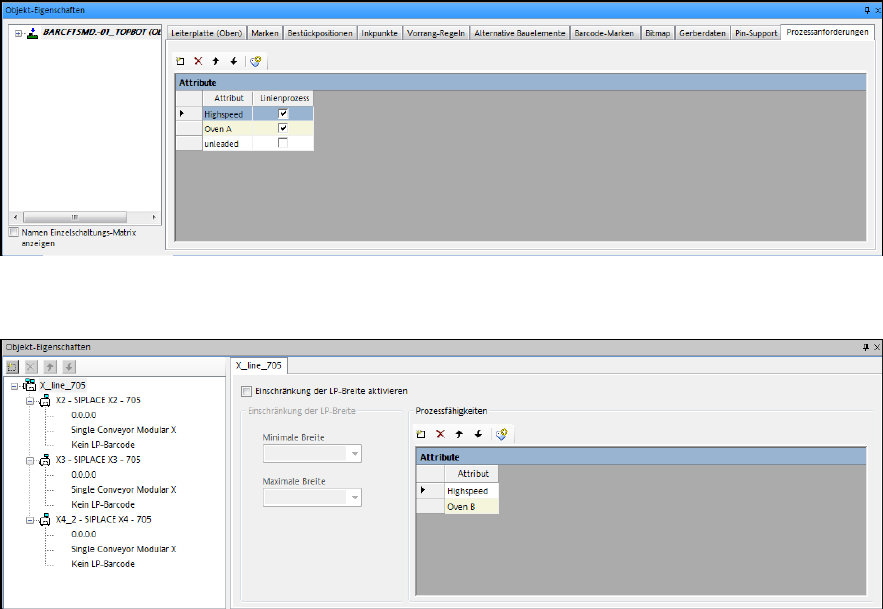
For the entry of the process attributes there is a new tab Process Requirements in the Board
Editor and Process Capabilities in the Line Editor respectively.
The user can enter any text as process attribute or select one from the list with available process
attributes in the system.
Figure 9-21: Board Editor – Defining process attributes
Figure 9-22: Line Editor – Defining process attributes
SIPLACE Pro Feature Description Ausgabe 05/2014 Edition
155
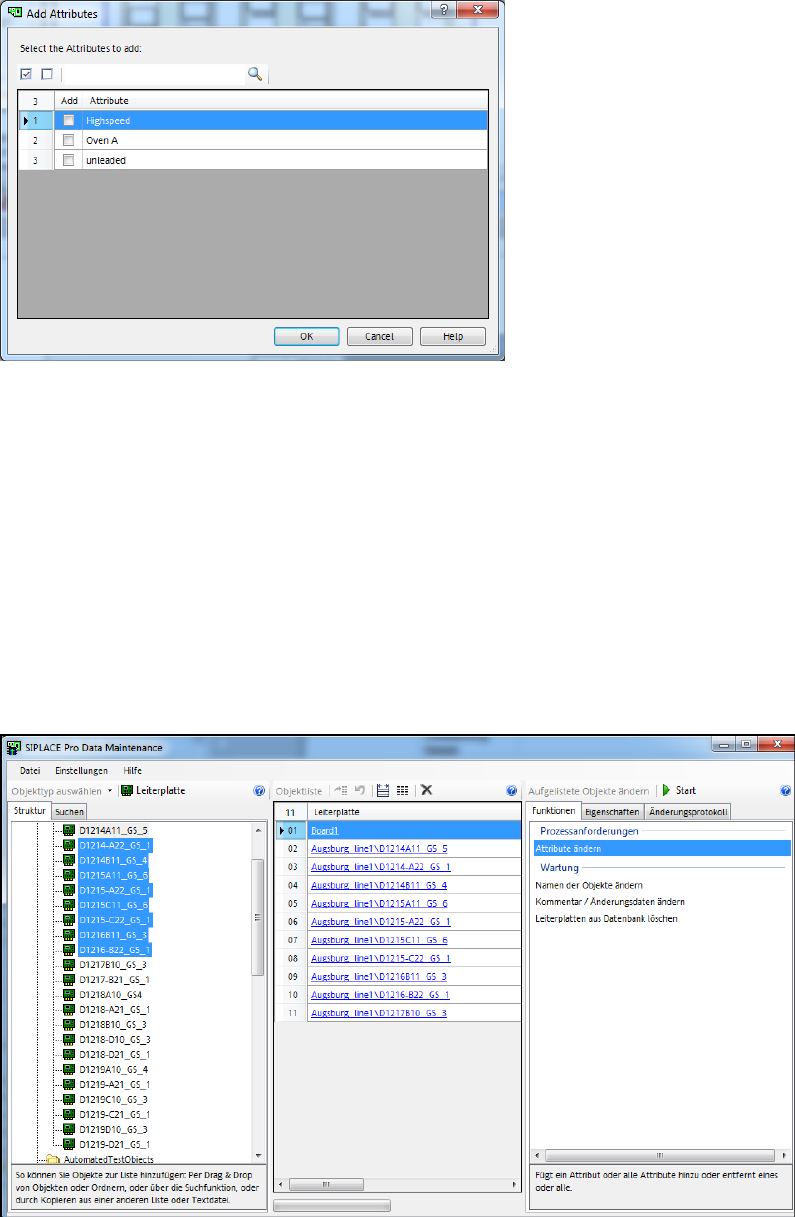
From the tool bar a dialog box can be called in which all existing process attributes are listed. From
this list one or multiple process attributes may be selected to be entered for the board side or line.
Figure 9-23: Process attribute dialog box
9.2.30.2 Process Attributes in Data Maintenance Tool
The Data Maintenance Tool has been enhanced so that the process attributes can be assigned
quickly and easily to multiple objects without having to handle each object separately.
Additionally, the Line object type can now be handled in the Data Maintenance Tool.
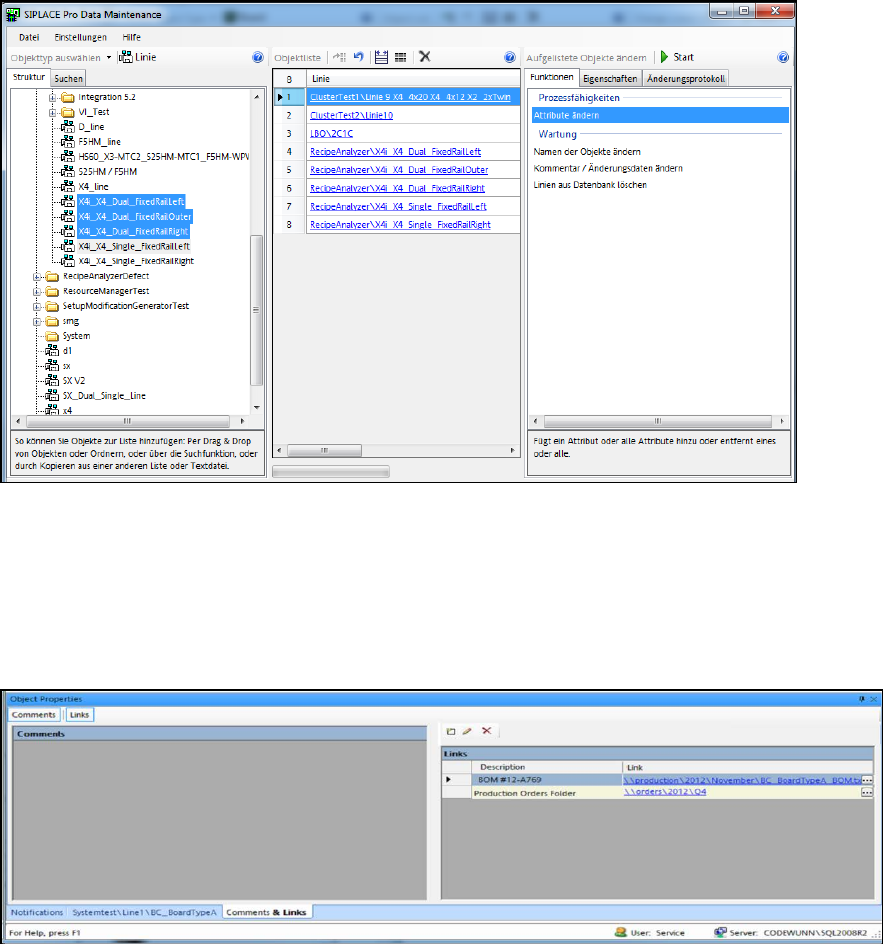
Process attributes for boards and lines can be added or removed via the Change Attribute
function.
For both actions, the user can enter a process attribute manually or select one from the list with
available process attributes in the system.
If boards are handled, the user also has to select if the top side, bottom side or both board sides
shall be treated.
Figure 9-24: Process attributes for boards
SIPLACE Pro Feature Description Ausgabe 05/2014 Edition
156
Figure 9-25: Process attributes for lines
9.2.31 Linking Documents to SIPLACE Pro Objects
It is now possible to link external documents and file system folders to the respective objects in all
SIPLACE Pro Desk Editors. For this, the Comments tab in the Object Properties has been
extended as follows.
Figure 9-26: Comments & Links
In the right part of the window one or more links may be created, edited and deleted for each
object. By double-clicking a link it will open.
Detailed information can be found in the Online Help for SIPLACE Pro.