Smart Gui - Algorithm Training Material_rev1.pdf - 第10页
Copyright © ViT rox All Rights Reserved . CR T ype Algorithm - Locator 10 5. Enable Pin Offset Checking ● T ick this to inspect the pin offset ● The offset detection divided to 2 parts (T op & Bot) for each direction…
Copyright © ViTrox All Rights Reserved.
CR Type Algorithm - Locator
9
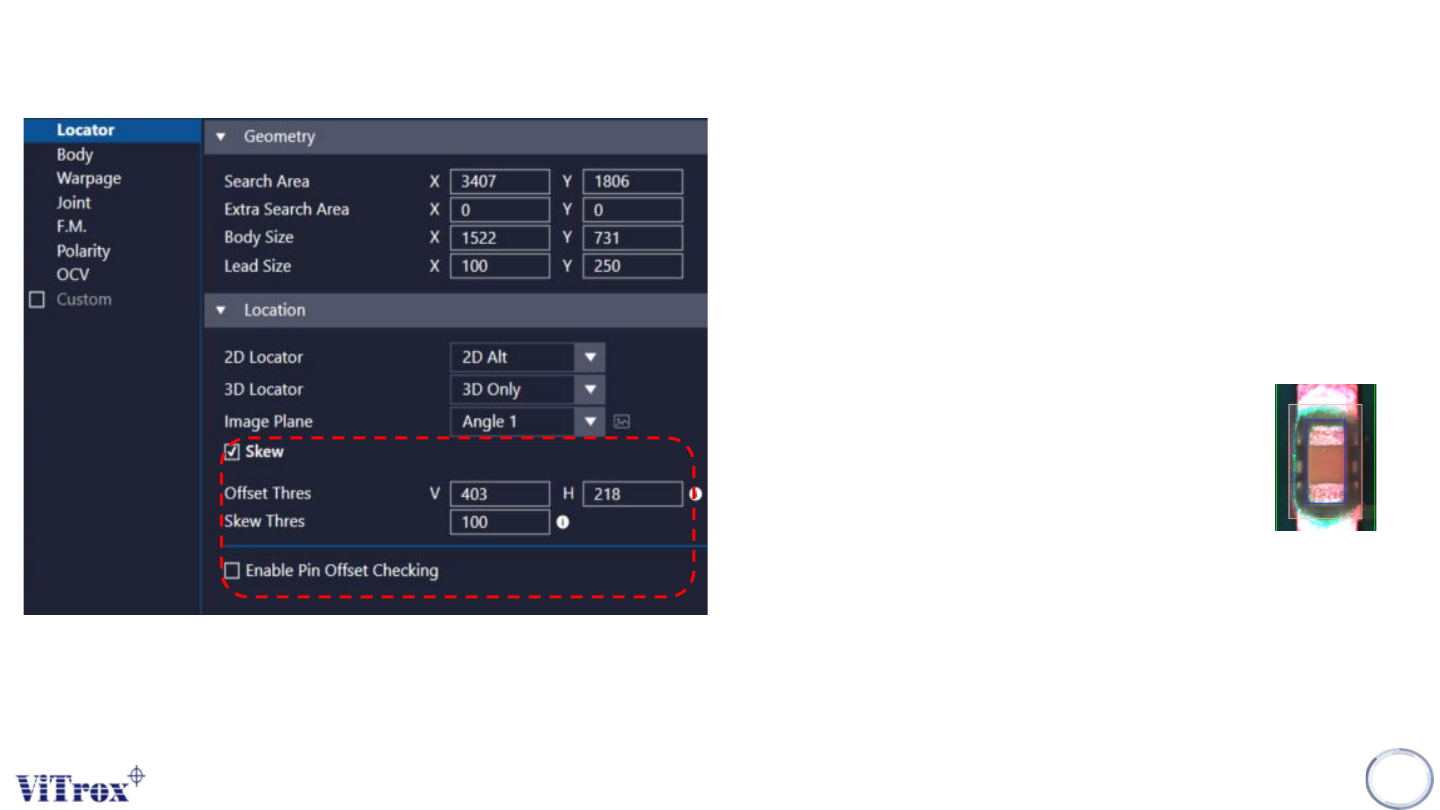
1. Skew
● Tick this to include skew inspection
2. Offset Thres
● To preset the allowed value for offset. The pink
colour box below shows the acceptable offset
area. User may drag to adjust the box size.
3. Offset Box
● If the component out of this area will fail
the inspection result.
4. Skew Thres
● To set the skew threshold in degree.
● Will fail the inspection when:
measured skew value > Skew Thres
● 1 = 0.1 deg
Copyright © ViTrox All Rights Reserved.
CR Type Algorithm - Locator
10
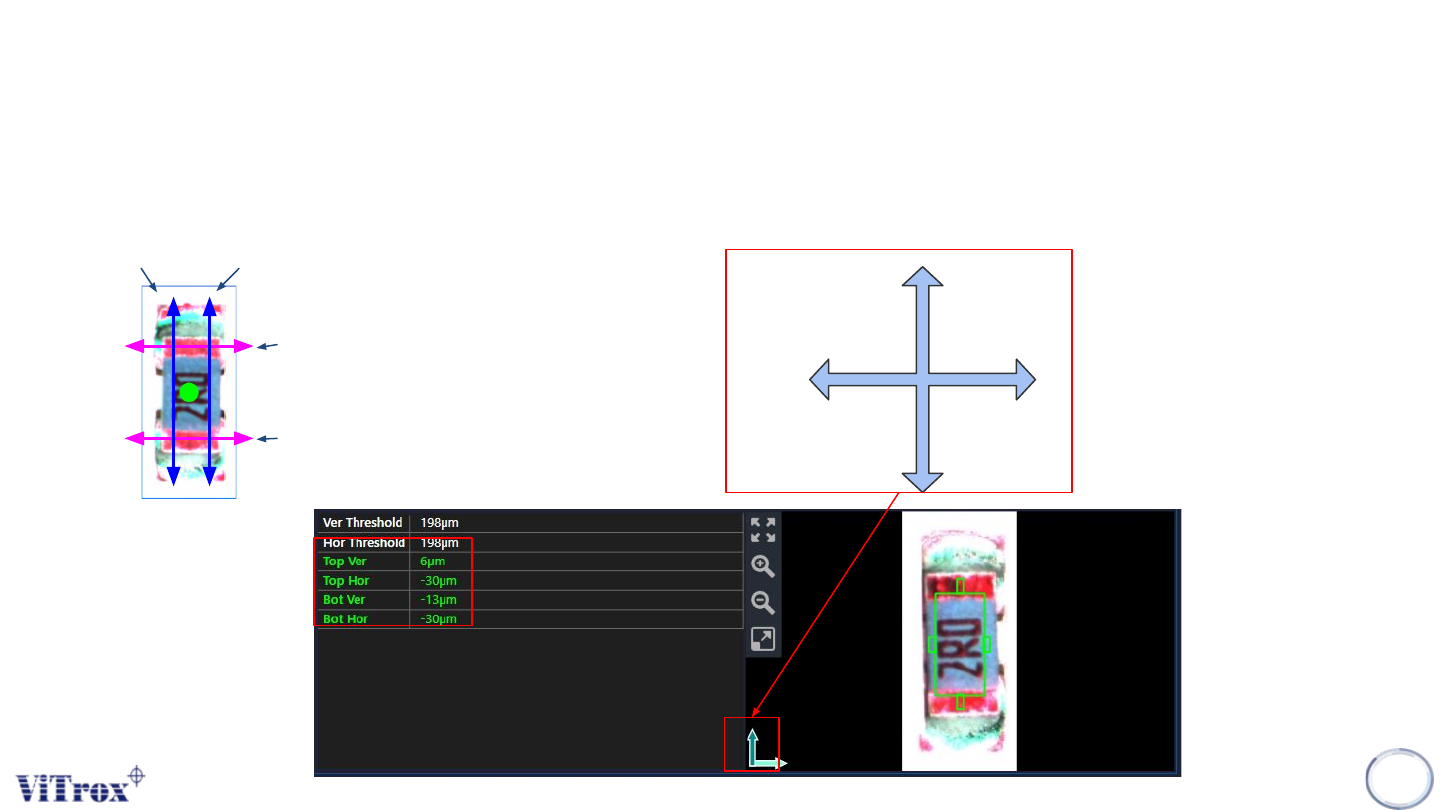
5. Enable Pin Offset Checking
● Tick this to inspect the pin offset
● The offset detection divided to 2 parts (Top & Bot) for each directions.
Vertical (+ve)
Horizontal
(+ve)
Top Ver
Bot Ver
Top Hor
Bot Hor
Refer to this icon to know the
direction. Direction may change
based on the rotation in plx file
(location file).

Copyright © ViTrox All Rights Reserved.
11
Component Body Algorithm