Smart Gui - Algorithm Training Material_rev1.pdf - 第129页
Copyright © ViT rox All Rights Reserved . Lead Ringer - Requirement 129 1. Users need to turn off any unwanted test during the setup time. (e.g. joint, bridge, side fillet) 2. Setup of the Ringer algorithm must be done o…
Copyright © ViTrox All Rights Reserved.
Lead Ringer Overview
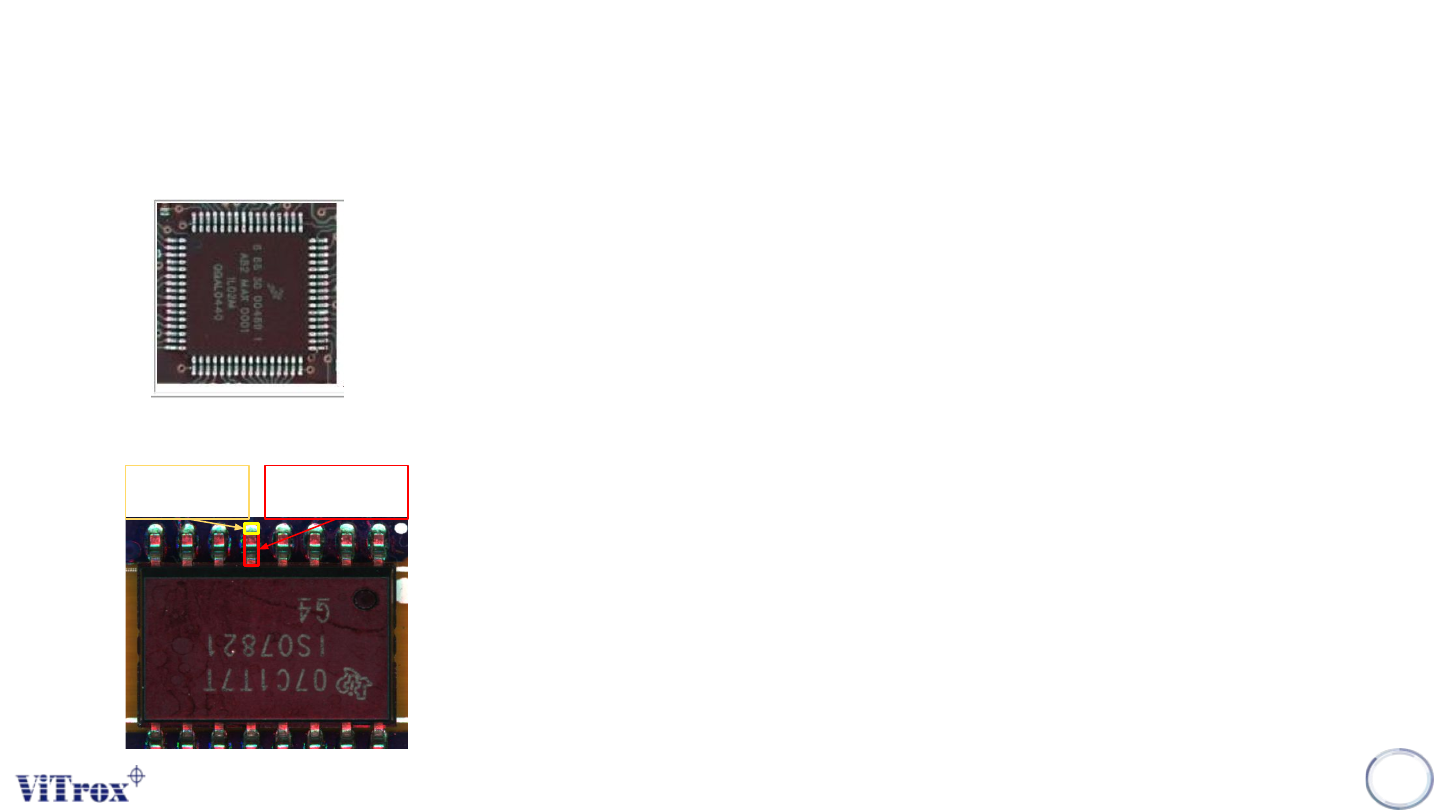
1. The Lead Ringer algorithm is designed to enable multi-leaded devices inspection (see Figure below), to check if
the leads of the component are correctly placed and soldered, and to detect bent or lifted leads.
2. It can be used alone, or alongside the other joint inspection methods.
3. This algo allows the user to compare boxes usually placed on the lead/solder against a fixed/relative threshold.
128
Lead
Pad
Copyright © ViTrox All Rights Reserved.
Lead Ringer - Requirement
129
1. Users need to turn off any unwanted test during the setup time. (e.g. joint, bridge, side fillet)
2. Setup of the Ringer algorithm must be done on a known good component.
3. User must ensure the presence/absence inspection algorithm setup correctly.
• Ringer algorithm will not activated if component detected as not present.
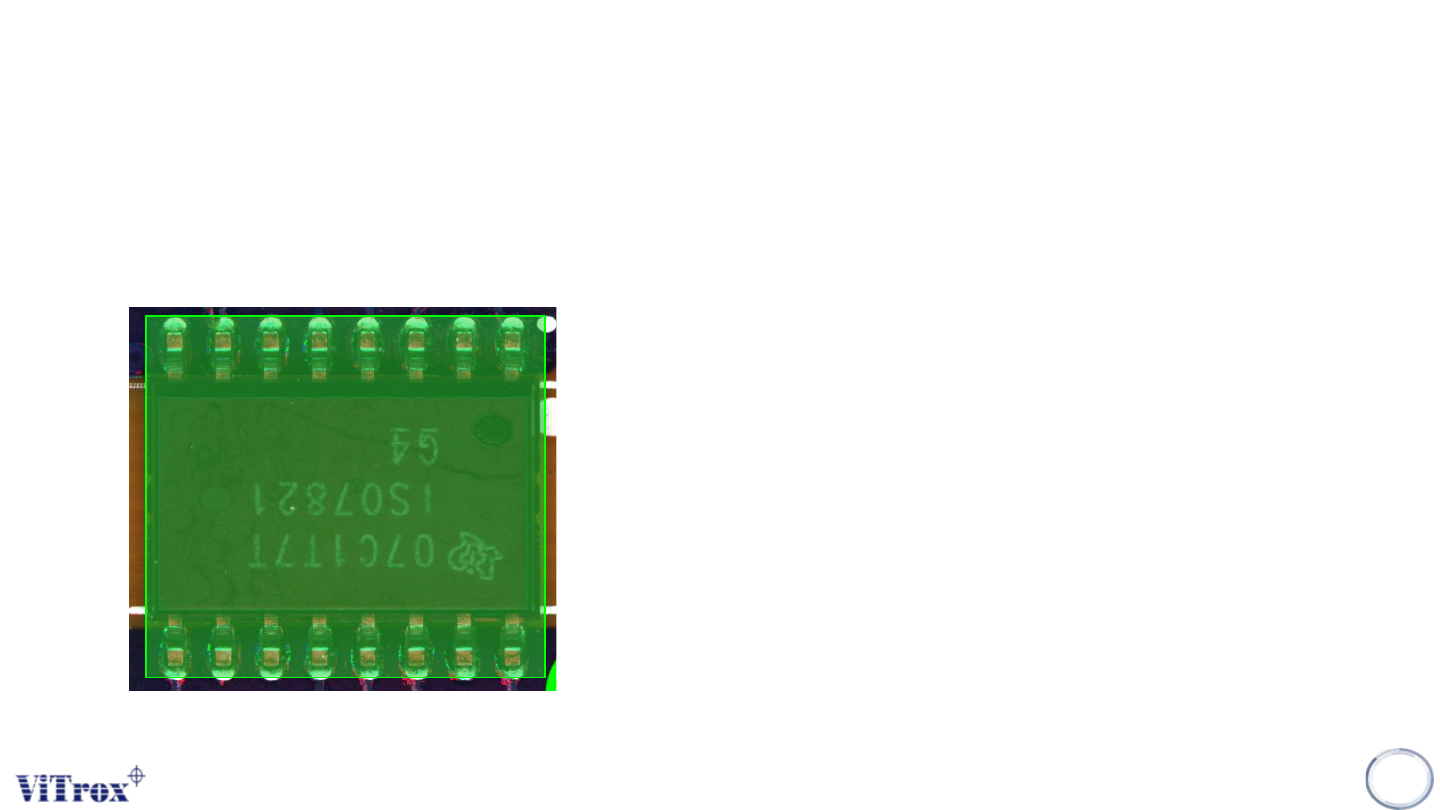
4. Must Setup the search area correctly.
• Restricted exactly on the area for the component (Including leads & Pads) as follow:
Copyright © ViTrox All Rights Reserved.
Lead Ringer - Types of Ringer Tests
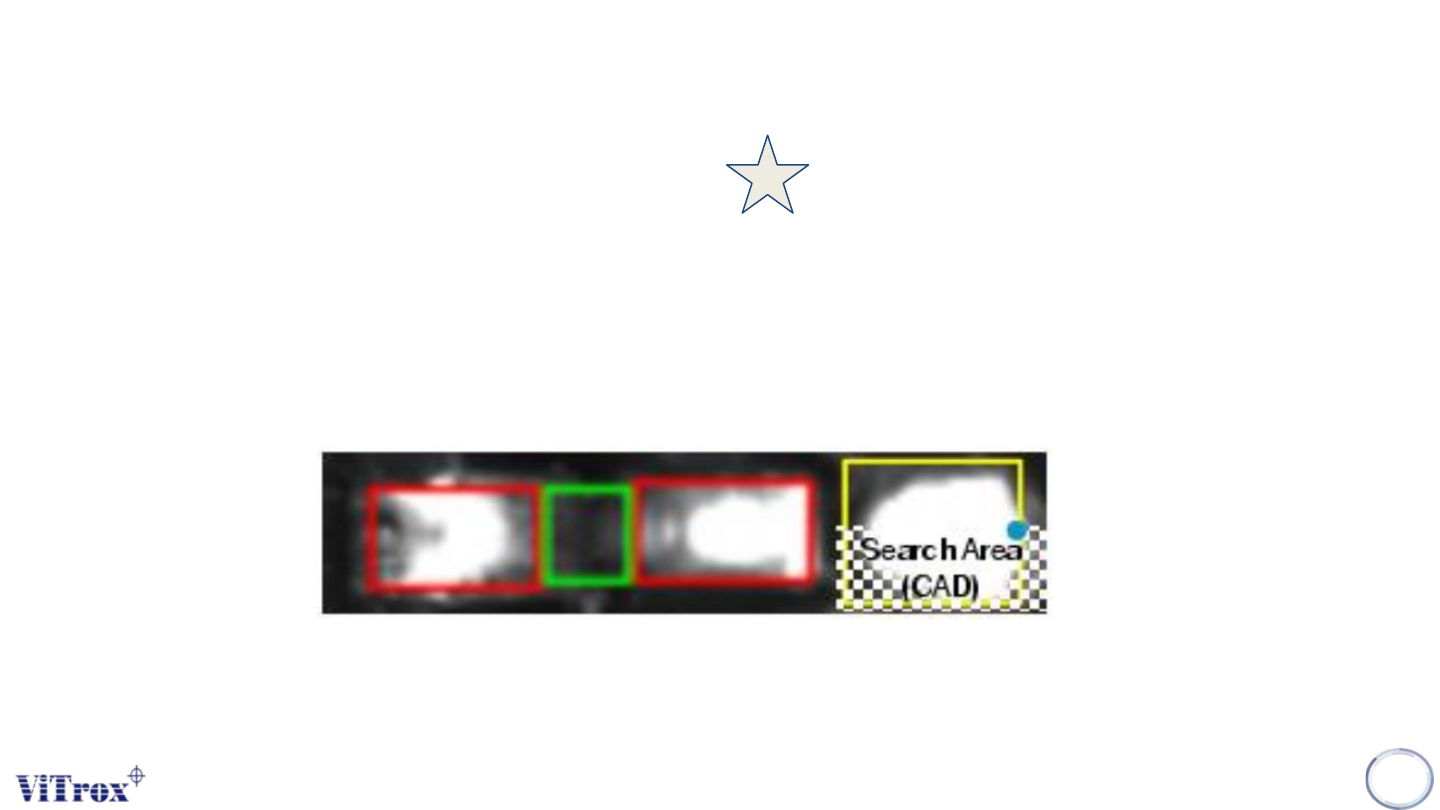
1. Pad Too Dark
• Inspection area: Pad Area
• Anchor set to (Lock to Search Area (CAD)" anchor)
• Image Plane: max(Angle 1,Angle 3)
• If the lead is lifted, the end of the pad will look darker in Angle 1, and Angle 3, so we will look at this difference in
intensity to characterize a possible defect
130