Smart Gui - Algorithm Training Material_rev1.pdf - 第41页
Copyright © ViT rox All Rights Reserved . 41 6. Include EPad Checking ● T ick this if you have the .epad file in C:\cpi\cad 7. Foreign Margin Only ● Enable when the components in the board are very compact.(Near to each …
Copyright © ViTrox All Rights Reserved.
40
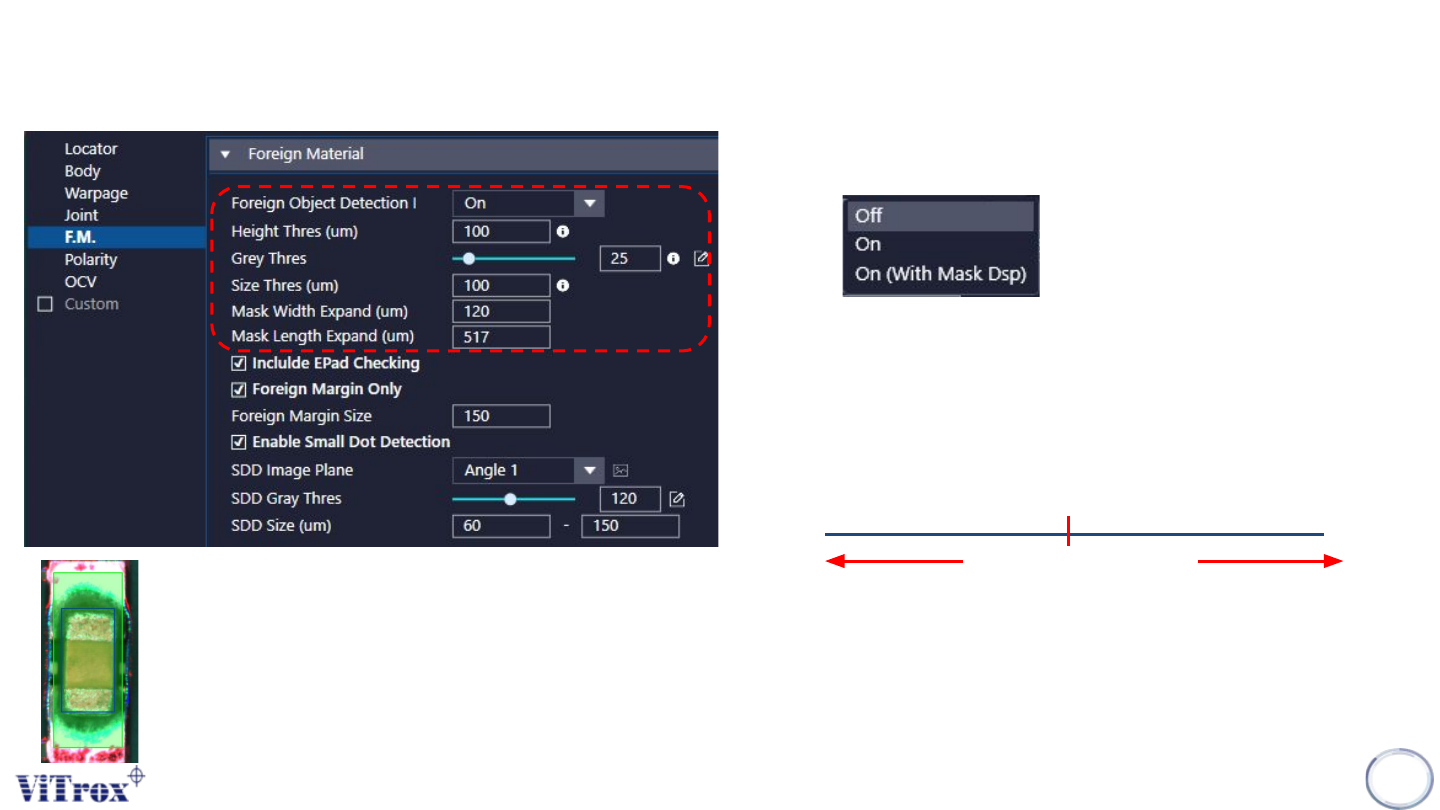
CR Type Algorithm - Foreign Material
1. Foreign Object Detection
● 3 modes as follows:
● On & On (with mask Display) having the same inspection results.
2. Height Thres (um)
● Minimum height to detect the foreign material
3. Grey Thres
4. Size Thres (um)
● Minimum length and width to detect the foreign material.
Grey Thres
Measured Grey Thres
PASS FAIL
5. Mask Width Expand (um) & Mask Length Expand (um)
● To adjust the mask area size.
● Mask area = Area without inspection
● The green box is the masking area.
Copyright © ViTrox All Rights Reserved.
41
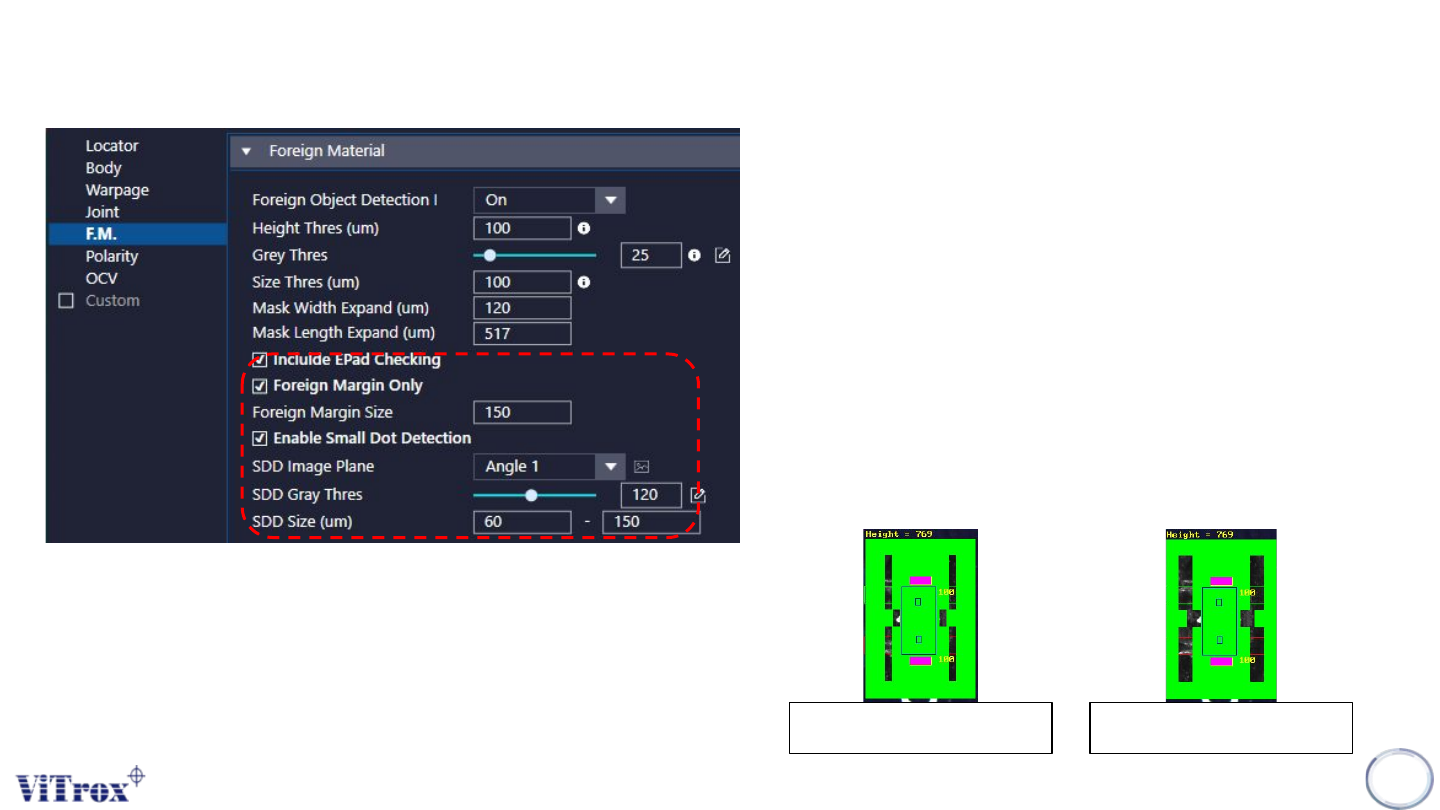
6. Include EPad Checking
● Tick this if you have the .epad file in C:\cpi\cad
7. Foreign Margin Only
● Enable when the components in the board are very
compact.(Near to each others)
● Software will not consider the component detected with cad
location inside the plx file although the component is within the
search area.
8. Foreign Margin Size
● To reduce the size of masking area.
● (Green region = masking area)
● The larger the foreign margin size, the smaller the masking area.
Foreign Margin Size = 300Foreign Margin Size = 150
CR Type Algorithm - Foreign Material
Copyright © ViTrox All Rights Reserved.
42
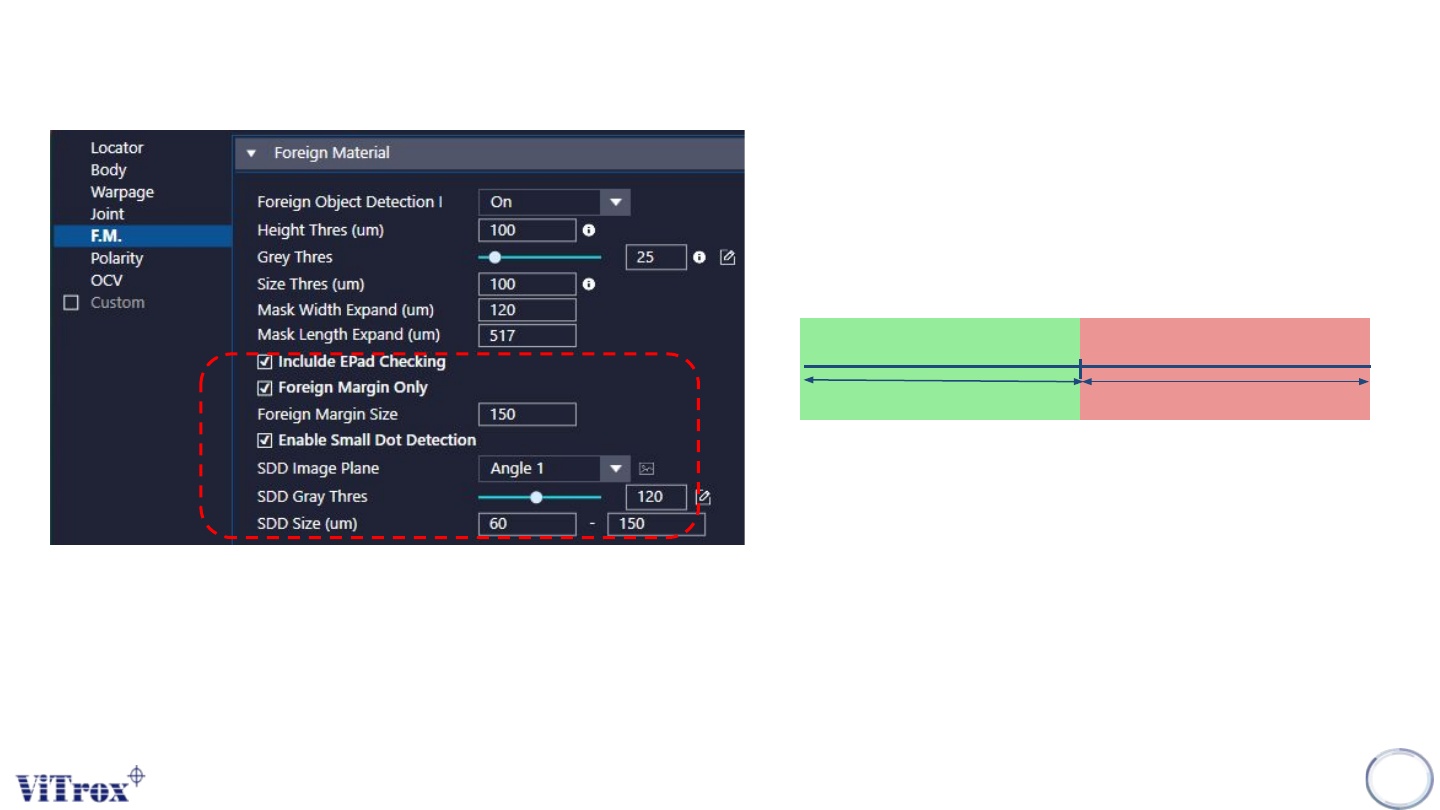
8. Enable Small Dot Detection
a. SDD Image Plane
● Select the one that having best contrast among the Joint Area
and background.
b. SDD Gray Thres
c. SDD Size (um)
● To adjust the minimum size to detect the defect.
Grey Thres
Pass
Fail
CR Type Algorithm - Foreign Material