Smart Gui - Algorithm Training Material_rev1.pdf - 第229页
Copyright © ViT rox All Rights Reserved . 229 THT (Through Hole T ech) Inspection
Copyright © ViTrox All Rights Reserved.
U-type Algorithm - 3D Multijoint (Bridging)
228
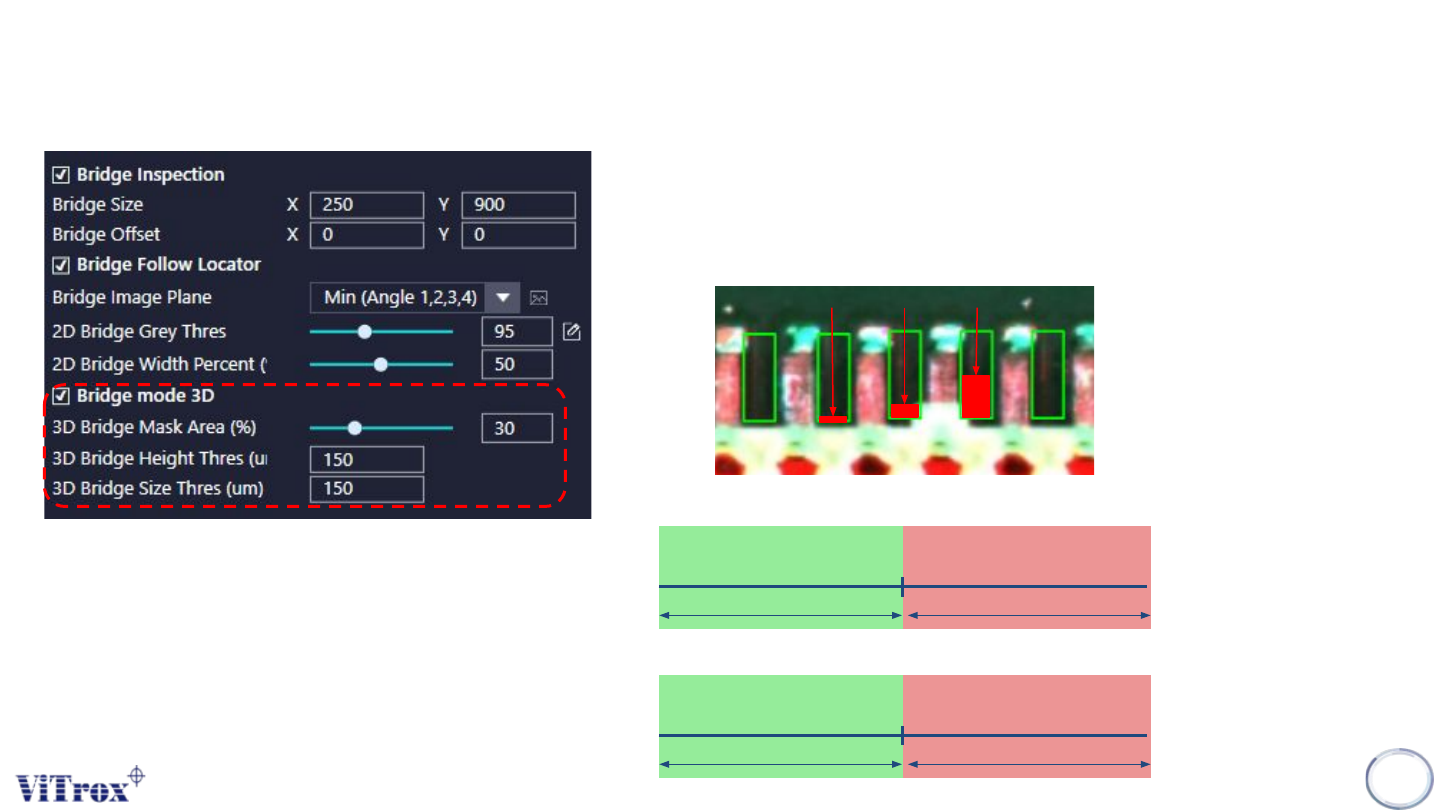
a. Bridge Mode 3D
● Enable or Disable 3D Bridge Inspection
b. 3D Bridge Mask Area (%)
● To adjust the size of Bridging Inspection boxes & Bridge Offset.
Mask
10%
Mask
20%
Mask
50%
c. 3D Bridge Height Thres (um)
.
d. 3D Bridge Size Thres (um)
3D Height Thres
Pass Fail
3D Size Thres
Pass Fail

Copyright © ViTrox All Rights Reserved.
229
THT (Through Hole Tech) Inspection
Copyright © ViTrox All Rights Reserved.
U-type Algorithm - THT
230
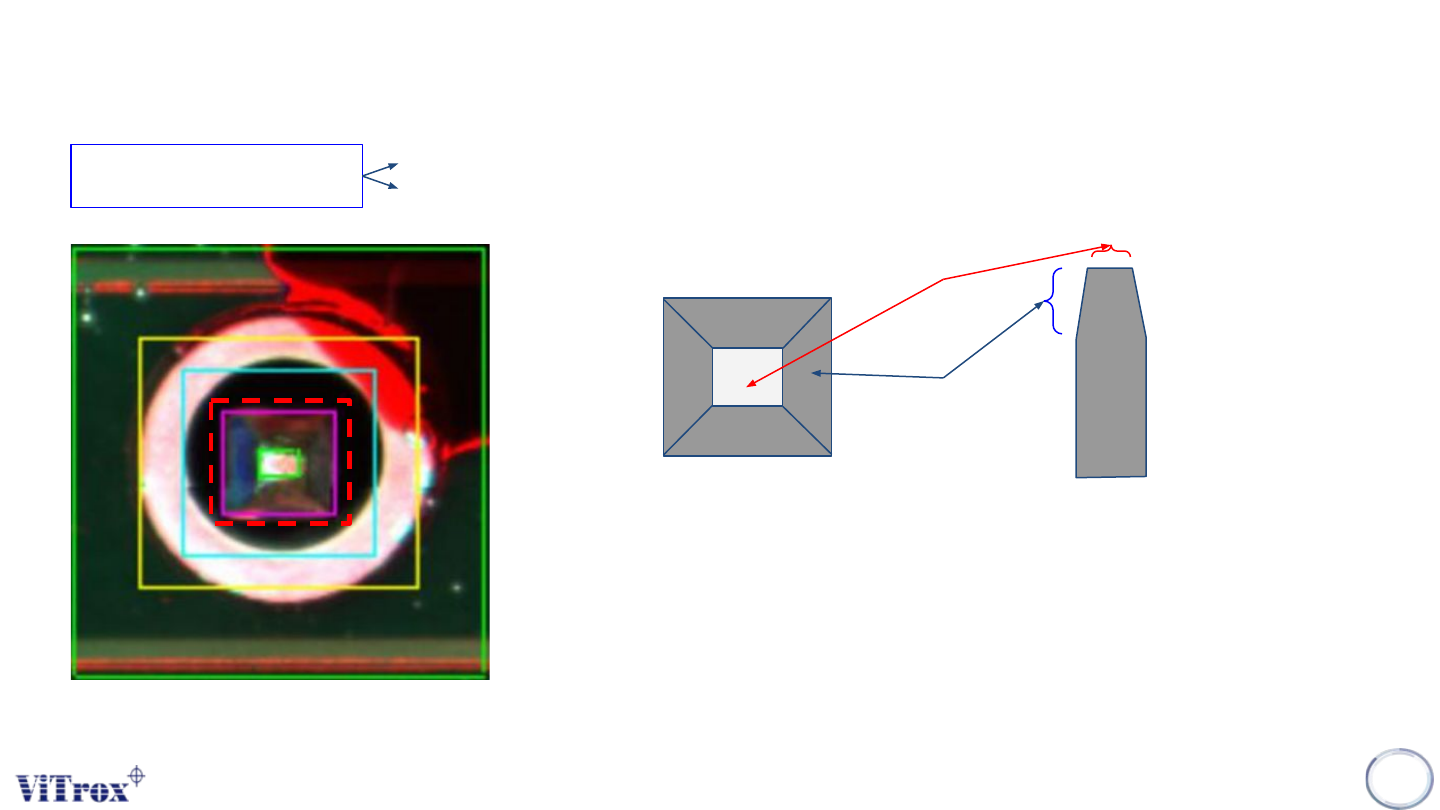
Pin Tip Region
(White)
Pin Chamfer Region
(Gray)
Top View Size View
1. When lighting projected on the pin,
● Pin tip region will be bright.
● Pin chamfer region will be dark.
● This is due to the reflection of ght.
2. Pin Tip region will be the region for the locator to locate the pin.
3. Pin Region = Pin Tip region + Pin Chamfer region
Pin Region
1. Locate the pin location
2. Detect the existing of pin.