Smart Gui - Algorithm Training Material_rev1.pdf - 第167页
Copyright © ViT rox All Rights Reserved . g. Low Contrast Mode ● Tick this when the component and its background having low contrast. h. Body Colour ● Light On Dark - Light component on Dark background. ● Dark On Light -…
Copyright © ViTrox All Rights Reserved.
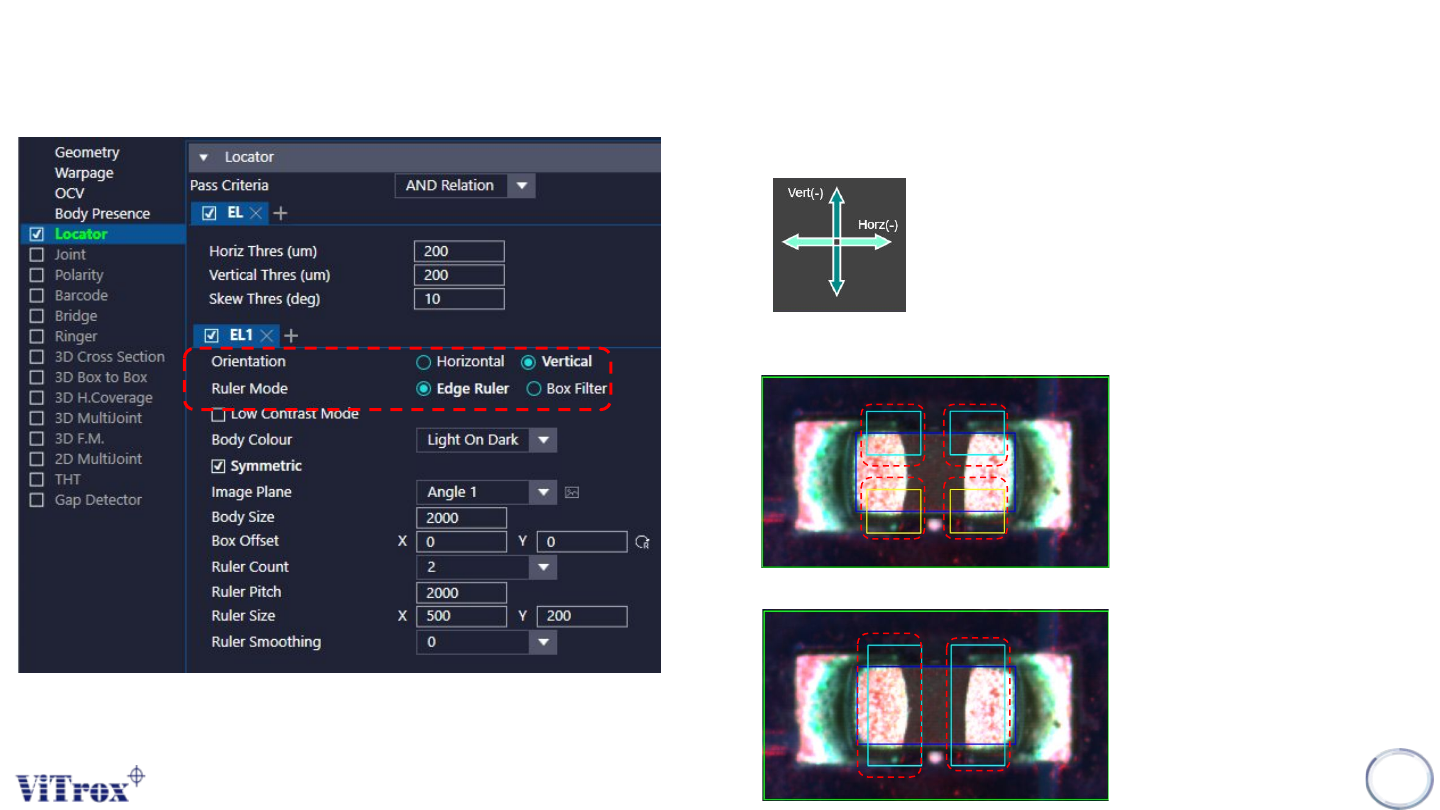
e. Orientation
.
f. Ruler Mode
● Edge Ruler - Used to locate odd shape component
● Box Filter - Used to locate the component regular box shape
U-type Locator - Edge Locator
166
Copyright © ViTrox All Rights Reserved.
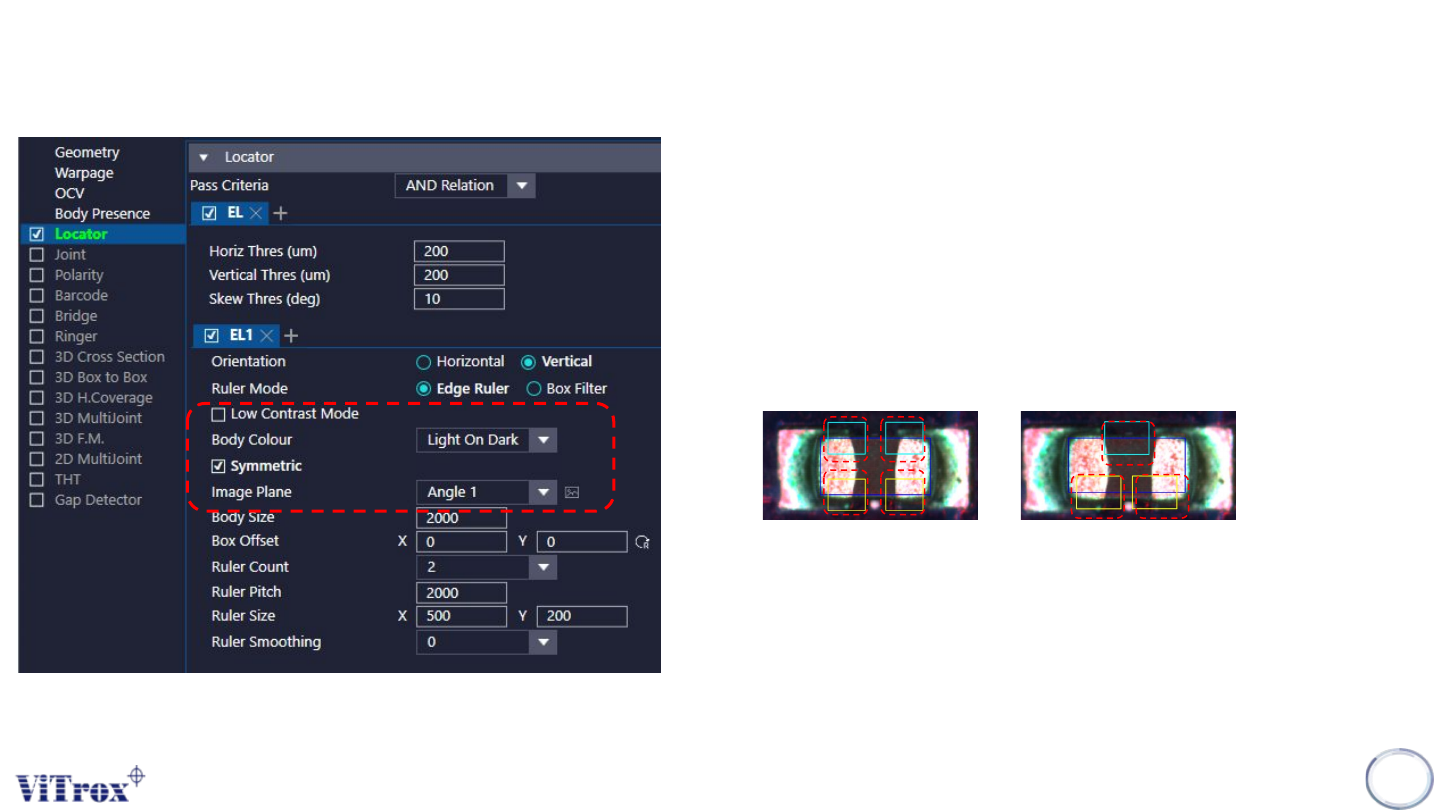
g. Low Contrast Mode
● Tick this when the component and its background having low
contrast.
h. Body Colour
● Light On Dark - Light component on Dark background.
● Dark On Light - Dark component on Light background.
i. Symmetric
● Only appear this option when select Edge Ruler.
U-type Locator - Edge Locator
167
Symmetric Non - Symmetric
j. Image Plane
● These are the types of 2D Lighting. Select the one with
having highest contrast among interested inspection region
and the background.
Copyright © ViTrox All Rights Reserved.
U-type Locator - Edge Locator
168
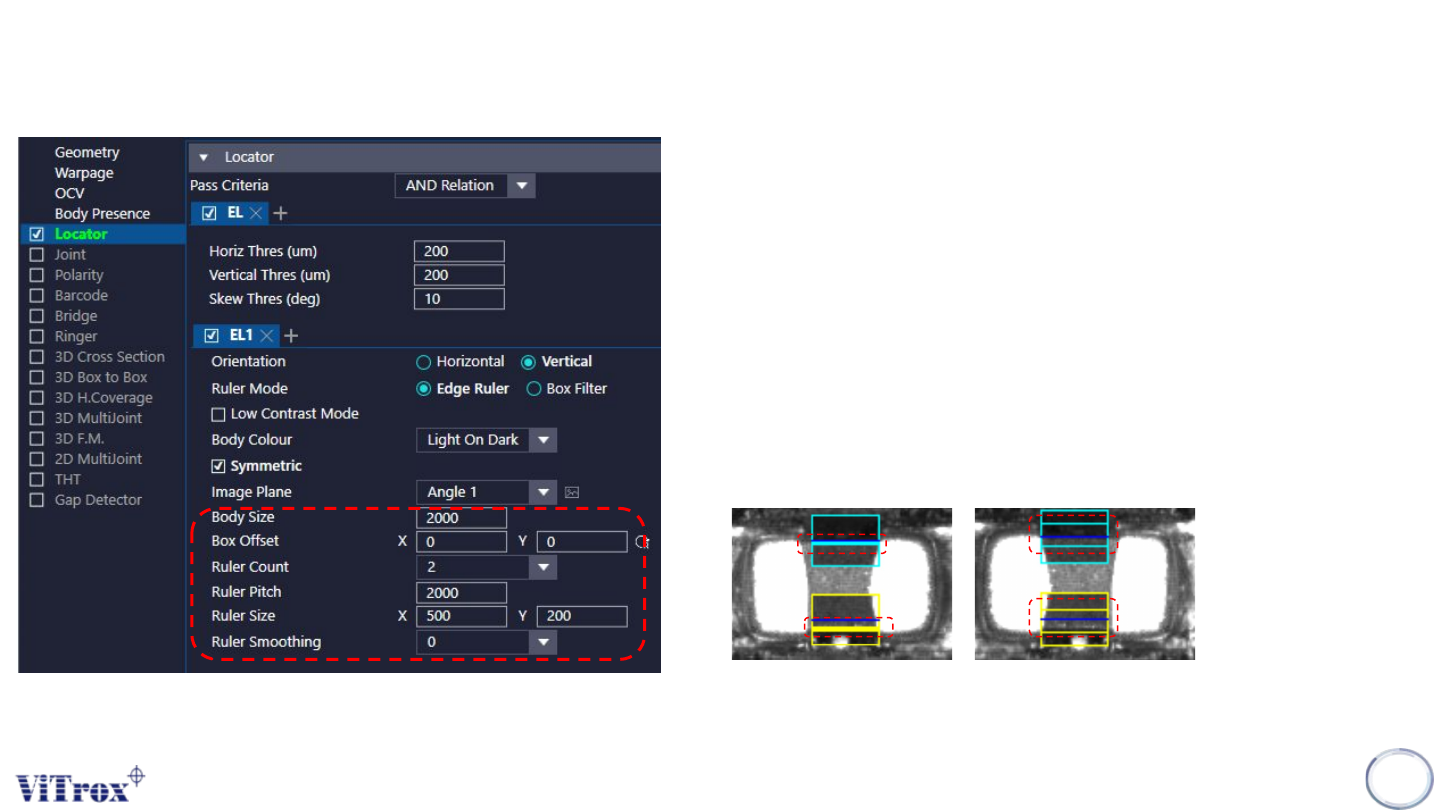
k. Body Size & Body Offset
● To adjust the body size and body offset.
l. Ruler Count
● To set the number of inspection box (Ruler).
● If “Skew” is one of the inspection criteria, The ruler count must set to
2.
m. Ruler Pitch
● To adjust the distance within two ruler.
n. Ruler Smoothing
● To adjust the size for the ruler.