Smart Gui - Algorithm Training Material_rev1.pdf - 第285页
Copyright © ViT rox All Rights Reserved . 285 3. Auto Joint Plane ● Used to improve the 3D model construction for Joint Plane. ● When auto joint plane enabled, system will auto generate two 3D images which are original 3…
Copyright © ViTrox All Rights Reserved.
284
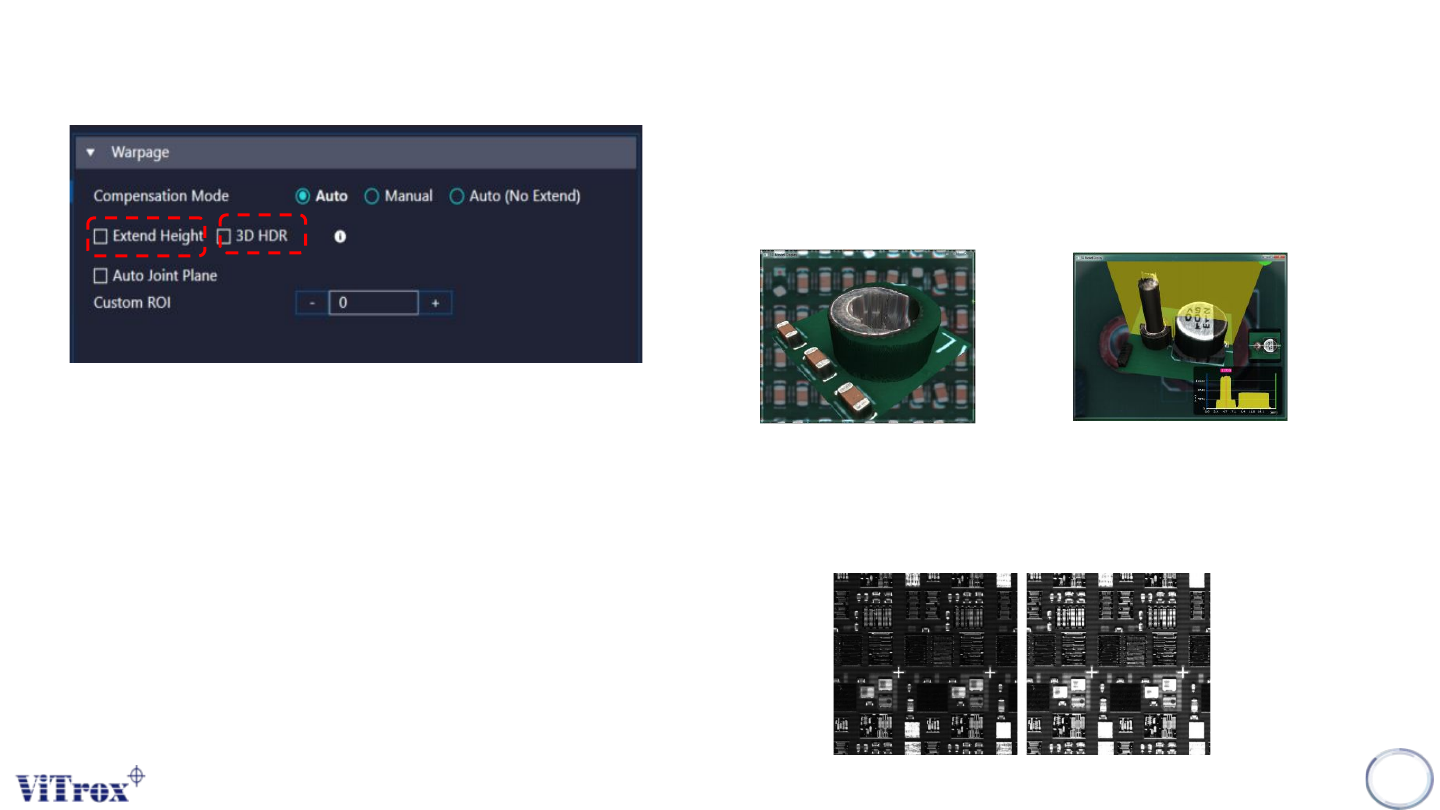
1. Extend Height
● Used to improve the 3D model construction for tall component.
For the component that higher 10mm height, it hardly form a flat
surface at top of component.
Without Extend Height With Extend Height
2. 3D HDR (High Dynamic Range)
● Increase the brightness (refer to pictures below)
● For Shiny and Dark component
Without HDR With HDR
Warpage
Copyright © ViTrox All Rights Reserved.
285
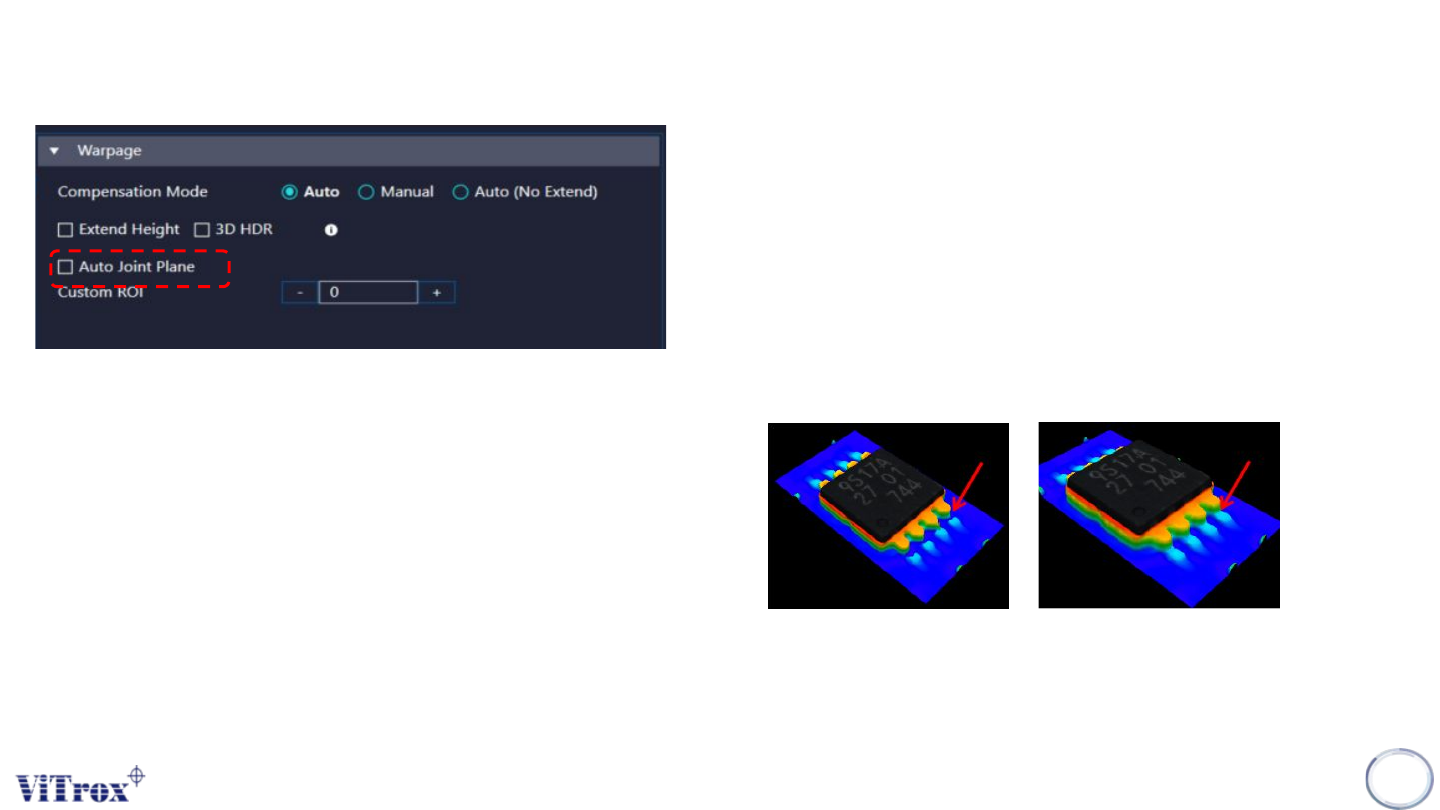
3. Auto Joint Plane
● Used to improve the 3D model construction for Joint Plane.
● When auto joint plane enabled, system will auto generate two 3D
images which are original 3D joint height and new 3D joint
height. This feature will compare both height in the joint plane
area and fill in those area that original 3D plane not able to form
in joint plane area
● If Joint plane height map > normal height map, 3D will use Joint
plane height map
● Cycle time will be increased upon usage.
Before Auto Joint Plane After Auto Joint Plane
Warpage
Copyright © ViTrox All Rights Reserved.
286
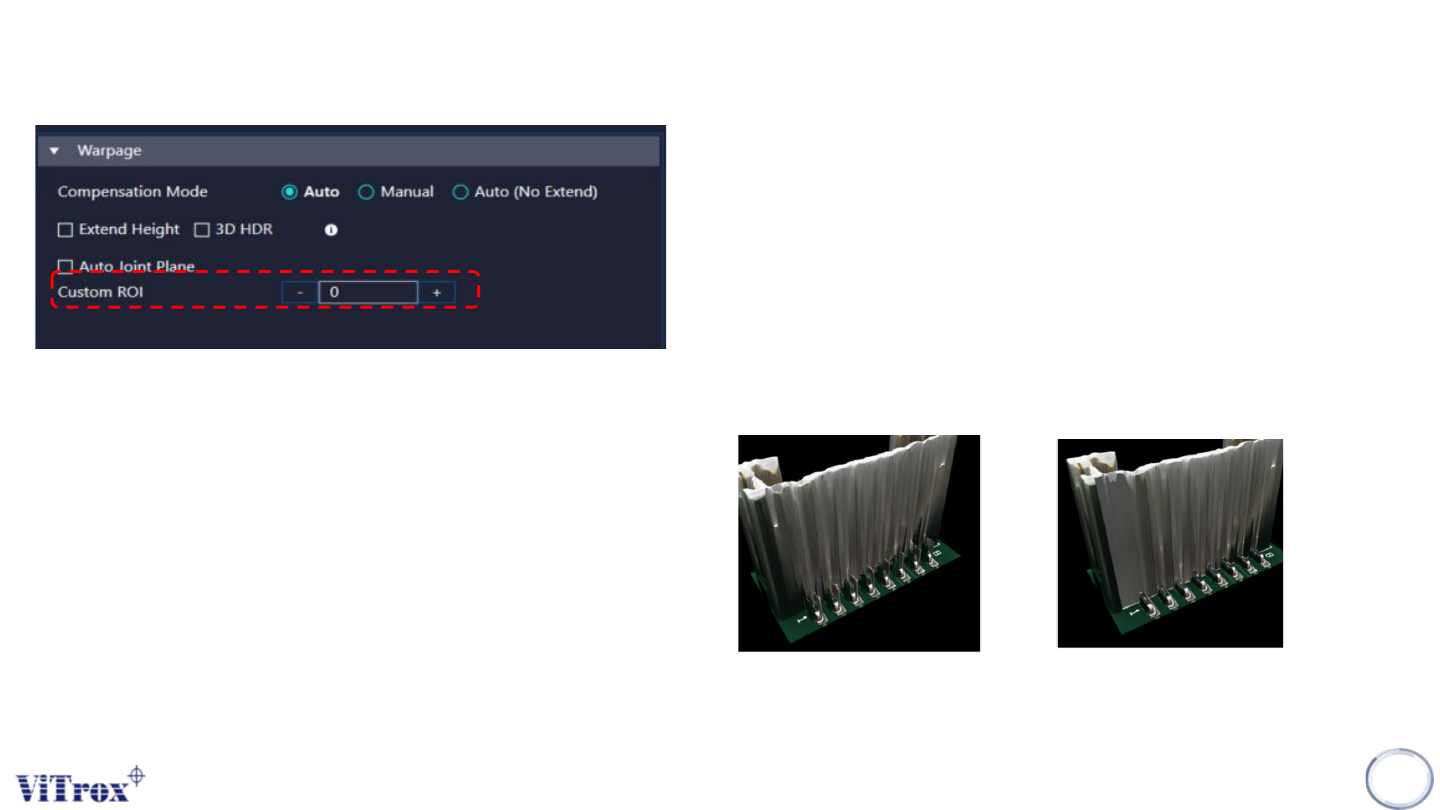
3. Auto Joint Plane (Custom ROI)
● Used to improve the 3D model construction for Joint Plane.
● When auto joint plane (custom ROI) enabled, system will auto
generate two 3D images which are original 3D joint height and
new 3D joint height. This feature will compare both height in the
joint plane area and filter out those spiking formed.
● If normal height map > 200um, 3D will use with joint plane height
map
● User can self select the numbers of ROI (Boxes)
● The ROI’s should place on the Joint Lead Area.
Before
After
Warpage