Smart Gui - Algorithm Training Material_rev1.pdf - 第262页
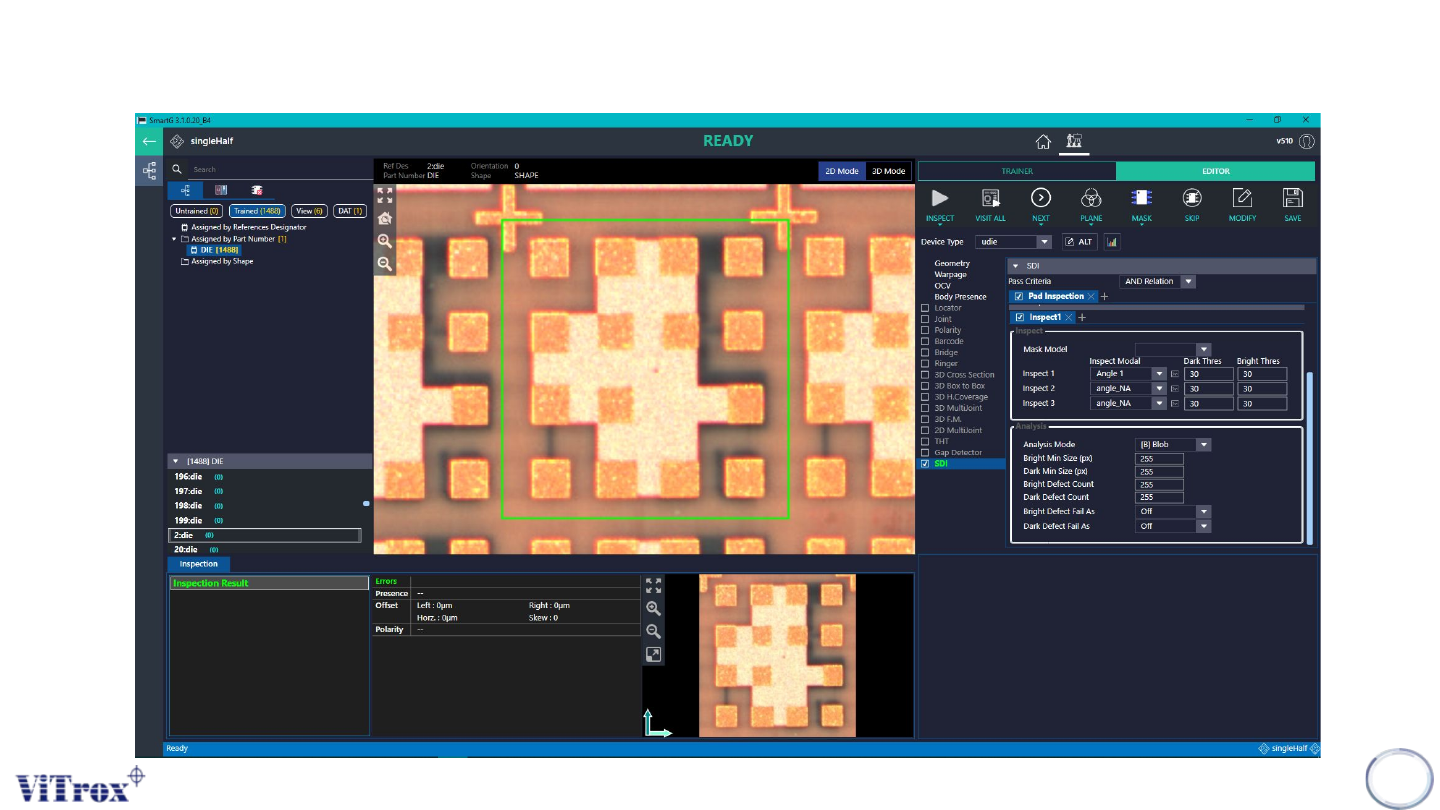
Copyright © ViT rox All Rights Reserved . Inspect Modal Bright Threshold Dark Threshold Inspect 1 Angle 1 30 30 Inspect 2 angle_NA 30 30 Inspect 3 angle_NA 30 30 Remarks: 1. Inspect is to find the dif ference between mod…
Copyright © ViTrox All Rights Reserved.
Inspect and Analysis
261
Copyright © ViTrox All Rights Reserved.
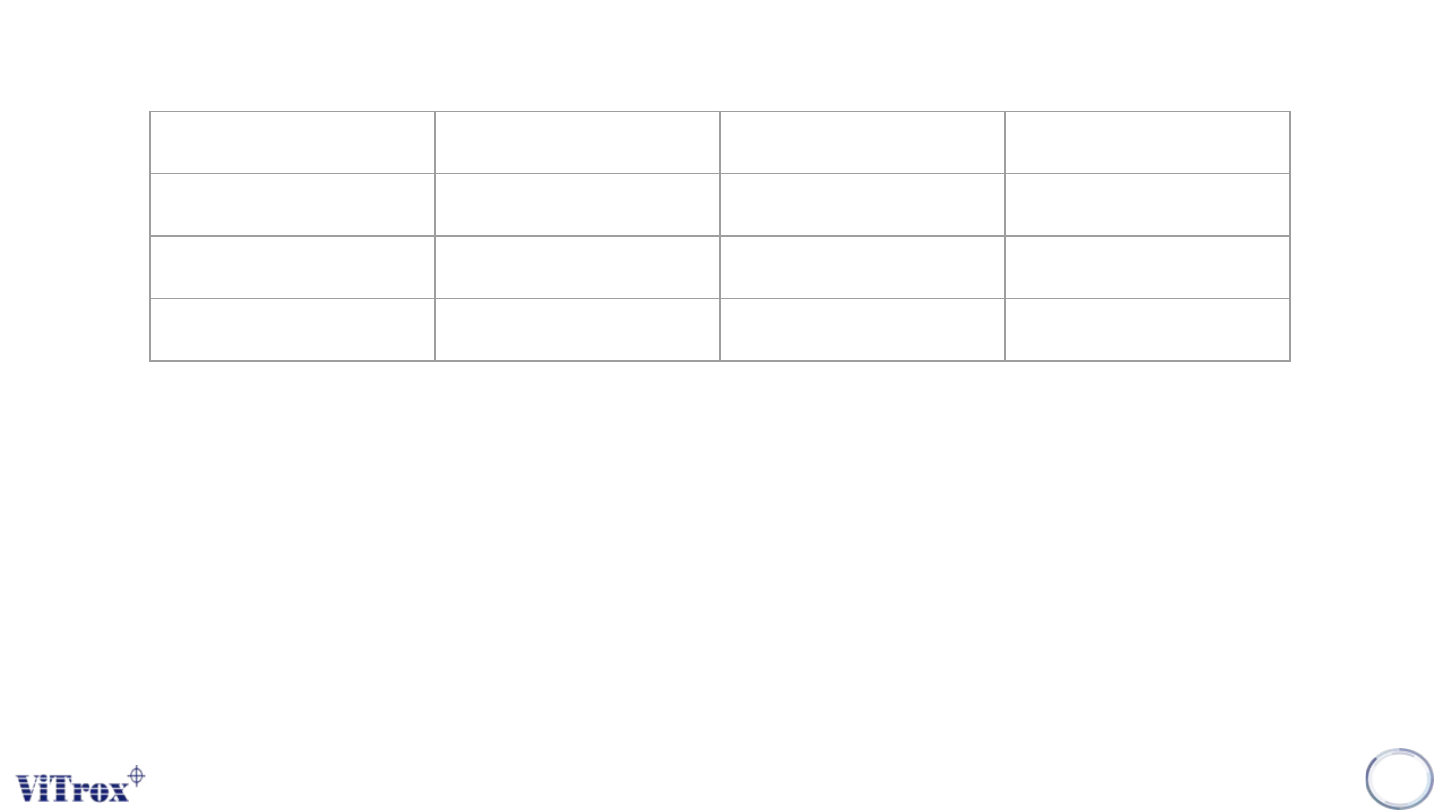
Inspect Modal Bright Threshold Dark Threshold
Inspect 1 Angle 1 30 30
Inspect 2 angle_NA 30 30
Inspect 3 angle_NA 30 30
Remarks:
1. Inspect is to find the difference between modal and current inspect ref des. If the difference is
greater than the amount set in BT or DT. The defect will be prompt.
2. Defect is prompt but AOI will not classify the detected defect as error.
3. User would need need go to analysis to classify the detect defect as error.
Inspect and Analysis (Inspect Tab)
Inspect Modal
1. Users are provided with 3 inspect column to search for ROI defects
2. If users would not use inspect column, users would just set Inspect Modal to angle_NA
262
Copyright © ViTrox All Rights Reserved.
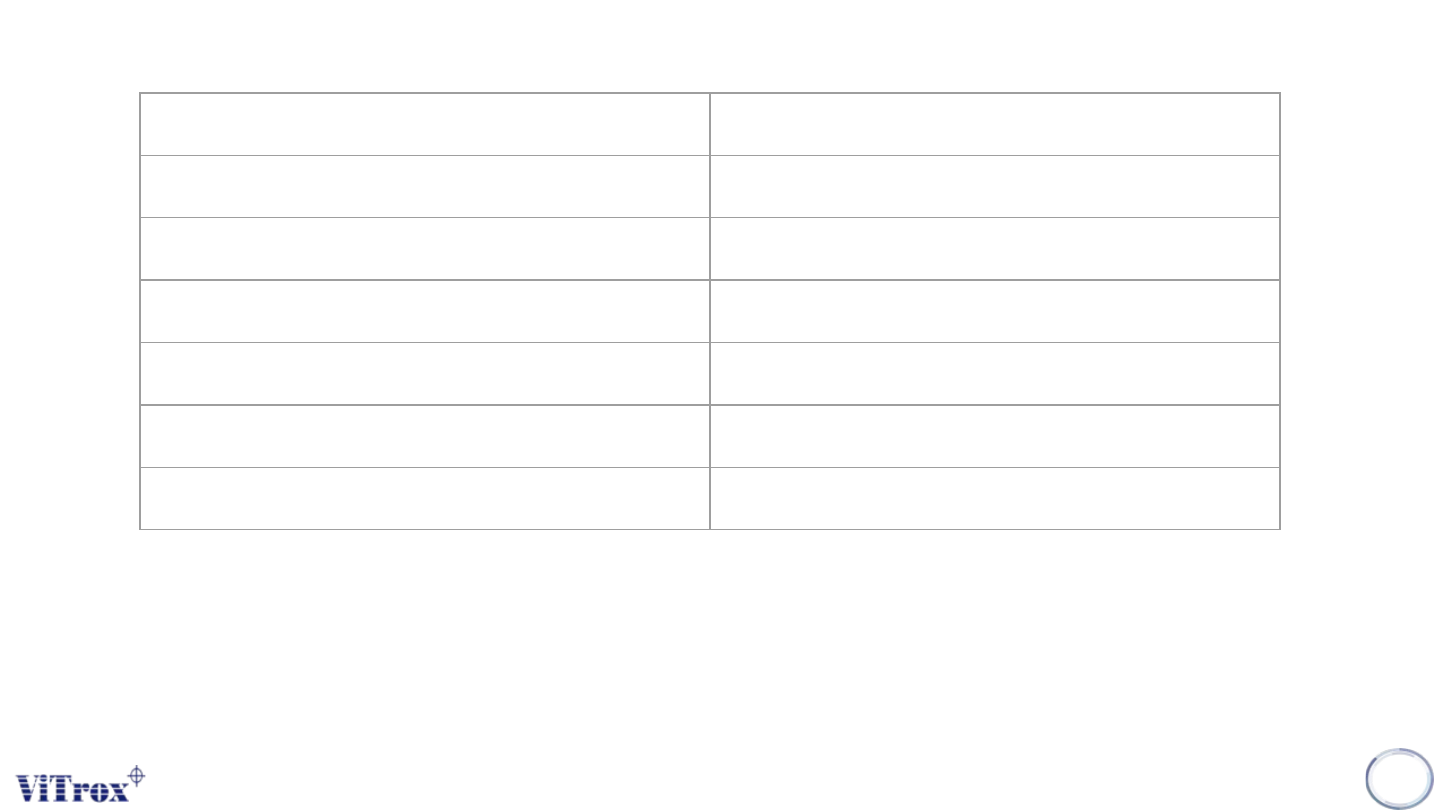
Analysis Mode Blob
Bright Min Size (px) 255
Dark Min Size (px) 255
Bright Defect Count 255
Dark Defect Count 255
Bright Defect Fail As: Off
Dark Defect Fail As: Off
Inspect and Analysis (Analysis Tab)
1. Analysis Mode: Blob is used when inspected defect is a chunk or a blob, please refer to the example
given in the slide
2. Bright Min Size (px)/ Dark Min Size (px)
a. The defect should be equal or higher than the pixel set in the tab to classify it as defect set by user.
3. Bright / Dark Defect Fail As:
a. This would prompt the defect set by users
263