Smart Gui - Algorithm Training Material_rev1.pdf - 第181页
Copyright © ViT rox All Rights Reserved . U-type Joint- Diff Joint 181 Mode: Inspect Bo x 1. Box Size X & Box Size Y ● T o adjust the size for the auto partitioned joint box 2. Bright Percentage Thres & Dark Perc…
Copyright © ViTrox All Rights Reserved.
U-type Joint- Diff Joint
180
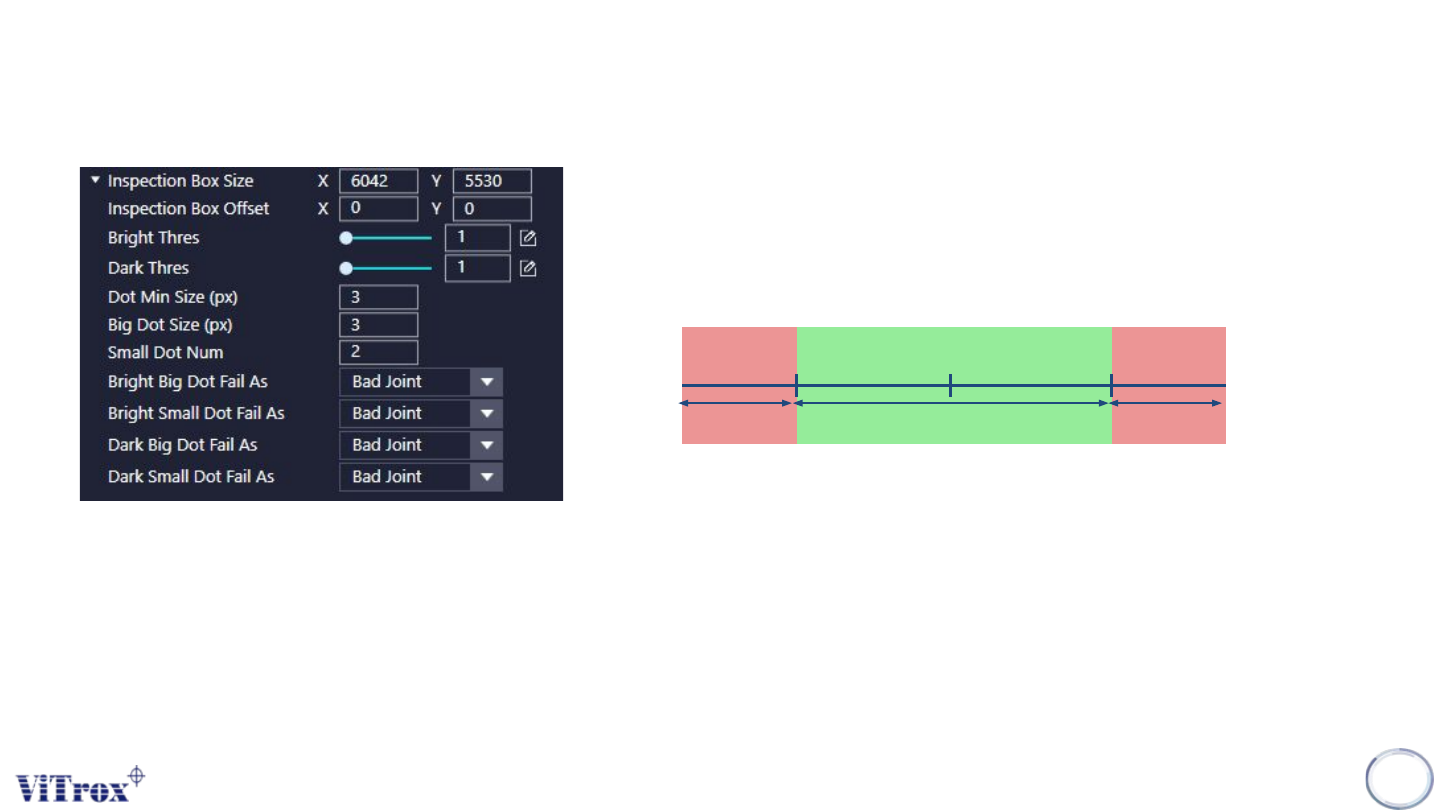
Mode: Inspect Dot
1. Inspection Box Size & Inspection Box Offset
● Interested region to do the inspection.
● To adjust the inspection box size & inspection box offset
.
2. Bright Thres & Dark Thres
3. Dot Min Size & Big Dot Size
● To define the minimum Dot size & Big Dot size
4. Small Dot Number
● The number of small dot to fail the component
5. Bright/Dark Dot Fail As:
● To define the defects name for each defect detected.
Grey Scale
(Base Image)
Pass
Fail
Dark Thres Bright Thres
Fail
Copyright © ViTrox All Rights Reserved.
U-type Joint- Diff Joint
181
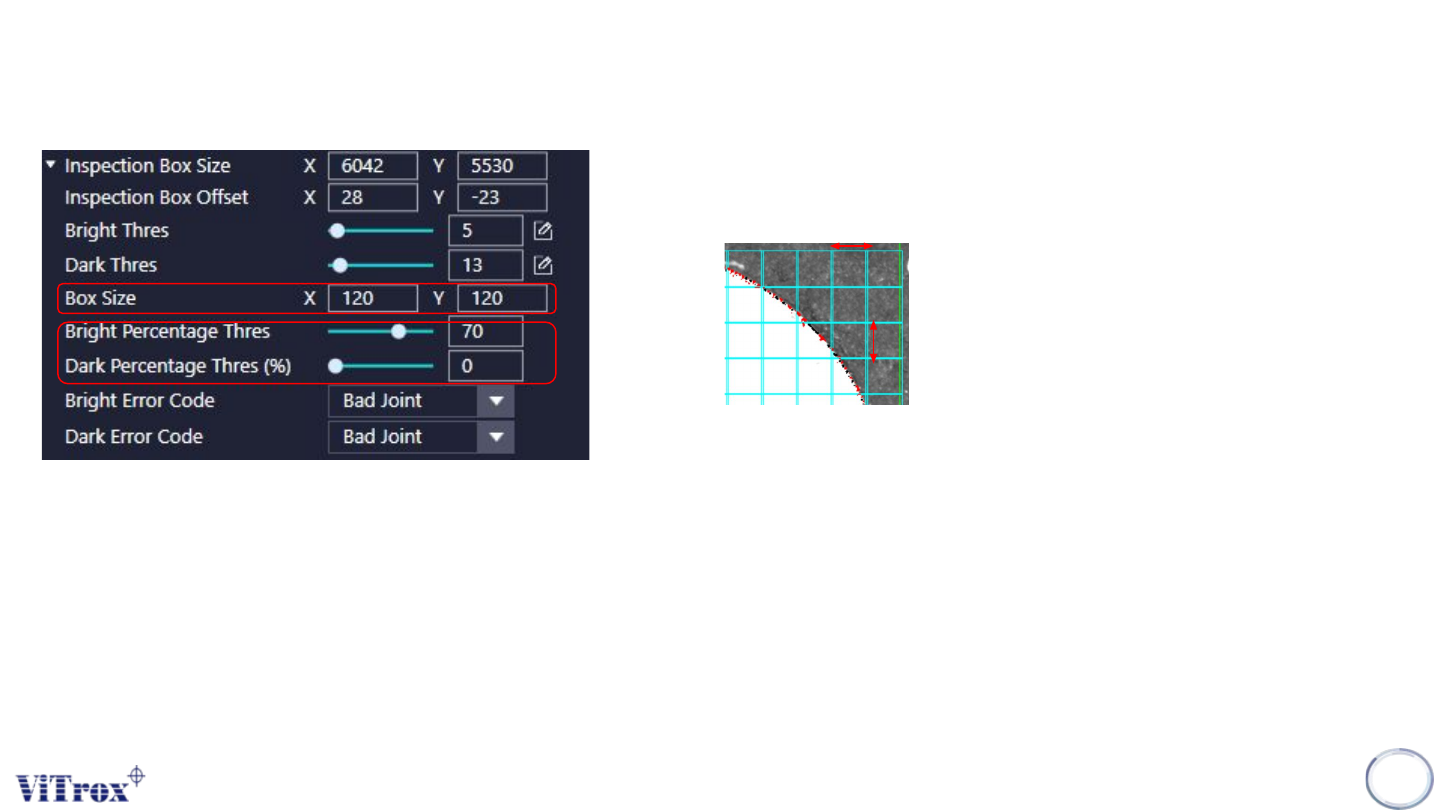
Mode: Inspect Box
1. Box Size X & Box Size Y
● To adjust the size for the auto partitioned joint box
2. Bright Percentage Thres & Dark Percentage Thres
● Box coverage percentage (Within the partition boxes) for bright defect
& dark defect.
*The others parameters same as Inspect Dot Mode.
X
Y
Copyright © ViTrox All Rights Reserved.
U-type Joint- Diff Joint
182
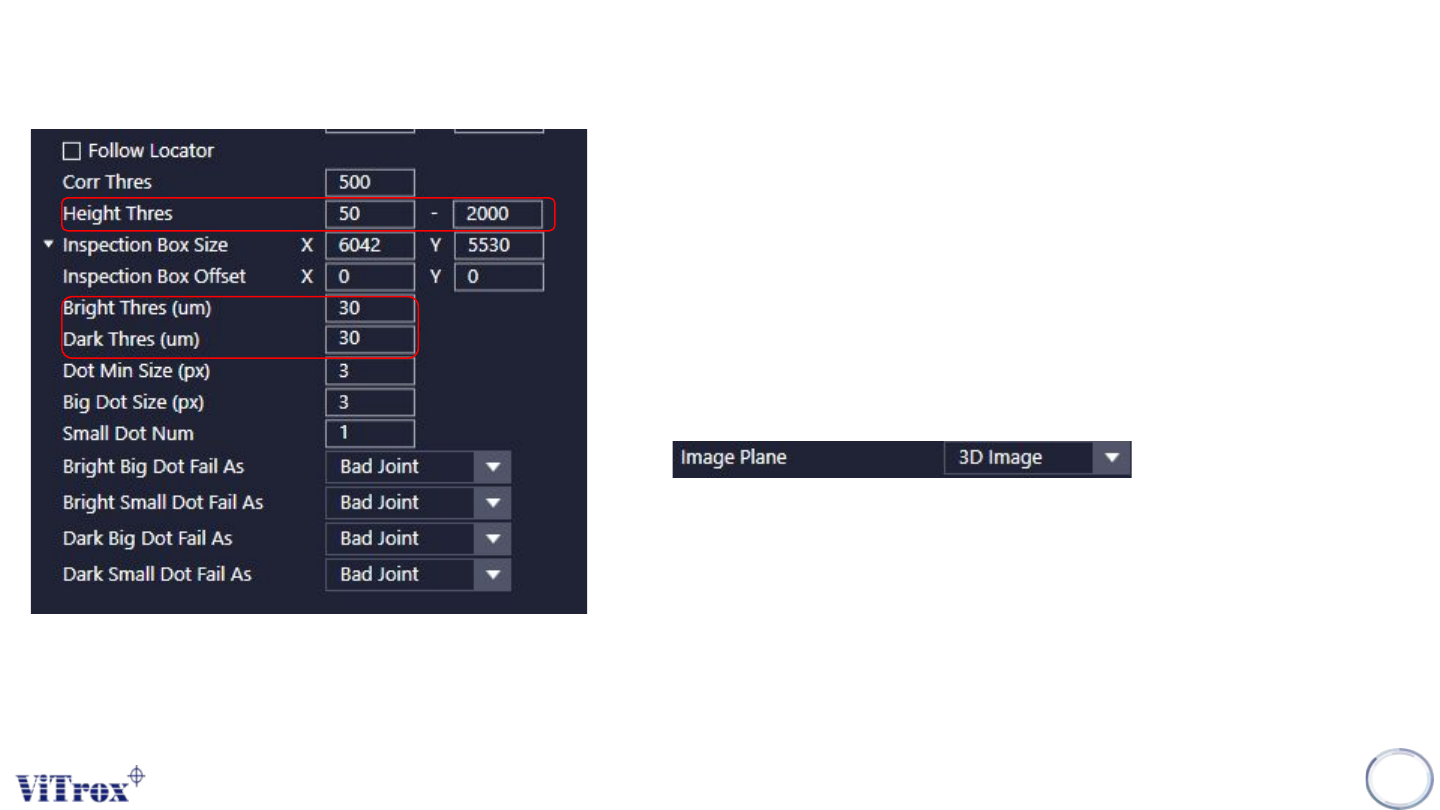
Mode: Inspect 3D
1. Height Thres
● Adjust the height range to be defined as defects.
2. Bright Thres & Dark Thres
● Unit: um
● Bright - Higher
● Dark - Lower
*Image Plane must select 3D Image
*The others parameters same as Inspect Dot Mode.