Smart Gui - Algorithm Training Material_rev1.pdf - 第187页
Copyright © ViT rox All Rights Reserved . U-T ype Algorithm - 1D Barcode 187 a. Special Character Filter • Special Characters Filter is used to filter the characters that wrong fill in during barcode decoding. • There ar…
Copyright © ViTrox All Rights Reserved.
U-Type Algorithm - Barcode
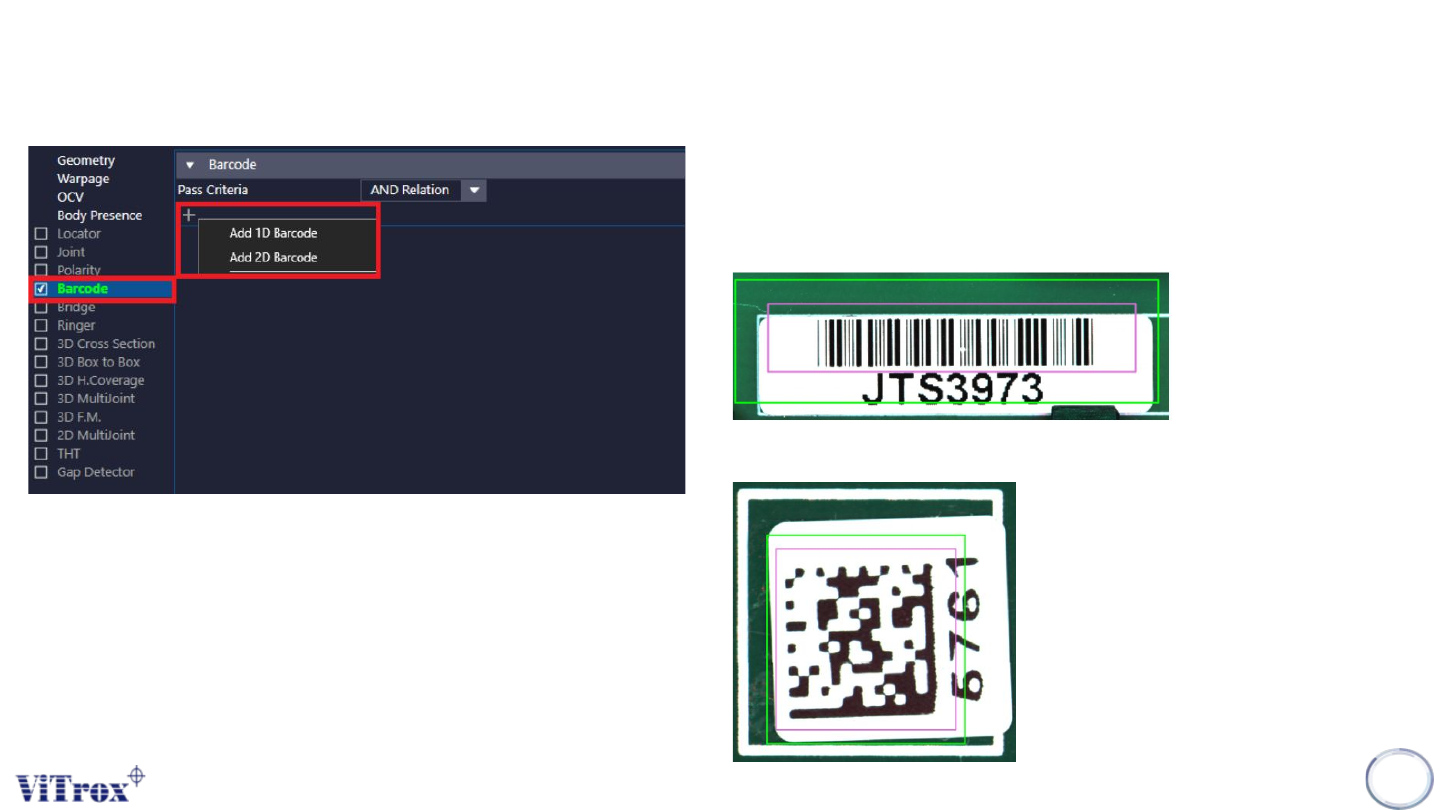
a. Barcode is used to inspect the 1D barcode and 2D barcode.
Click at the Add button and there is a drop down menu which
are:
• 1D Barcode
• 2D Barcode
186
Copyright © ViTrox All Rights Reserved.
U-Type Algorithm - 1D Barcode
187
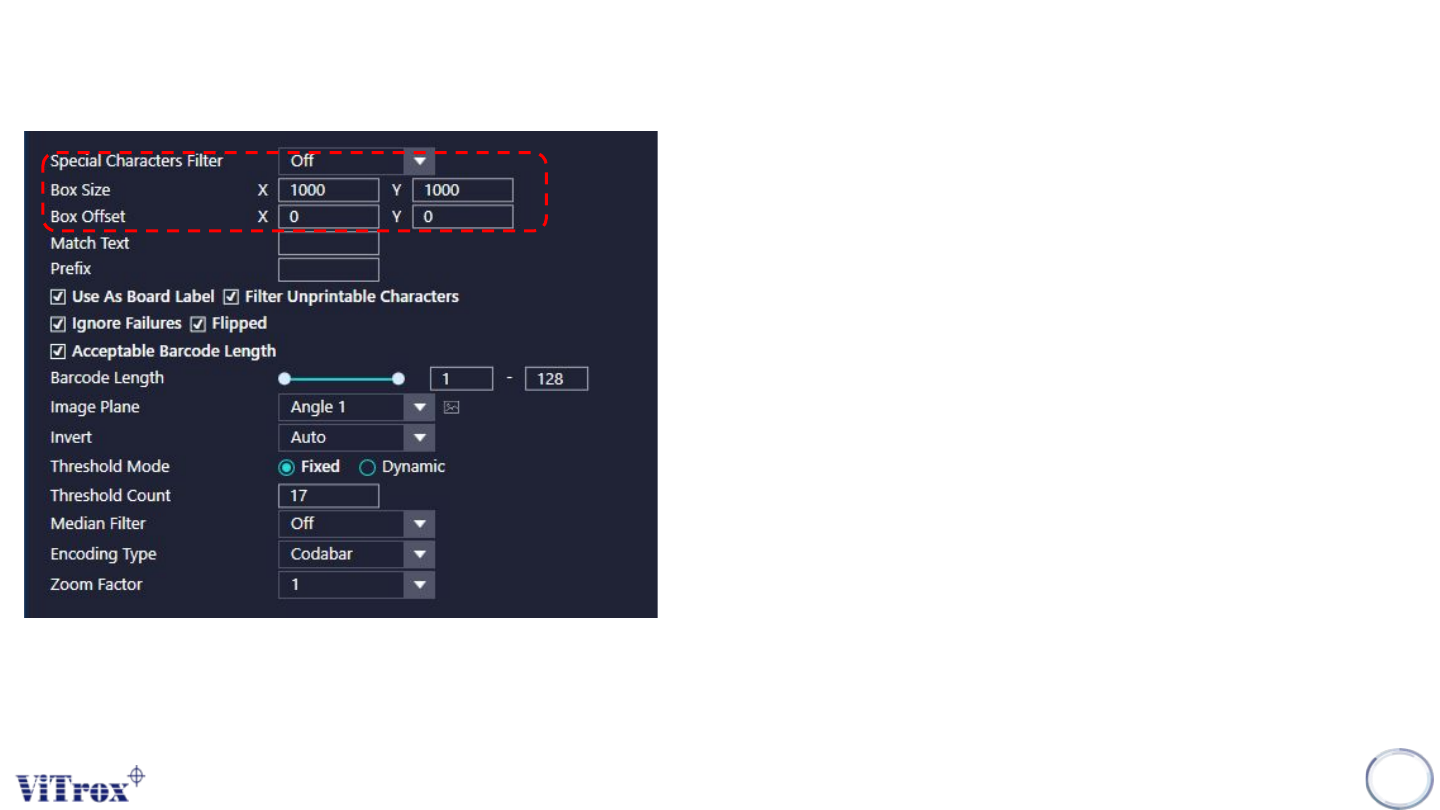
a. Special Character Filter
• Special Characters Filter is used to filter the characters that
wrong fill in during barcode decoding.
• There are 3 selections for the special characters filter:
❖ Off : To off the Special Character Filter
❖ Alphanumeric: Software only decode alphabet and number.
❖ Alphanumeric + Special Character: Software will decode
alphabet, numbers special character.
b. Box Size & Box Offset
• To adjust the size of Inspection Box & offset of Inspection Box.
Copyright © ViTrox All Rights Reserved.
U-Type Algorithm - 1D Barcode
188
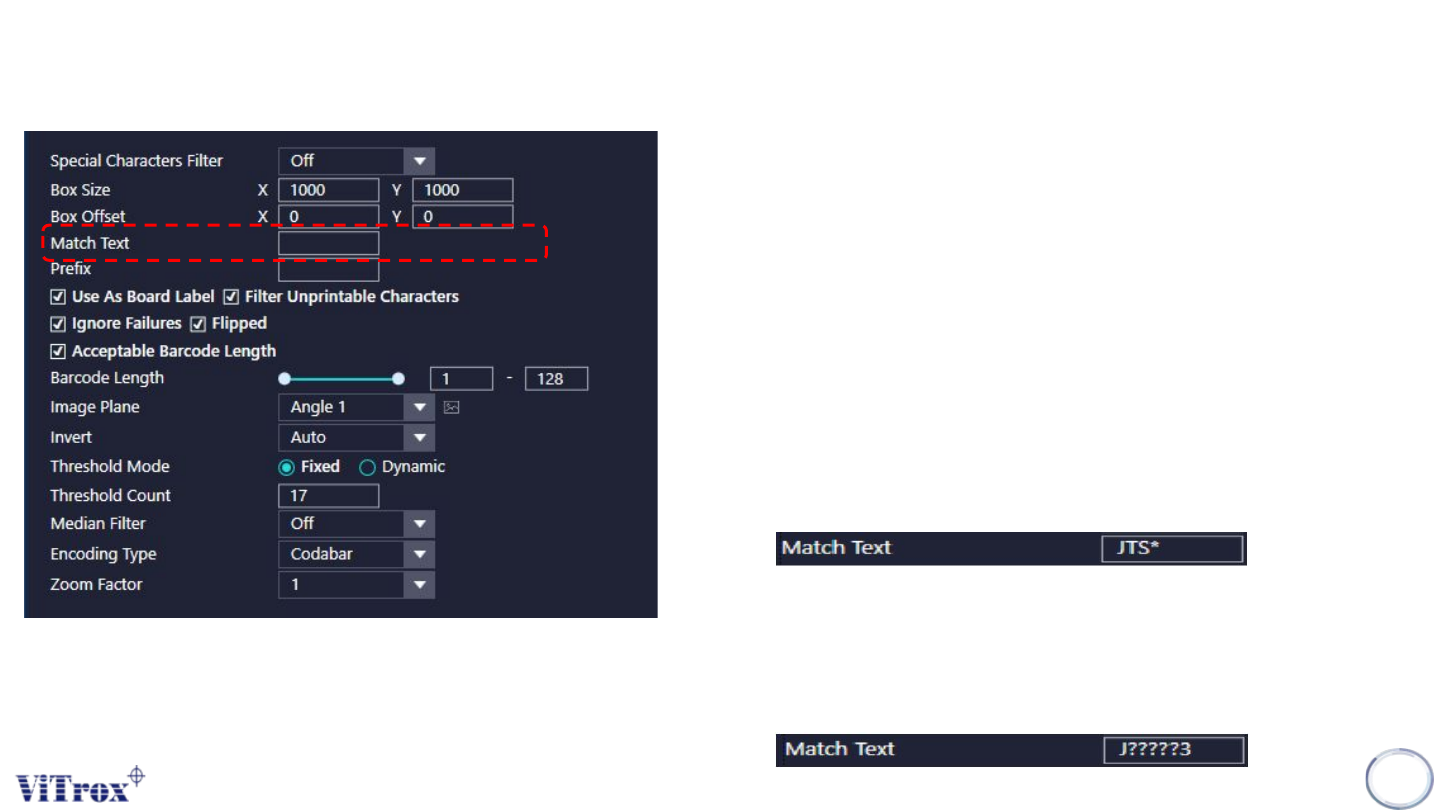
c. Match Text
• Match text is used to pre set the character or number as the
pass barcode.
• This is used to fill in a test string in Match text.
• This can contain single and multiple wildcards using the '?' and
'*' characters respectively.
• When the barcode did not match the Match Text, this barcode
will treat as fail.
❖ When use wildcard “*”
➢ This is to check the character that preset.
➢ For eg: Check JTS & don’t care the number of character behind.
❖ When use Wild Card “?”
➢ The match text require to fill the exact number of characters or
digits to pass the barcode.
➢ For eg.: J?????3, required to get the 5 character in within J & 3
to pass.