Smart Gui - Algorithm Training Material_rev1.pdf - 第85页
Copyright © ViT rox All Rights Reserved . 85 B-type Algorithm - Foreign Material 1. Foreign Object Detection ● 3 modes as follows: ● On & On (with mask Display) having the same inspection results. 2. Height Thres (um…

Copyright © ViTrox All Rights Reserved.
84
Foreign Material Inspection
Copyright © ViTrox All Rights Reserved.
85
B-type Algorithm - Foreign Material
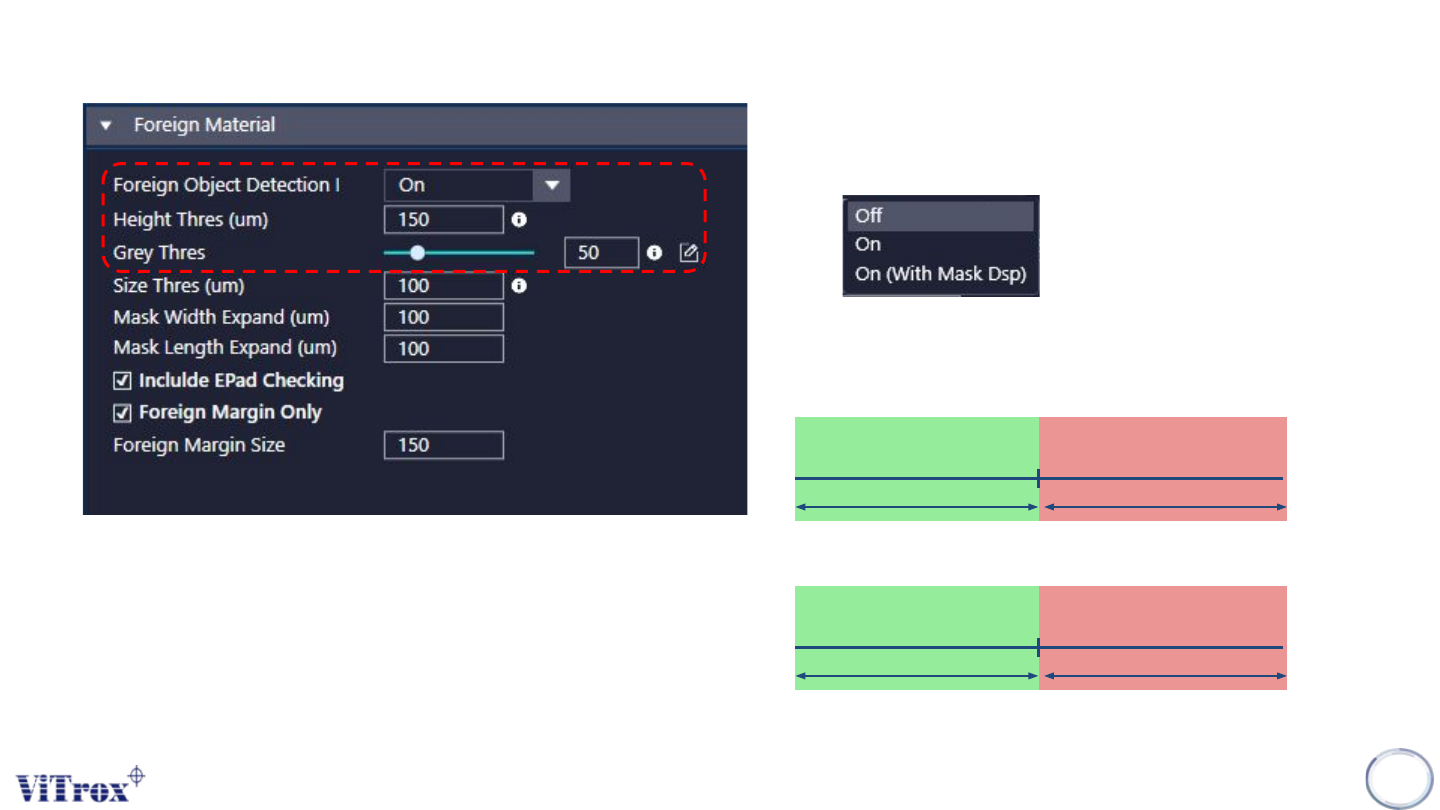
1. Foreign Object Detection
● 3 modes as follows:
● On & On (with mask Display) having the same inspection results.
2. Height Thres (um)
3. Grey Thres
3D Height Thres
Pass Fail
Grey Thres
Pass Fail
Copyright © ViTrox All Rights Reserved.
86
B-type Algorithm - Foreign Material
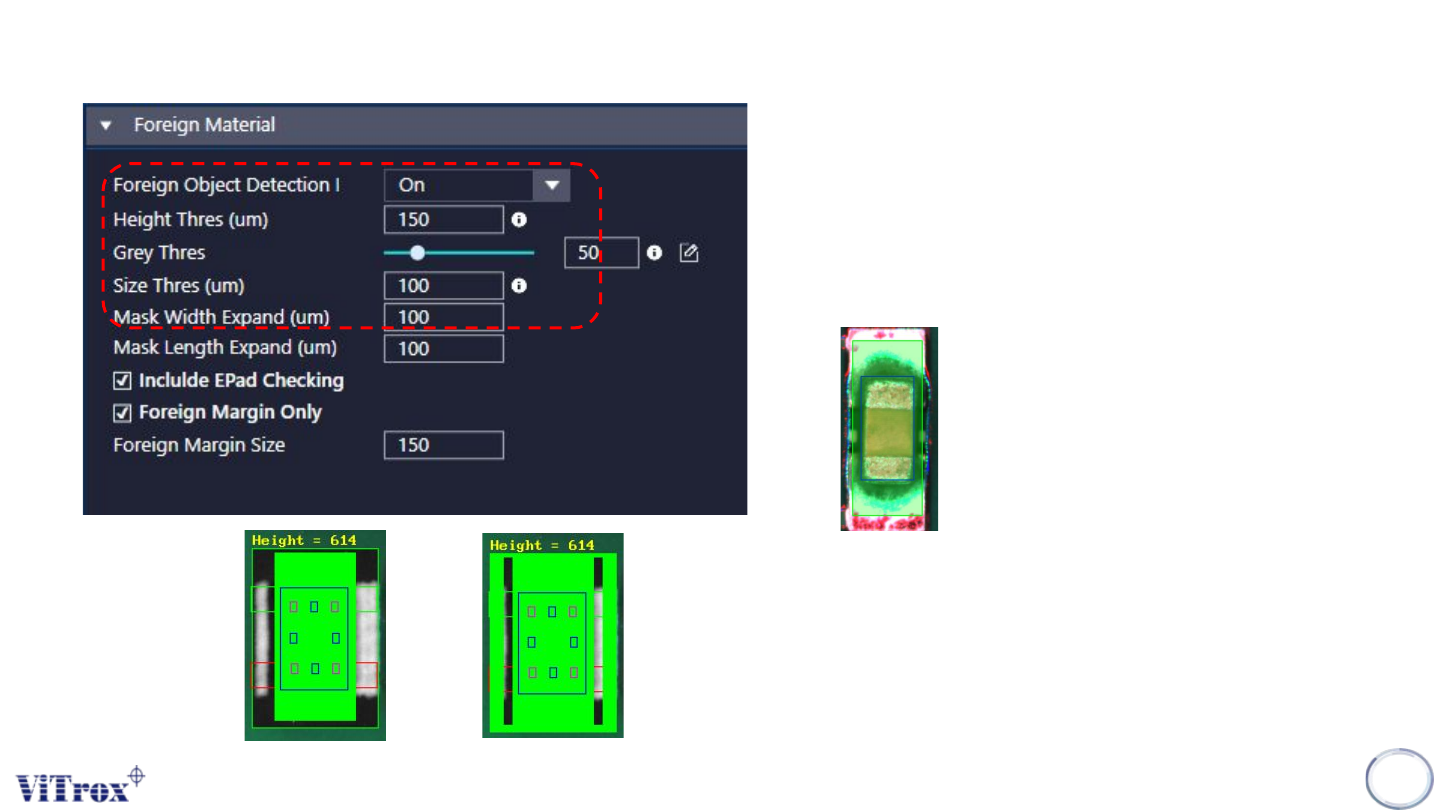
4. Size Thres (um)
● Minimum length and width to detect the foreign material.
5. Mask Width Expand (um) & Mask Length Expand (um)
● To adjust the mask area size.
● Mask area = Area without inspection
● The green box is the masking area.
6. Include EPad Checking
● Tick this if you have the *.epad file in C:\cpi\cad
7. Foreign Margin Only & Foreign Margin Size
● Mask component body at CAD position & actual position (with
offset x, y and skew)
● Mask pads with slightly extension
● Dilate the masking to another buffer. Mask all the pixels that are
not in dilated masking.
● To cater nearby component which included in search area
Without Foreign Margin Enable Foreign Margin