Smart Gui - Algorithm Training Material_rev1.pdf - 第118页
Copyright © ViT rox All Rights Reserved . S-type Algorithm - Joint (Solder Profile Inspection) 1. Solder Profile Inspection consists of 2 main function as below: • Fillet Solder : T o inspect insufficient solder • Solder…
Copyright © ViTrox All Rights Reserved.
S-Type Algorithm - Joint Inspection (Coverage)
117
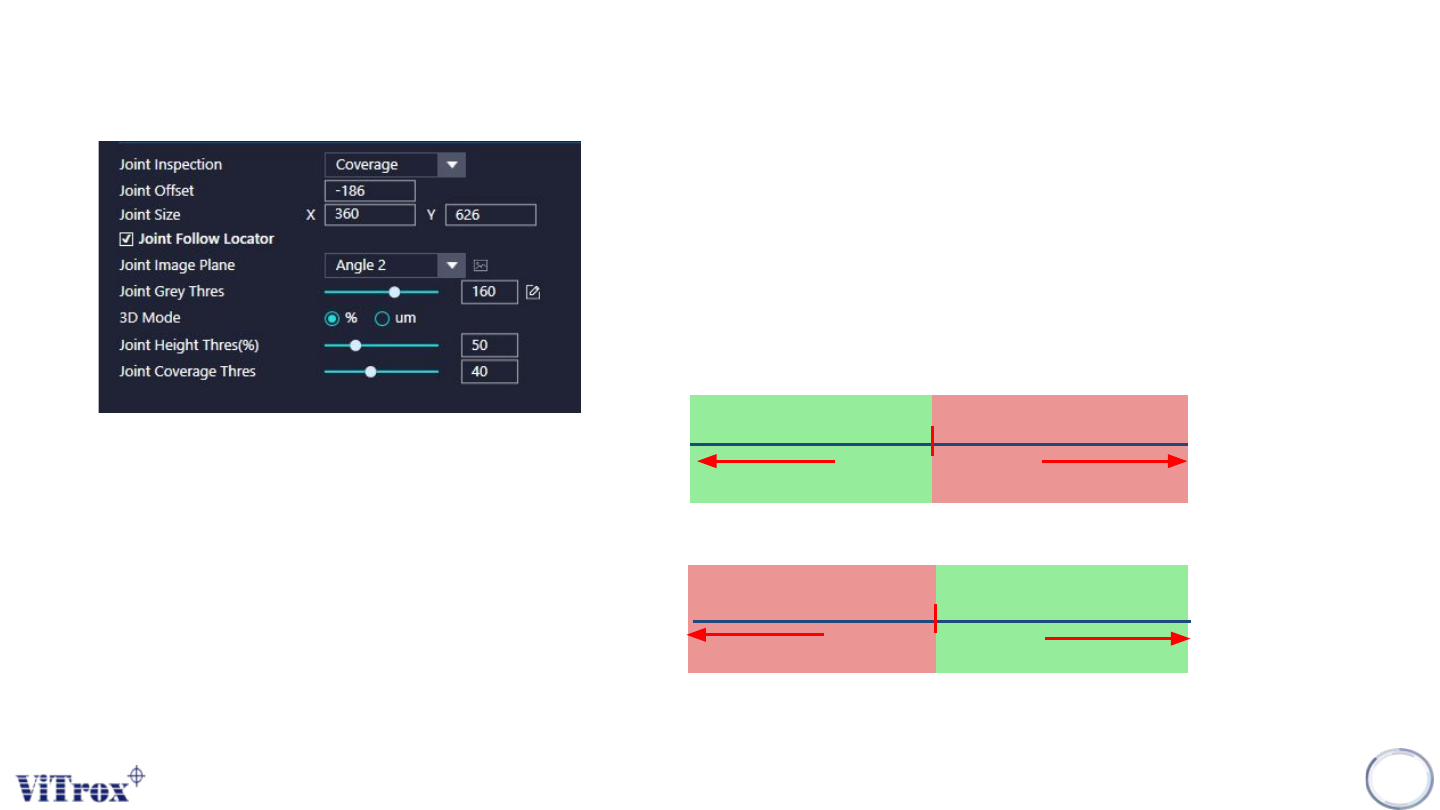
1. Joint Size & Joint Offset
● To adjust the sizes and the offset for joint inspection boxes
2. Joint Image Plane
● These are the types of 2D Lighting. Select the one with having highest
contrast among interested inspection region and the background.
● Usually choose angle 2+3
3. Joint Follow Locator
● Tick this to enable the joint inspection ROI follow the locator.
4. Joint Grey Thres
● Usually set to 160
4. Joint Height Thres
5. Joint Coverage Thres(%)
● To set the percentage to pass the joint inspection.
Grey Thres
Measured Grey Thres
PASS
FAIL
Height Thres (um)
Measured Height(um)
PASS
FAIL
Copyright © ViTrox All Rights Reserved.
S-type Algorithm - Joint (Solder Profile Inspection)
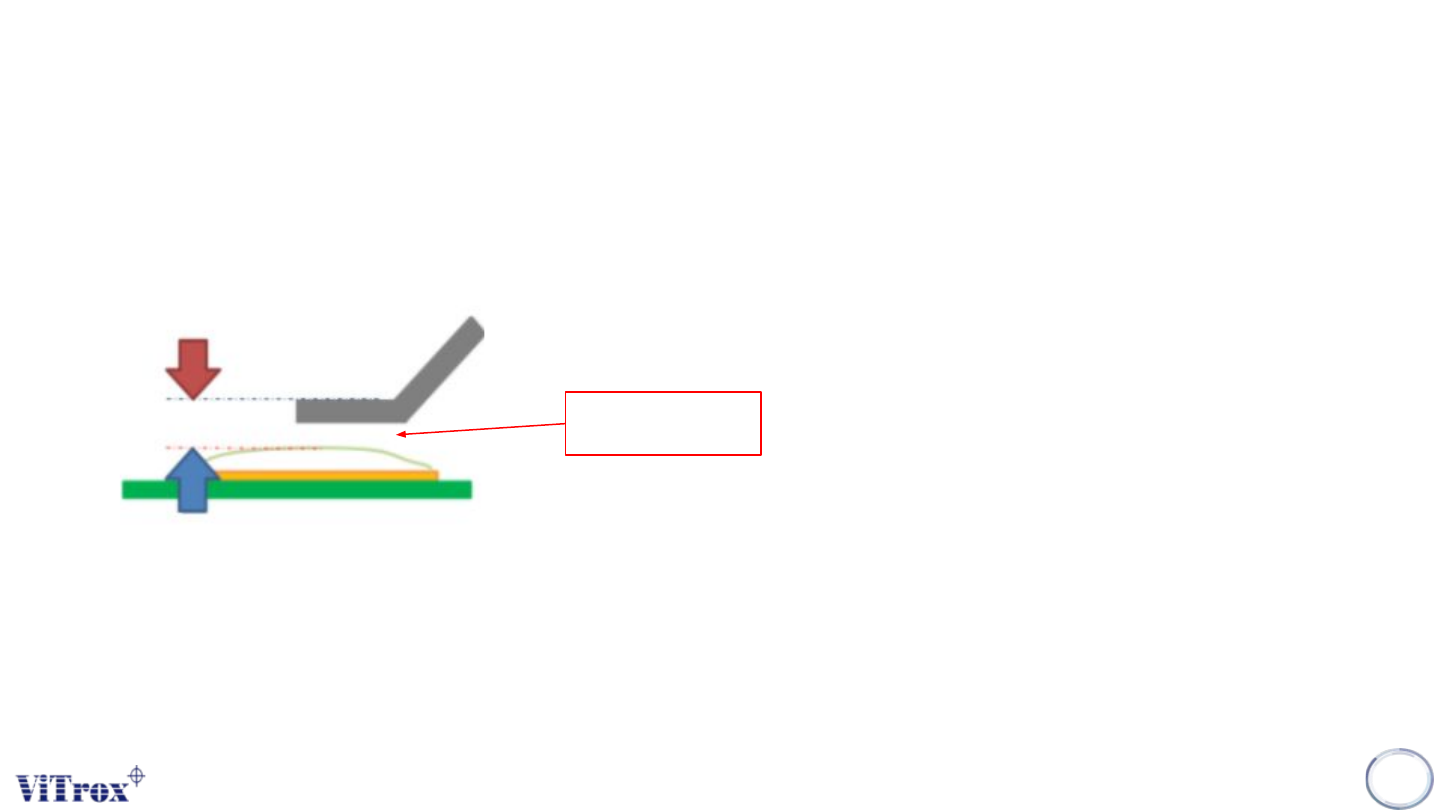
1. Solder Profile Inspection consists of 2 main function as below:
• Fillet Solder: To inspect insufficient solder
• Solder Profile: To detect cold solder
118
Cold Solder
Copyright © ViTrox All Rights Reserved.
S-type Algorithm - Joint (Solder Profile Inspection)
119
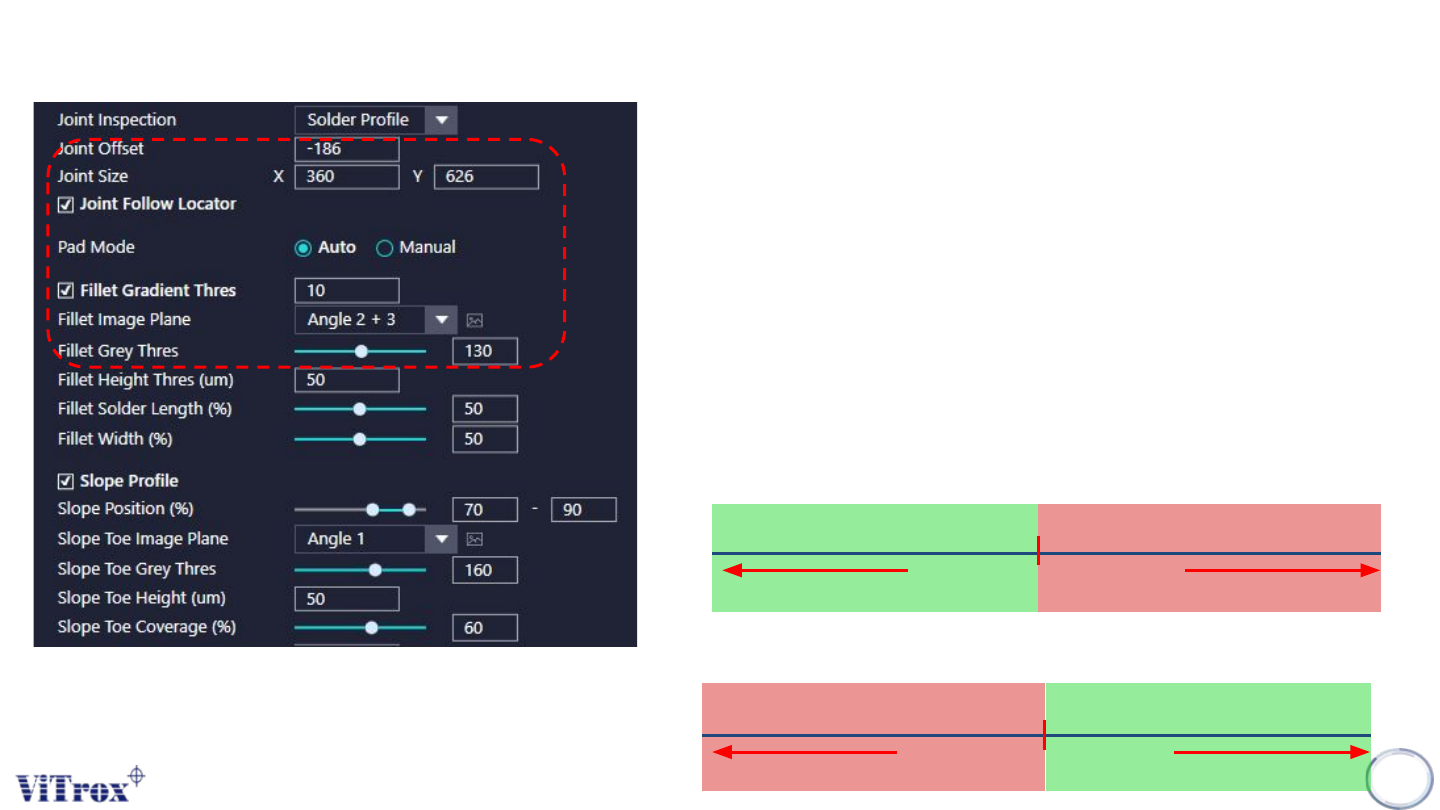
1. Joint Offset & Joint Size
● To adjust the sizes and the offset for joint inspection boxes
2. Joint Follow Locator
● Tick this to enable the joint inspection ROI follow the locator.
3. Pad Mode
➔ Auto: Select this if you have epad & epin informations.
➔ Manual: Select this to self define the pad location.
4. Fillet Gradient Thres
● Tick this to enable gradient checking.
● Unit in degree.
5. Fillet Image Plane
● These are the types of 2D Lighting. Select the one with having highest contrast
among interested inspection region and the background.
● Usually choose angle 2+3.
6. Fillet Grey Thres
Grey Thres
Measured Grey Thres
PASS
FAIL
7. Fillet Height Thres
Height Thres
Measured Height Thres
PASSFAIL