Smart Gui - Algorithm Training Material_rev1.pdf - 第243页
Copyright © ViT rox All Rights Reserved . 243 1. Geometry Lock ● T o enable the box offset into symmetric direction only . 2. Follow Locator ● Follows locator is used to follow the body locator and lead relocation featur…
Copyright © ViTrox All Rights Reserved.
U-type Algorithm Gap Detector
242
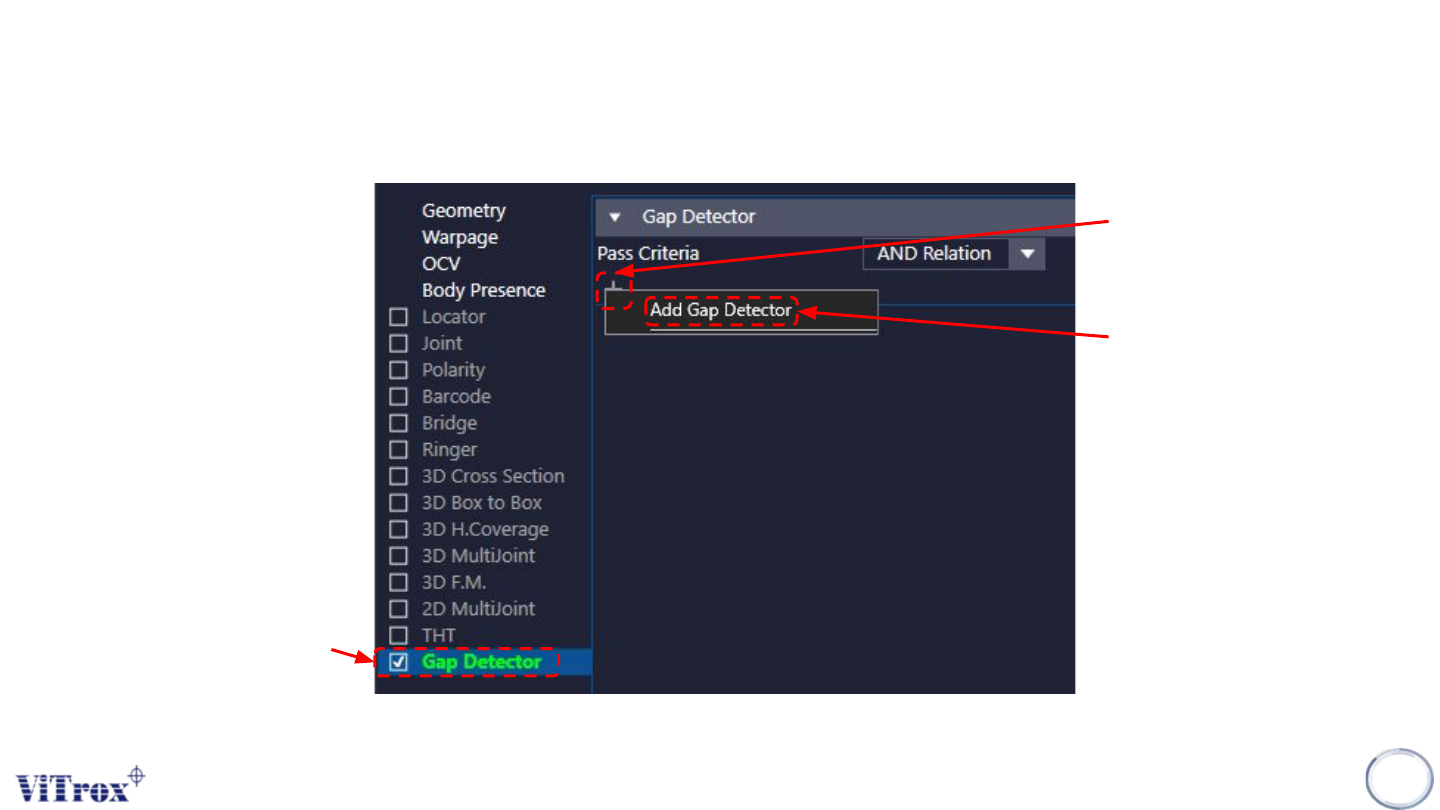
Step 1:
Tick on the Gap Detector.
Step 2:
Left click on the add icon.
Step 3:
Left click on “Add Gap
Detector”.
Copyright © ViTrox All Rights Reserved.
243
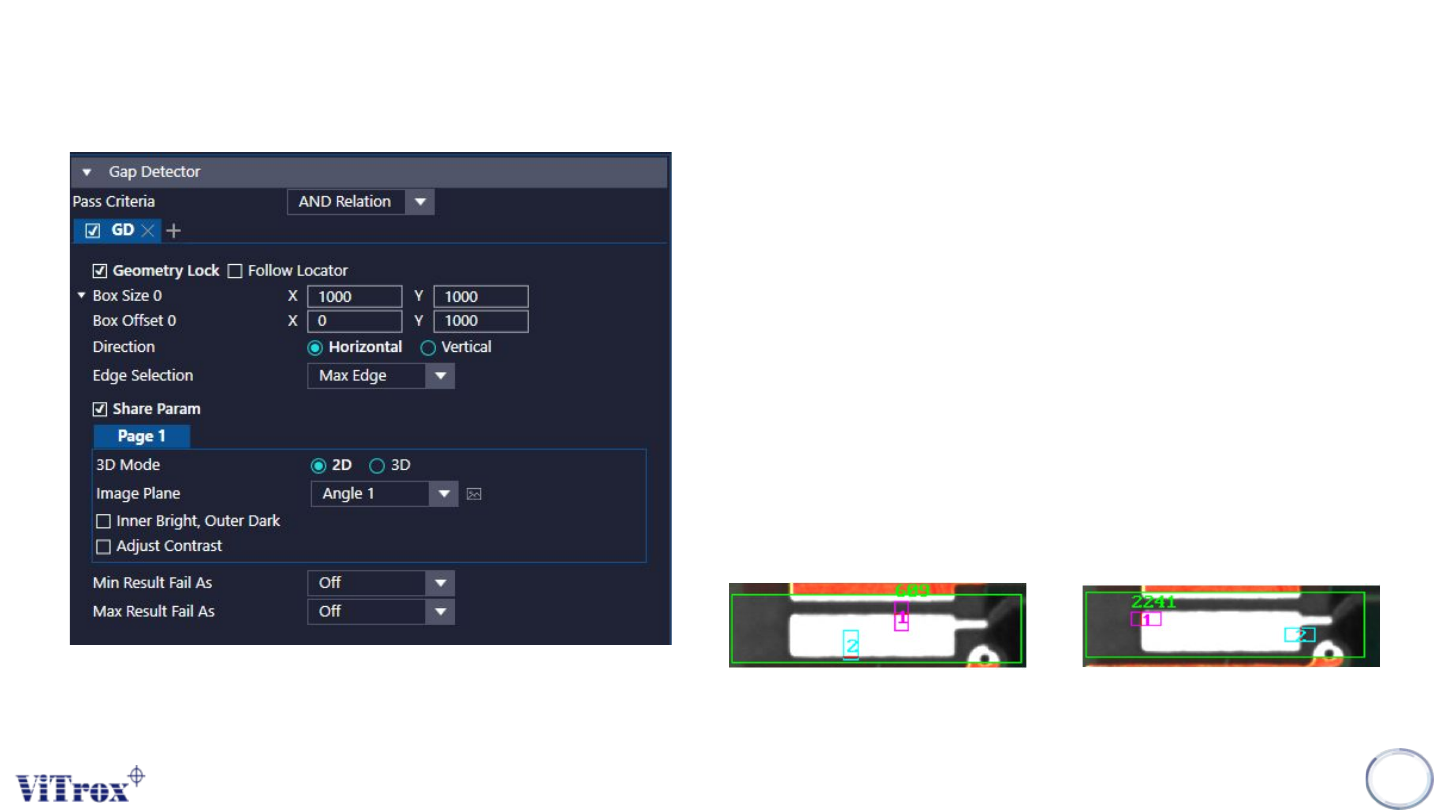
1. Geometry Lock
● To enable the box offset into symmetric direction only.
2. Follow Locator
● Follows locator is used to follow the body locator and lead
relocation feature.
3. Box Size X & Box Size Y
● To adjust the inspection boxes for gap detector.
4. Box Offset
● To adjust the offset location for the inspection boxes.
5. Direction
● To adjust the direction of inspection boxes either in horizontal or
vertical direction.
● For vertical, Red box must located on top. (as below)
● For horizontal, Red box must located on Left.(as below)
Horizontal
Vertical
U-type Algorithm Gap Detector
Copyright © ViTrox All Rights Reserved.
244
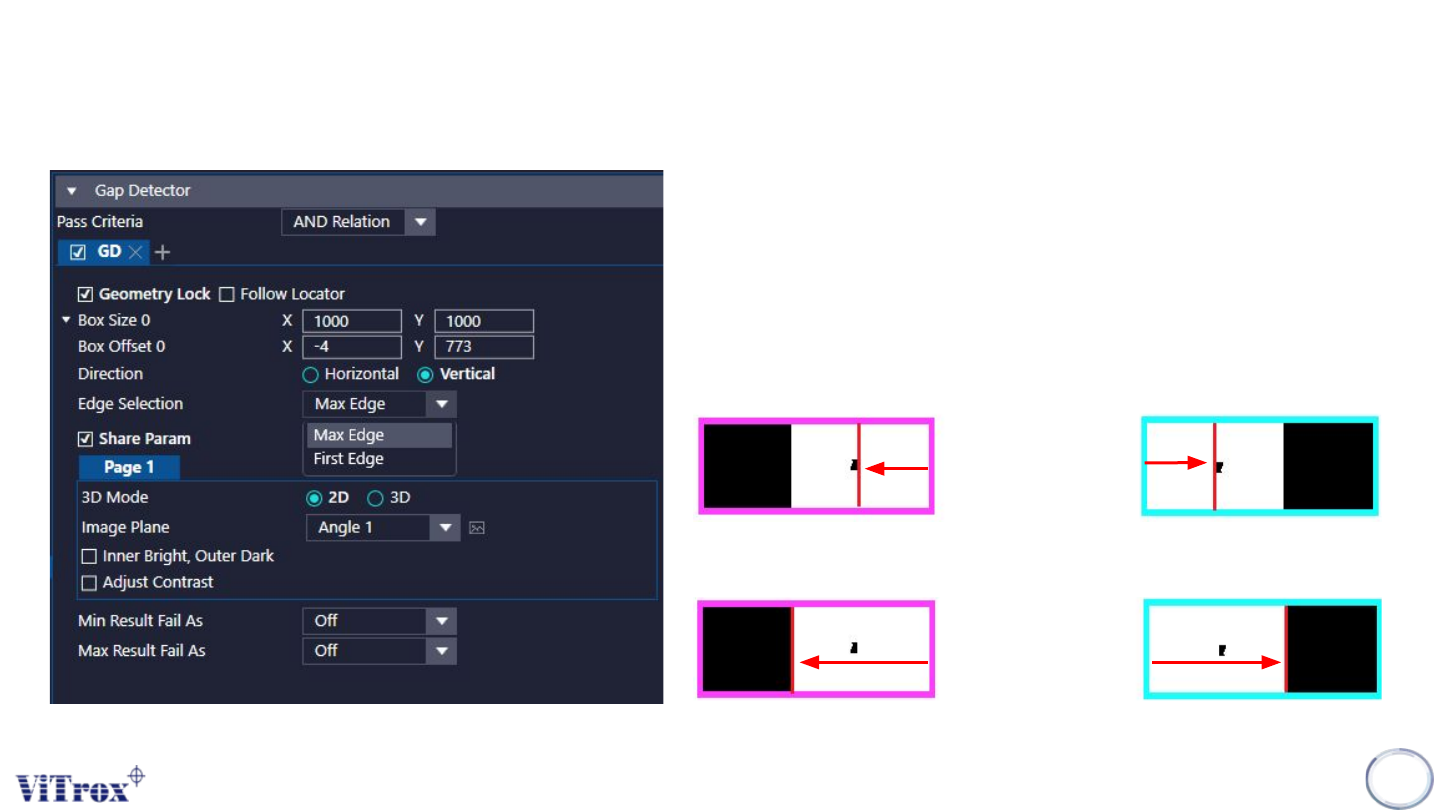
1. Edge Selection
● Can adjust to detect either first edge or max edge.
● Software will detection from inner to outer direction.
● Refer to the picture below for the explanation for first edge and
max edge.
A. First Edge
B. Max Edge
U-type Algorithm Gap Detector