Smart Gui - Algorithm Training Material_rev1.pdf - 第179页
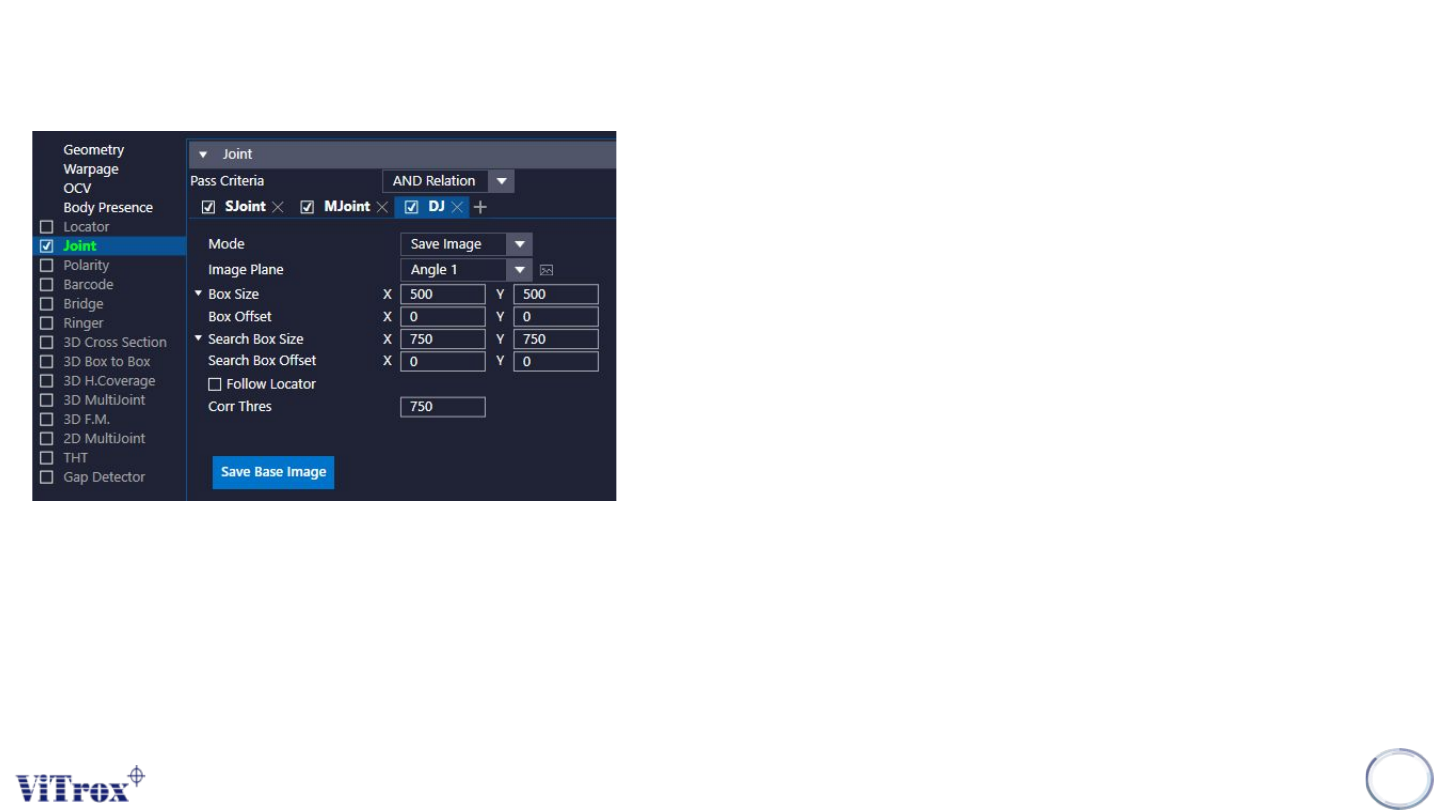
Copyright © ViT rox All Rights Reserved . U-type Joint- Diff Joint 179 Mode: Save Image 1. Image Plane ● These are the types of 2D Lighting. Select the one with having highest contrast among interested inspection region …
Copyright © ViTrox All Rights Reserved.
U-type Joint - Diff Joint
178
1. Mode
a. Save Image
● Save Image is for saving good component image for the
machine to do differentiate between good and defect
component.
b. Inspect: Box
● Inspect: Box is inspection mode based on auto partitioned joint
box tunable size in microns.
c. Inspect: Dot
● Inspect: Dot is inspection mode based on defect dot size and
count.
d. Inspect: 3D
● Inspect: 3D is inspection mode similar to Inspect: Dot with
height range capability
● The Image Plane have to select “3D image”.
e. Inspect: Bounding Box
● Use similarity score (Correlation score) to define pass or fail.
Copyright © ViTrox All Rights Reserved.
U-type Joint- Diff Joint
179
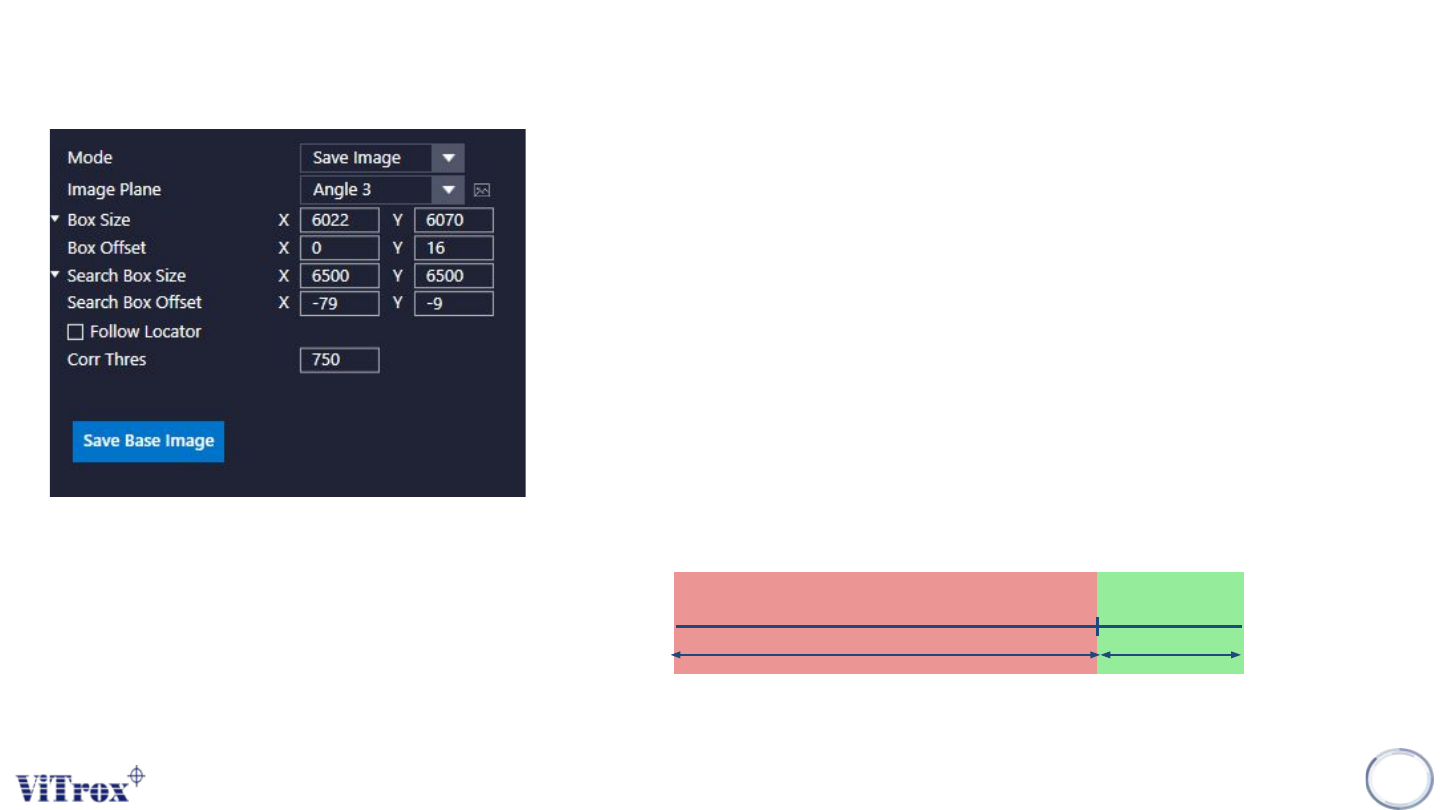
Mode: Save Image
1. Image Plane
● These are the types of 2D Lighting. Select the one with having highest
contrast among interested inspection region and the background.
2. Box Size & Box Offset
● Interested region to save the base image.
● To adjust the box size & box offset.
3. Search Box Size & Search Box Offset
● Region to search the base image.
● To adjust the search box size & search box offset.
4. Follow Locator
● To enable the inspection boxes follow the locator.
5. Correlation Thres
● This is the correlation threshold.
● Correlation also means as similarity score.
● For e.g. Corr thres set to 750
6. Save Base Image
● Click this icon to save the base image info.
CorrThres
(75%)
PassFail
Copyright © ViTrox All Rights Reserved.
U-type Joint- Diff Joint
180
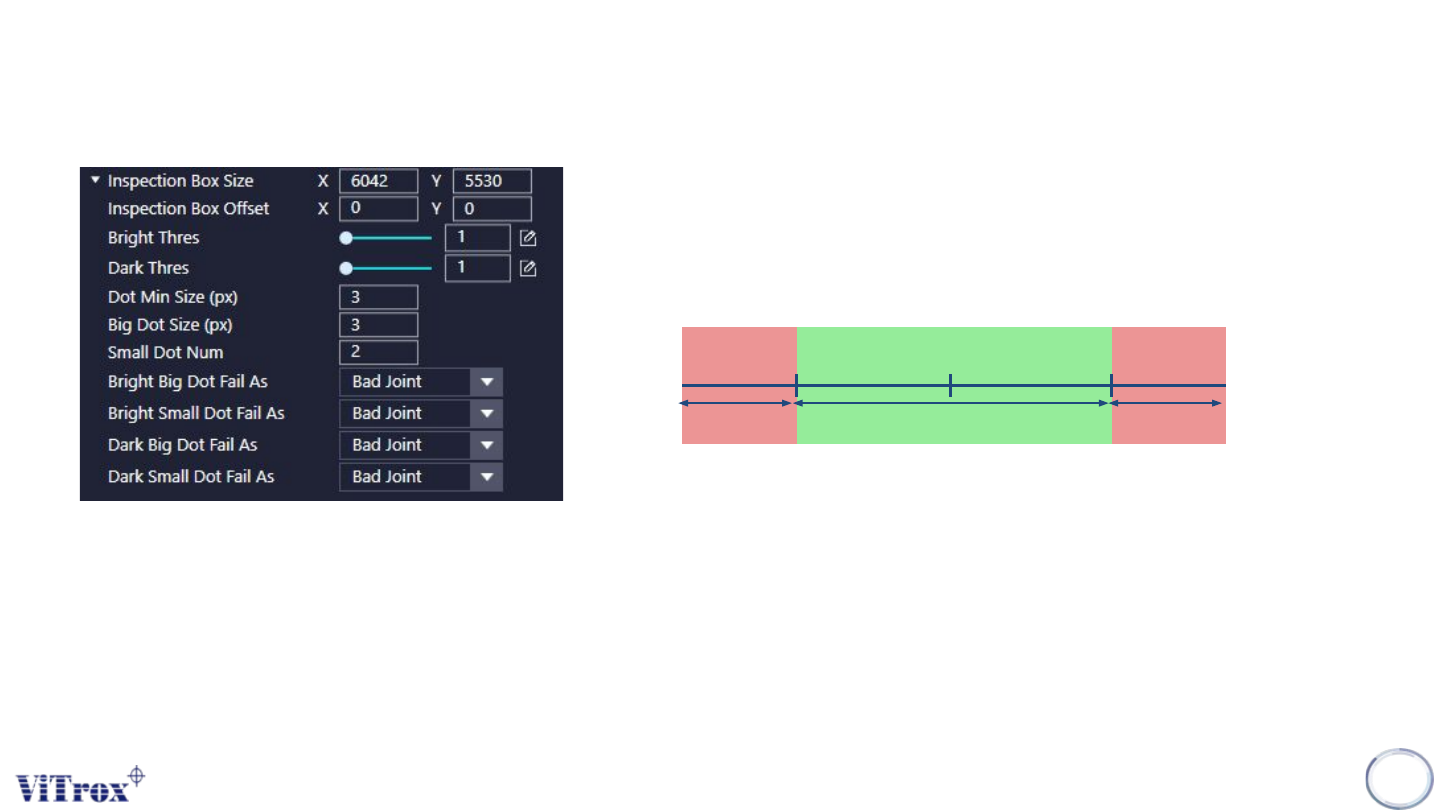
Mode: Inspect Dot
1. Inspection Box Size & Inspection Box Offset
● Interested region to do the inspection.
● To adjust the inspection box size & inspection box offset
.
2. Bright Thres & Dark Thres
3. Dot Min Size & Big Dot Size
● To define the minimum Dot size & Big Dot size
4. Small Dot Number
● The number of small dot to fail the component
5. Bright/Dark Dot Fail As:
● To define the defects name for each defect detected.
Grey Scale
(Base Image)
Pass
Fail
Dark Thres Bright Thres
Fail