Smart Gui - Algorithm Training Material_rev1.pdf - 第27页
Copyright © ViT rox All Rights Reserved . 27 CR T ype Algorithm - Joint (2D Only) 5. Joint Plane ● Select the one that having best contrast among the Joint Area and background. ● Good Joint having Dark in colour . 2. Joi…
Copyright © ViTrox All Rights Reserved.
26
CR Type Algorithm - Joint (2D Only)
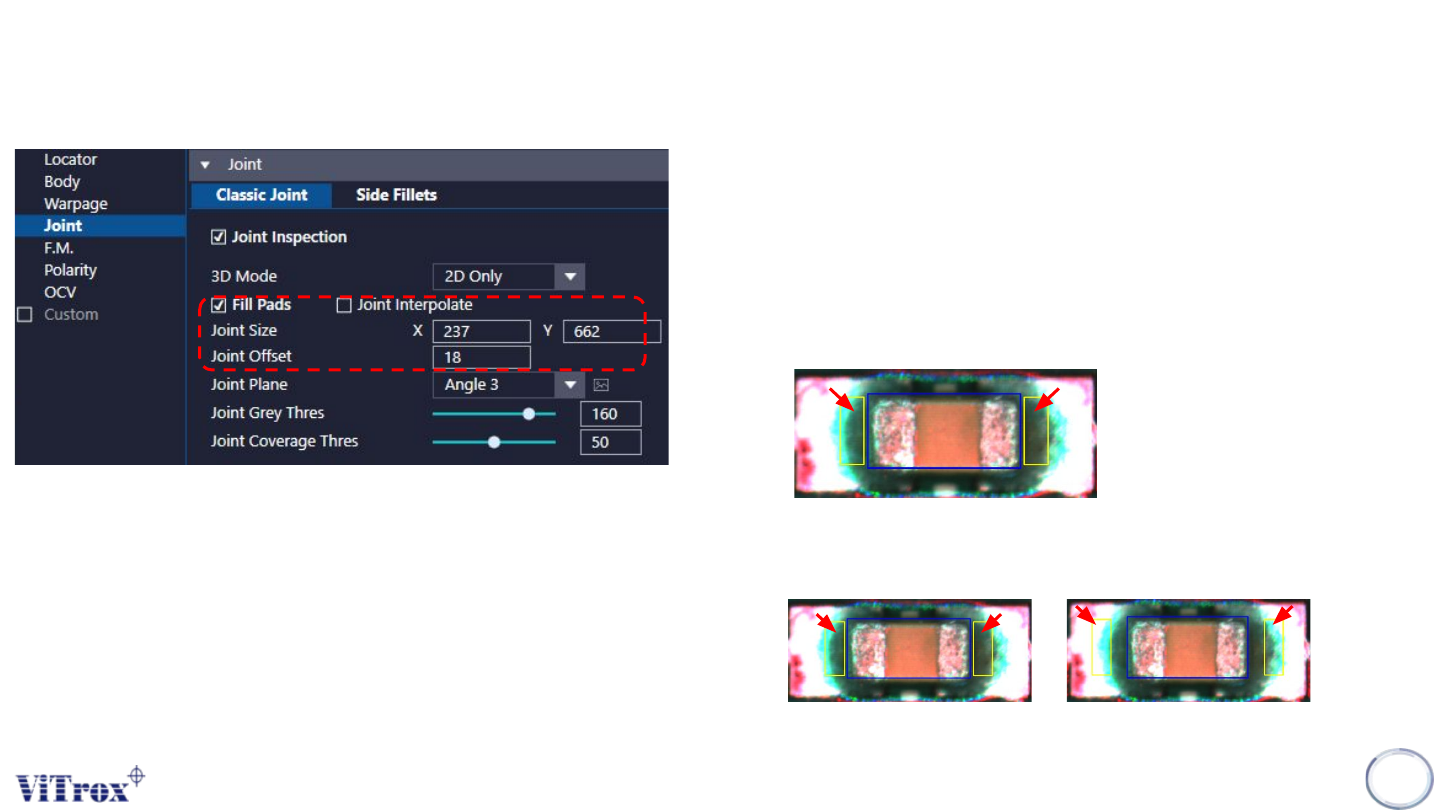
2. Joint Interpolate
● Enable this to include decimal place in pixel calculation.
● Value display in integer with converted from pixel decimal
calculation.
3. Joint size
● To adjust the joint inspection area.
● Yellow boxes shown below.
4. Joint Offset
● To adjust the joint boxes away from the component body.
Before After
Copyright © ViTrox All Rights Reserved.
27
CR Type Algorithm - Joint (2D Only)
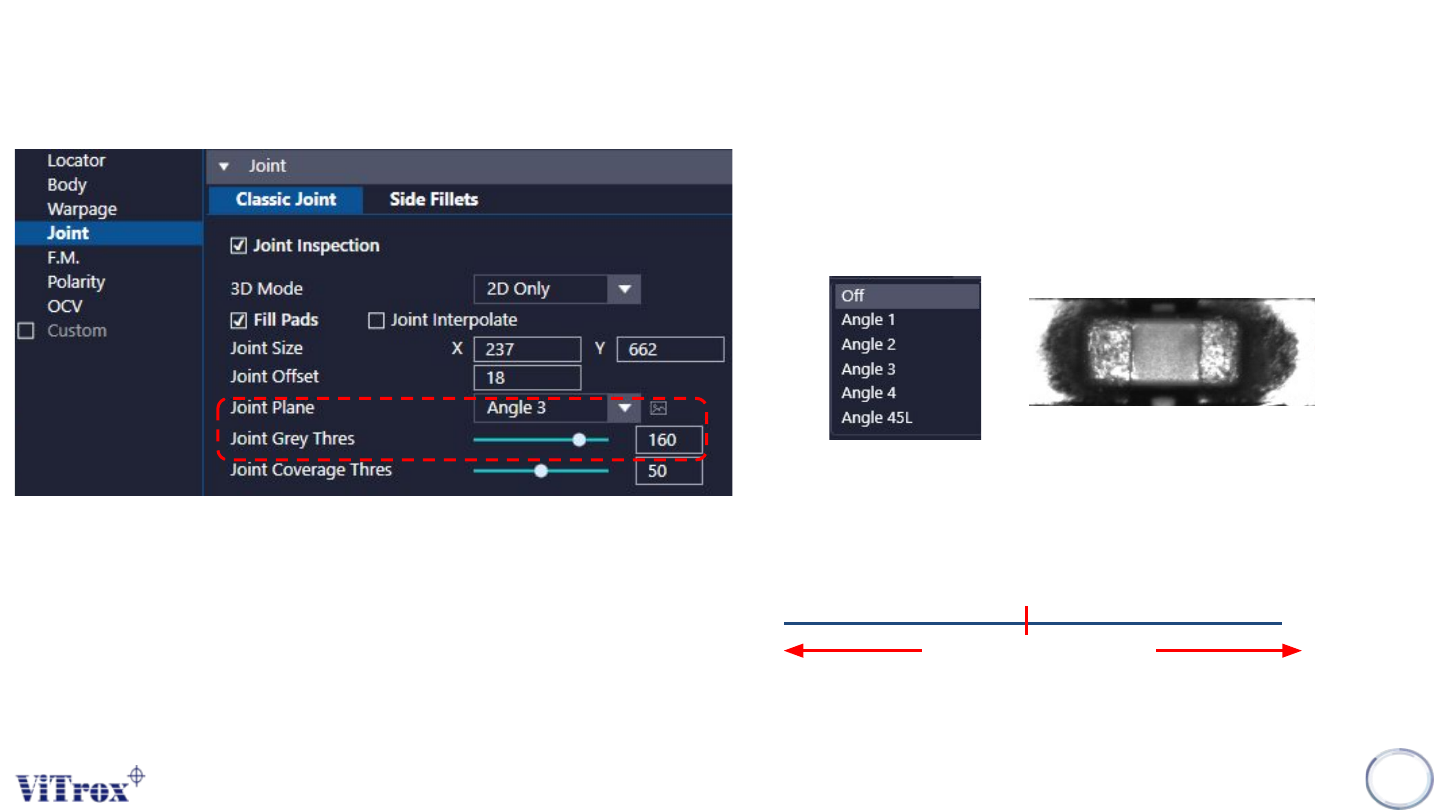
5. Joint Plane
● Select the one that having best contrast among the Joint Area
and background.
● Good Joint having Dark in colour.
2. Joint Grey Thres
● Default set to 160.
● Fail Criteria: Grey scale measured > Threshold set
Angle 3
Joint Grey Thres
Measured Grey
Scale
PASS FAIL
Copyright © ViTrox All Rights Reserved.
28
CR Type Algorithm - Joint (2D Only)
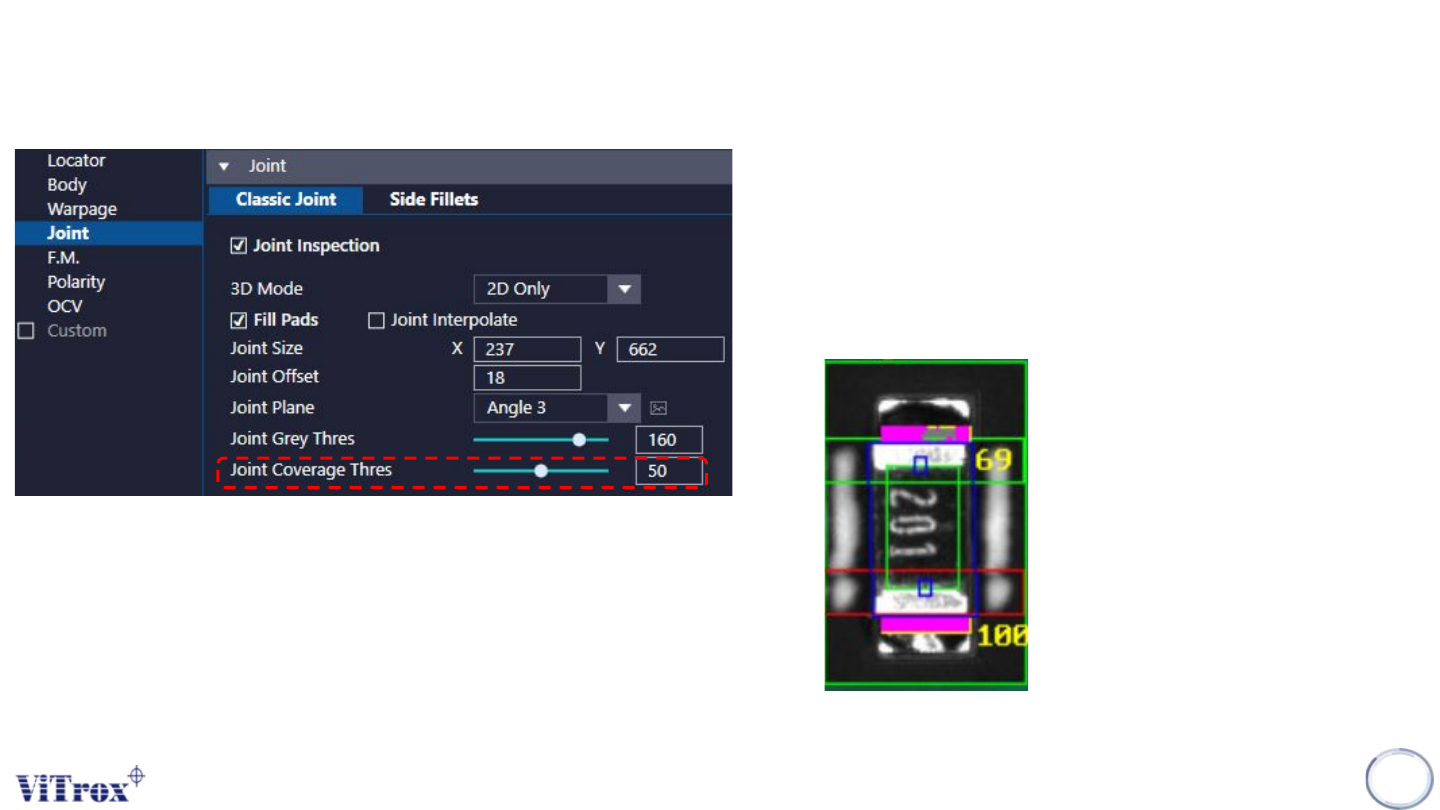
5. Joint Coverage Threshold
● Using 2D only (Grayscale)
● Every single pixels in the joint box will go through inspection.
● The pixels highlighted in purple colour is the passed pixels that
(Grayscale on that pixel < Gray Thres set).
● The number in yellow beside the joint box is the percentage of
pass pixels. Refer to example below.