Smart Gui - Algorithm Training Material_rev1.pdf - 第212页
Copyright © ViT rox All Rights Reserved . U-type Algorithm - 2D Multi Joint 212 a. Bridge Inspection ● Tick this to enable the Bridge Inspection. b. Bridge Size & Bridge Offset ● T o adjust the size of Bridge Inspect…
Copyright © ViTrox All Rights Reserved.
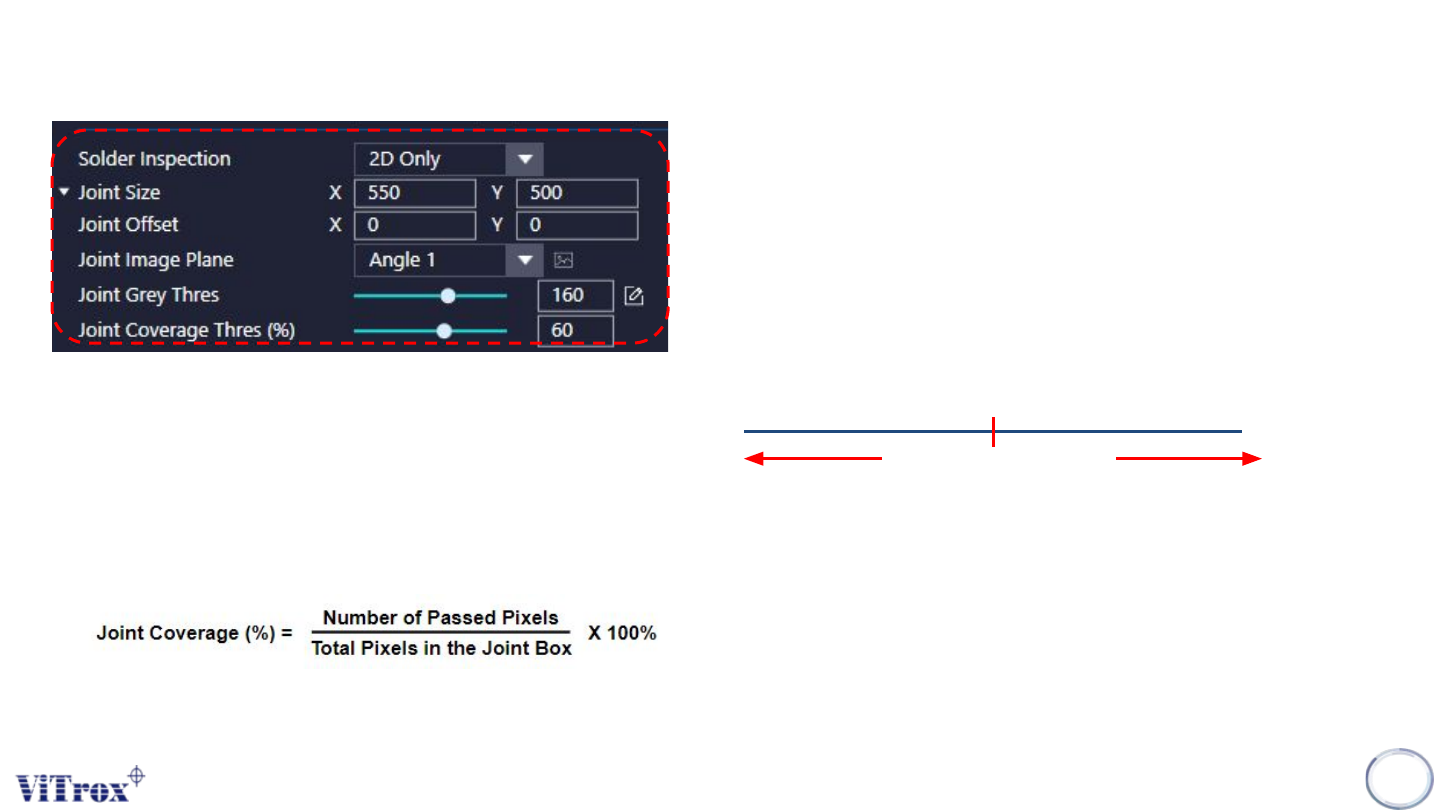
a. Solder Inspection
● To enable the box offset into symmetric direction only.
b. Joint Size & Joint Offset
● To adjust the size of Joint Inspection Box & offset of Joint Inspection
Box.
c. Joint Image Plane
● These are the types of 2D Lighting. Select the one with having
highest contrast among pin region and the background.
d. Joint Grey Thres
e. Joint Coverage Thres
● To set the percentage to pass the joint inspection.
U-type Algorithm - 2D Multi Joint
211
Grey Thres
Measured Grey Thres
PASS FAIL
Pass Criteria for single pixel:
a. Measured Grayscale < Joint Grey Thres
b. Solder Height (%) > Joint Height Thres (%).
The overall pass criteria depends on:
Joint Coverage (%) > Joint Coverage Thres (%)
where,
Copyright © ViTrox All Rights Reserved.
U-type Algorithm - 2D Multi Joint
212
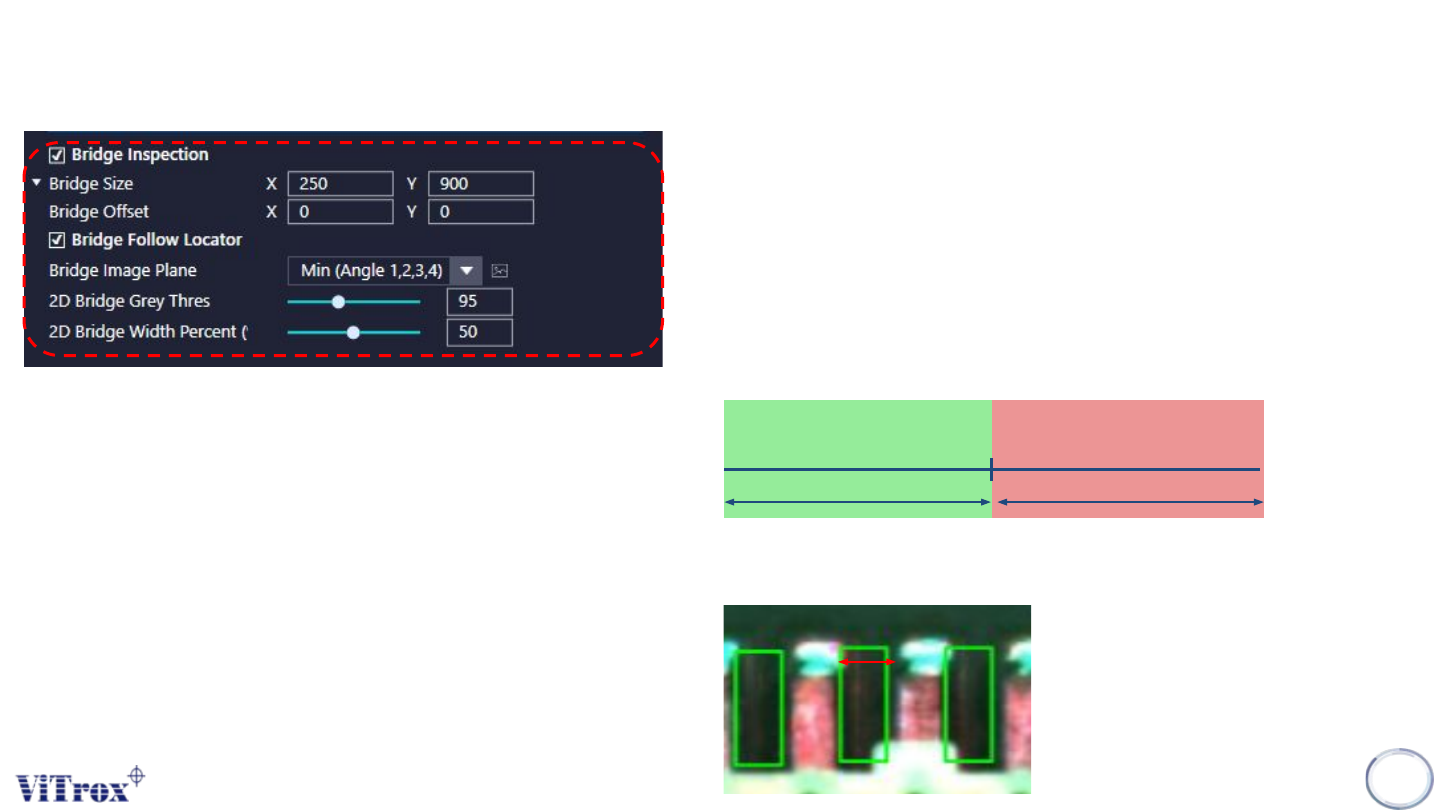
a. Bridge Inspection
● Tick this to enable the Bridge Inspection.
b. Bridge Size & Bridge Offset
● To adjust the size of Bridge Inspection Box & offset of Bridge
Inspection Box
c. Bridge Follow Locator
● Tick this to enable the Bridge Inspection Box to follow the locator.
d. Bridge Image Plane
● These are the types of 2D Lighting. Select the one with having
highest contrast among pin region and the background.
e. 2D Bridge Grey Thres
f. 2D Bridge Width Percent
● To set the width percentage to fail the Bridging Inspection
2D Bridge Gray
Threshold
Pass Fail
Width
Copyright © ViTrox All Rights Reserved.
U-type Algorithm - 3D Multijoint
213
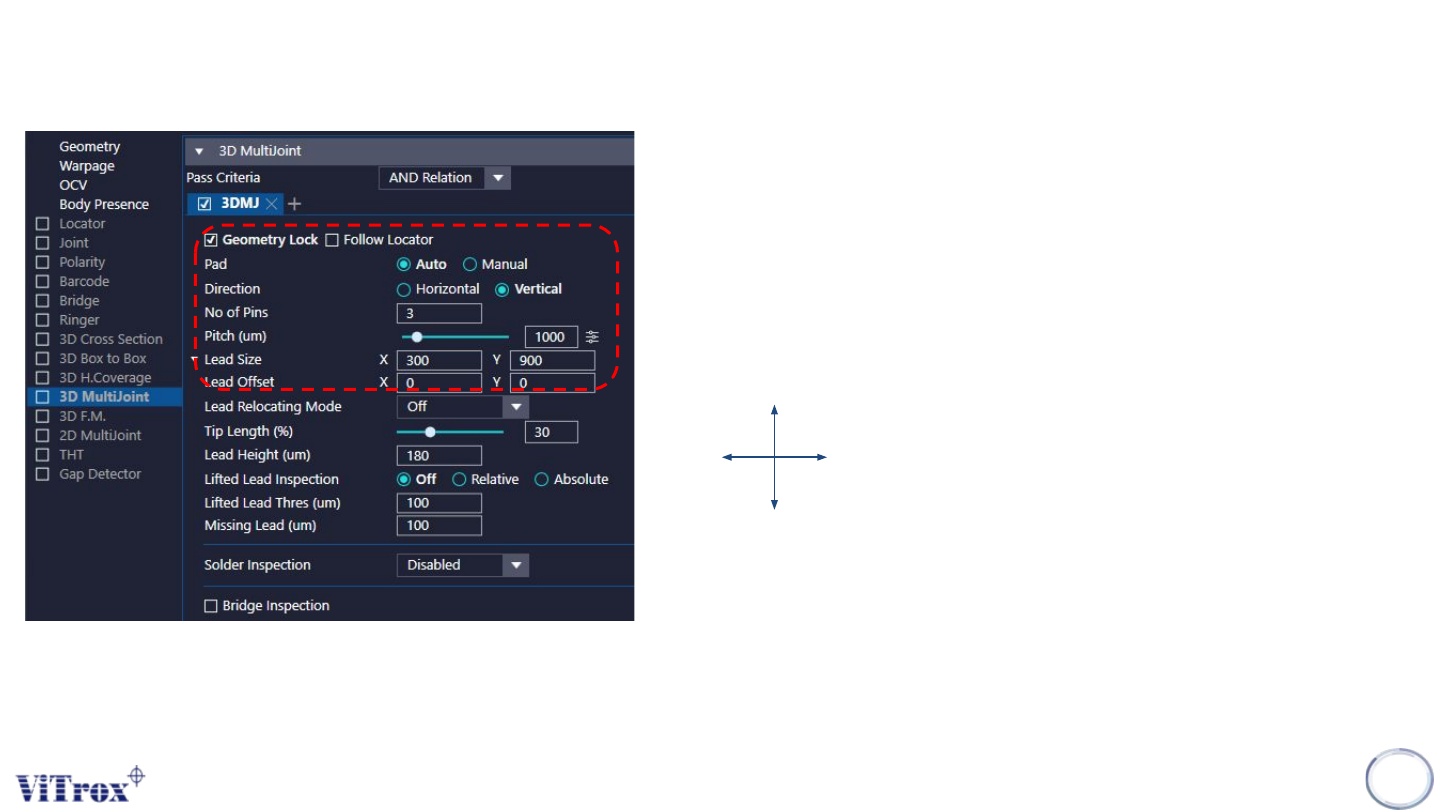
a. Geometry Lock
● To enable the box offset into symmetric direction only.
b. Follow Locator
● Tick this to enable the inspection boxes to follow the body
locator and lead relocation feature.
c. Pad
● Auto: Select this if u have the epad information.
● Manual: Select this to manual add in the pad location.
d. Direction
e. No. of pins
● To define the numbers of inspection boxes for pins.
f. Pitch (um)
● To set the distance between pins.
g. Lead Size & Lead Offset
● To adjust the sizes and the offset for lead inspection boxes.
Horizontal
Vertical