Smart Gui - Algorithm Training Material_rev1.pdf - 第232页
Copyright © ViT rox All Rights Reserved . U-type Algorithm - THT 232 a. Direction ● T o adjust the direction for multiple pins. b. No of Pins ● T o adjust the number of pins. c. Pitch ● T o adjust the distance between 2 …
Copyright © ViTrox All Rights Reserved.
U-type Algorithm - THT
231
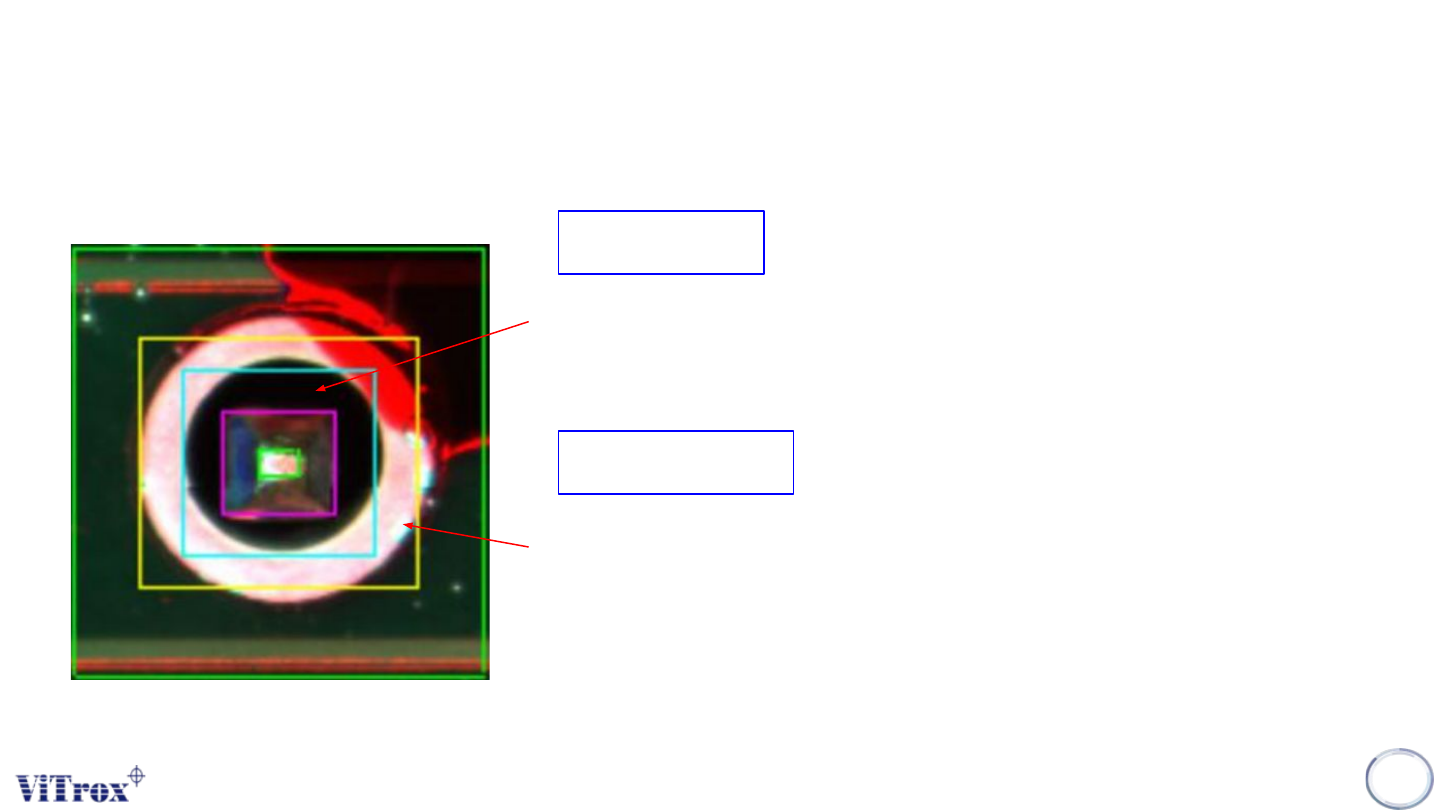
1. Detecting insufficient solder fillet.
2. Detecting NO SOLDER which leave the HOLE exposed.
3. Hole Region = Region within Green box & Magenta box.
Hole Region
Solder Region
1. Detecting insufficient solder.
2. Detecting exposed pad
3. Solder Region = Region within yellow box and blue box.
Copyright © ViTrox All Rights Reserved.
U-type Algorithm - THT
232
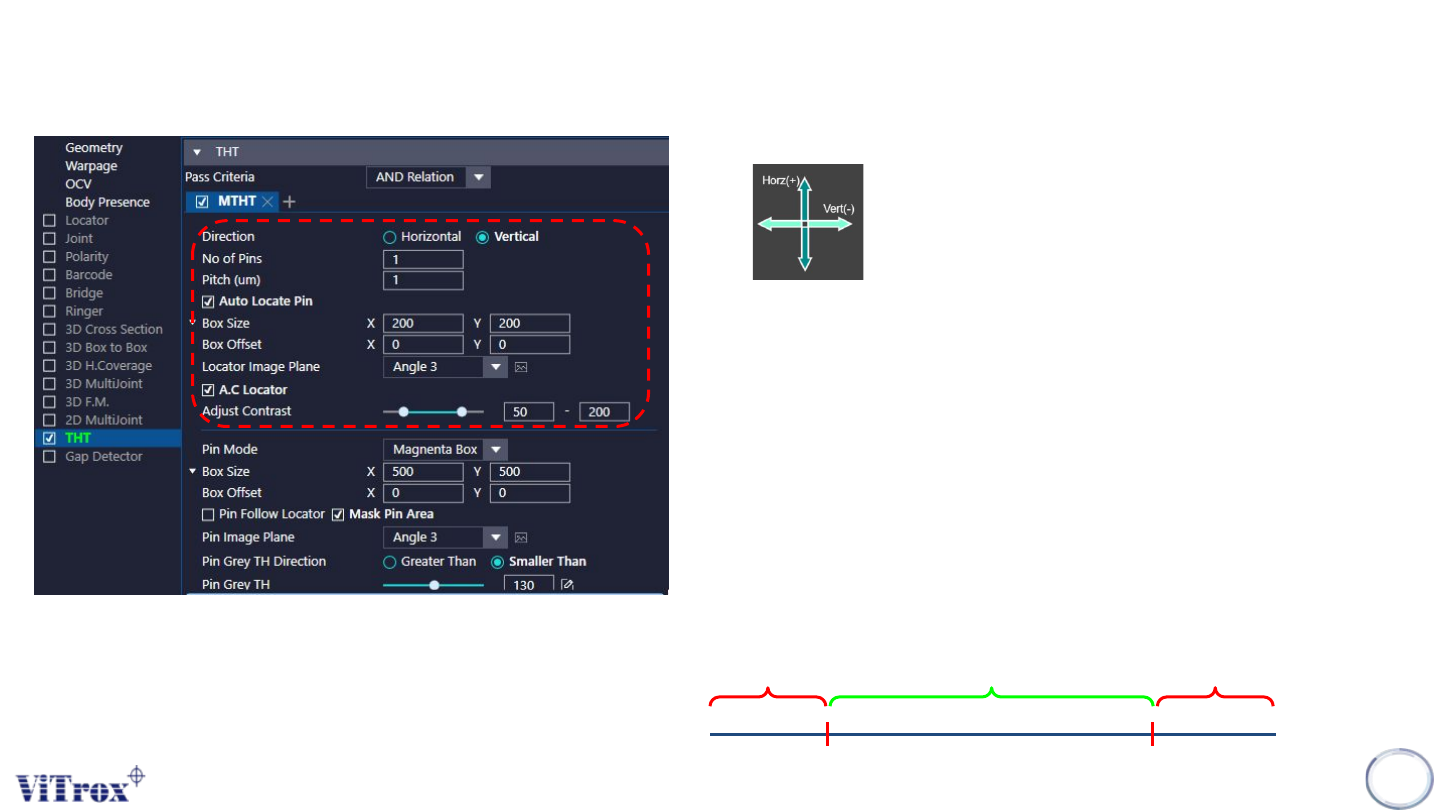
a. Direction
● To adjust the direction for multiple pins.
b. No of Pins
● To adjust the number of pins.
c. Pitch
● To adjust the distance between 2 pins.
d. Auto Locate Pin
● Enable this to set the locator to locate the pin.
e. Box Size & Box Offset
● To adjust the size and offset for locator inspection box.
f. Locator Image Plane
● These are the types of 2D Lighting. Select the one with having highest
contrast among pin tip region and the background.
g. A.C Locator
● Tick this to enable adjust contrast for the selected image plane.
● If contrast set to 50 to 100:
Remain the Greyscale Become 255
Become 0
50 100
Copyright © ViTrox All Rights Reserved.
U-type Algorithm - THT
233
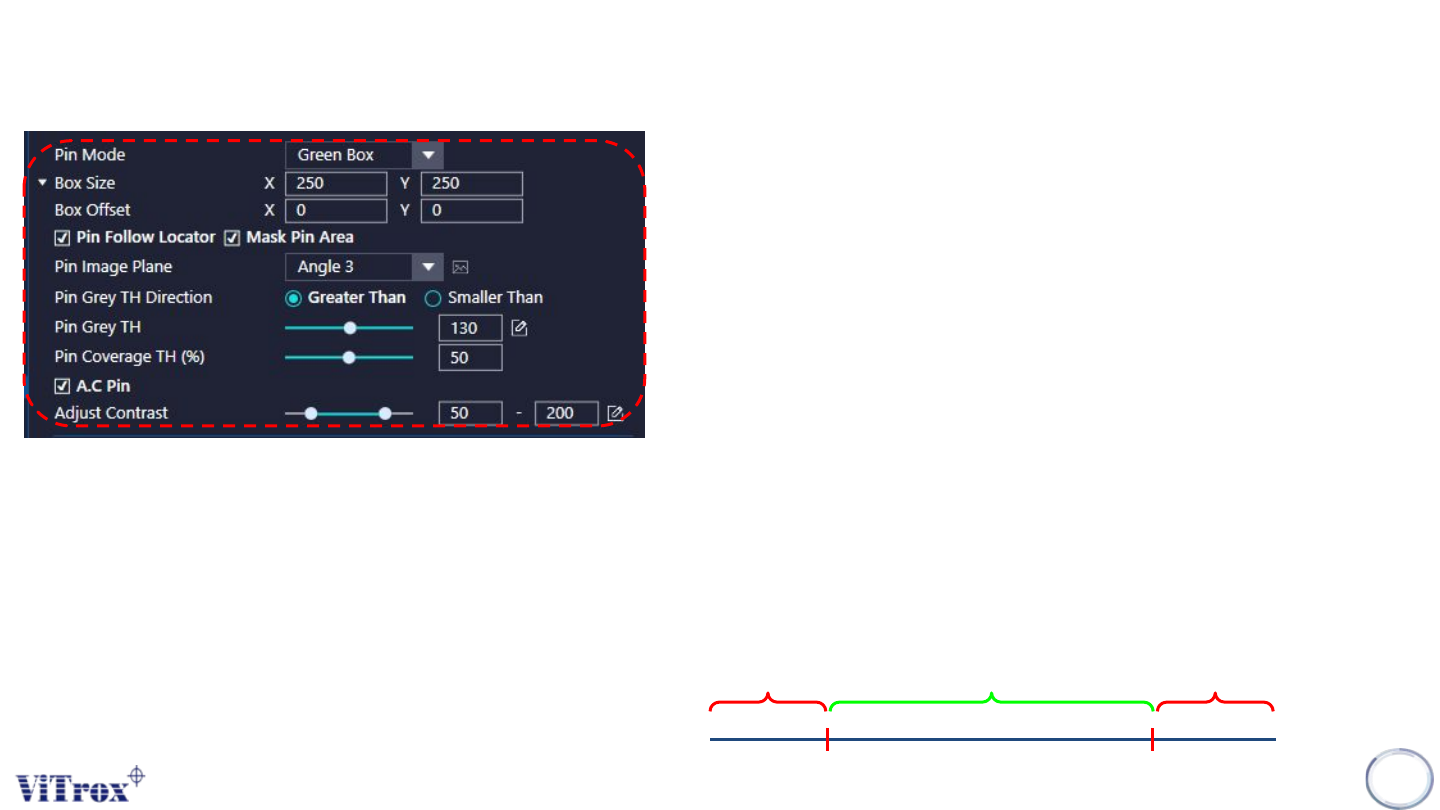
a. Pin Mode
● Green Box - Green box used to inspect the existing of pin.
● Magneta Box - Region within green box and magenta box use to inspect
the existing pin
b. Box Size & Box Offset
● To adjust the size and offset for pin inspection box.
c. Pin Follow Locator
● To allow the pin inspection box follow the locator
d. Mask Pin Area
● This is to mask the pin area (Magneta box) from solder inspection.
e. Pin Image Plane
● These are the types of 2D Lighting. Select the one with having highest
contrast among pin region and the background.
f. Pin Grey TH Direction
● Greater Than - Pass if Grey Thres measured > Pin Grey Thres set.
● Smaller Than - Pass if Grey Thres measured < Pin Grey Thres set.
g. Pin Grey TH
● To adjust the Grey Thres for the pin inspection.
h. Pin Coverage TH(%)
● To adjust the pin coverage Thres to pass the pin inspection.
i. A.C Pin
● Tick this to adjust the contrast for the selected image plane.
● If contrast set to 50 to 200:
Remain the Greyscale Become 255
Become 0
50 200