Smart Gui - Algorithm Training Material_rev1.pdf - 第96页
Copyright © ViT rox All Rights Reserved . S-type Algorithm - Location Mode (V ector) 96 1. Lateral Location ● For Post Reflow , T ick this. ● For Pre Reflow , untick this. ● This can assist during joint inspection in loc…
Copyright © ViTrox All Rights Reserved.
S-type Algorithm - Location Mode
95
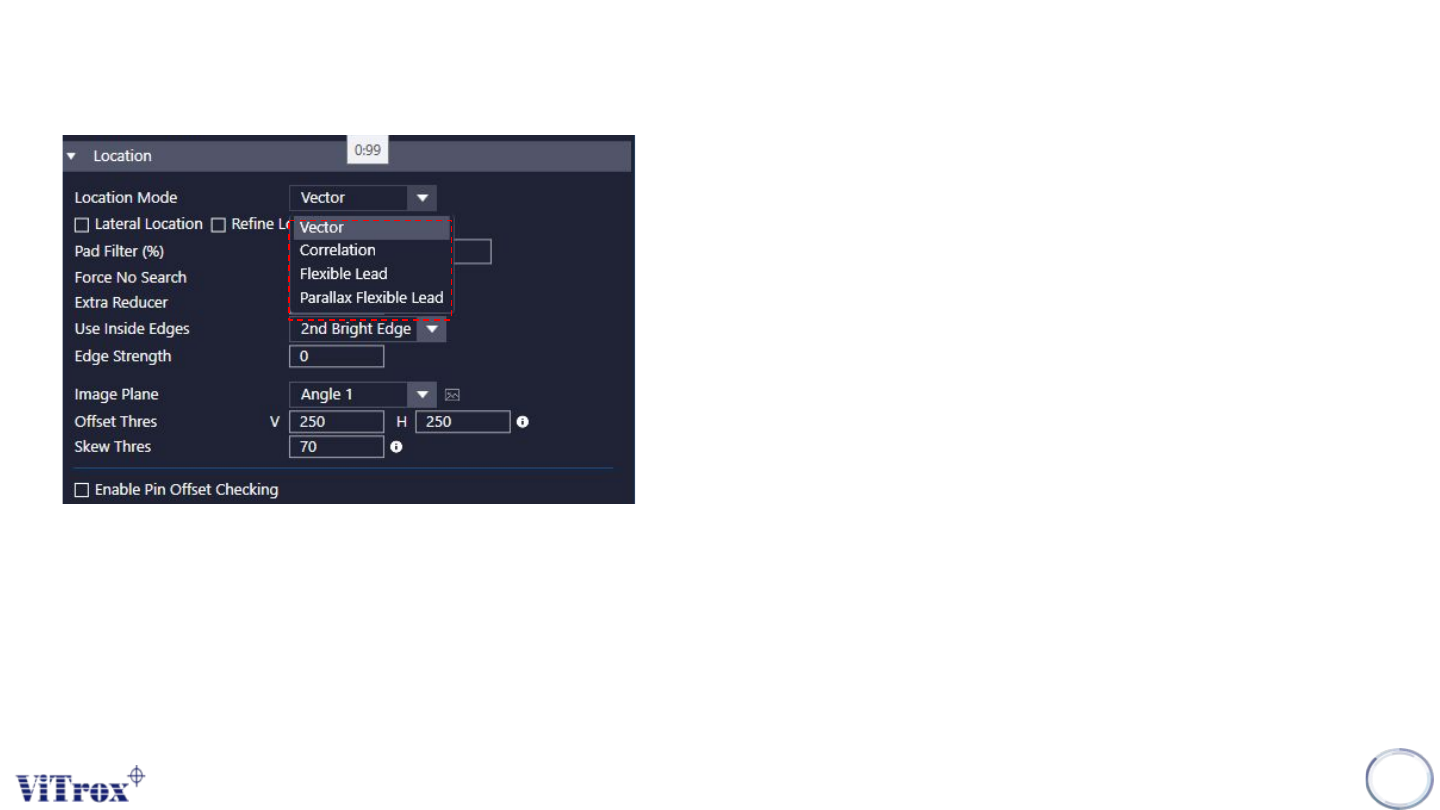
1. Location Mode
● Use to set the location method for SOIC Algorithm.
● There are 4 different location modes
a. Vector
➔ Uses the geometry of the component to create a template to search in the x and
y direction for the component.
➔ Bright pads, or vias close to the component may prevent it from locating correctly.
b. Correlation
➔ Correlation mode attempts to match the observed pattern of bright leads and dark
spaces between leads to a theoretical model of an ideal case
➔ Used selected image plane & image plane used for location that best correlates to
the theoretical location is taken as the location of the part.
c. Flexible lead
➔ Takes the best features of vector & correlation.
➔ It searches out from the center of the component,
➔ However it does have the ability to compensate for leads which are not exactly
equal in length.
➔ This should be used by default
d. Parallax Flexible lead
➔ The row of shoulders and the row of toes are located independently of one
another. This happens due to parallax and is worst with tall leads at the side of the
field of view
➔ This gives better results where toes and shoulders do not align
Copyright © ViTrox All Rights Reserved.
S-type Algorithm - Location Mode (Vector)
96
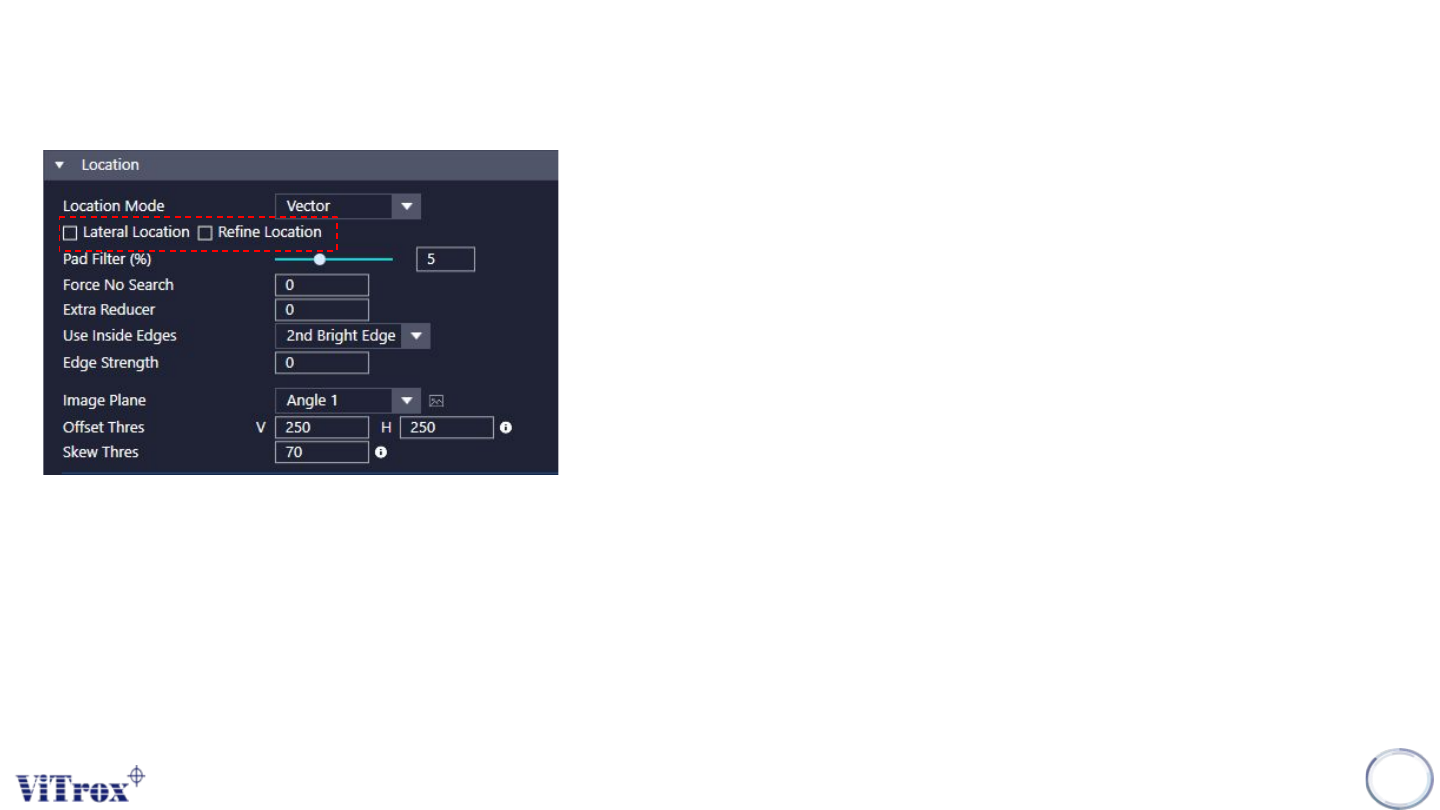
1. Lateral Location
● For Post Reflow, Tick this.
● For Pre Reflow, untick this.
● This can assist during joint inspection in location of the joints which having
nice toe fillets.
● There are occurrences when it does not correctly locate. (Bright Pad &
Wide pads)
2. Refine Location
● Tick this to help to locate the fillet.
● Recommend to on this.
Copyright © ViTrox All Rights Reserved.
S-type Algorithm - Location Mode (Vector)
97
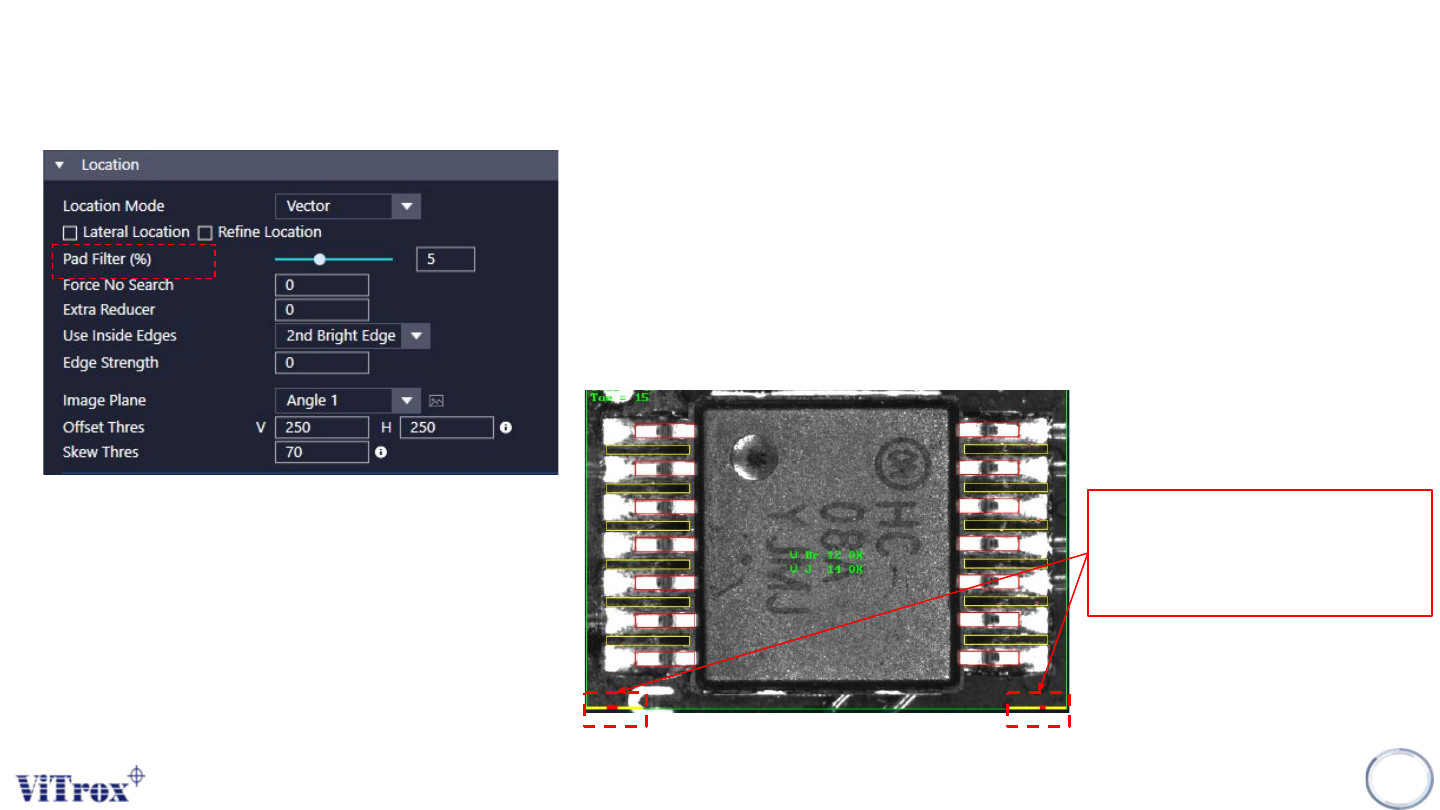
3. Pad Filter
● Tick this to filters out part of the pad area if the pad area is wider than the
actual lead width. Sometime end of the pad will be brighter than the actual
lead. This causes the lead boxes locate wrongly on the pad area.
● The Size of the leads must be set correctly.
● Pad Filter % represents a percentage of Search Area X and/or Y counted
from boundary of search area.
● Region that undergoes filter process are indicate in yellow.
● Filtered area are indicate in red.
Region that undergoes filter
process are indicate in yellow.
Filtered area are indicate in red.