Smart Gui - Algorithm Training Material_rev1.pdf - 第298页
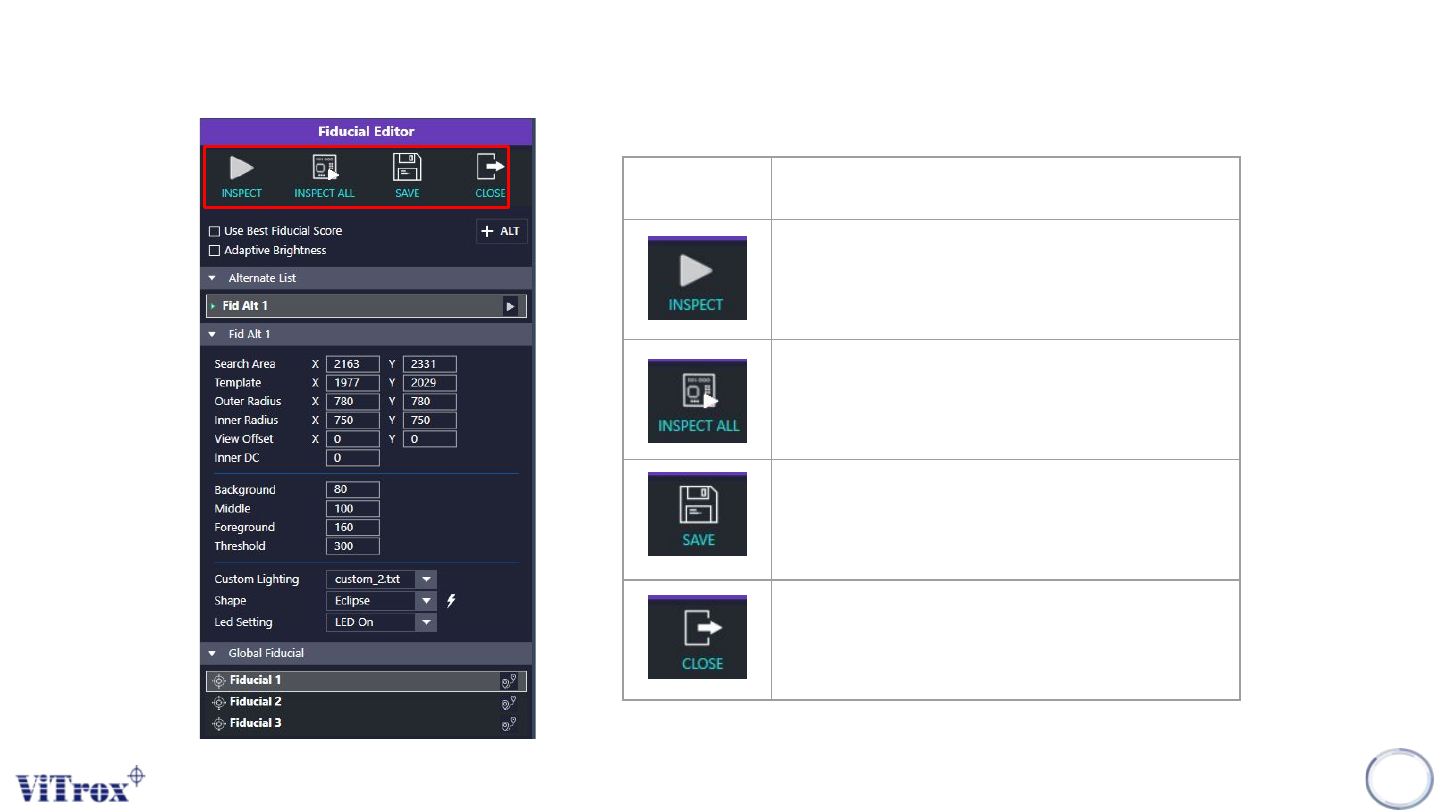
Copyright © ViT rox All Rights Reserved . 298 Fiducial Editor Icon Description T o inspect the current fiducial. T o inspect all the fiducial. T o save the fiducial settings T o exit the fiducial editor page

Copyright © ViTrox All Rights Reserved.
297
Fiducial Editor
Copyright © ViTrox All Rights Reserved.
298
Fiducial Editor
Icon Description
To inspect the current fiducial.
To inspect all the fiducial.
To save the fiducial settings
To exit the fiducial editor page
Copyright © ViTrox All Rights Reserved.
Fiducial Editor
299
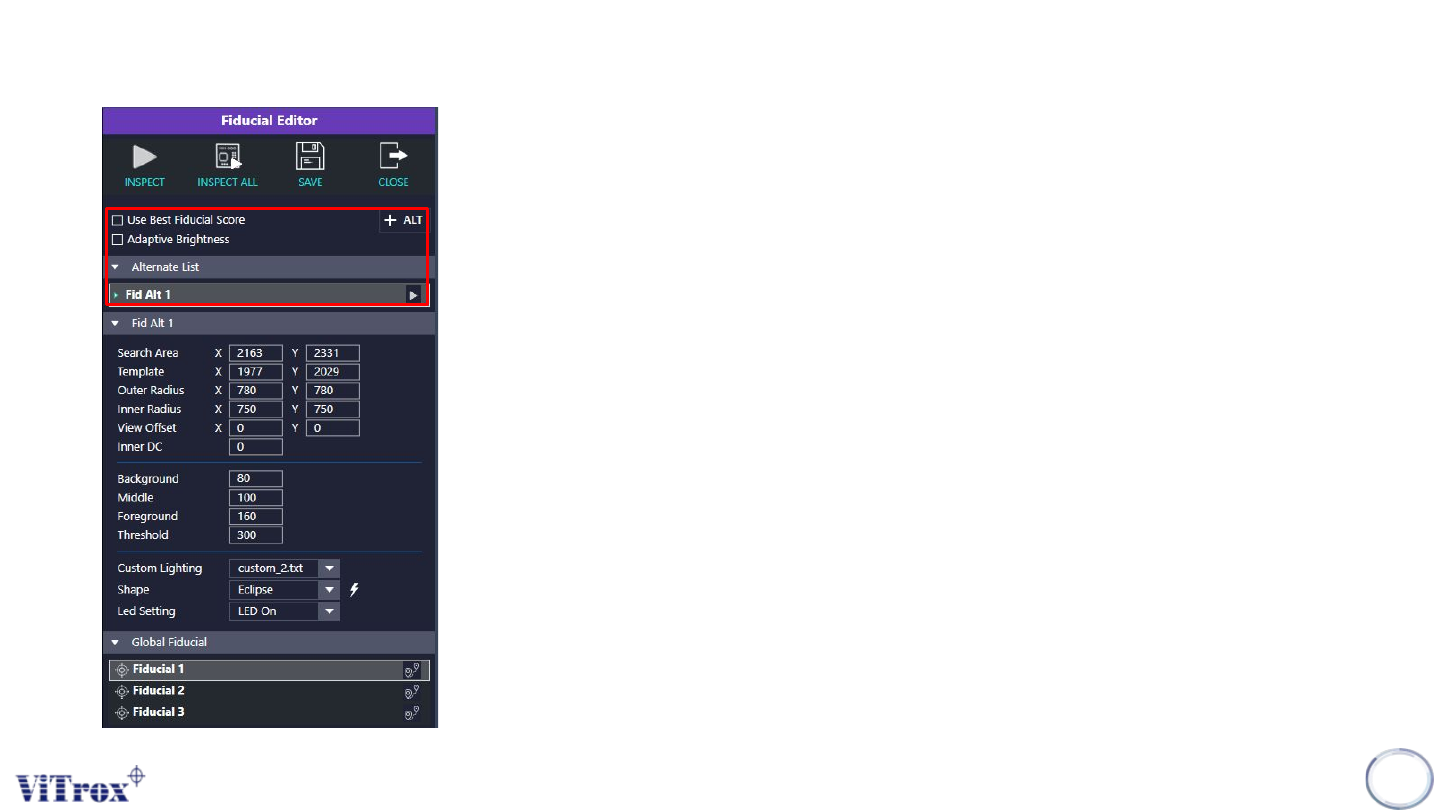
1. Use Best Fiducial Score
● Software will take the fiducial with highest score as
reference.
● Applicable when user set alternate fiducials.
2. Adaptive Brightness
● Tick this when software is not able to locate the fiducials
properly.
● Enable the “Adaptive Brightness” might increase the cycle
time.
3. + ALT
● Press on this icon to set alternative fiducial.
● The alternative fiducial can be observed at the alternate list.