Smart Gui - Algorithm Training Material_rev1.pdf - 第300页
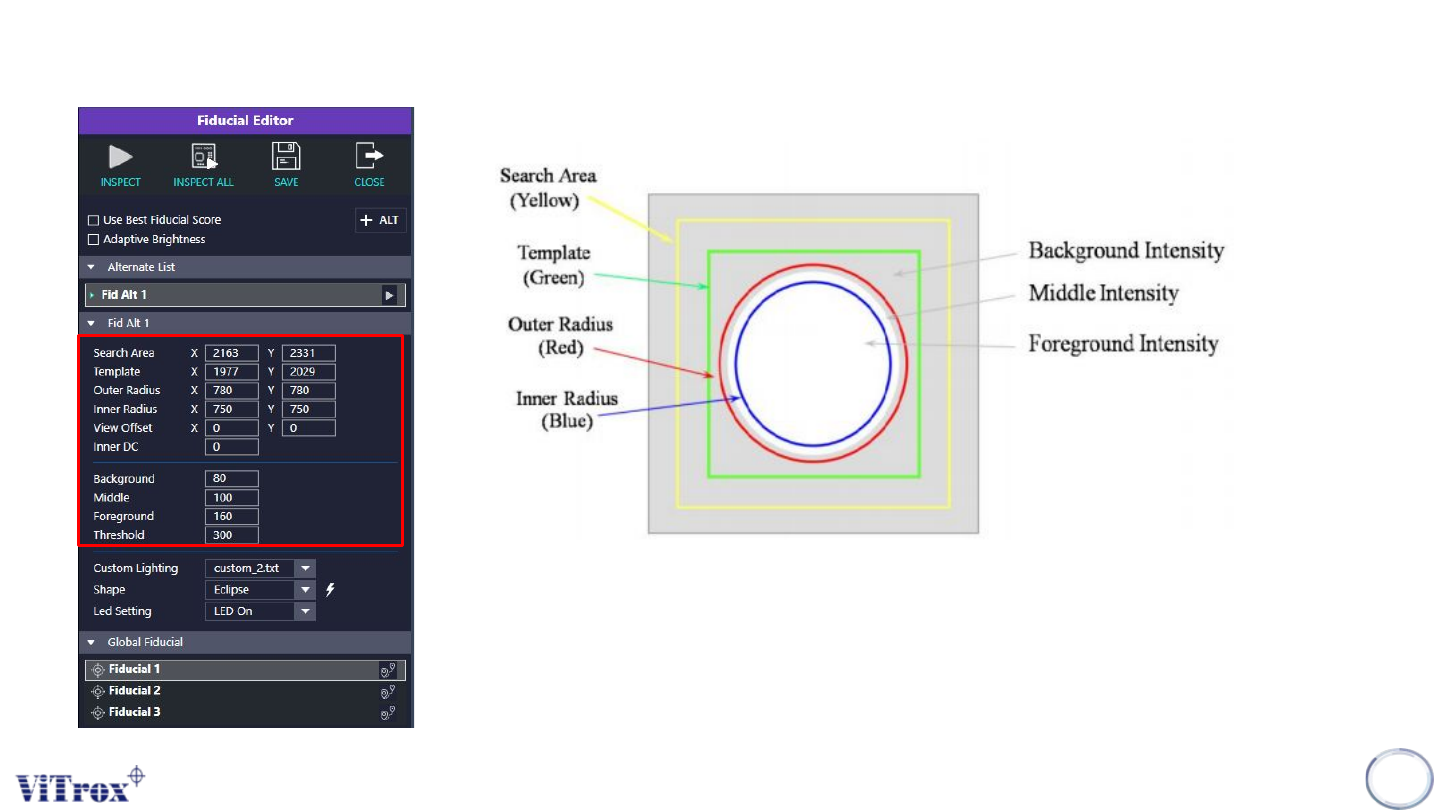
Copyright © ViT rox All Rights Reserved . Fiducial Editor 300 User can adjust the sizes, greyscale and threshold for the fiducial accordingly based on the figure above.
Copyright © ViTrox All Rights Reserved.
Fiducial Editor
299
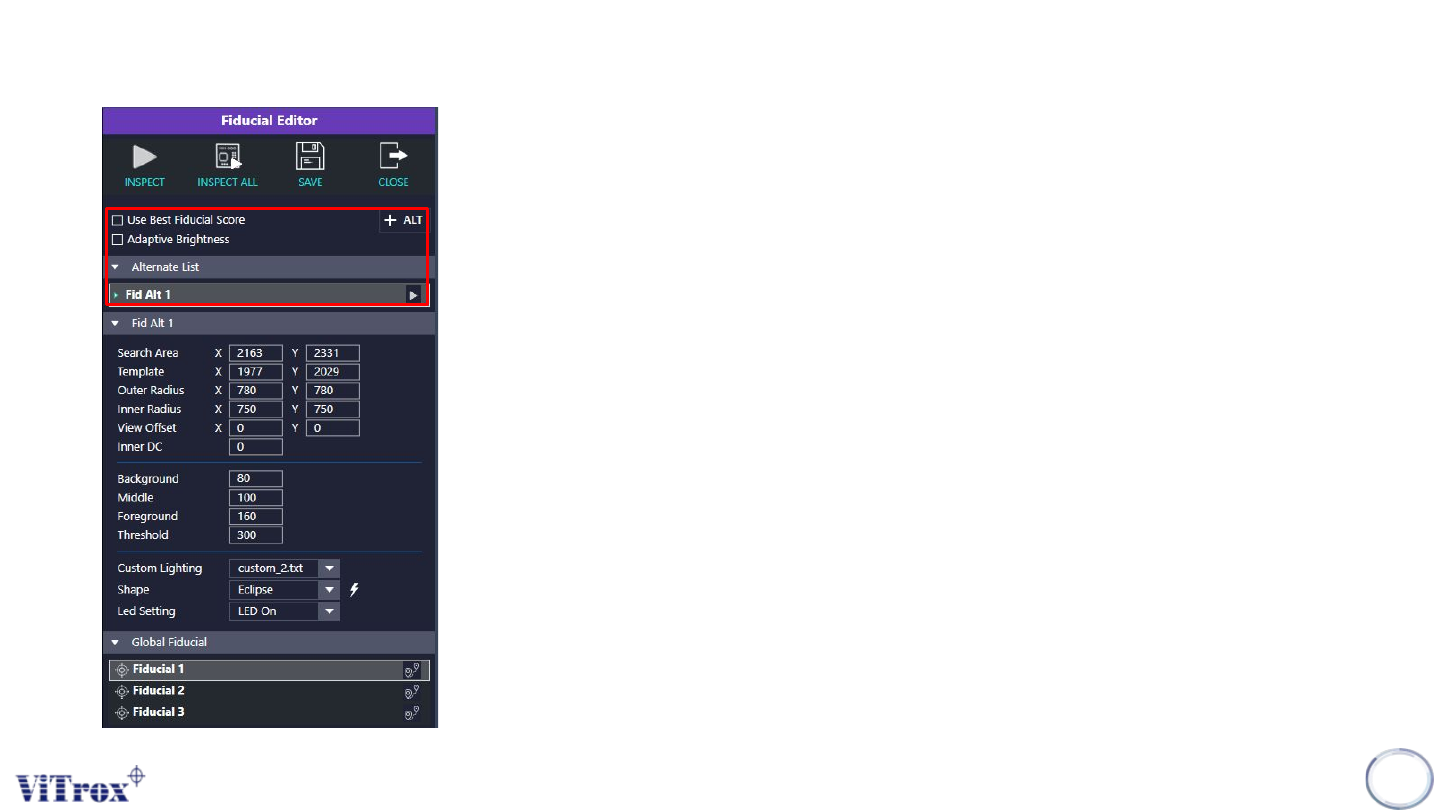
1. Use Best Fiducial Score
● Software will take the fiducial with highest score as
reference.
● Applicable when user set alternate fiducials.
2. Adaptive Brightness
● Tick this when software is not able to locate the fiducials
properly.
● Enable the “Adaptive Brightness” might increase the cycle
time.
3. + ALT
● Press on this icon to set alternative fiducial.
● The alternative fiducial can be observed at the alternate list.
Copyright © ViTrox All Rights Reserved.
Fiducial Editor
300
User can adjust the sizes, greyscale and threshold for the
fiducial accordingly based on the figure above.
Copyright © ViTrox All Rights Reserved.
Fiducial Editor
301
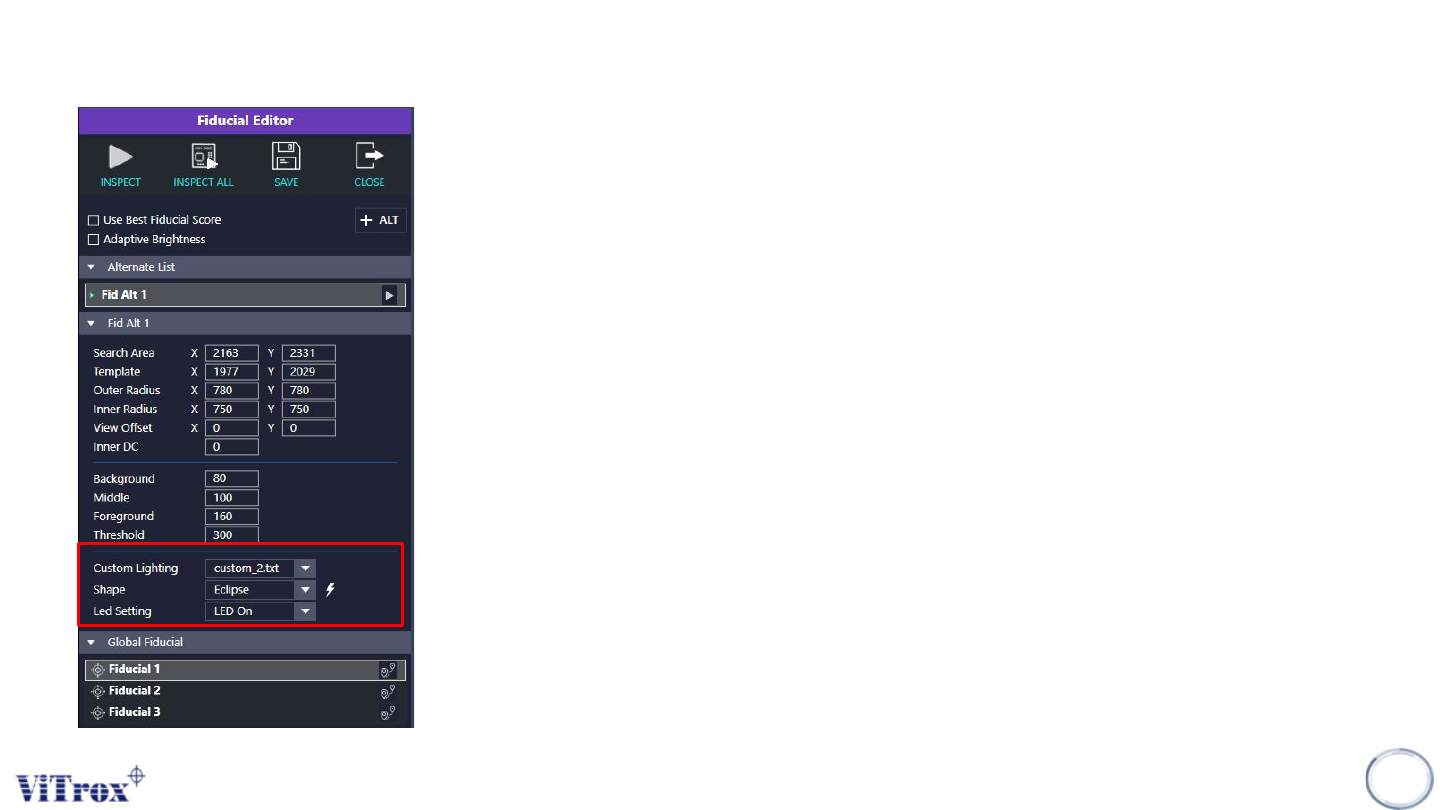
1. Custom Lighting
● Select the lighting angle that having the best contrast.
2. Shape
● Select the shapes for the fiducial
● The lightning icon shows beside is use to auto train the
fiducial shape & greyscale.
3. LED Setting
● Turn on or off the LED.
● This may affect the contrast of the fiducial.