Smart Gui - Algorithm Training Material_rev1.pdf - 第246页
Copyright © ViT rox All Rights Reserved . 246 For 2D Mode: a. Image Plane ● These are the types of 2D Lighting. Select the one with having highest contrast among interested inspection region and the background. b. Inner …
Copyright © ViTrox All Rights Reserved.
245
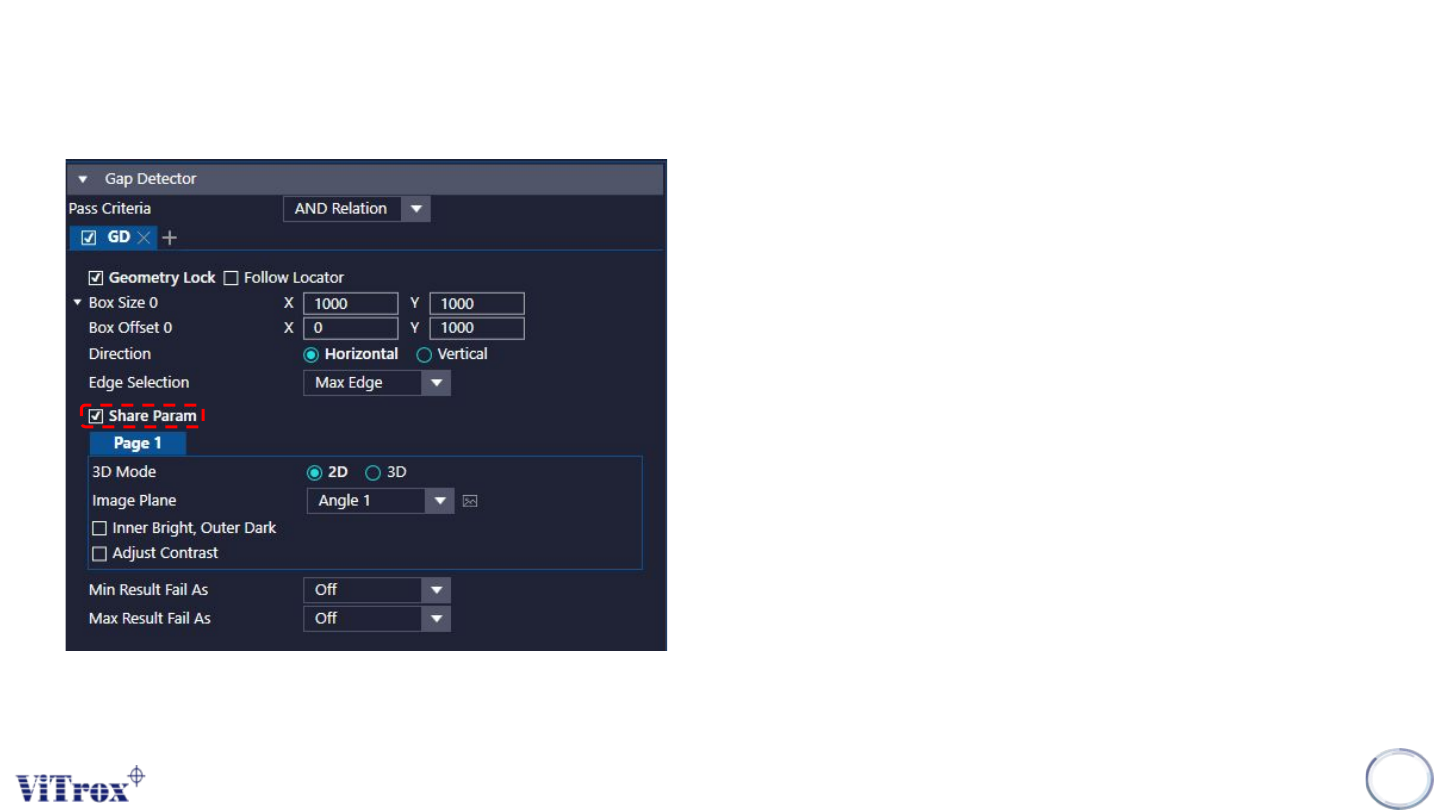
1. Share Param
● To share the same setting for both gap detector boxes.
2. 3D Mode
● Can choose either 2D (greyscale) or 3D (Height) to detect the
edges.
U-type Algorithm Gap Detector
Copyright © ViTrox All Rights Reserved.
246
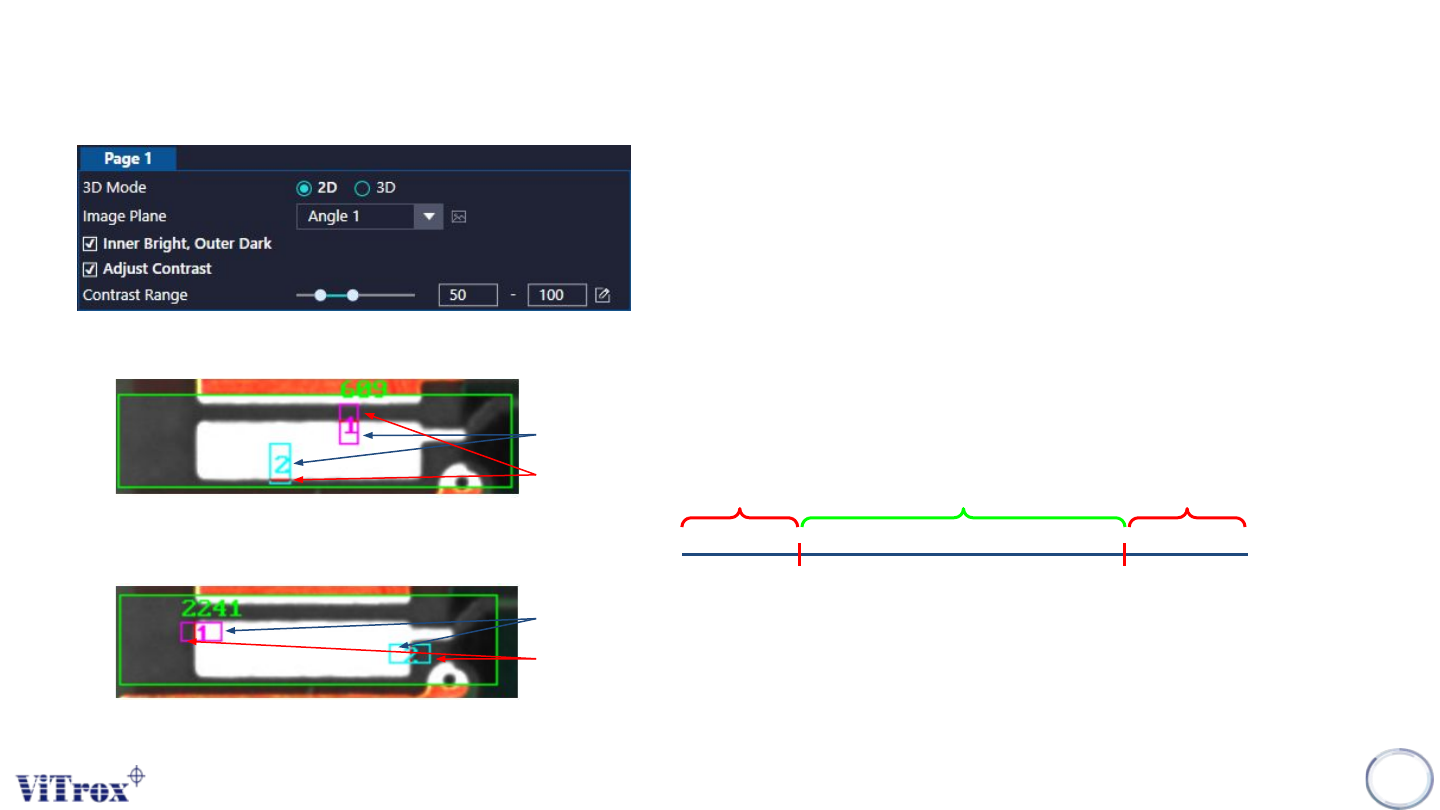
For 2D Mode:
a. Image Plane
● These are the types of 2D Lighting. Select the one with
having highest contrast among interested inspection region
and the background.
b. Inner Bright, Outer Dark
● Tick this if the inner part is brighter than outer part.
● Untick this if the outer part is brighter than inner part.
● Refer the pictures beside for the definition of inner and outer.
c. Adjust Contrast
● Tick this to enable adjust contrast.
● If contrast set to 50 to 100:
Horizontal
Vertical
Inner
Outer
Inner
Outer
Remain the Greyscale Become 255
Become 0
50 100
U-type Algorithm Gap Detector
Copyright © ViTrox All Rights Reserved.
247
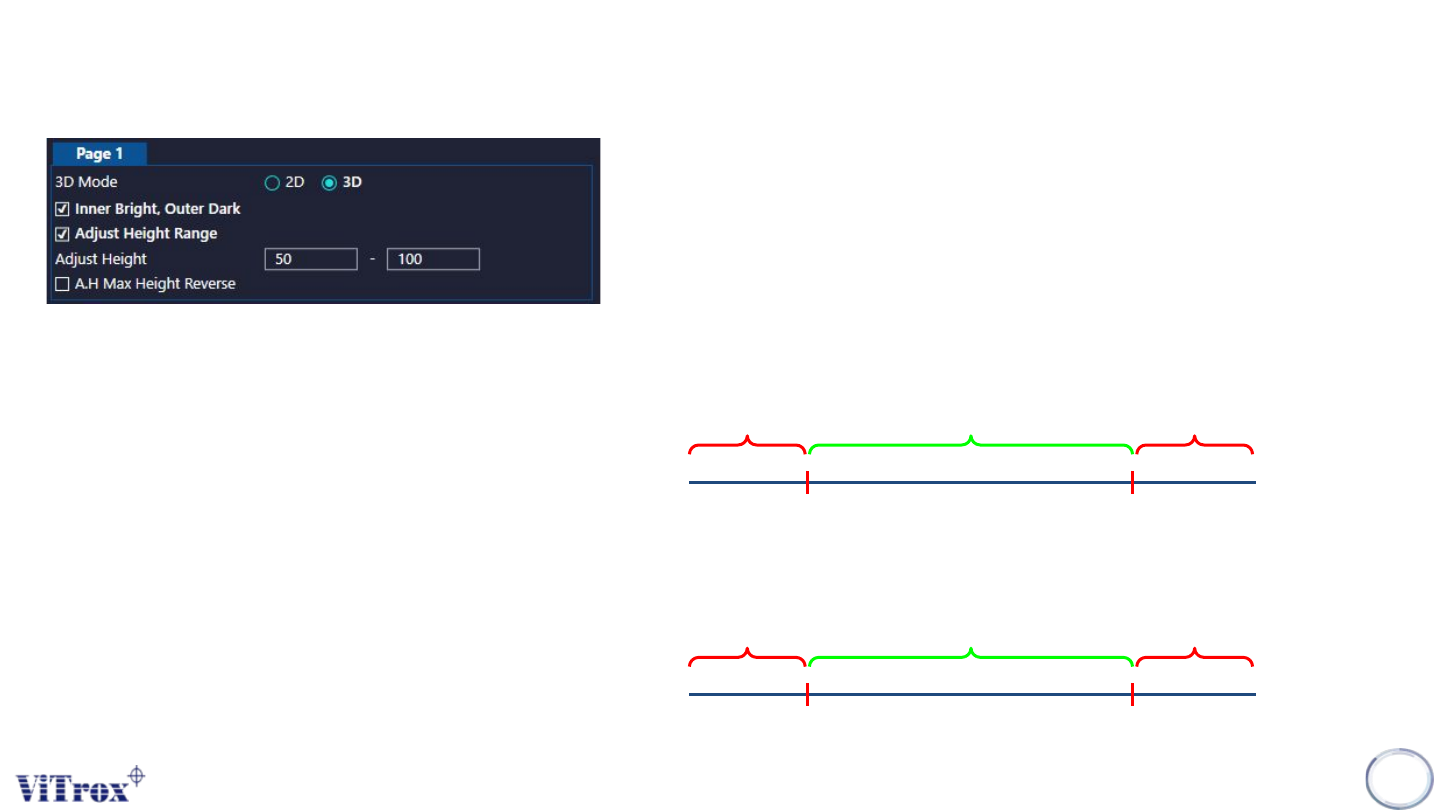
For 3D Mode:
a. Inner Bright, Outer Dark
● Pixels that having height value will be in bright grayscale.
● Tick this if the inner part is brighter than outer part.
● Untick this if the outer part is brighter than inner part.
● Refer the pictures beside for the definition of inner and outer.
b. Adjust Height Contrast
● Tick this to enable adjust height contrast.
● If contrast set to 50 to 100:
Note that:
3D Mode will convert height vale to grayscale. Pixels that
having higher height value will having brighter greyscale.
Remain the Greyscale Become 255
Become 0
50um 100um
C. A.H Max Height Reverse
Remain the Greyscale Become 0
Become 0
50um 100um
U-type Algorithm Gap Detector