Smart Gui - Algorithm Training Material_rev1.pdf - 第204页
Copyright © ViT rox All Rights Reserved . U-type Algorithm - 3D Height Coverage 204 a. Box Size & Box Offset ● T o adjust the size of Inspection Box & offset of Inspection Box. b. Follow Locator ● T o enable the …
Copyright © ViTrox All Rights Reserved.
U-type Locator - 3D Box to Box
203
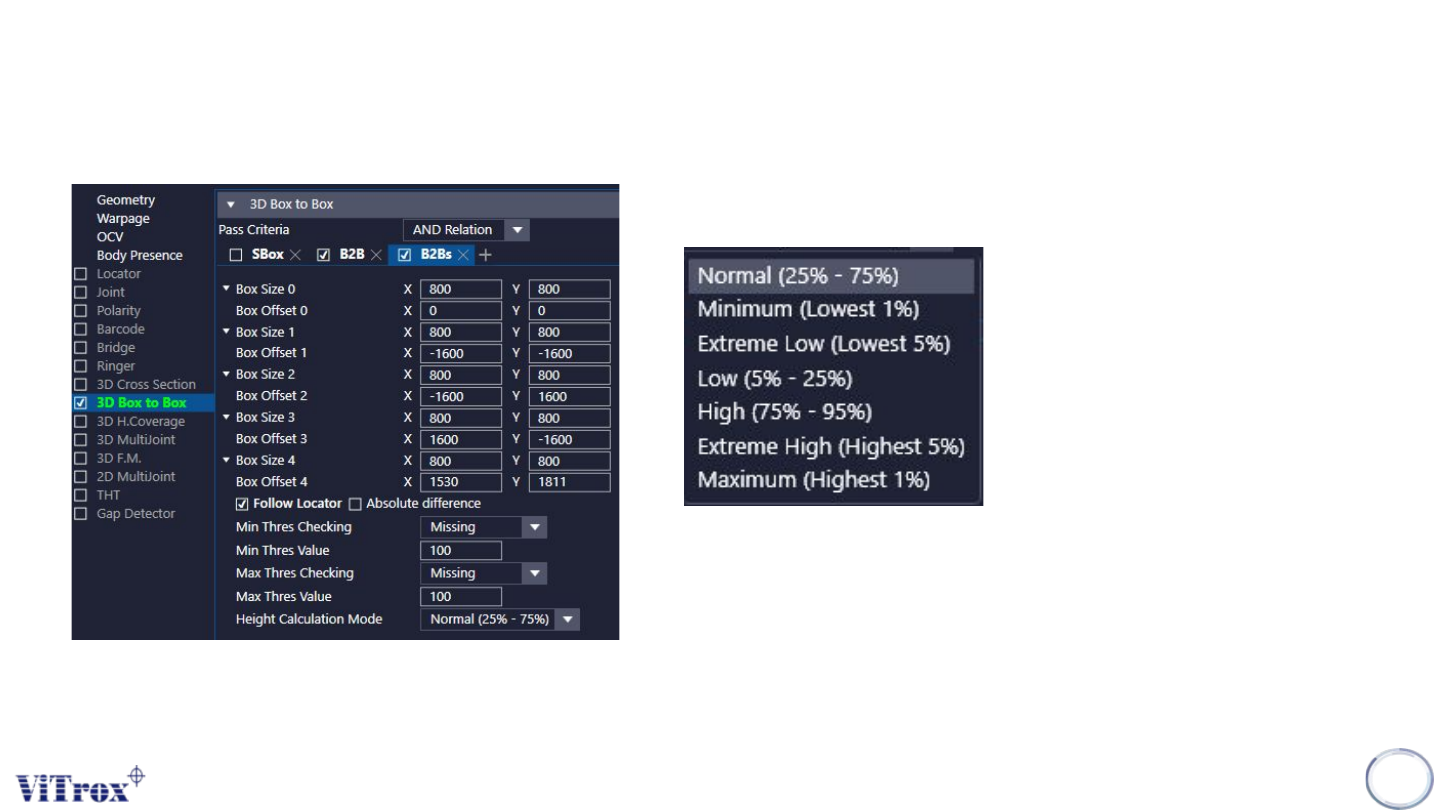
3D Box to 4 Boxes
8. Height Calculation Mode
● Given 7 types of calculation.
● The calculation mode below are for the 4 blue boxes.
3D Box to 4 Boxes is to compare the height between 4 cyan boxes
and the pink box. If two of the cyan boxes measured height fall out
of the range of height threshold range set, the algorithm will fail as
missing.
Copyright © ViTrox All Rights Reserved.
U-type Algorithm - 3D Height Coverage
204
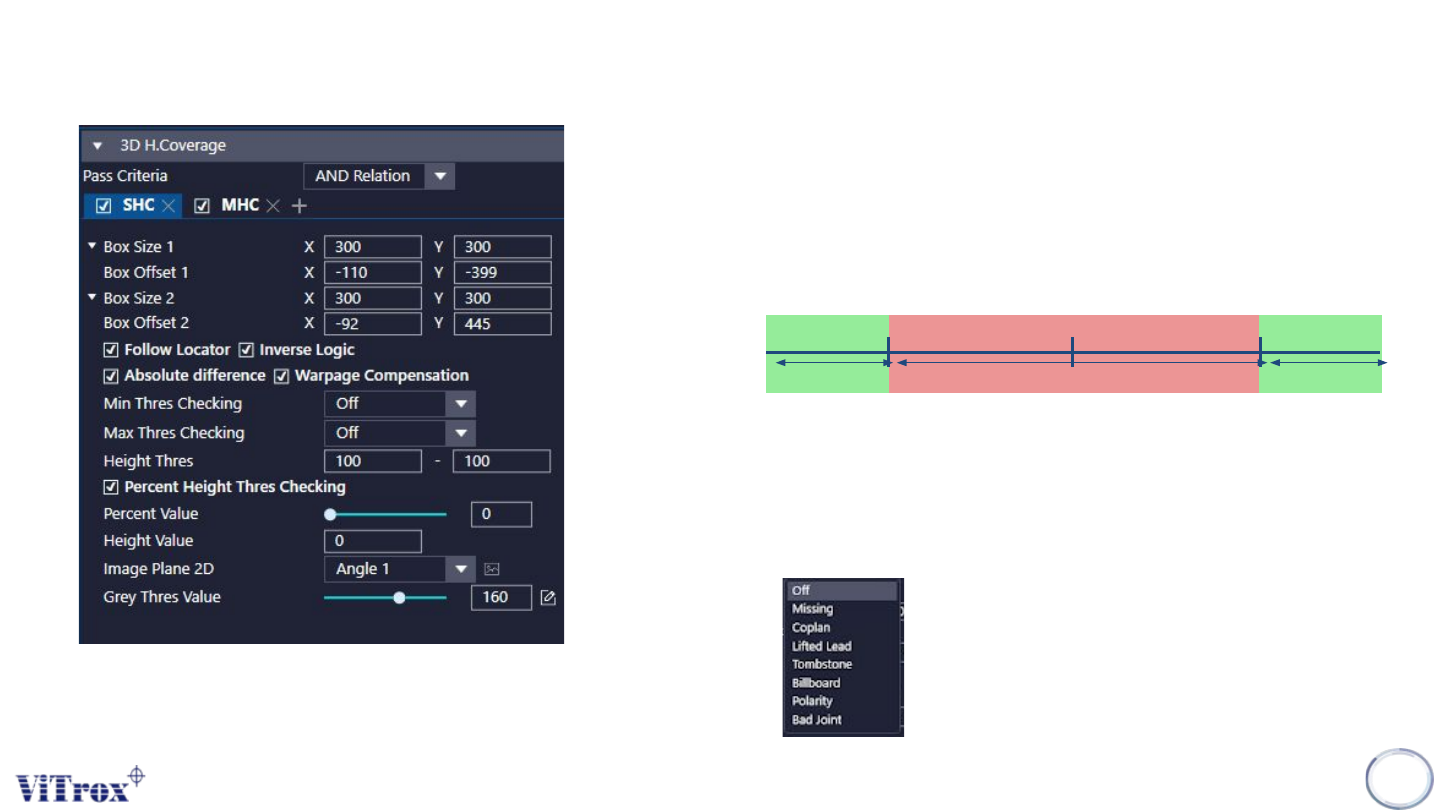
a. Box Size & Box Offset
● To adjust the size of Inspection Box & offset of Inspection Box.
b. Follow Locator
● To enable the inspection boxes follow the locator.
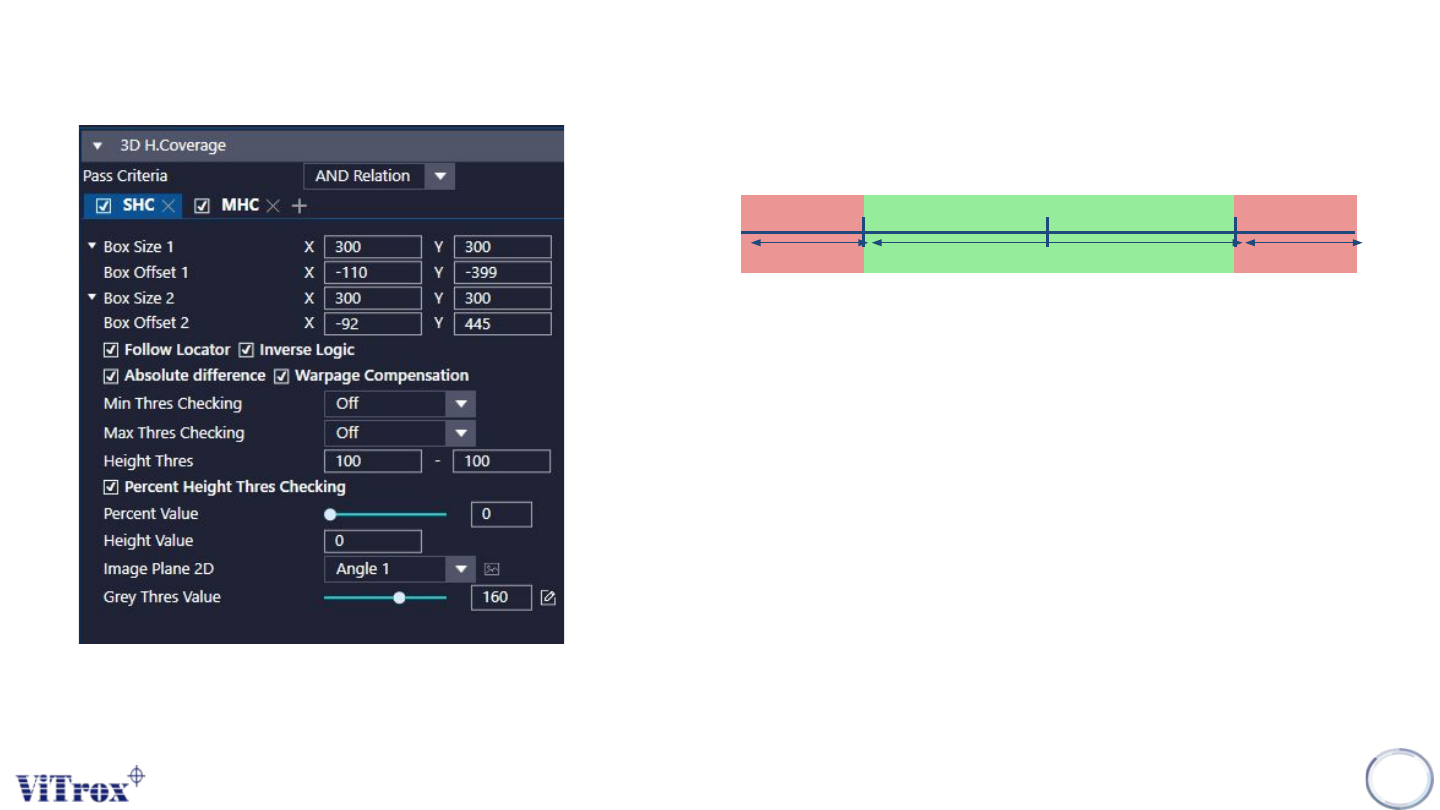
c. Inverse Logic
● Inverse logic is used to inverse the pass criteria of height threshold set.
d. Absolute Difference
● Tick This to enable absolute difference.
e. Warpage Compensation
● Tick this to enable Warpage Compensation.
f. Min Thres Checking & Max Thres Checking
● Select the error code for Min Thres checking & Max Thres checking
Max Height
Pass Fail
Min Height
Pass
Copyright © ViTrox All Rights Reserved.
U-type Algorithm - 3D Height Coverage
205
g. Height Thres
● To adjust the min. Height threshold & max height thres.
h. Percent Height Thres Checking
● Percent height threshold checking is used to set the percentage of height
threshold by the height value set.
● Note: When percent height threshold checking is enabled, the height
threshold will disable but button still available.
i. Percent Value
● How many percent of preset height value consist as pass.
j. Height Value
● Height of the component.
k. IMage Plane 2D
● To select the image plane that having the contrast.
l. Grey Thres Value
● To set the Grey Thres Value.
Max Height
Pass
Fail
Min Height
Fail