Smart Gui - Algorithm Training Material_rev1.pdf - 第305页
Copyright © ViT rox All Rights Reserved . GrayScale Editor 305 Fit to Screen Remove ROI T oggle Inspection Output Component Image Display Select the range for Grey Scale Lower Limit Upper Limit 1. Use to set the grayscal…
Copyright © ViTrox All Rights Reserved.
Grayscale Editor
Grayscale Editor help users in setting the threshold that related to grayscale. User can find
this icon beside the threshold setting that related to grayscale.
304
Copyright © ViTrox All Rights Reserved.
GrayScale Editor
305
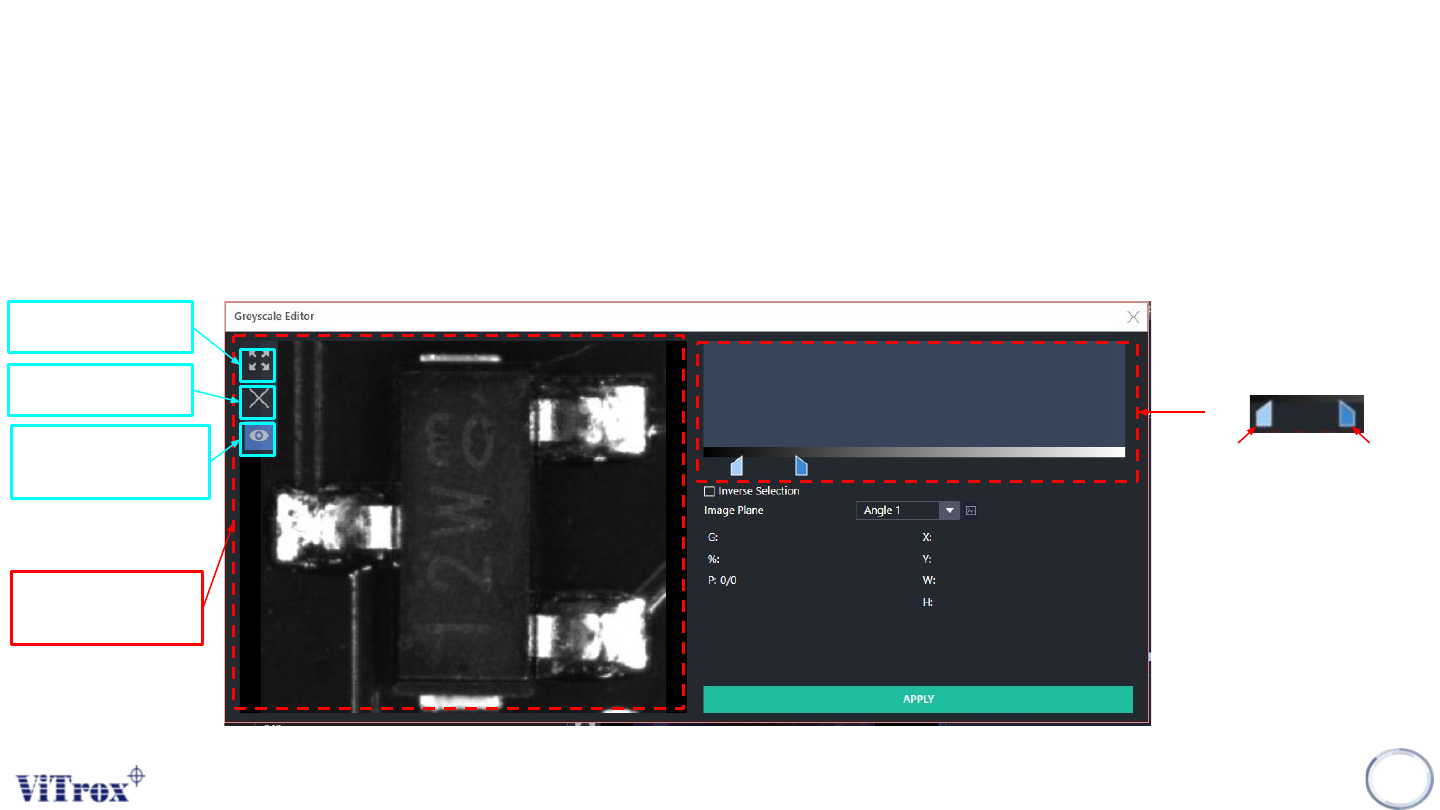
Fit to Screen
Remove ROI
Toggle Inspection
Output
Component Image
Display
Select the range for Grey
Scale
Lower Limit
Upper Limit
1. Use to set the grayscale threshold.
2. User can know the grey scale values consists in the ROI that drawn on the Component Image Display.
Copyright © ViTrox All Rights Reserved.
GrayScale Editor
306
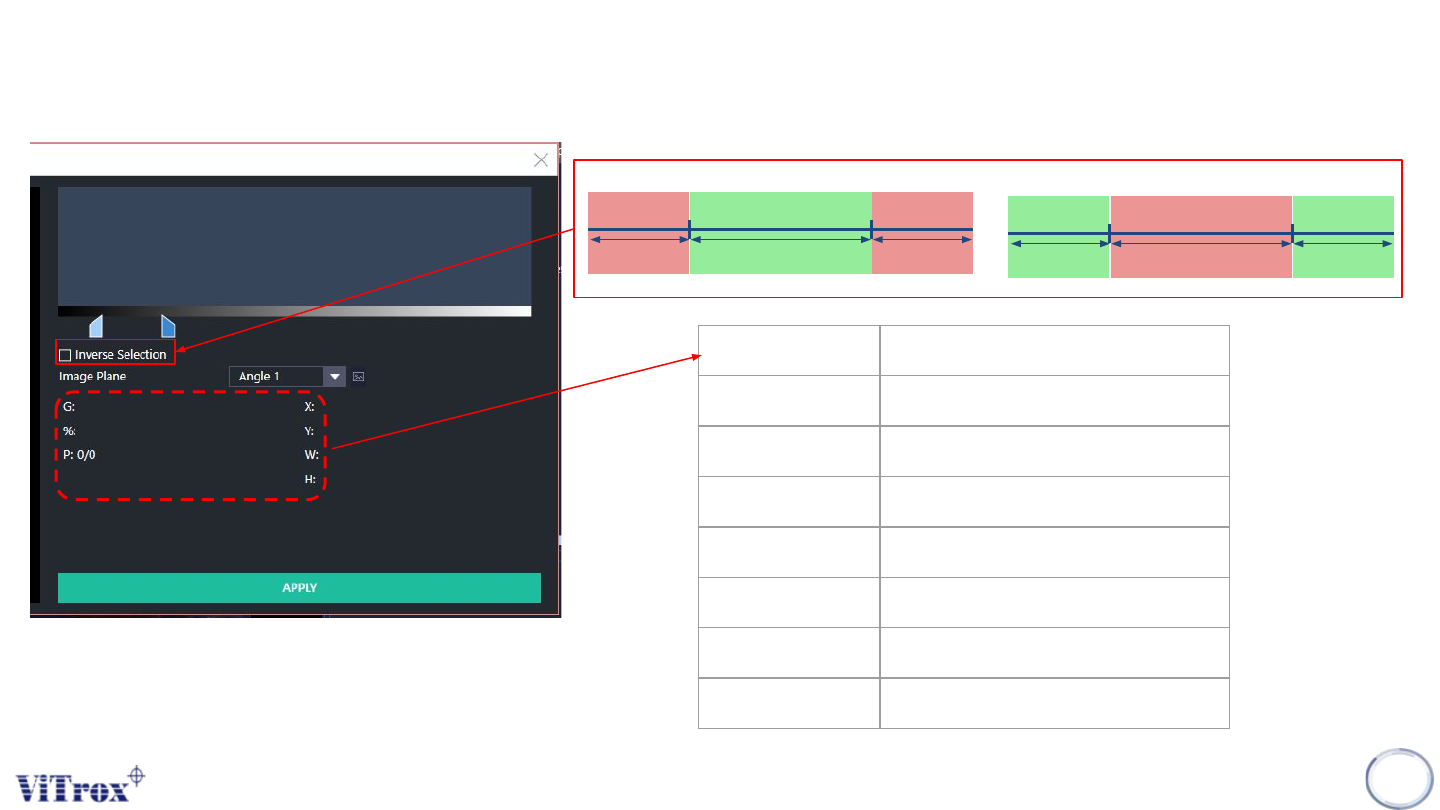
Parameter Description
G Selected Grey Scale Range
% Coverage (%)
P Coverage (Area Cover / Total Area)
X X Location
Y Y Location
W Width of ROI
H Length of ROI
Lower Limit
Upper Limit
Pass
Fail Fail
Untick Inverse Selection
Lower Limit
Upper Limit
Pass
Fail Pass
Tick Inverse Selection