Smart Gui - Algorithm Training Material_rev1.pdf - 第109页
Copyright © ViT rox All Rights Reserved . 109 Component Body Inspection
Copyright © ViTrox All Rights Reserved.
S-type Algorithm - Location Mode
108
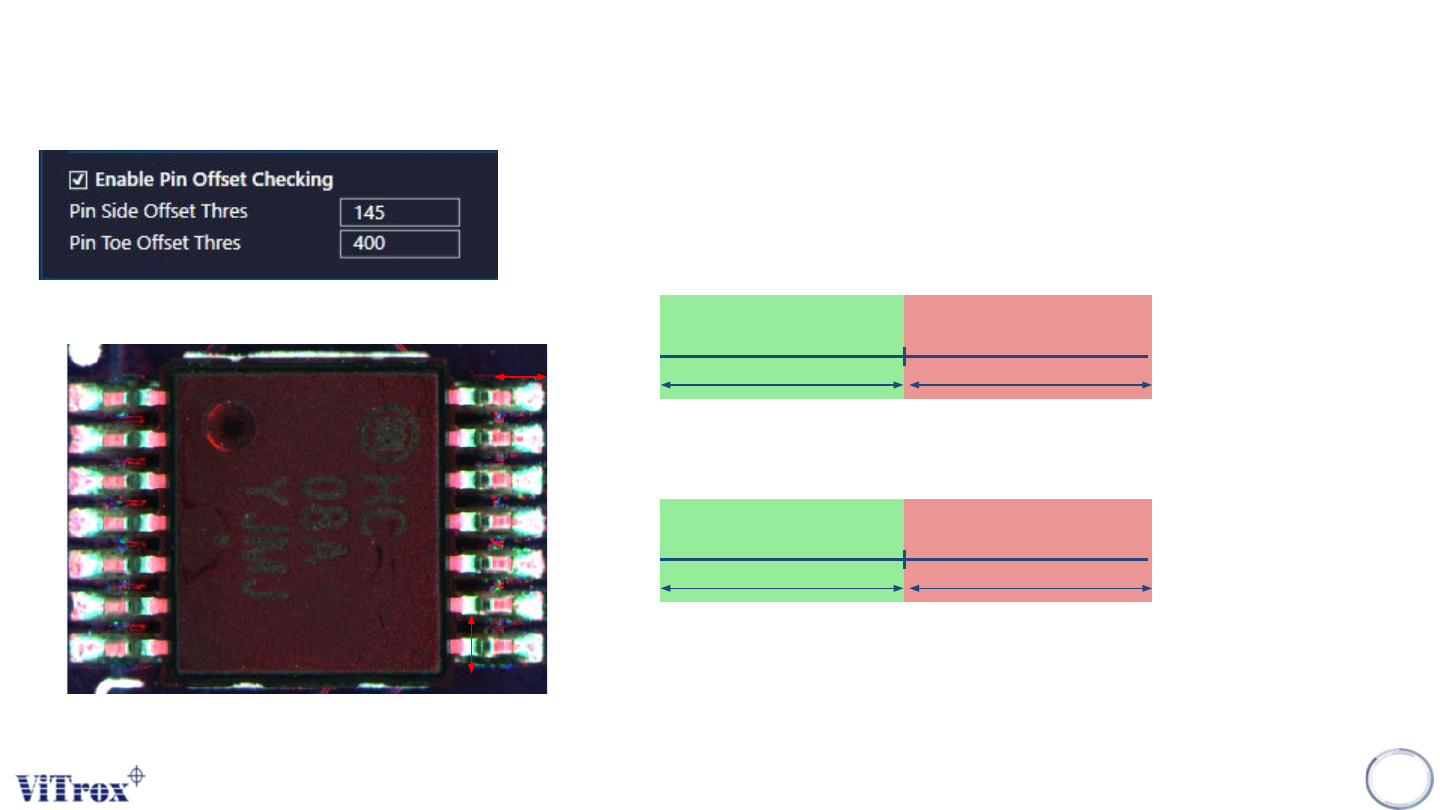
1. Enable Pin Offset Checking
● Select the image plane that having best contrast between the component
and the background.
2. Pin Side Offset Threshold
● Unit in micron (um)
3. Pin Toe Offset Thres
● Unit in micron (um)
Pin Toe Offset Thres
Pass Fail
Pin Side Offset Thres
Pass Fail
Pin Toe
Pin Side

Copyright © ViTrox All Rights Reserved.
109
Component Body Inspection
Copyright © ViTrox All Rights Reserved.
S-type Algorithm - Body Mode
110
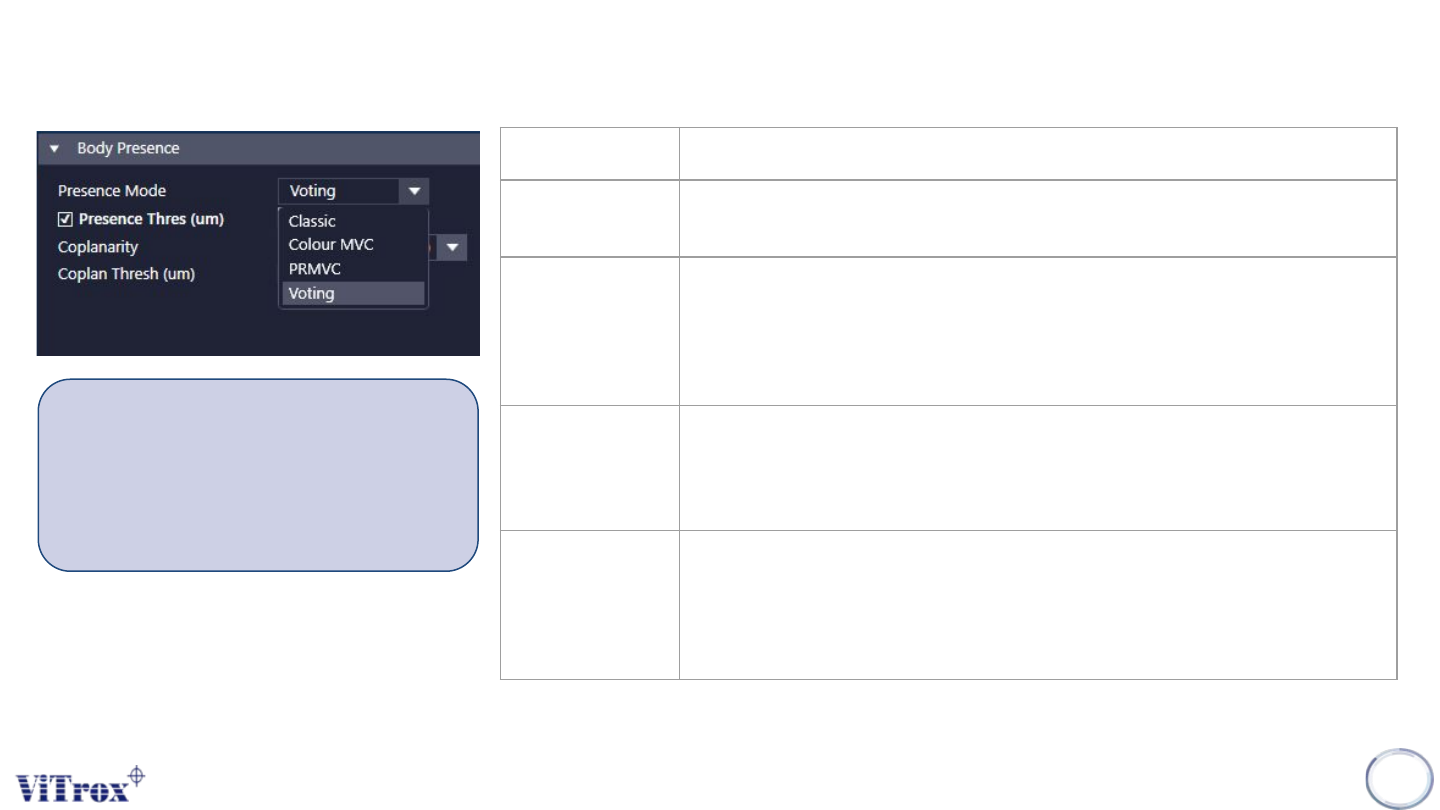
Presence Mode Description
Classic This is based on examining the grey level of a defined area of the component.
Colour MVC Its reliability is based upon board color and contrast to component color. The
classifier is based on inspecting 3 populated boards, and 3 bare boards. This
method is not ideal for small dark components, with low contrast to the board
color, like diodes. This cover in SLA training module.
PRMVC This is based on 3 populated boards, and 3 bare reflowed boards. This
requires extra CAD generation to create pads information. This cover in SLA
training module.
Voting This takes all of the classifiers into consideration. The algorithm then uses a
weighted score from each classifier and votes for presence/absence. This is a
classifier that is based on the shape profile of the component. This cover in
SLA training module.
In most cases, Classic is sufficient for
determining presence on s-types. If you
have a bare reflowed board available, you
can use the Voting classifier and train the
SLAs.