Smart Gui - Algorithm Training Material_rev1.pdf - 第24页
Copyright © ViT rox All Rights Reserved . 24 CR T ype Algorithm - Joint 1. Joint Inspection ● T ick this to enable joint Inspection 2. 3D Mode ● Consists of 4 mode. ● The main differences between the 2D only and 3D for j…

Copyright © ViTrox All Rights Reserved.
23
Joint Inspection Algorithm
Copyright © ViTrox All Rights Reserved.
24
CR Type Algorithm - Joint
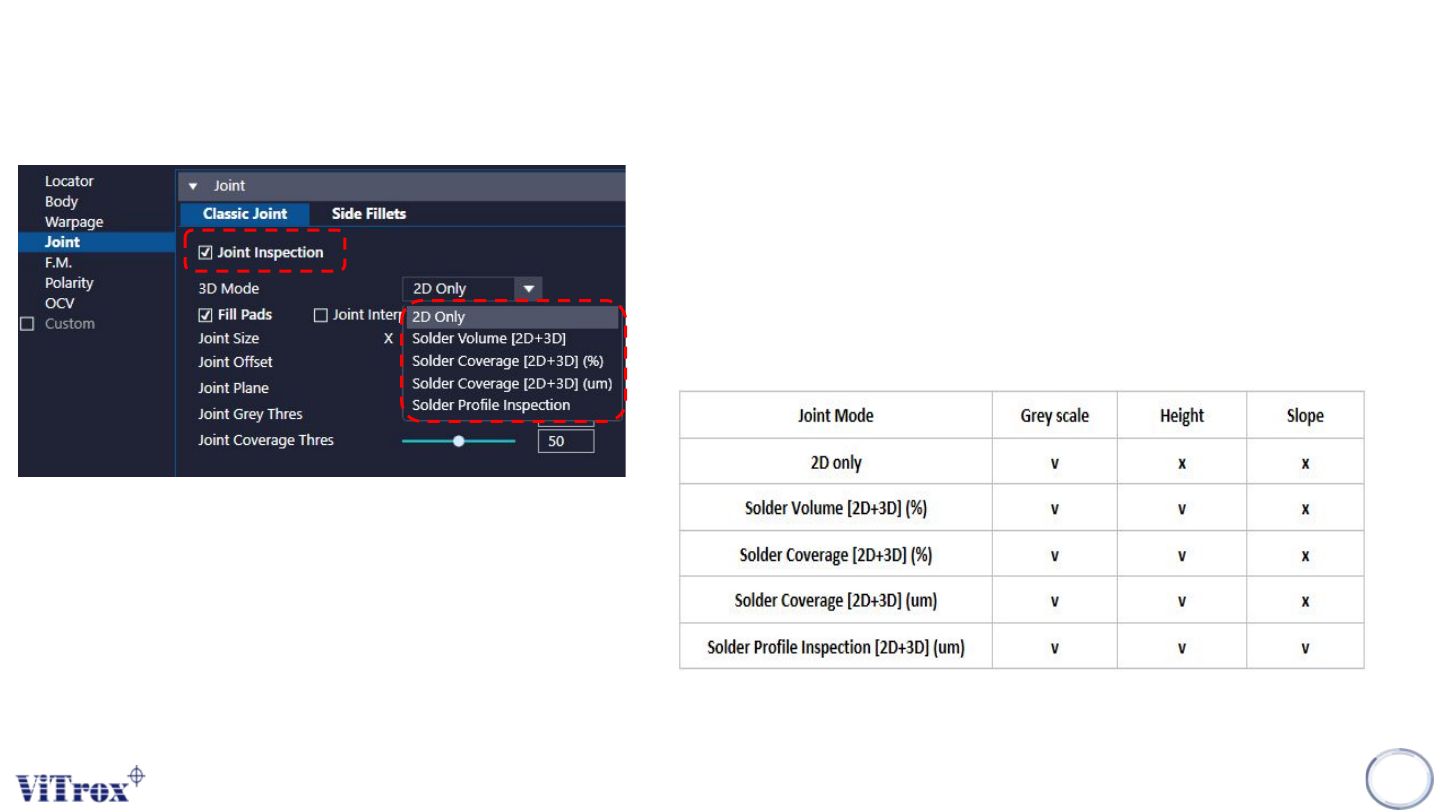
1. Joint Inspection
● Tick this to enable joint Inspection
2. 3D Mode
● Consists of 4 mode.
● The main differences between the 2D only and 3D for joint
inspection are the height while solder profile has additional
feature to check slope of joint.
Copyright © ViTrox All Rights Reserved.
25
CR Type Algorithm - Joint (2D Only)
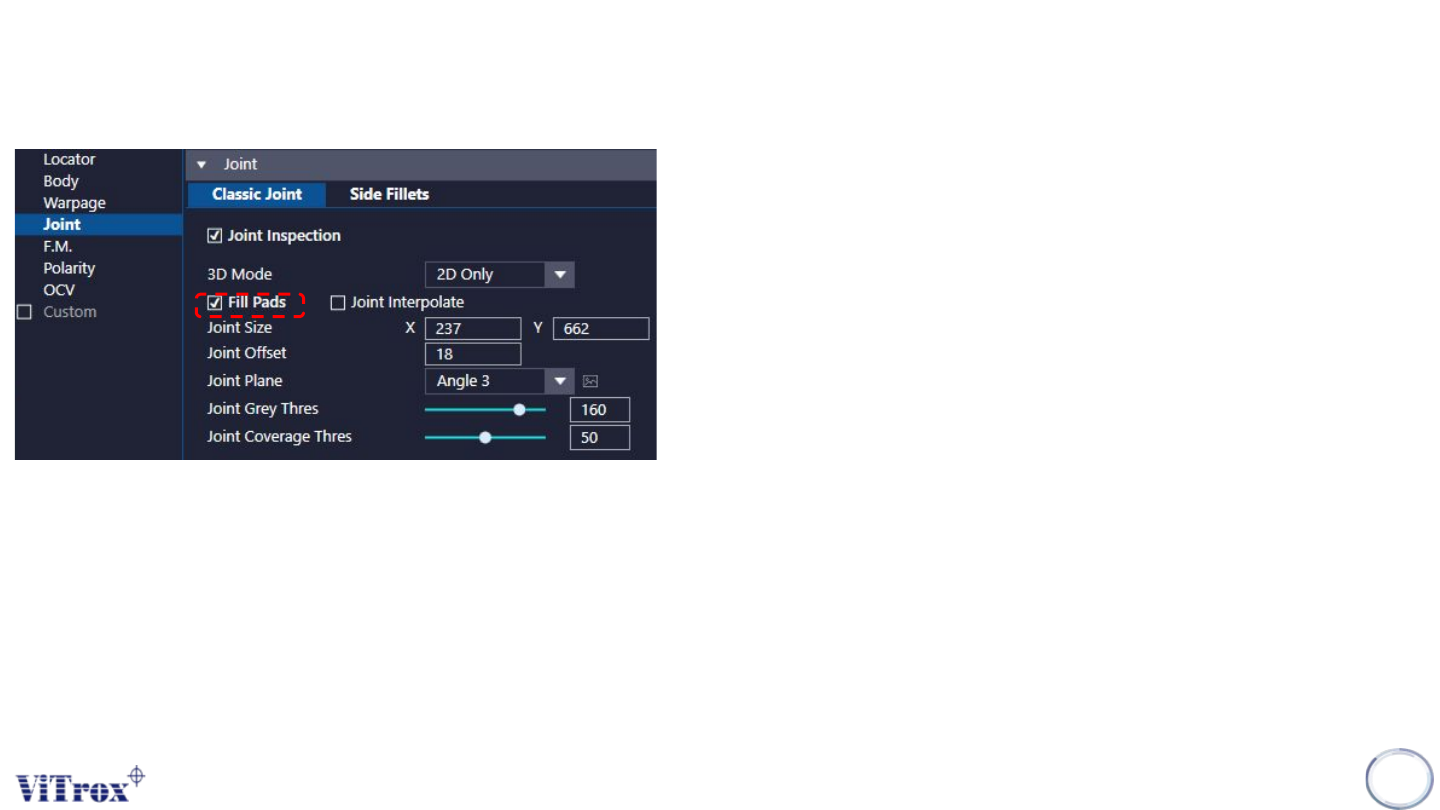
1. Fill Pad
● Fill pads is used when the pads are very flat, and hence when
lighted with the default lighting do not come up bright. This can
cause insufficient pads to pass.
● Fill pads would be useful for the 3rd joint down on this image. It
is very dull as it is low on solder and the pads are dull. As it is
dull, the red image may not have many bright pixels and there
may not be sufficient to do the full inspection.
● However with fill pads, it takes this image with Angle 3 also. This
increases the brightness. This only changes the lighting for the
joint, hence there is no visible change on the image. There is no
increase in cycle time.