Smart Gui - Algorithm Training Material_rev1.pdf - 第190页
Copyright © ViT rox All Rights Reserved . U-T ype Algorithm - 1D Barcode 190 d. Filter Unprintable Characters • Filter non printable characters are the used to filter the character that not in the ASCII table. • Those un…
Copyright © ViTrox All Rights Reserved.
U-Type Algorithm - 1D Barcode
189
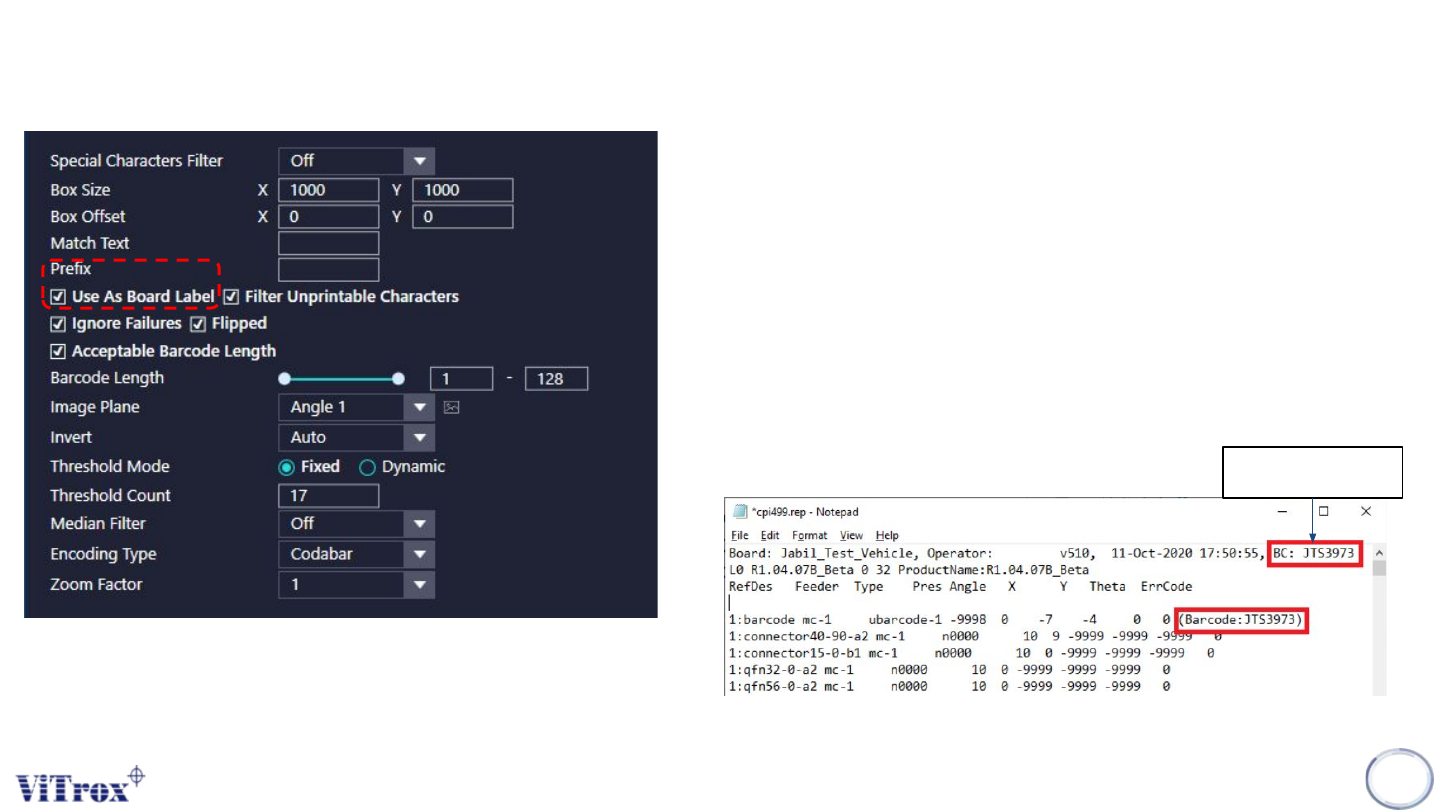
d. Prefix
• Prefix is a feature to fill in the prefix character or alphabet in
front of the barcode.
e. Use As Board label
• Use as board label is used to set the selected barcode as the
panel barcode.
• If turn on use as board label, this barcode fail to detect will result
in Barcode0 in the result file.
• If turn off board label, the panel barcode will also be show as
Barcode0
• The result file can refer to c:\cpi\rep\cpixxx.rep.
Panel Barcode
Copyright © ViTrox All Rights Reserved.
U-Type Algorithm - 1D Barcode
190
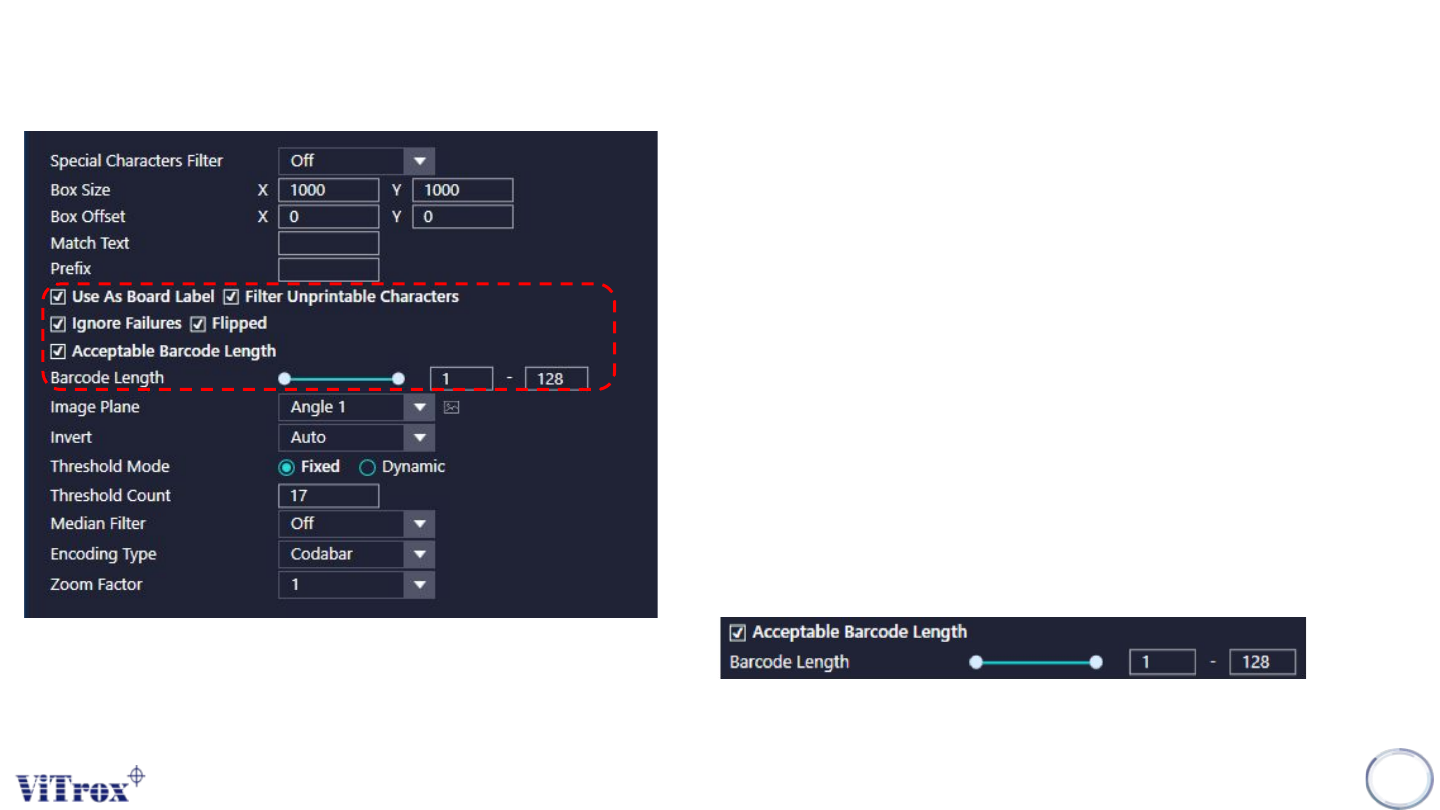
d. Filter Unprintable Characters
• Filter non printable characters are the used to filter the character
that not in the ASCII table.
• Those unprintable characters will be filter out from the barcode,
and display the rest barcode in system.
e. Ignore Failures
• Ignore Failures is used to ignore the barcode failure to show in
Inspection Summary list.
• This feature enabled will always treat the barcode as pass even
the it is Barcode0.
f. Flipped
• Tick to enable inspection for flipped
g. Acceptable Barcode Length
• used to set the maximum and minimum barcode length that
accepted as pass barcode
• The minimum barcode length able set to 1 and maximum
barcode length set to 128.
Copyright © ViTrox All Rights Reserved.
U-Type Algorithm - 1D Barcode
191
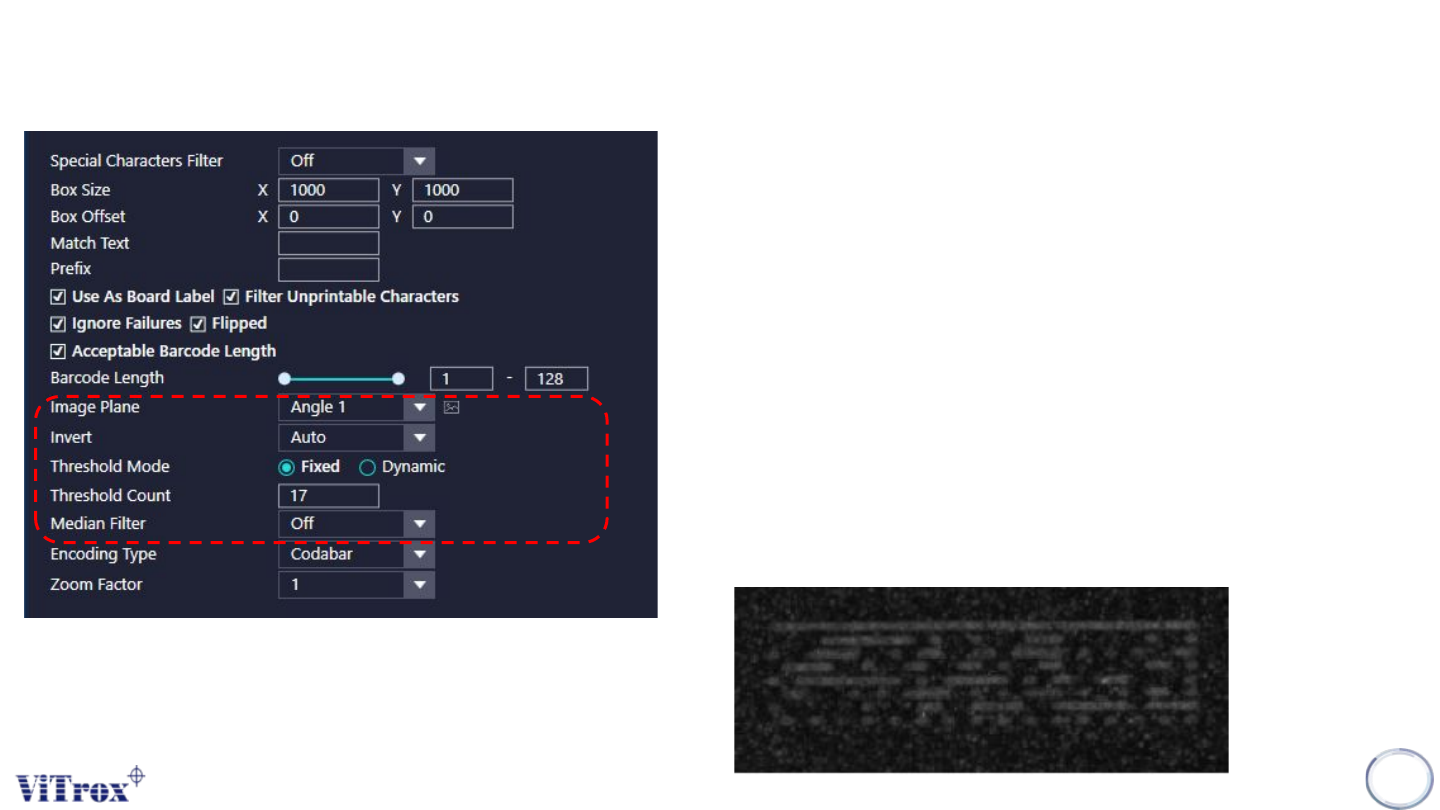
h. Image Plane
• Select the one that having best contrast among the Polarity Marking and
background.
i. Invert
• Used to invert the greyscale of the barcode from dark to bright and vise
versa.
j. Threshold Mode
❖ Fixed - Used when Barcode and background having good contrast.
❖ Dynamic - Used when Barcode and background having low contrast.
k. Threshold Count
• Threshold count is used to inspect the barcode with a constant inspection
range which threshold count is 17 as default value.
• When threshold count set to 17, the barcode will be decoded for 17 times
in a range of different grayscale level.
I. Median Filter
• This setting is use to remove the white dots (Noise)