Smart Gui - Algorithm Training Material_rev1.pdf - 第292页
Copyright © ViT rox All Rights Reserved . 292 Custom Inspection Algorithm - T o define a custom location for Inspection
Copyright © ViTrox All Rights Reserved.
291
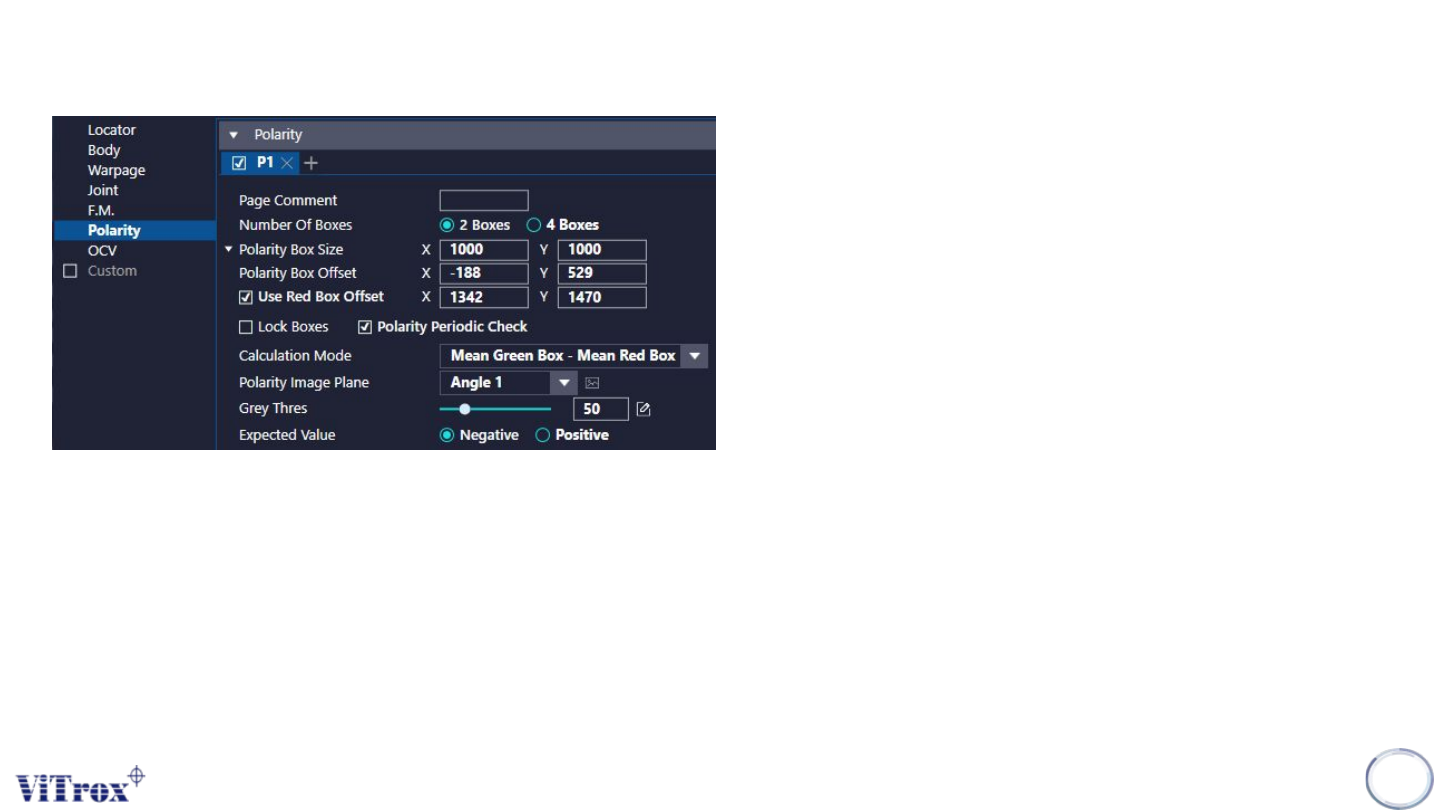
Polarity
6. Polarity Image Plane
● Select the one that having best contrast among the Polarity
Marking and background.
7. Grey Thres
● Is the minimum difference between the red and green boxes.
8. Expected value
● Is the value that shall be obtained either in positive or negative.
● Based on the Calculation Mode selected

Copyright © ViTrox All Rights Reserved.
292
Custom Inspection Algorithm
- To define a custom location for Inspection
Copyright © ViTrox All Rights Reserved.
B-type Algorithm - Custom Inspection
293
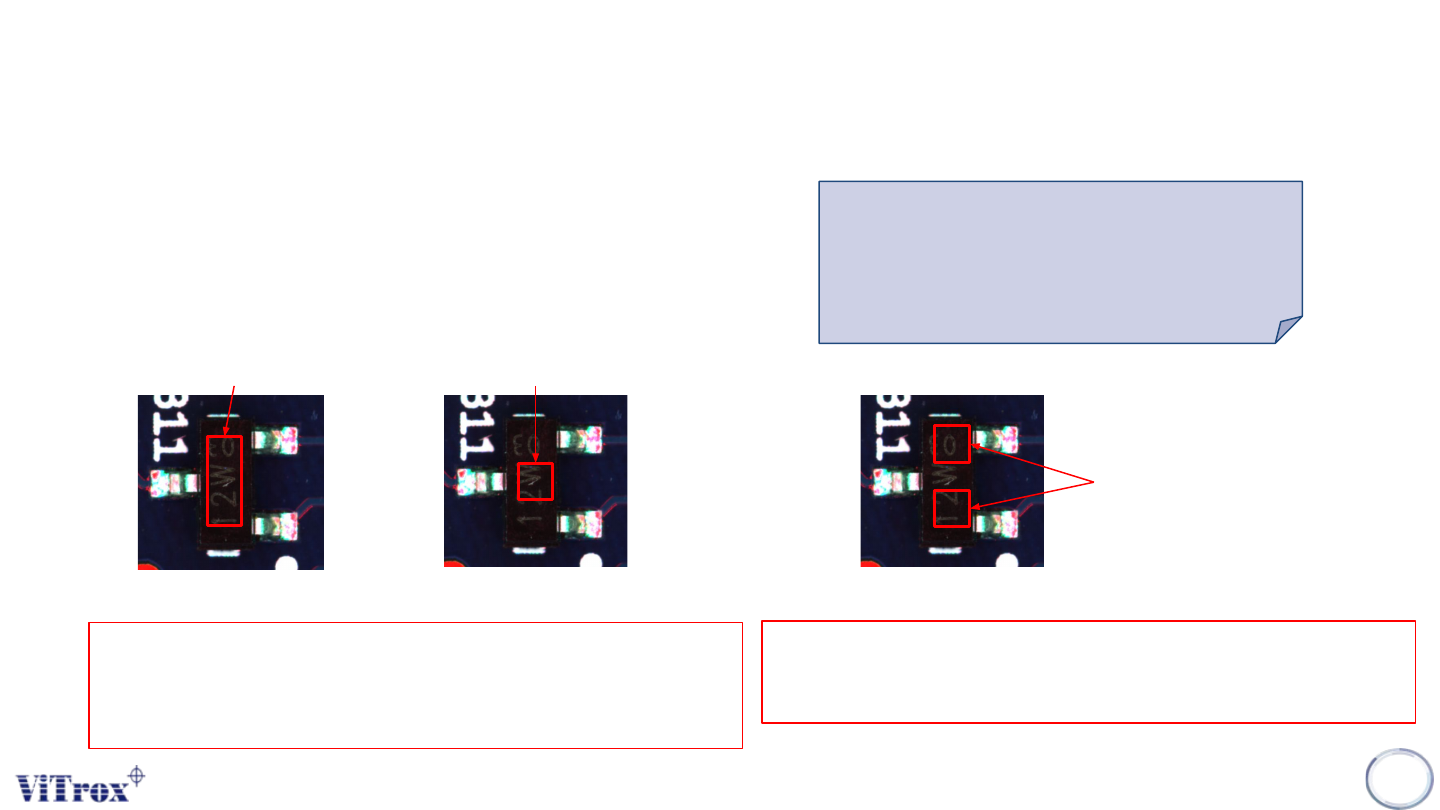
1. 3 Mode as below:
❖ Coverage: Default 1 box
❖ Coverage: Custom 1 box
❖ Box to Box: Custom 2 boxes
Coverage: Default 1 box
Coverage: Custom 1 box
Fixed Size & Position Self define Size & Position
For Coverage (Default one box & Custom 1 box), Software will
calculate how many % of pixels coverage in the ROI. User may self
define the grayscale range & percentage to pass.
Purpose:
Use for the component body
presence/absence inspection.
Box to Box: Custom 2 box
Self define Size & Position
For Box to Box: Custom 2 box, Software will Software will calculate the
average grayscale from these 2 custom ROI.