Smart Gui - Algorithm Training Material_rev1.pdf - 第151页
Copyright © ViT rox All Rights Reserved . S-type Algorithm - Bridge 151 1. Bridging Inspection ● Tick to enable bridging inspection. 2. Bridge Shift ● T o adjust the offset of bridging inspection boxes. ● Unit in um. 3. …

Copyright © ViTrox All Rights Reserved.
150
Joint Bridging Inspection
Copyright © ViTrox All Rights Reserved.
S-type Algorithm - Bridge
151
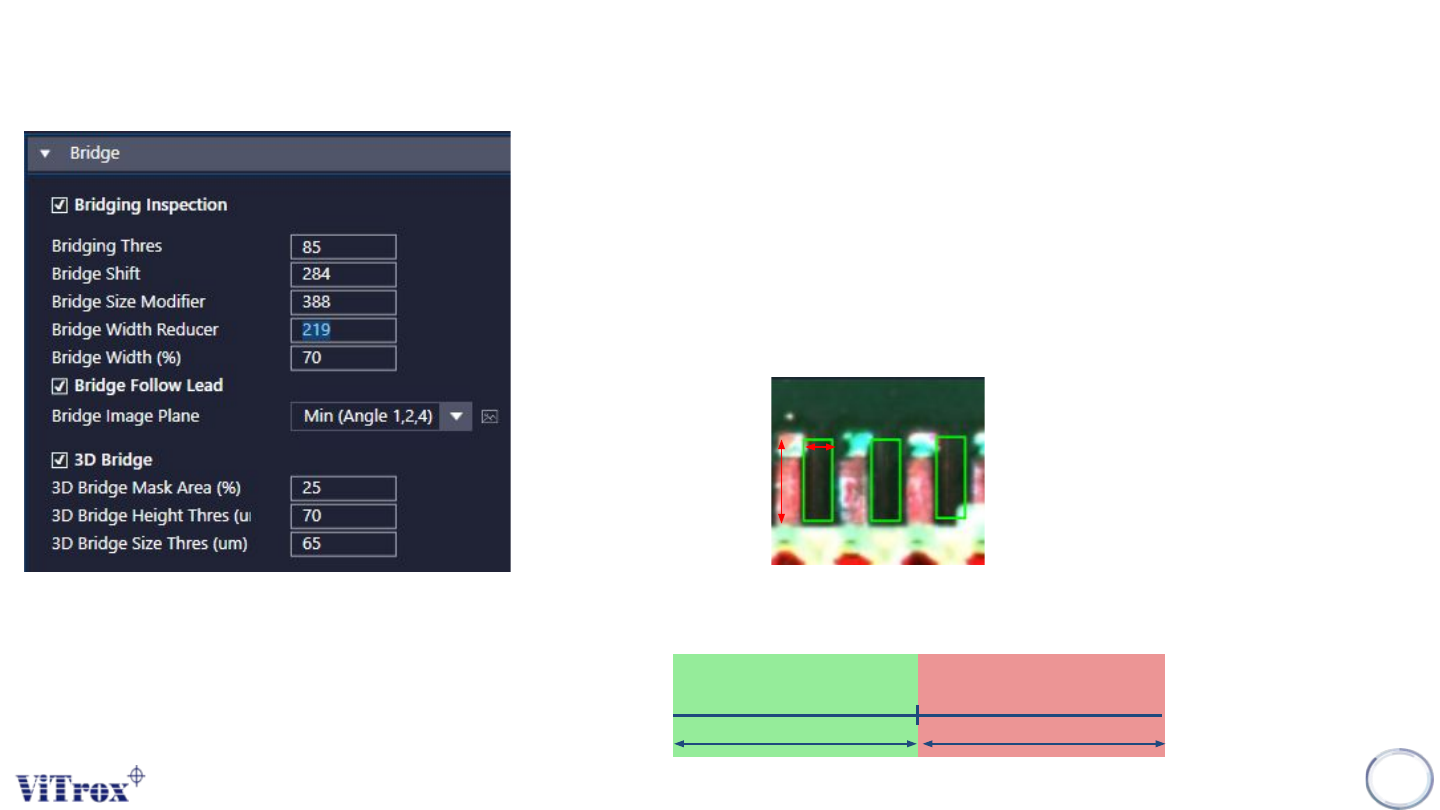
1. Bridging Inspection
● Tick to enable bridging inspection.
2. Bridge Shift
● To adjust the offset of bridging inspection boxes.
● Unit in um.
3. Bridge Size Modifier & Bridge Width Reducer
● To adjust the length & width for bridging inspection boxes.
Bridge
Width
Bridge
size
4. Bridge Width (%)
● To adjust the minimum width of the foreign material to fail as
bridging.
Bridge Width (%)
Pass Fail
Copyright © ViTrox All Rights Reserved.
S-type Algorithm - Bridge
152
5. Bridge Follow Lead
● To allow the Bridging Inspection boxes follow the lead locator.
6. Bridge Image Plane
● Used Min (Angle 1,2,3,4)
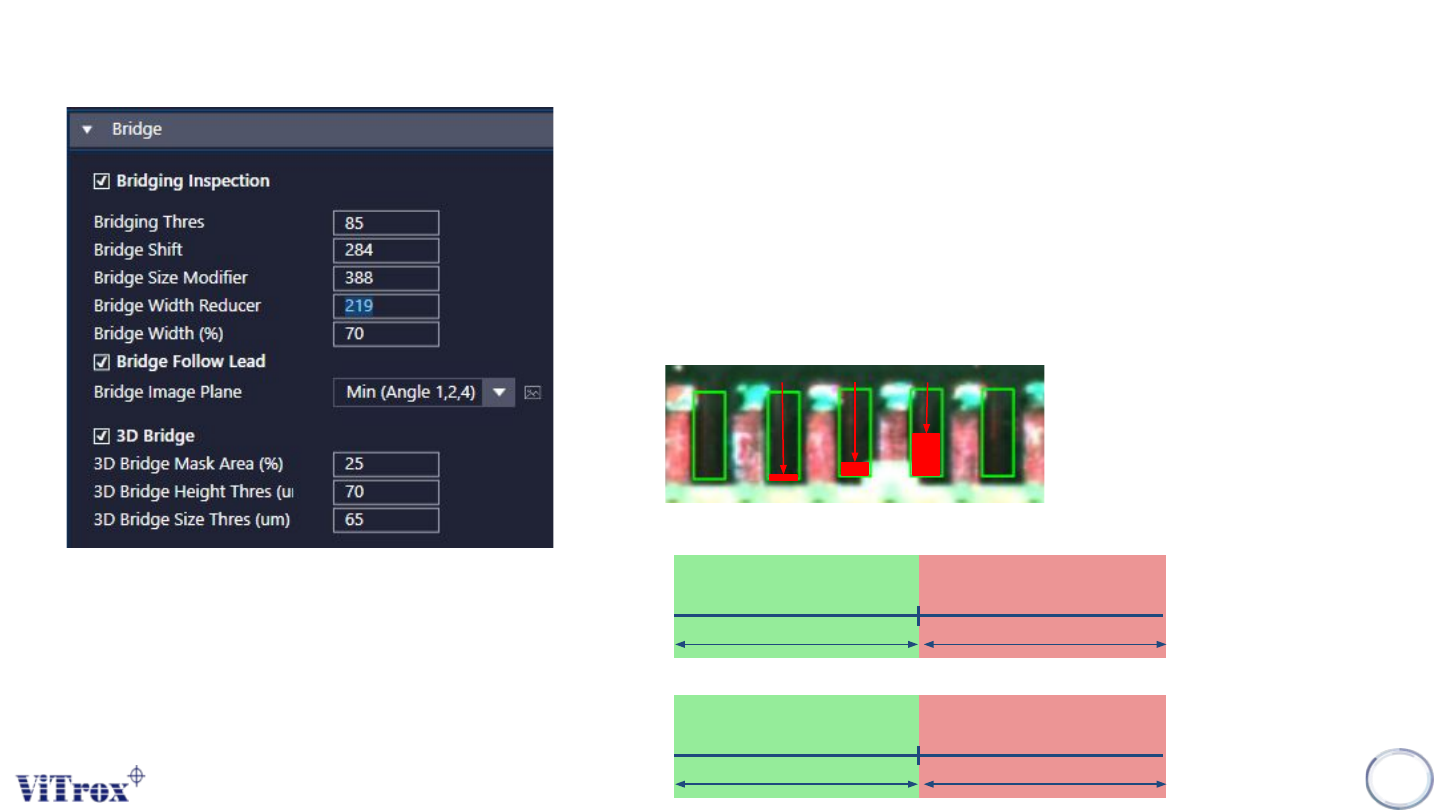
7. 3D Bridge
● Enable or Disable 3D Bridge Inspection
8. 3D Bridge Mask Area (%)
● To adjust the size of Bridging Inspection boxes & Bridge Offset.
Mask
10%
Mask
20%
Mask
50%
9. 3D Bridge Height Thres (um)
.
10. 3D Bridge Size Thres (um)
3D Height Thres
Pass Fail
3D Size Thres
Pass Fail