Smart Gui - Algorithm Training Material_rev1.pdf - 第277页
Copyright © ViT rox All Rights Reserved . OCV Inspection 277 Allow 180 Rotation Check Polarity
Copyright © ViTrox All Rights Reserved.
OCV Inspection
276
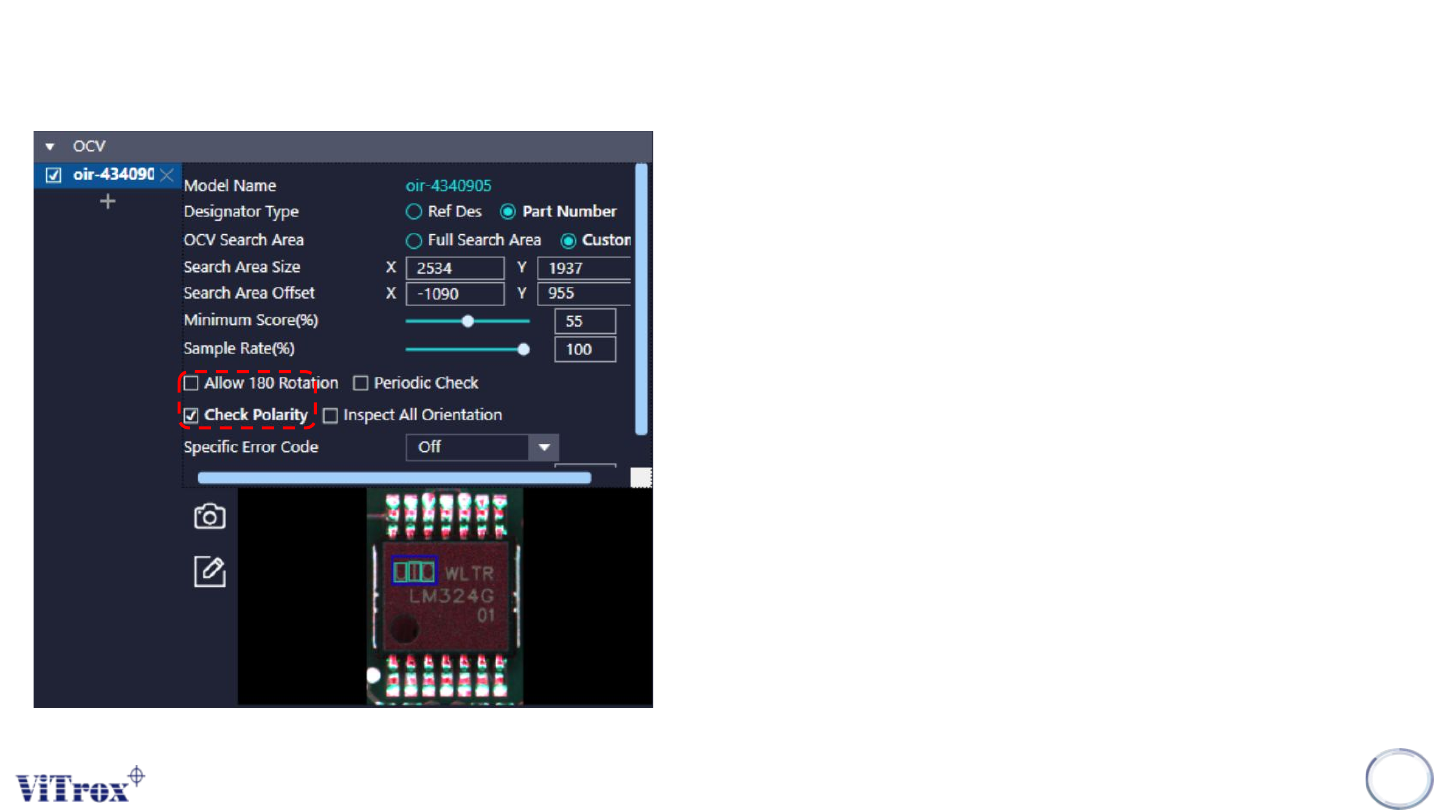
1. Allow 180 Rotation & Polarity checking
● Allow 180 Rotation is used to allow the OCV pass criteria of 0
degree rotation and 180 degree rotation. If this feature enable, this
component that rotate 180 degree will consider as pass.
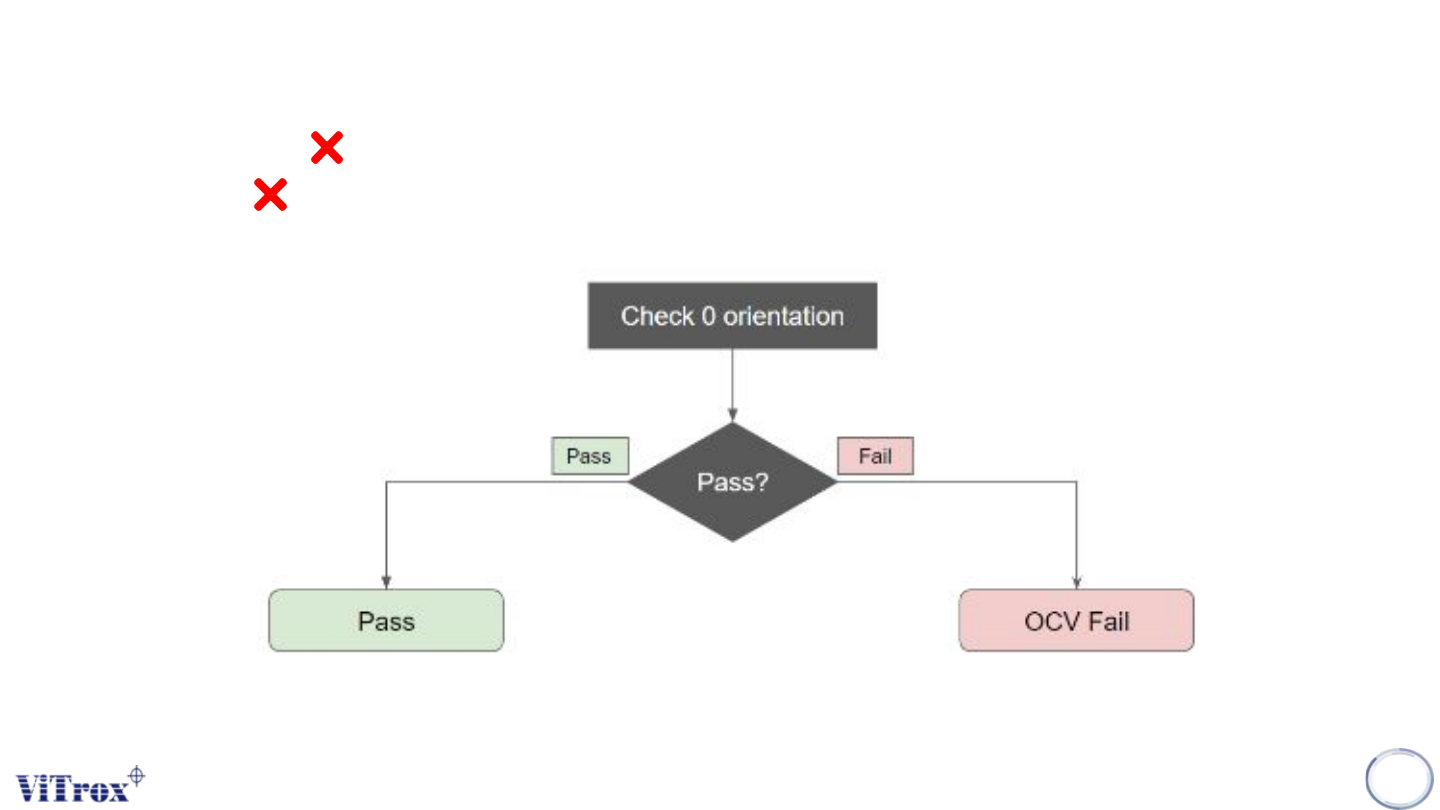
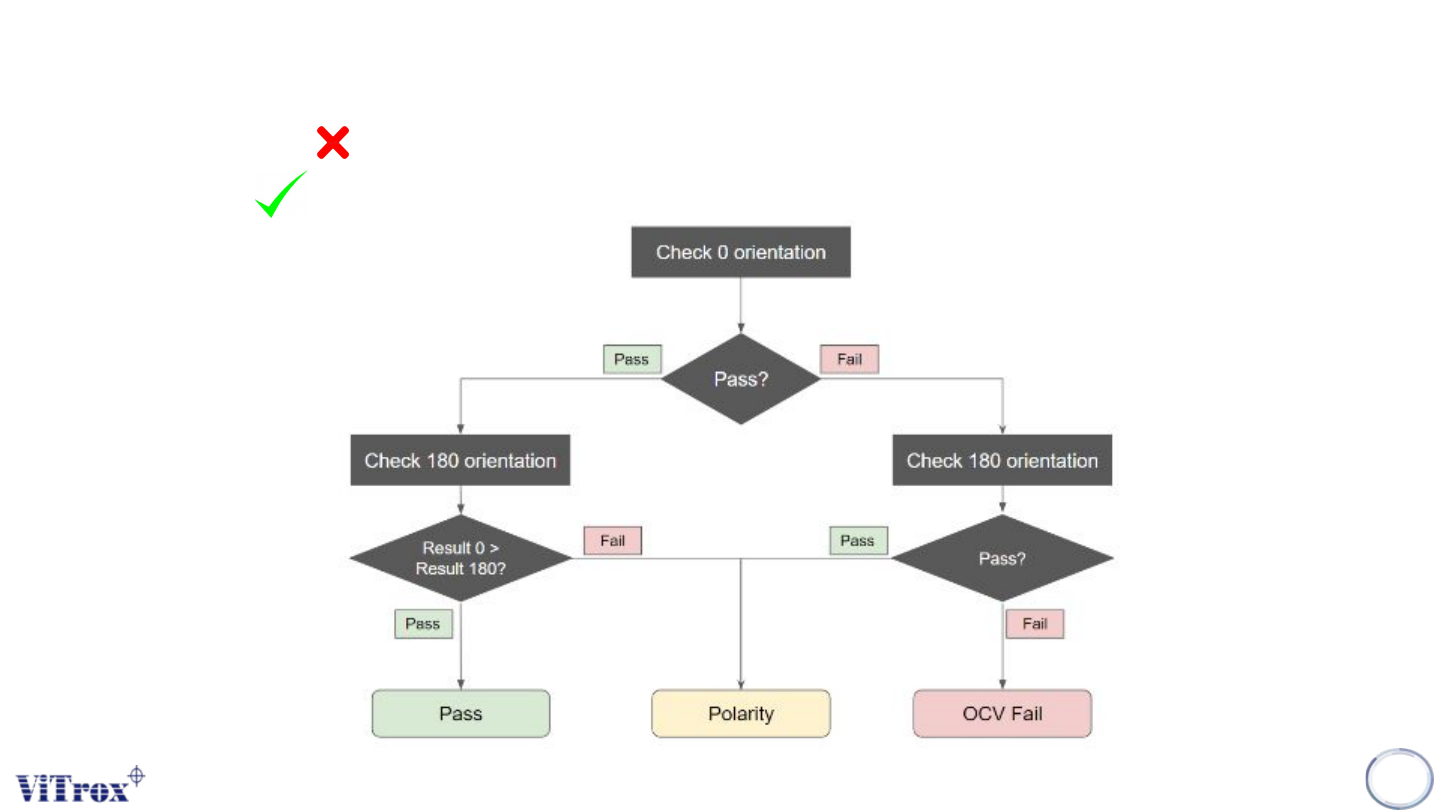
● Check Polarity is used to inspect the polarity defect by OCV
algorithm. If Check Polarity is enable, the component OCV
inspection value in 0 orientation has higher marks than 180
orientation will consider as pass. When Allow 180 Rotation is
enable, check polarity setting will be hidden. See figure below.
● Note: The cycle time will be increased.
Copyright © ViTrox All Rights Reserved.
OCV Inspection
277
Allow 180 Rotation
Check Polarity
Copyright © ViTrox All Rights Reserved.
OCV Inspection
278
Allow 180 Rotation
Check Polarity