Smart Gui - Algorithm Training Material_rev1.pdf - 第11页
Copyright © ViT rox All Rights Reserved . 1 1 Component Body Algorithm
Copyright © ViTrox All Rights Reserved.
CR Type Algorithm - Locator
10
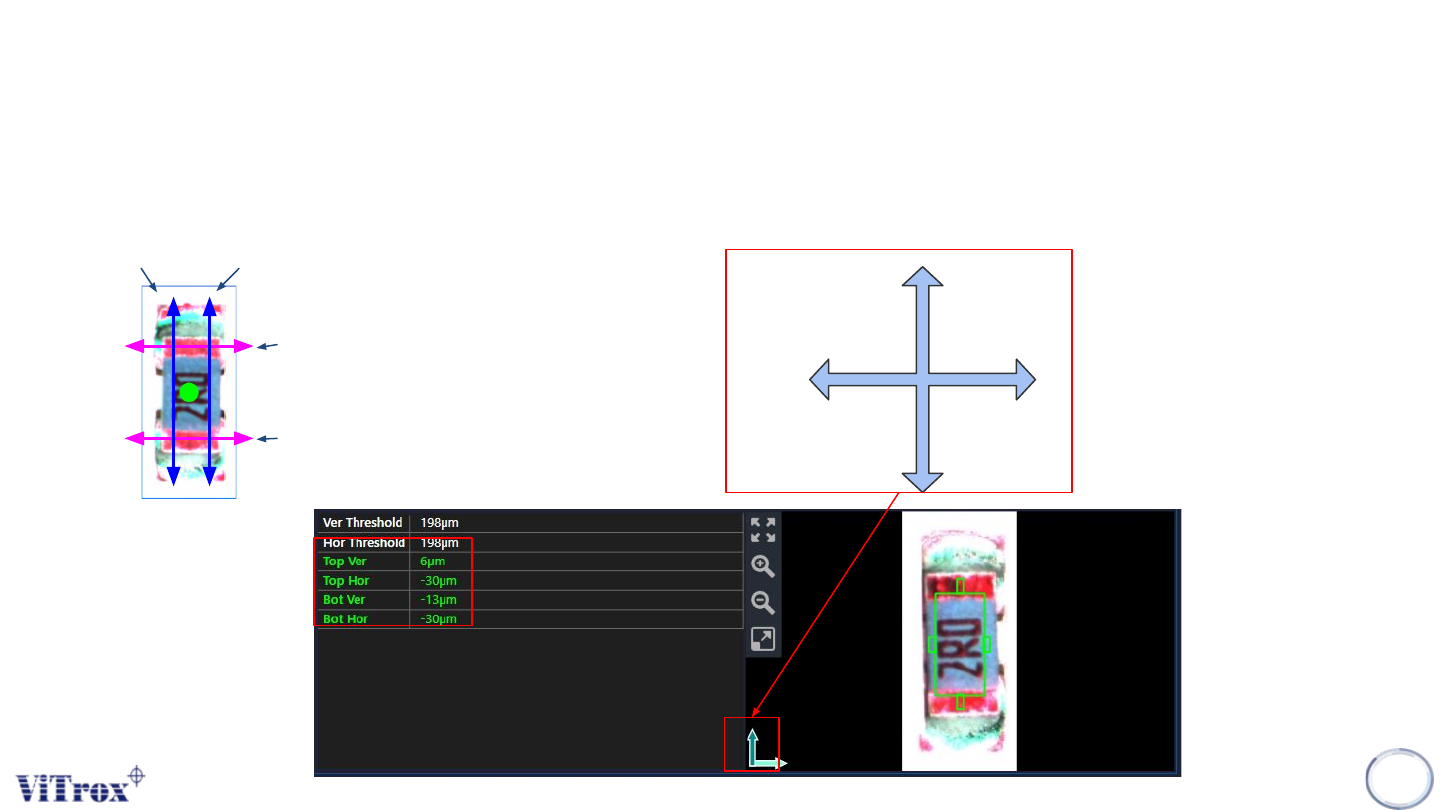
5. Enable Pin Offset Checking
● Tick this to inspect the pin offset
● The offset detection divided to 2 parts (Top & Bot) for each directions.
Vertical (+ve)
Horizontal
(+ve)
Top Ver
Bot Ver
Top Hor
Bot Hor
Refer to this icon to know the
direction. Direction may change
based on the rotation in plx file
(location file).

Copyright © ViTrox All Rights Reserved.
11
Component Body Algorithm
Copyright © ViTrox All Rights Reserved.
CR Type Algorithm - Body
12
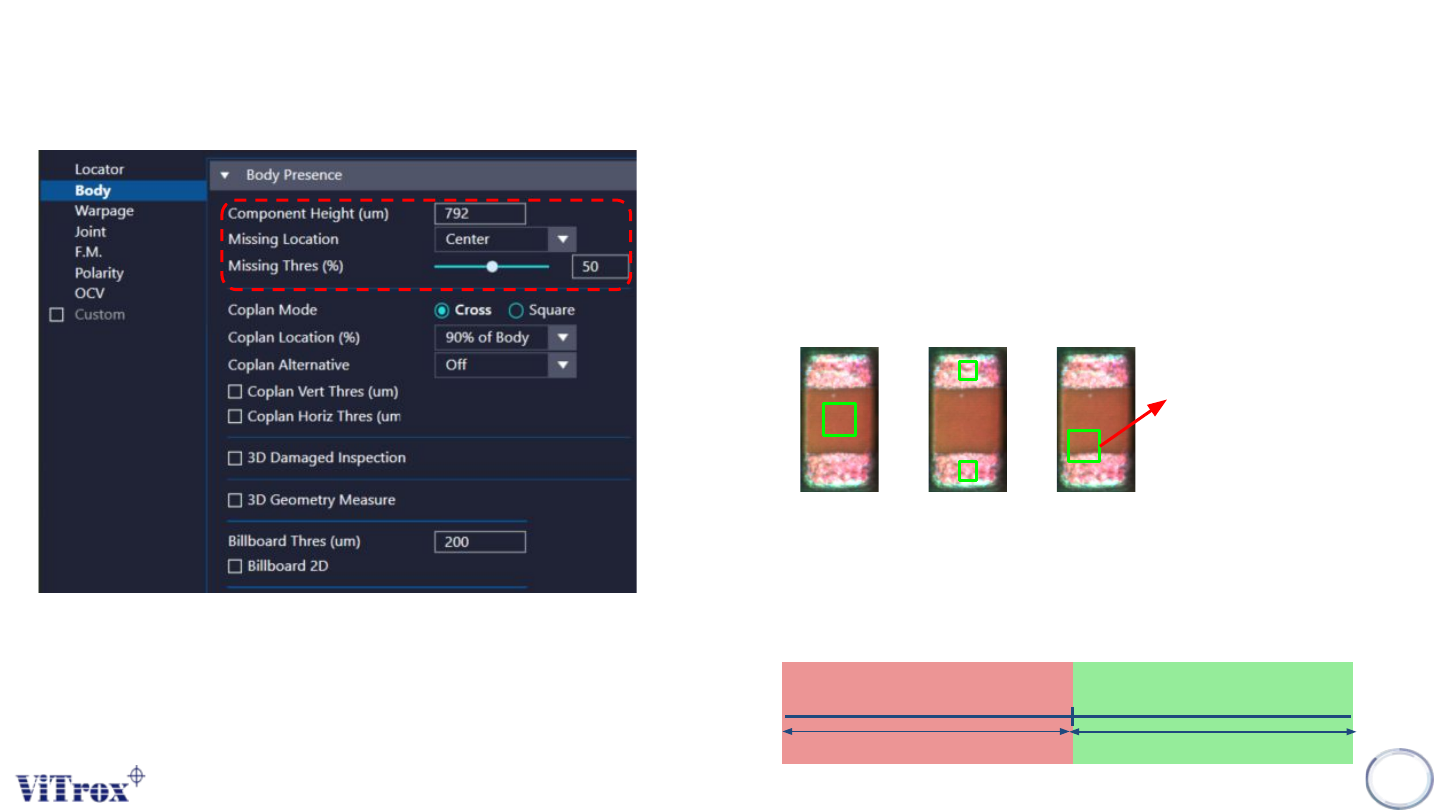
1. Component Height
● Adjust the component height.
● Right click on the component and select “Update Body
Height” to auto set the body height.
2. Missing Location
● To select the region to inspect the missing defect.
● The choices as follow:
Center Terminal Custom
Can set the
region.
3. Missing Threshold
● Inspection result will prompt out Missing if the component height
is less than the threshold set.
● Missing Thres(um)=[Missing Thres(%)/100]*component Height
Height Missing Thres (um)
Pass
Fail