Smart Gui - Algorithm Training Material_rev1.pdf - 第6页
Copyright © ViT rox All Rights Reserved . 6 Component Locator Algorithm

Copyright © ViTrox All Rights Reserved.
5
CR Type Algorithm

Copyright © ViTrox All Rights Reserved.
6
Component Locator Algorithm
Copyright © ViTrox All Rights Reserved.
CR Type Algorithm - Locator
7
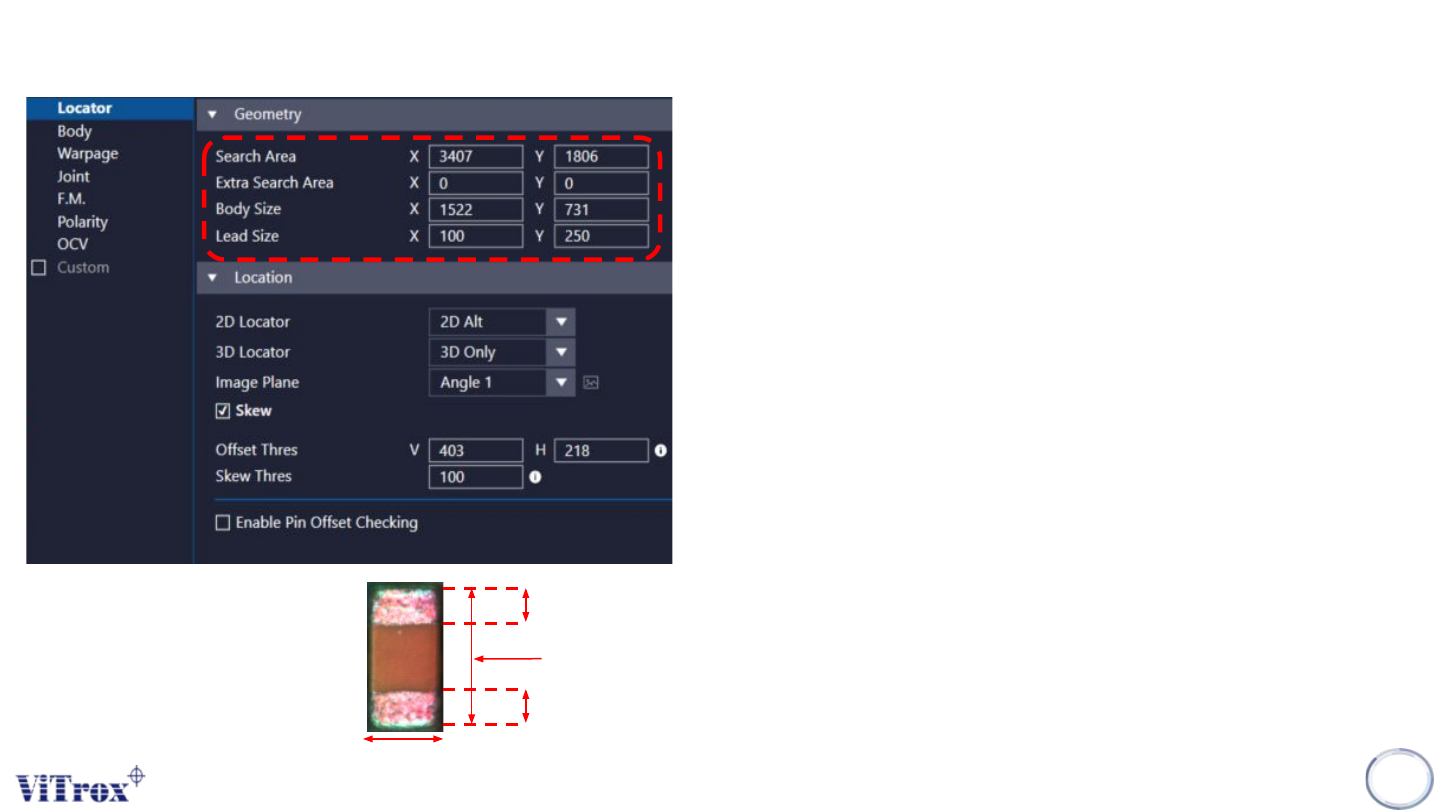
1. Search Area
● Adjust the XY Dimension for the green box.
● Component will be find within the search area.
2. Extra Search Area
● Extra Search Area is used to force a component towards
the center of the field of view. (Units:micron)
● The Search area extra specifies are area around a
components search are which cannot be allowed to fall at
the edge of the field of view. This could be used for
components which appear different at the edge of the field
of view, e.g. tall components.
● It has a maximum value of 20000. A typical value is 15000.
3. Body Size
● Adjust the XY Dimension for the blue box.
● Component XY Dimension.
● Right click on the component and select “Auto Fill Body” to
auto set the body size.
4. Lead Size
● Setup the lead XY measurement value when enable 2D
locator mode.
Lead size X
Lead size X
Body size X
Lead size Y = Body size Y