Smart Gui - Algorithm Training Material_rev1.pdf - 第143页
Copyright © ViT rox All Rights Reserved . Lead Ringer - Parameter Description 143 4. Anchor Point ● The region of inspection. ● The anchor points available in the Lead Ringer algorithm are as follow: ➔ Lead Tip anchor : …
Copyright © ViTrox All Rights Reserved.
Lead Ringer - Parameter Description
142
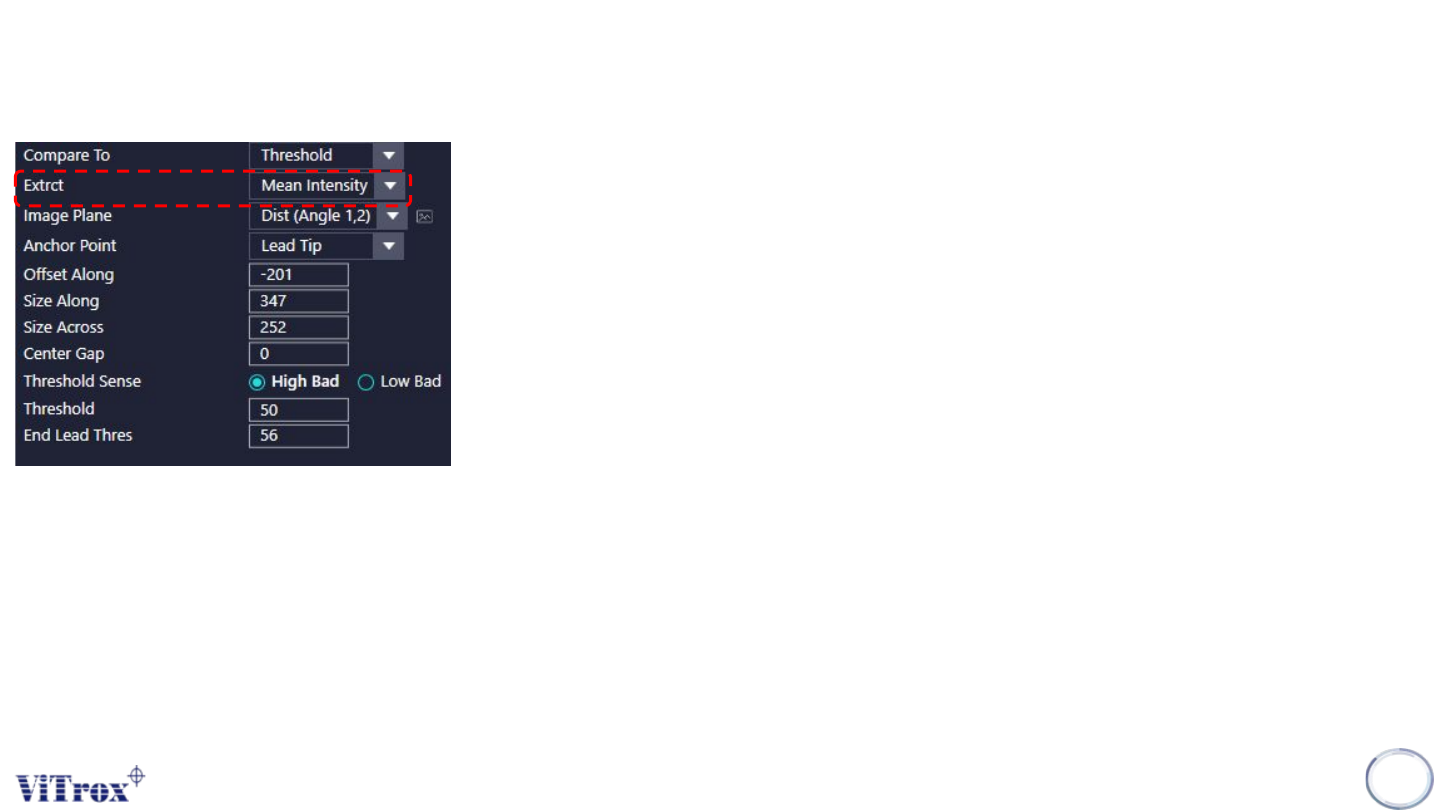
2. Extract
● If “Compare To” is set to “Threshold”, There are 2 Extract Option as follow:
● Mean Intensity: The mean intensity of the pixels contained in the box is measured and
compared with the threshold for each lead of the row.
● Curvature: the curvature feature is calculated for the current box and compared with the
threshold for each lead of the row
Copyright © ViTrox All Rights Reserved.
Lead Ringer - Parameter Description
143
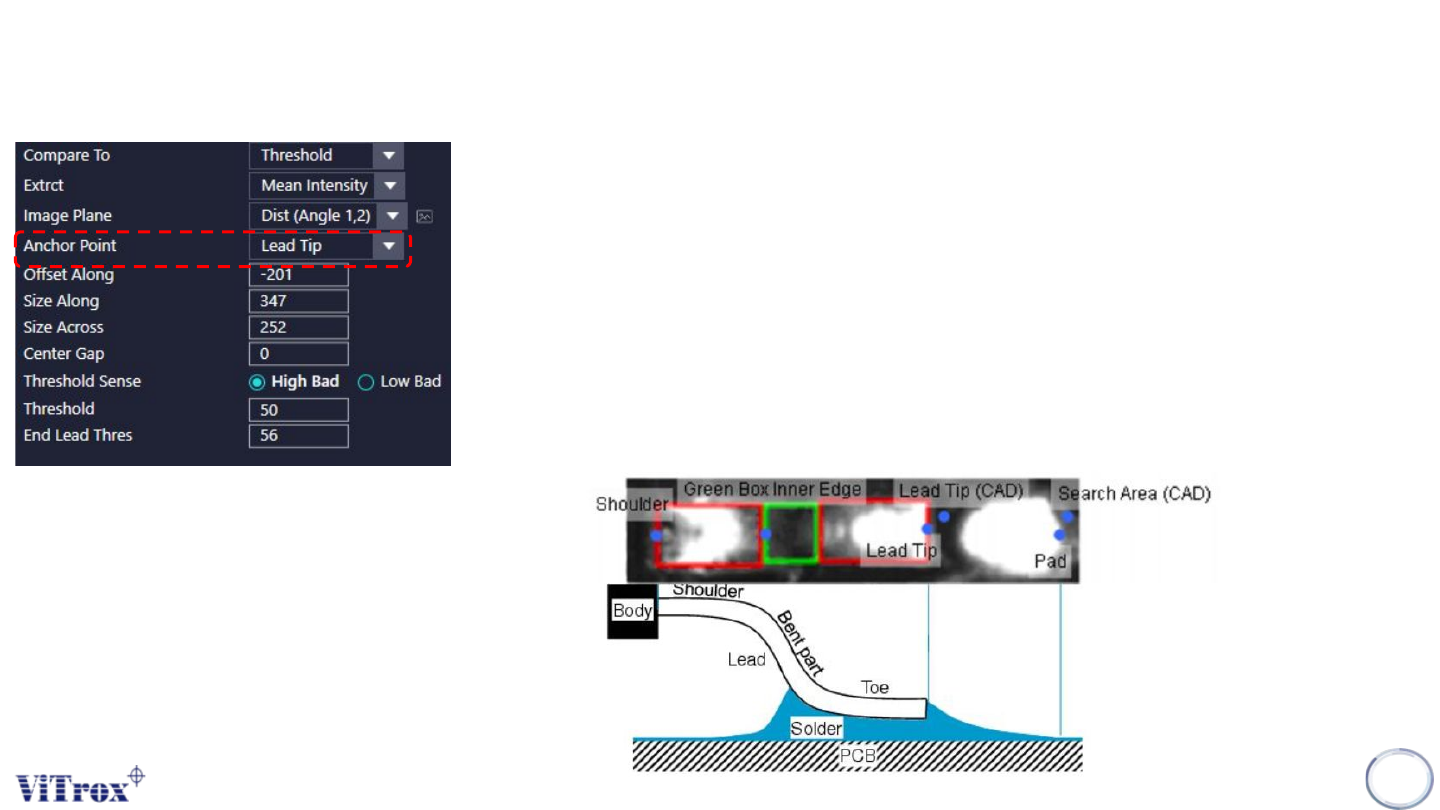
4. Anchor Point
● The region of inspection.
● The anchor points available in the Lead Ringer algorithm are as follow:
➔ Lead Tip anchor: (result of the lead location algorithm)
➔ Shoulder anchor: (result of the lead location algorithm)
➔ Lead Tip (Lock to Cad) anchor: (result of the geometry settings entered by the user, taking into
account the component position, number of leads, pitch, lead length, ...)
➔ Pad End (Lock to Pad) anchor: (result of the Pad Locator algorithm)
➔ Search Area End (Lock to Cad) anchor (similar as Lead Tip (Lock to Cad), but the point is
locked to the search area instead of being at lead tip)
➔ Green Box Inner Edge anchor: (result of lead location algorithm)
Copyright © ViTrox All Rights Reserved.
Lead Ringer - Parameter Description
144
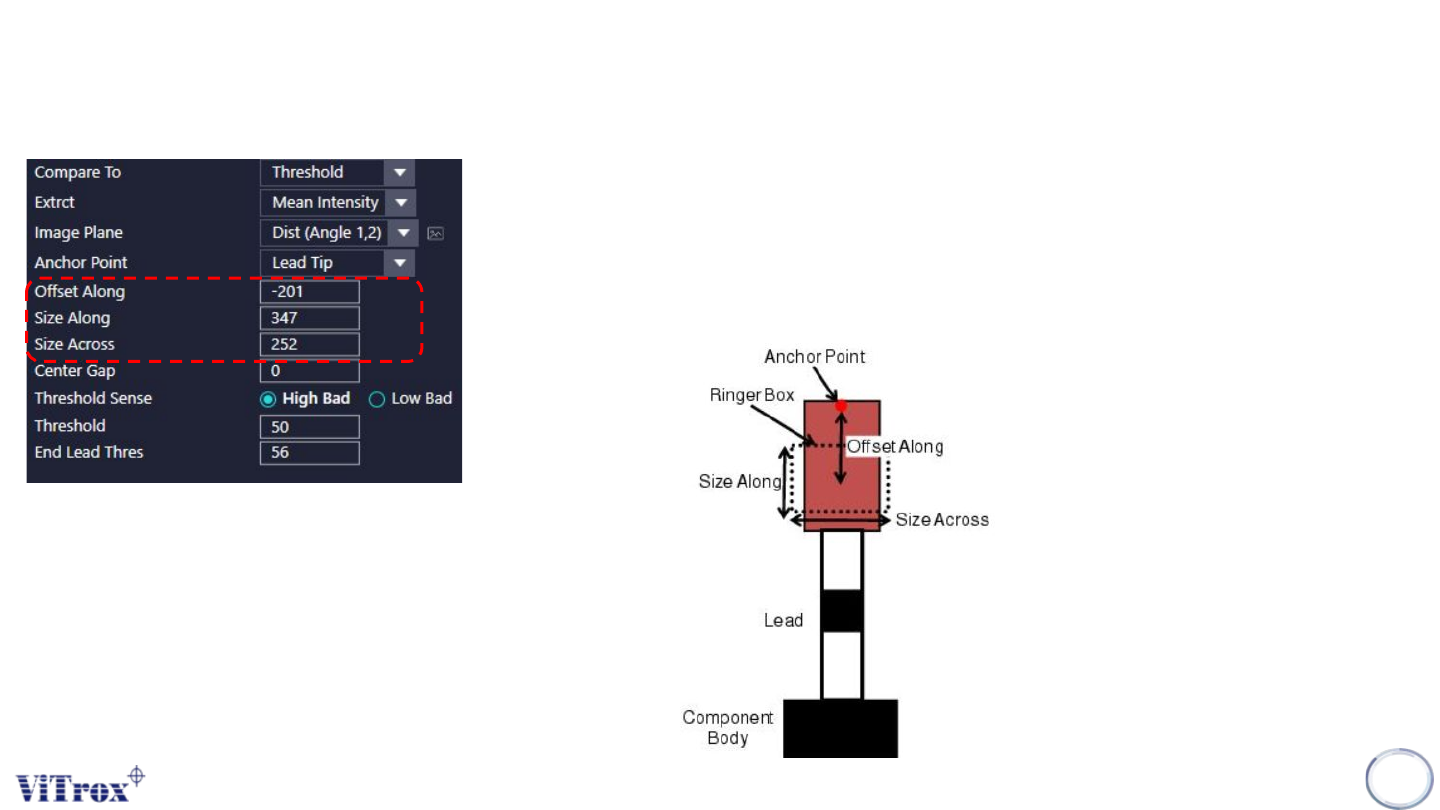
5. Offset Along
● To adjust the offset of ROI from the anchor point set.
6. Size Along
● To adjust the size of ROI (Y-Direction).
7. Size Across
● To adjust the size of ROI (X-Direction).