Smart Gui - Algorithm Training Material_rev1.pdf - 第287页
Copyright © ViT rox All Rights Reserved . 287 Polarity Inspection
Copyright © ViTrox All Rights Reserved.
286
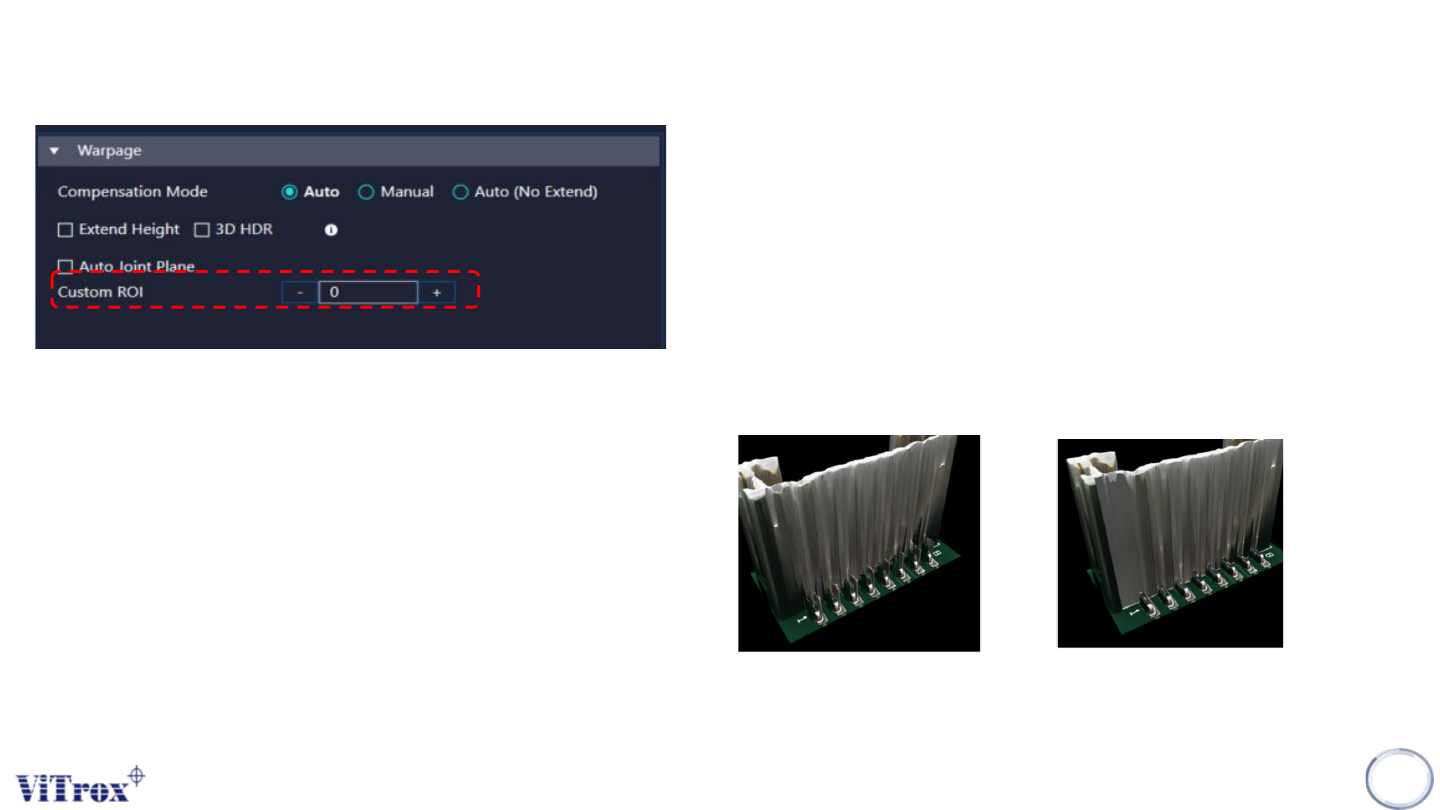
3. Auto Joint Plane (Custom ROI)
● Used to improve the 3D model construction for Joint Plane.
● When auto joint plane (custom ROI) enabled, system will auto
generate two 3D images which are original 3D joint height and
new 3D joint height. This feature will compare both height in the
joint plane area and filter out those spiking formed.
● If normal height map > 200um, 3D will use with joint plane height
map
● User can self select the numbers of ROI (Boxes)
● The ROI’s should place on the Joint Lead Area.
Before
After
Warpage

Copyright © ViTrox All Rights Reserved.
287
Polarity Inspection
Copyright © ViTrox All Rights Reserved.
288
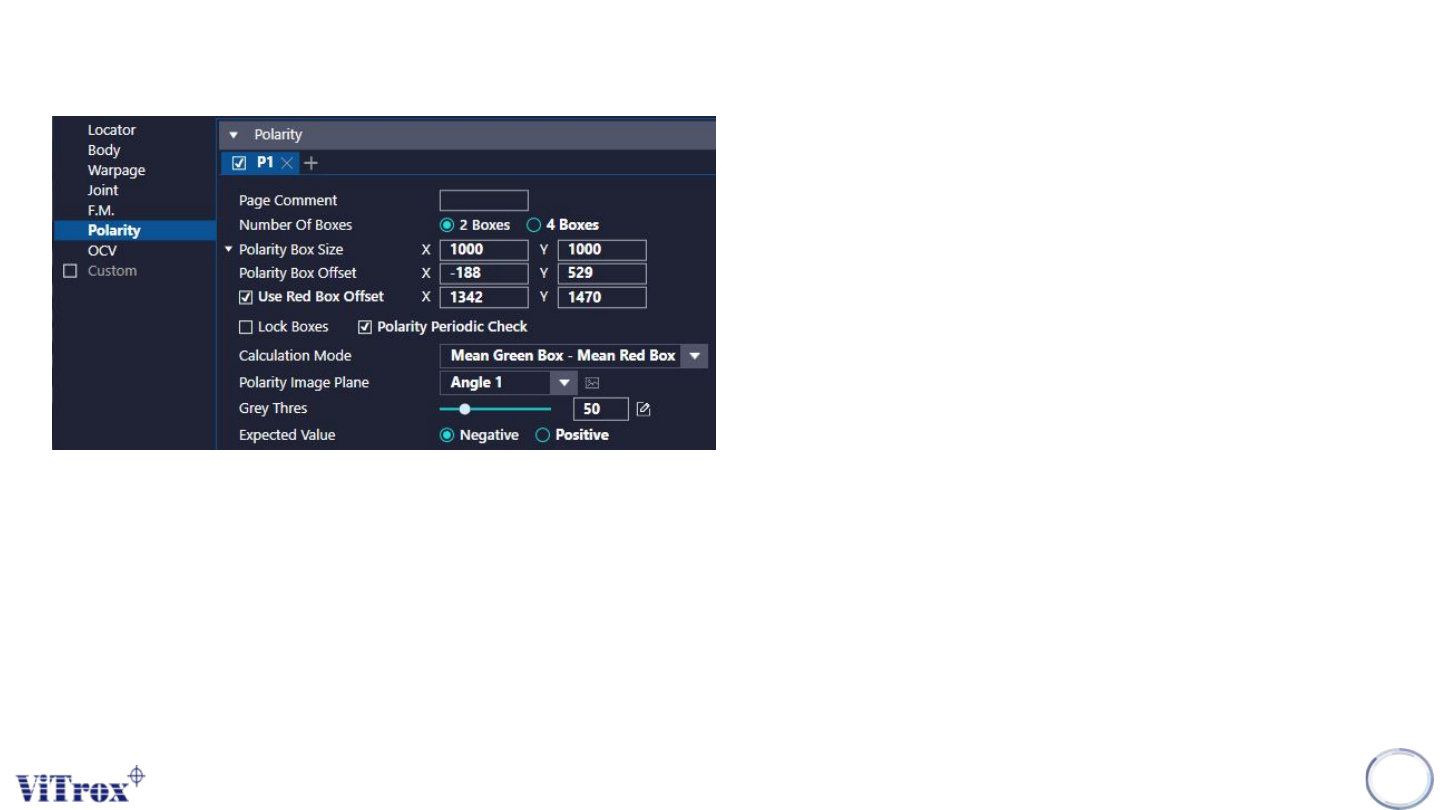
1. Page Comment
● To leave your remarks.
2. Number of Boxes
● To set the number of boxes used for polarity checking
● 2 boxes or 4 boxes
3. Polarity Box Size & Polarity Box Offset
● To adjust the sizes & offset for the Side Fillet Boxes
● Can drag the boxes to change the size and offset
4. Used Red Box Offset
● To set the red box as the movable box.
● After enable use red box offset, there is additional X and Y able
to fill in.
● Can drag on the boxes.
5. Lock Boxes
● Lock Boxes are used to disable to follow the locator for all
polarity boxes.
Polarity