Smart Gui - Algorithm Training Material_rev1.pdf - 第107页
Copyright © ViT rox All Rights Reserved . 107 7. Image Plane ● Refers to the image used for presence/absence 8. Offset Thres 9. Skew Thres Offset Thres Pass Fail Skew Thres Pass Fail S-type Algorithm - Location Mode (Par…
Copyright © ViTrox All Rights Reserved.
106
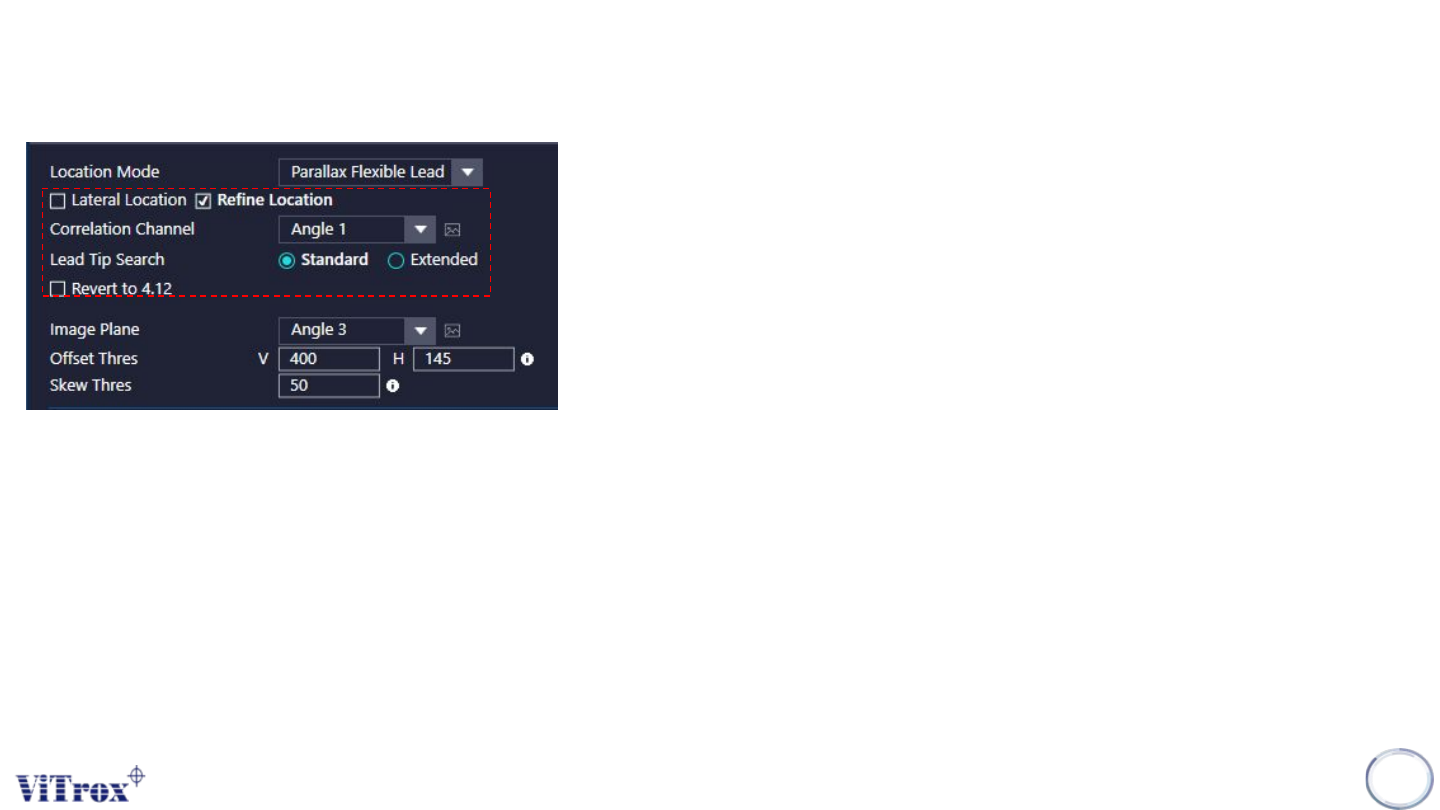
2. Lateral Location
● For Post Reflow, Tick this.
● For Pre Reflow, untick this.
● This can assist during joint inspection in location of the joints which having nice toe
fillets.
● There are occurrences when it does not correctly locate. (Bright Pad & Wide pads)
3. Refine Location
● Tick this to help to locate the fillet.
● Recommend to on this.
4. Correlation Channel
● Refers to the image used for location
5. Lead Tip Search
● Usually set to standard
6. Revert 4.12
● Tick & untick to see which one perform better..
S-type Algorithm - Location Mode (Parallax Flexible Lead)
Copyright © ViTrox All Rights Reserved.
107
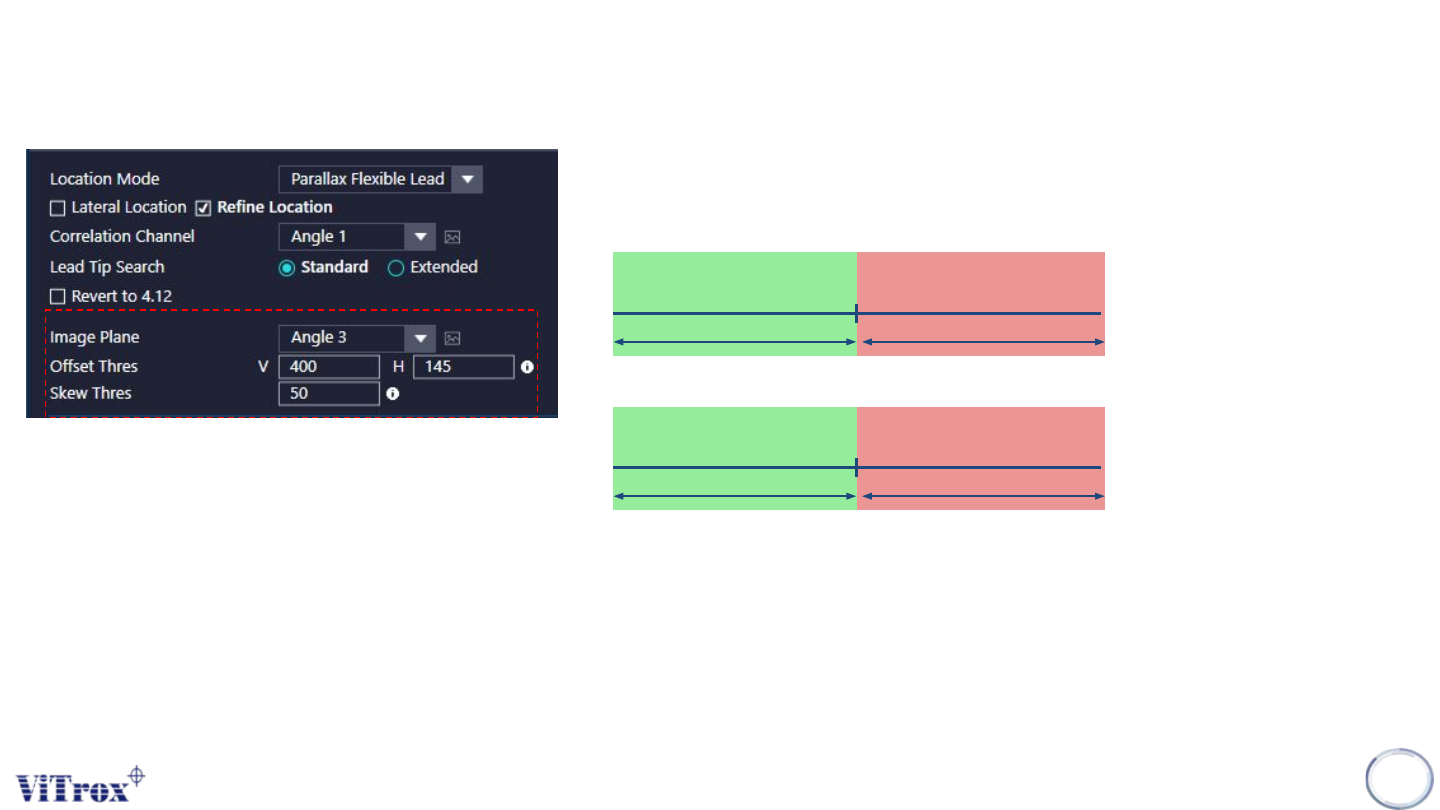
7. Image Plane
● Refers to the image used for presence/absence
8. Offset Thres
9. Skew Thres
Offset Thres
Pass Fail
Skew Thres
Pass Fail
S-type Algorithm - Location Mode (Parallax Flexible Lead)
Copyright © ViTrox All Rights Reserved.
S-type Algorithm - Location Mode
108
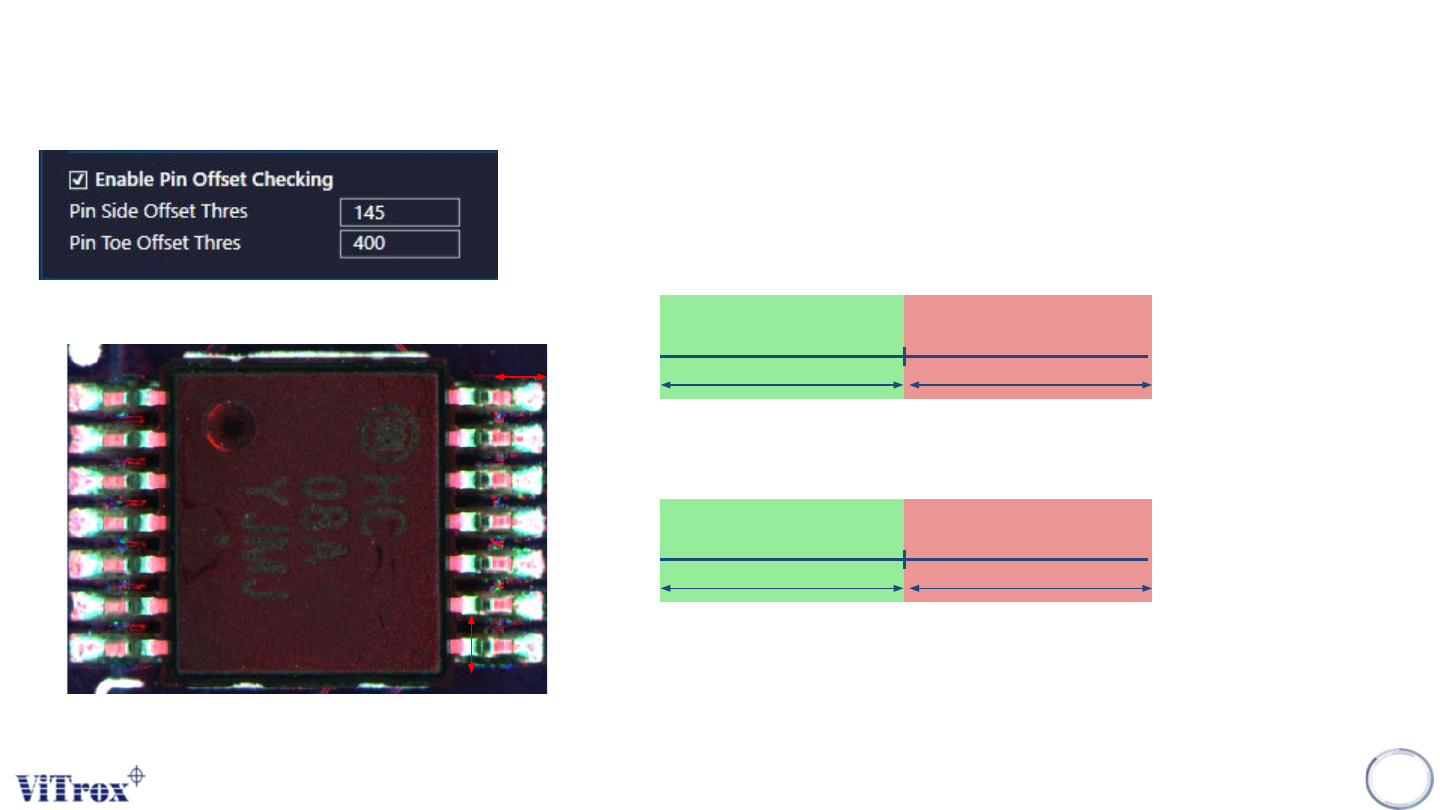
1. Enable Pin Offset Checking
● Select the image plane that having best contrast between the component
and the background.
2. Pin Side Offset Threshold
● Unit in micron (um)
3. Pin Toe Offset Thres
● Unit in micron (um)
Pin Toe Offset Thres
Pass Fail
Pin Side Offset Thres
Pass Fail
Pin Toe
Pin Side