Smart Gui - Algorithm Training Material_rev1.pdf - 第317页
Copyright © ViT rox All Rights Reserved . 317 Step 2: T rainer Page T rainer Mode allow user t o train the componen ts with algorithm for inspection
Copyright © ViTrox All Rights Reserved.
316
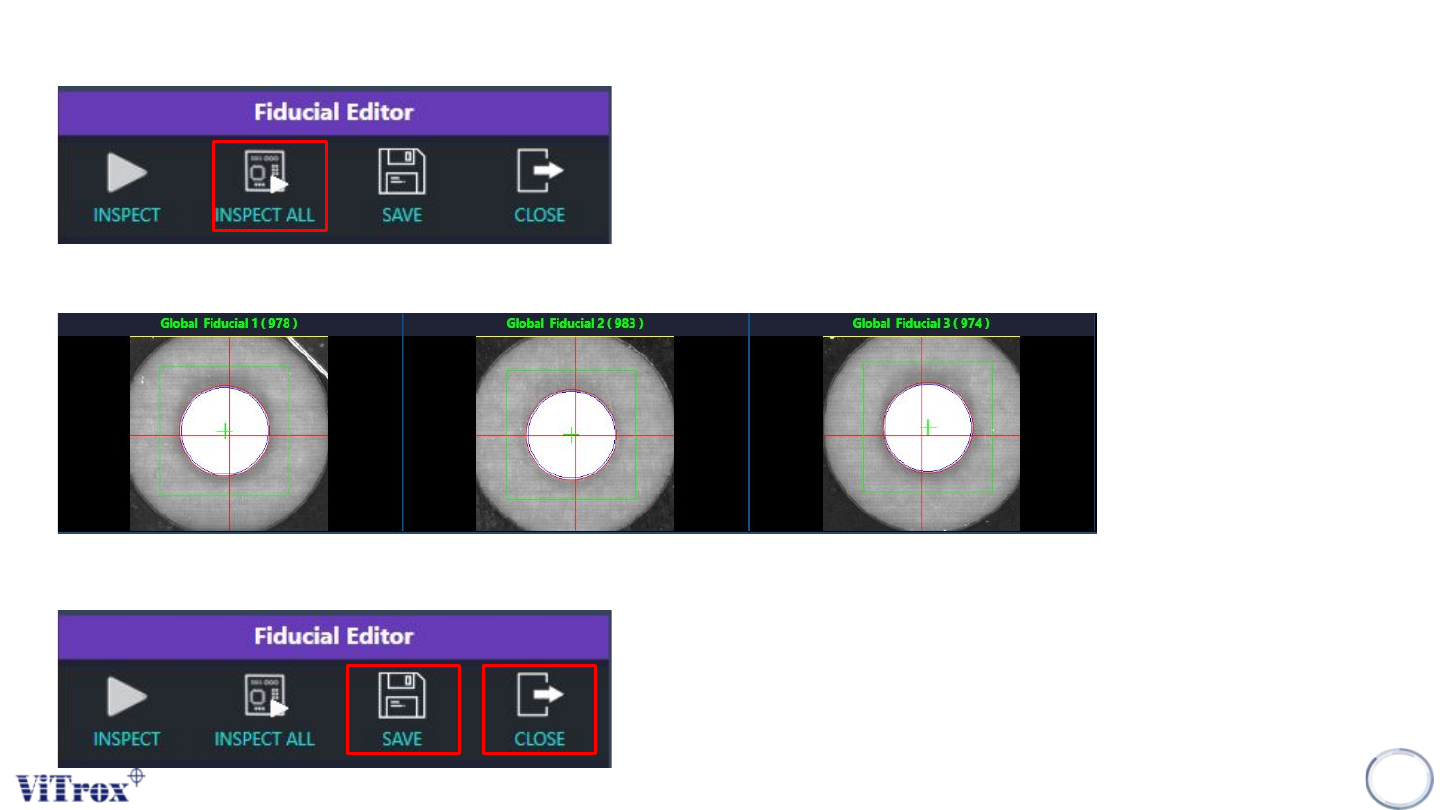
10. Next, press the “Inspect All Icon” to inspect all the fiducials.
11. Make sure all the fiducial scores is higher than the presence threshold set.
12. Lastly, press the “Save” icon to save the settings for the fiducials and press the “Close” icon.

Copyright © ViTrox All Rights Reserved.
317
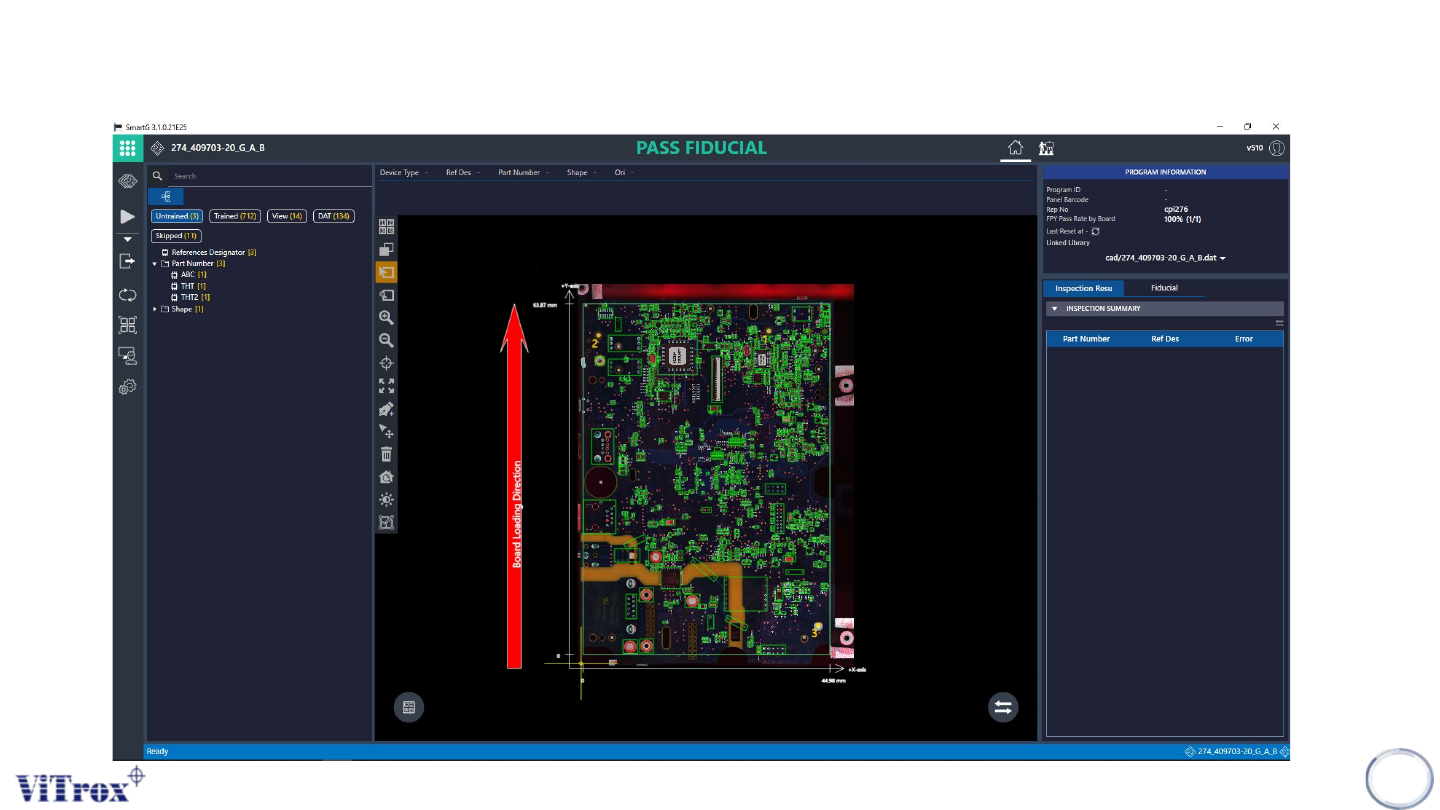
Step 2: Trainer Page
Trainer Mode allow user to train the components with algorithm for inspection
Copyright © ViTrox All Rights Reserved.
318
1. After located the fiducials successfully, press “Trainer Page” Icon to train the components with
algorithm.