Smart Gui - Algorithm Training Material_rev1.pdf - 第279页
Copyright © ViT rox All Rights Reserved . OCV Inspection 279 Allow 180 Rotation Check Polarity
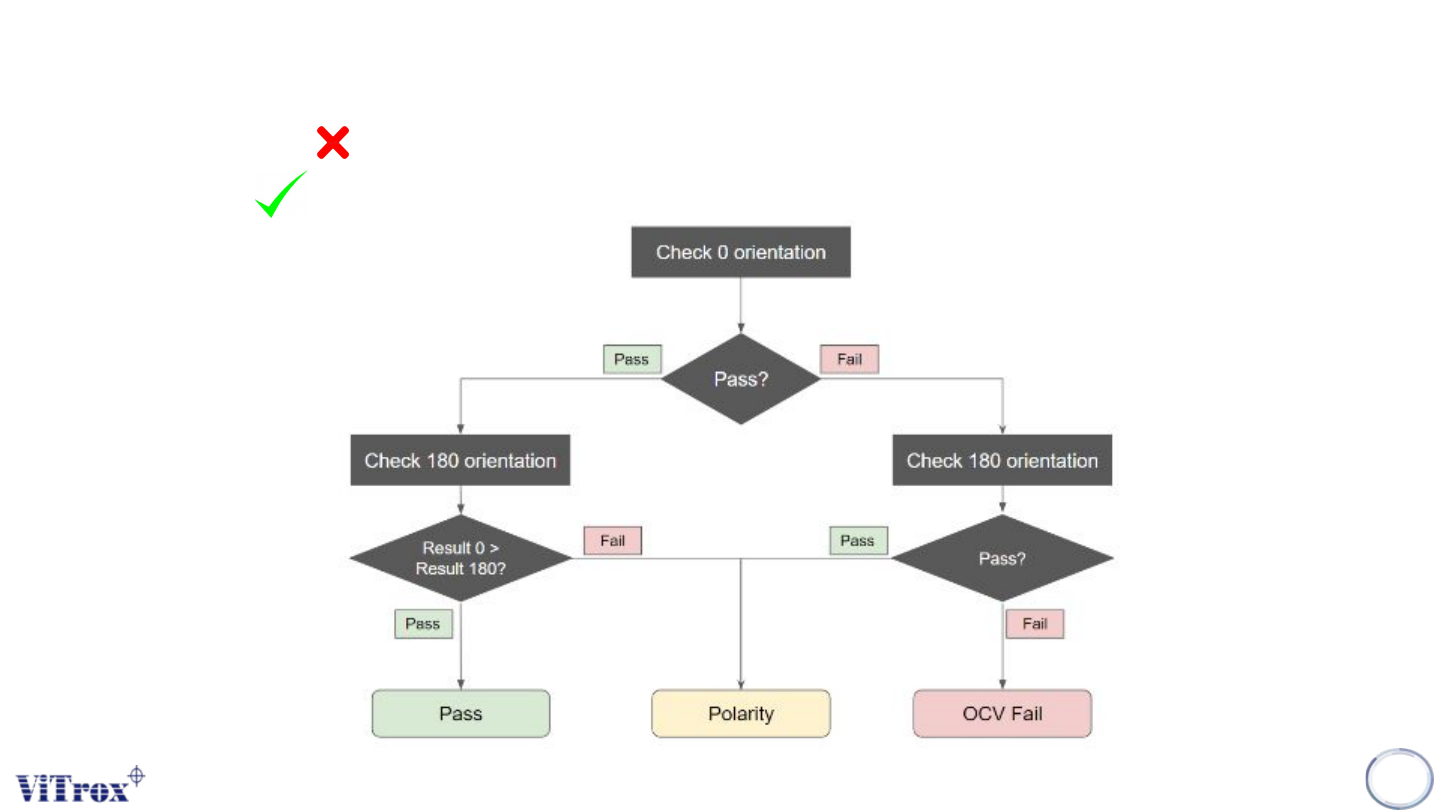
Copyright © ViTrox All Rights Reserved.
OCV Inspection
278
Allow 180 Rotation
Check Polarity
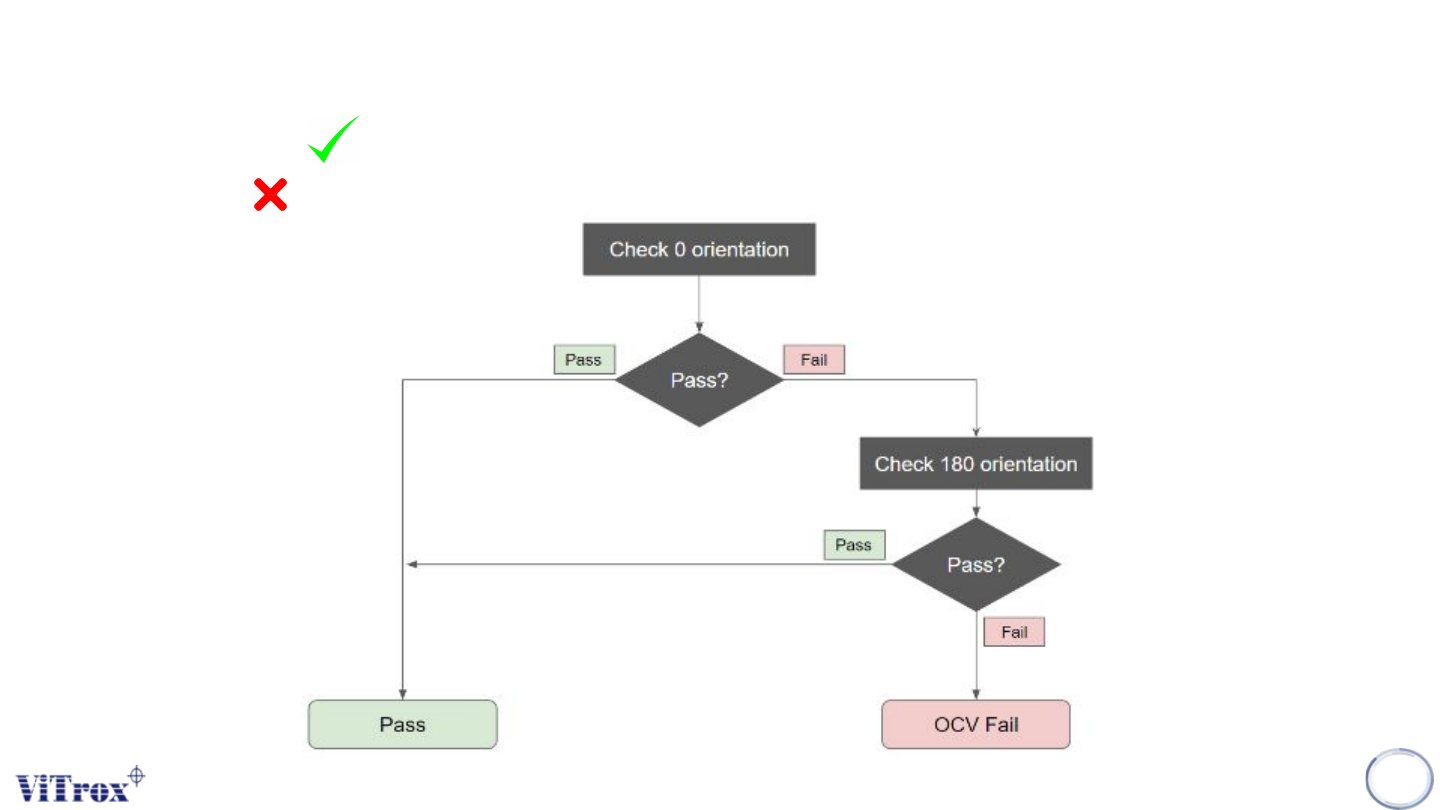
Copyright © ViTrox All Rights Reserved.
OCV Inspection
279
Allow 180 Rotation
Check Polarity
Copyright © ViTrox All Rights Reserved.
OCV Inspection
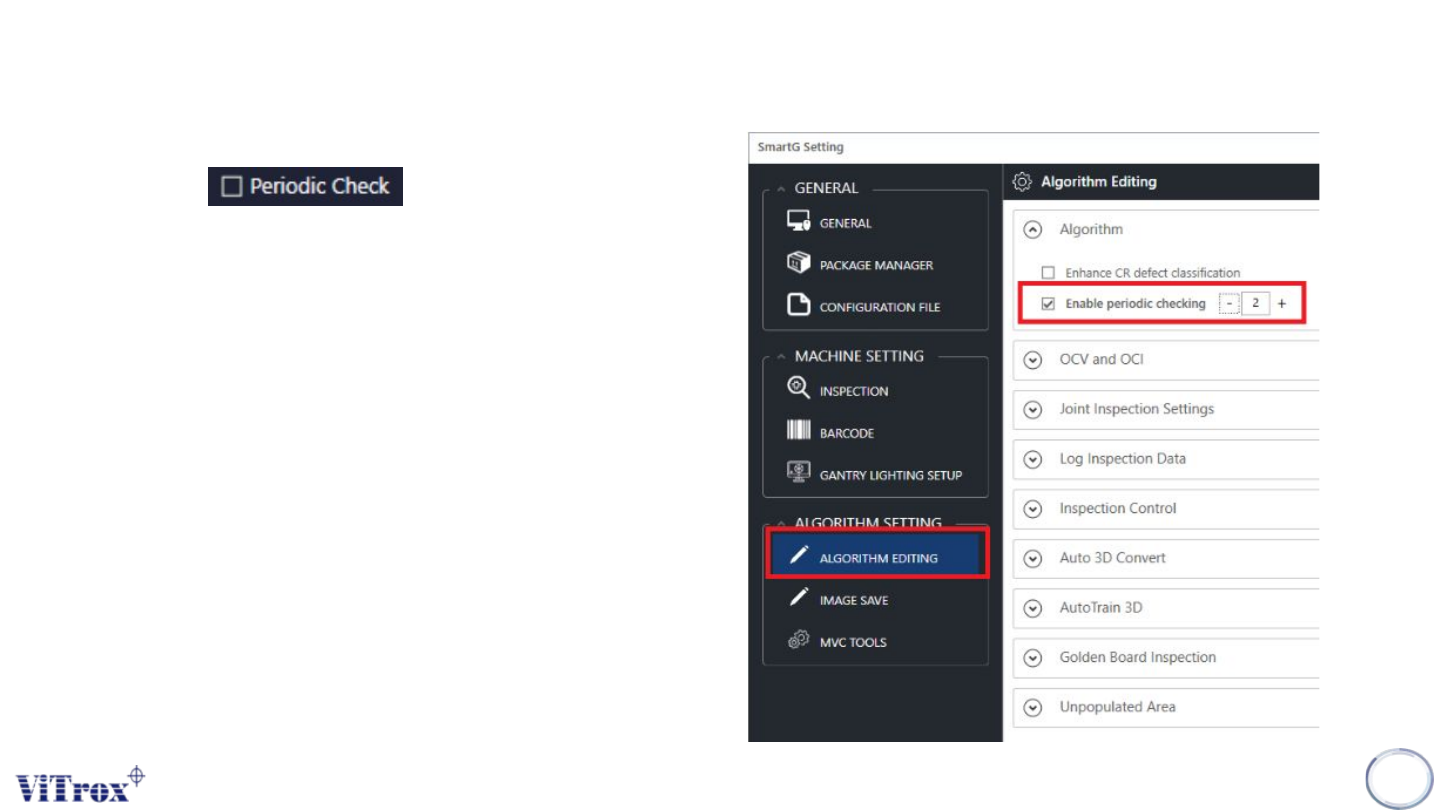
Periodic Check
Polarity periodic check is used to inspect the eOCV by sampling method. In
order to enable this feature, there are two pre-settings which are:
● Turn on Enable Polarity Periodic in utilities and set the sampling
number. (For all programs)
● Turn on Polarity Periodic Check at polarity tab in algorithm list (For
this device type)
When turn on Enable Periodic Checking and set to 2, every 3rd panel board
will perform OCV inspection. The components that turn on periodic check
will run through the periodic mode, other components that no set periodic
check will run inspection for every board as usual.
Remarks: When enter to algorithm editor page or close SmartG will reset
the periodic count.
280