Smart Gui - Algorithm Training Material_rev1.pdf - 第294页
Copyright © ViT rox All Rights Reserved . B-type Algorithm - Custom Inspection 294 1. Image Plane ● These are the types of 2D Lighting. Select the one with having highest contrast among interested inspection region and t…
Copyright © ViTrox All Rights Reserved.
B-type Algorithm - Custom Inspection
293
1. 3 Mode as below:
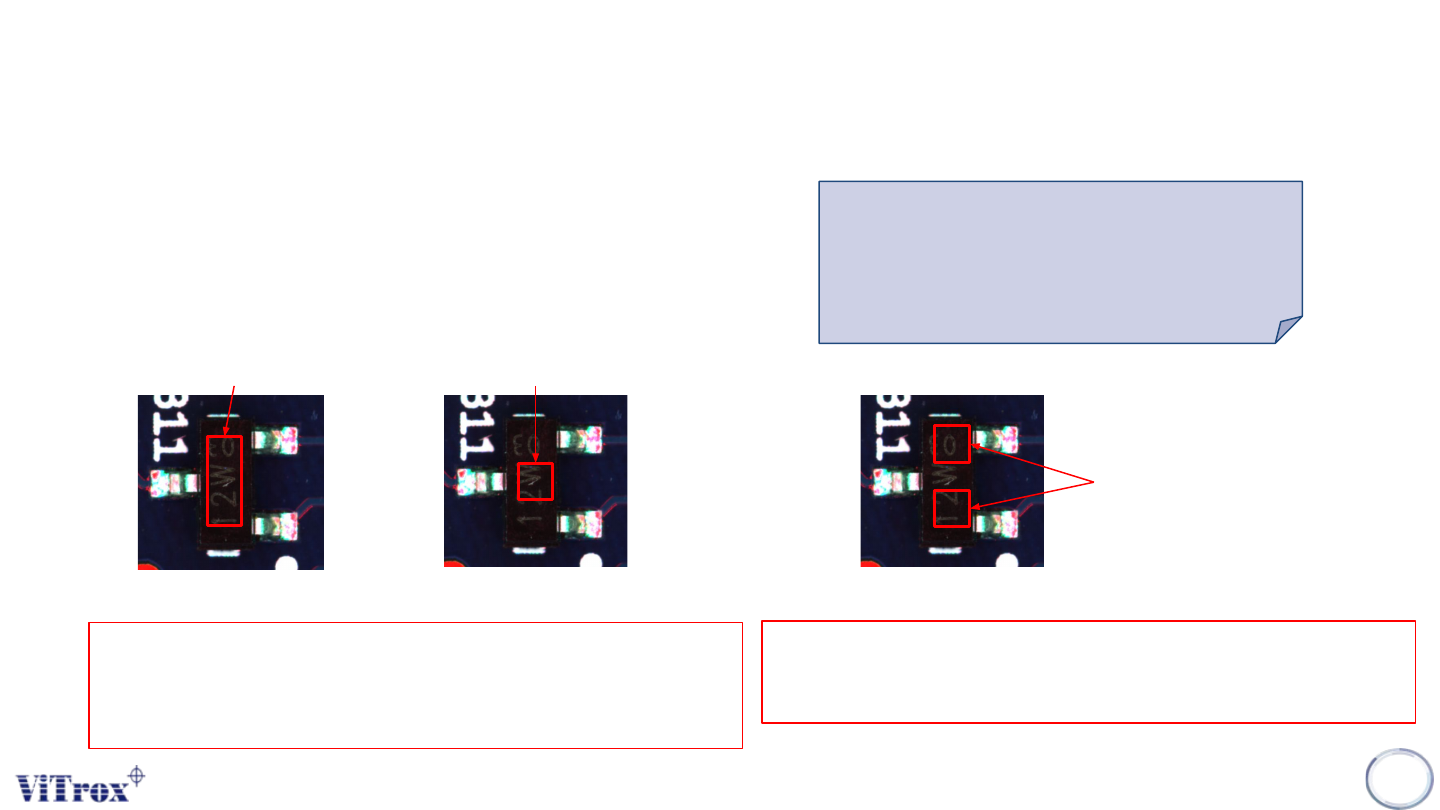
❖ Coverage: Default 1 box
❖ Coverage: Custom 1 box
❖ Box to Box: Custom 2 boxes
Coverage: Default 1 box
Coverage: Custom 1 box
Fixed Size & Position Self define Size & Position
For Coverage (Default one box & Custom 1 box), Software will
calculate how many % of pixels coverage in the ROI. User may self
define the grayscale range & percentage to pass.
Purpose:
Use for the component body
presence/absence inspection.
Box to Box: Custom 2 box
Self define Size & Position
For Box to Box: Custom 2 box, Software will Software will calculate the
average grayscale from these 2 custom ROI.
Copyright © ViTrox All Rights Reserved.
B-type Algorithm - Custom Inspection
294
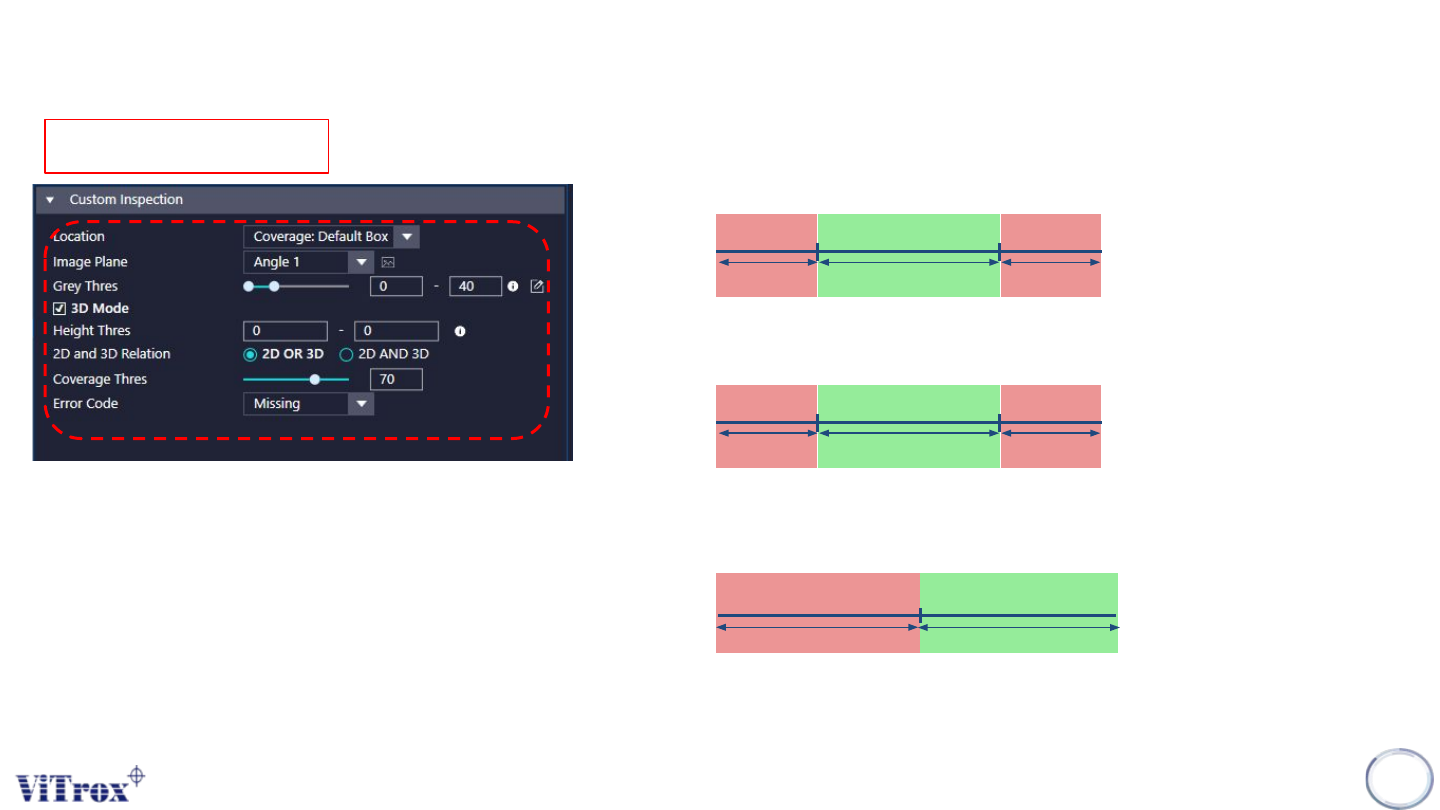
1. Image Plane
● These are the types of 2D Lighting. Select the one with having highest
contrast among interested inspection region and the background.
2. Grey Thres
3. 3D Mode
● Tick this to enable 3D Mode.
4. Height Thres
5. 2D & 3D Relation
● OR - Either 2D or 3D pass will consider as pass
● AND - 2D & 3D must pass together to consider as pass.
6. Coverage Thres
7. Error Code
● To select the error code prompt out during inspection failed.
Lower Limit
Upper Limit
Pass
Fail Fail
Lower Limit
Upper Limit
Pass
Fail Fail
Coverage Thres
Pass
Fail
Coverage: Default 1 box
Copyright © ViTrox All Rights Reserved.
B-type Algorithm - Custom Inspection
295
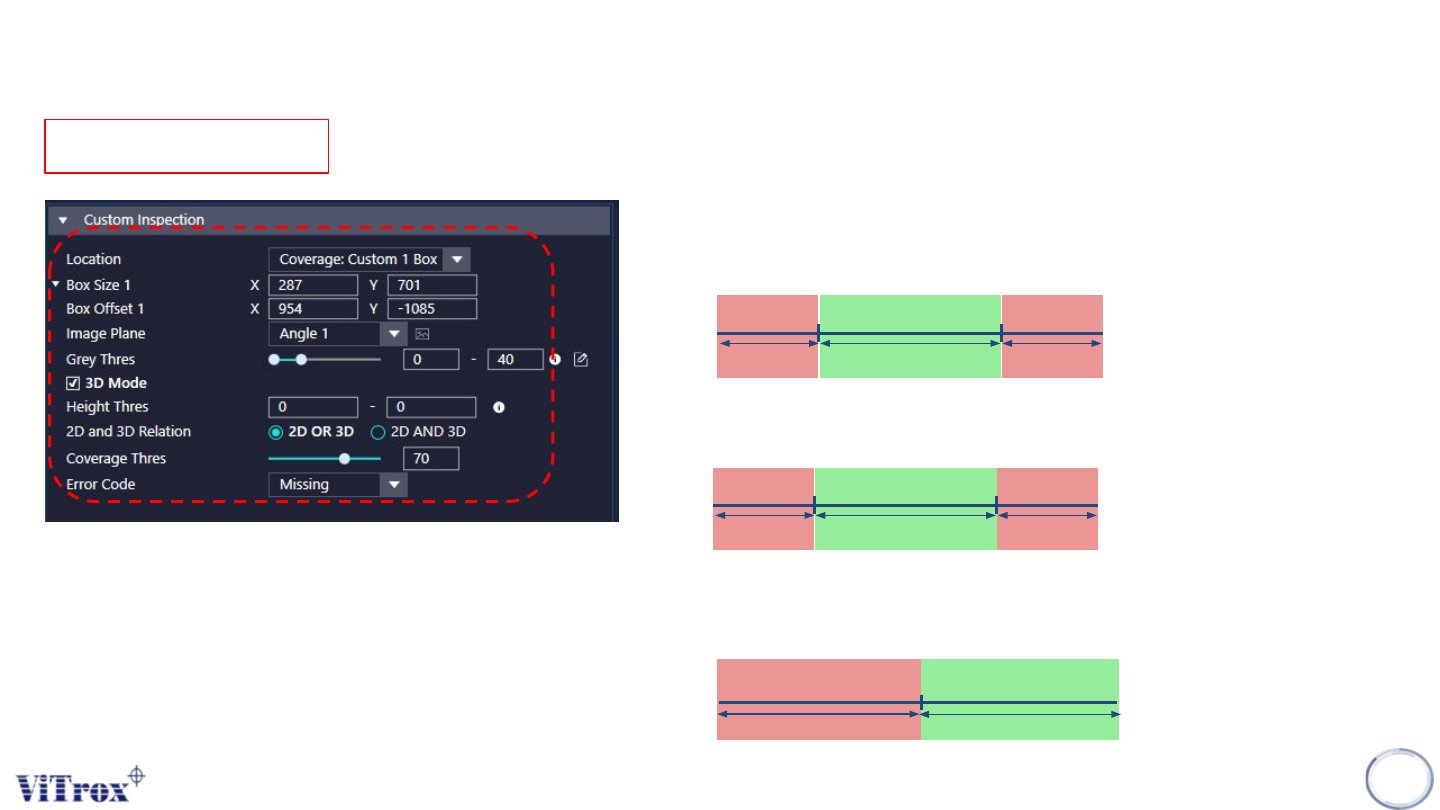
1. Box Size & Box Offset
● To adjust the ROI sizes & ROI offset.
2. Image Plane
● These are the types of 2D Lighting. Select the one with having highest
contrast among interested inspection region and the background.
3. Grey Thres
4. 3D Mode
● Tick this to enable 3D Mode.
5. Height Thres
6. 2D & 3D Relation
● OR - Either 2D or 3D pass will consider as pass
● AND - 2D & 3D must pass together to consider as pass.
7. Coverage Thres
8. Error Code
● To select the error code prompt out during inspection failed.
Lower Limit
Upper Limit
Pass
Fail Fail
Lower Limit
Upper Limit
Pass
Fail Fail
Coverage Thres
Pass
Fail
Coverage: Custom 1 box