Smart Gui - Algorithm Training Material_rev1.pdf - 第240页
Copyright © ViT rox All Rights Reserved . e. Bridging Image Plane ● Tick to enable the adjust contrast for the selected image plane f. Grey Thres Range ● E.g. Grey Thres Range = 20 to 100 g. Bridging Object Size (um h. A…
Copyright © ViTrox All Rights Reserved.
U-type Algorithm - THT
239
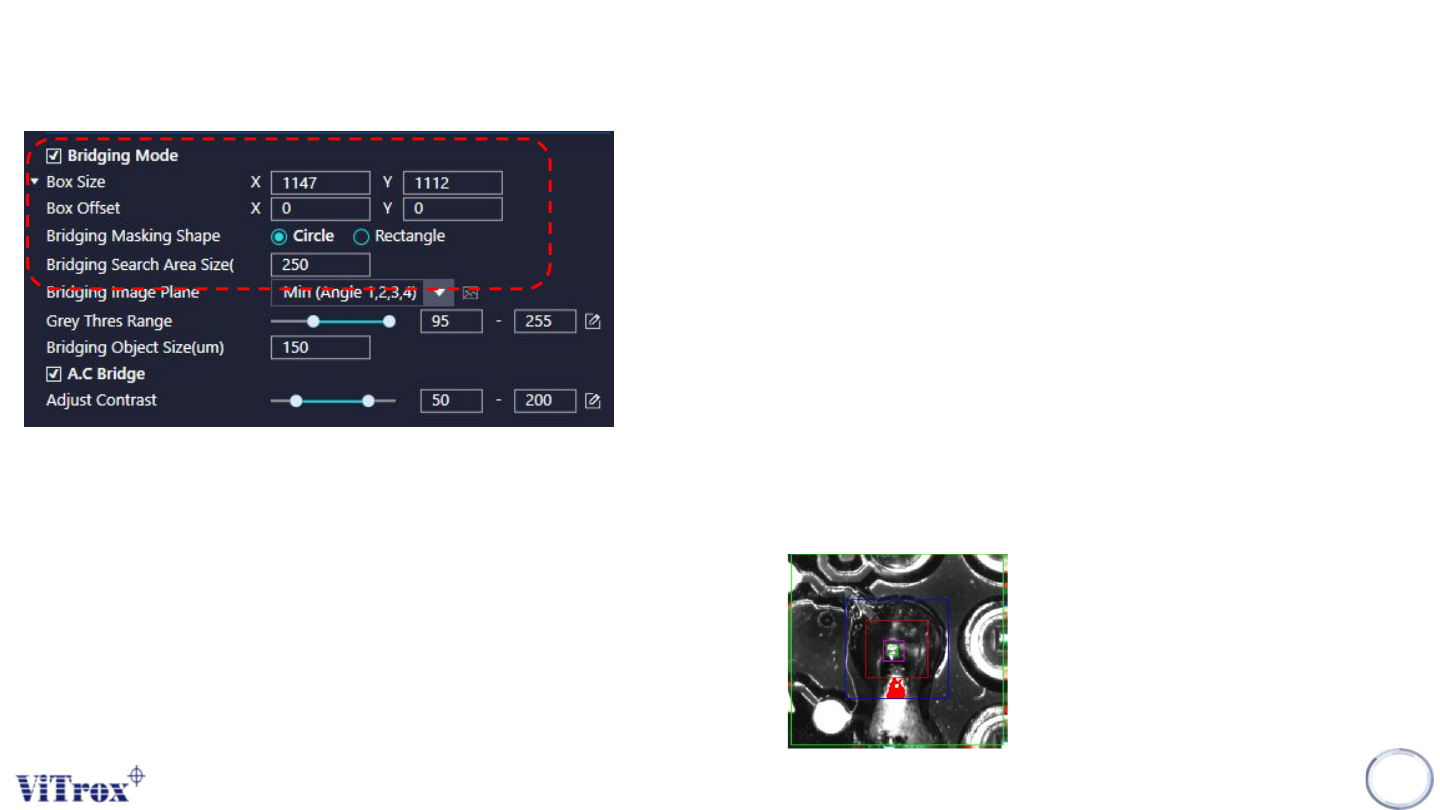
a. Bridging Mode
● Magenta Box - Region within Magenta Box & Yellow Box
● Cyan Box - Region Within Cyan Box & Yellow Box
b. Box Size & Box Offset
● To adjust the size and offset for Bridging inspection box.
c. Bridging Masking Shape
● There are two choices for the Bridging Inspection Boxes.
- Circle
- Rectangle
d. Bridging Search Area Size
● Bridging Search Area Size is used to set the bridging inspection region
size. The bridging search area is in blue color, the box normally is
hidden. In order to show the bridge box, click inspect button and the
bridging search area will show.
● Must be smaller than search area.
Copyright © ViTrox All Rights Reserved.
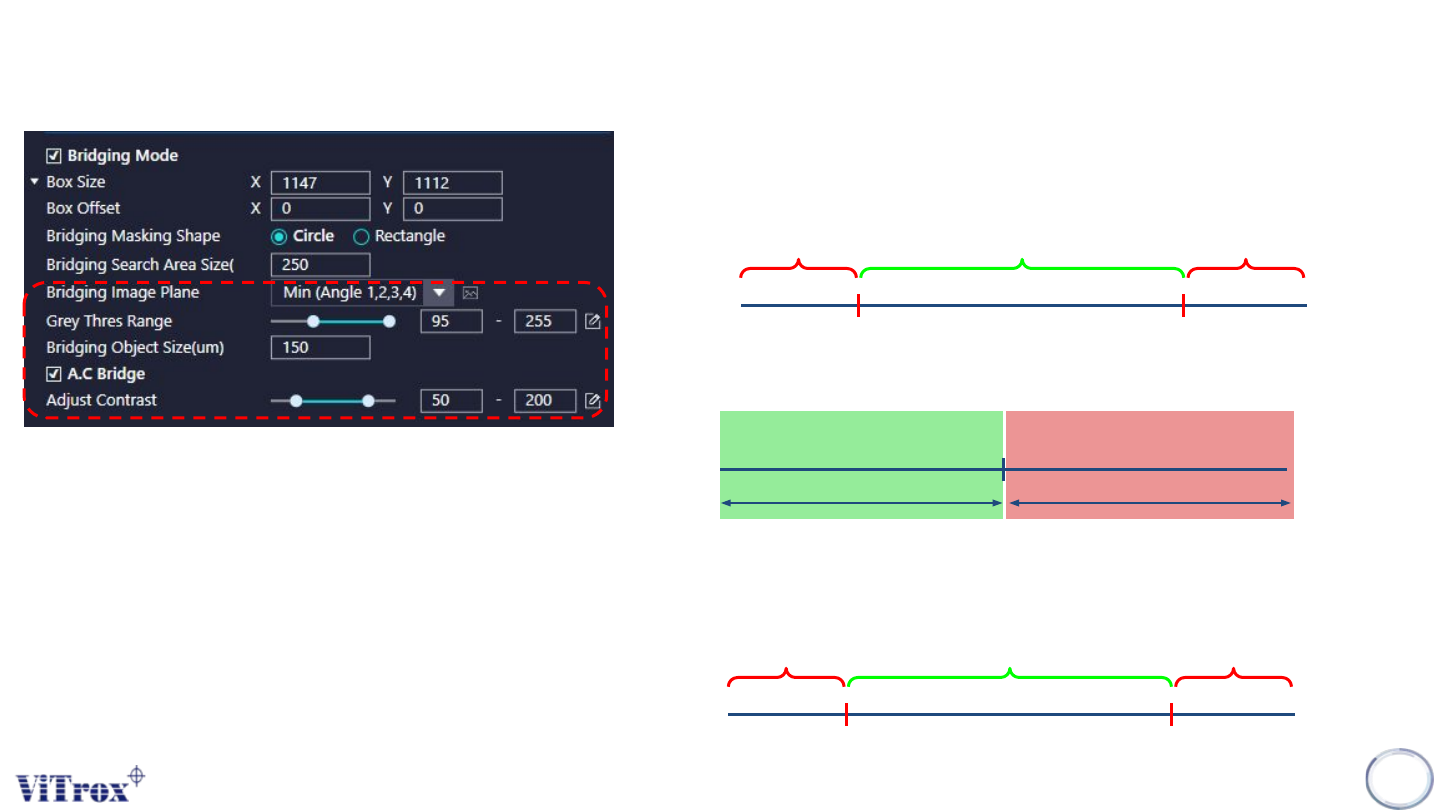
e. Bridging Image Plane
● Tick to enable the adjust contrast for the selected image plane
f. Grey Thres Range
● E.g. Grey Thres Range = 20 to 100
g. Bridging Object Size (um
h. A.C Bridge
● Tick to enable the adjust contrast for the selected image plane.
U-type Algorithm - THT
240
Remain the Greyscale Become 255
Become 0
50 200
Pass Fail
Fail
20 100
Bridging Object Size
Pass
Fail

Copyright © ViTrox All Rights Reserved.
241
Gap (Distance) Measurement Inspection