Smart Gui - Algorithm Training Material_rev1.pdf - 第321页
Copyright © ViT rox All Rights Reserved . 321 Assign Existing Algorithm
Copyright © ViTrox All Rights Reserved.
320
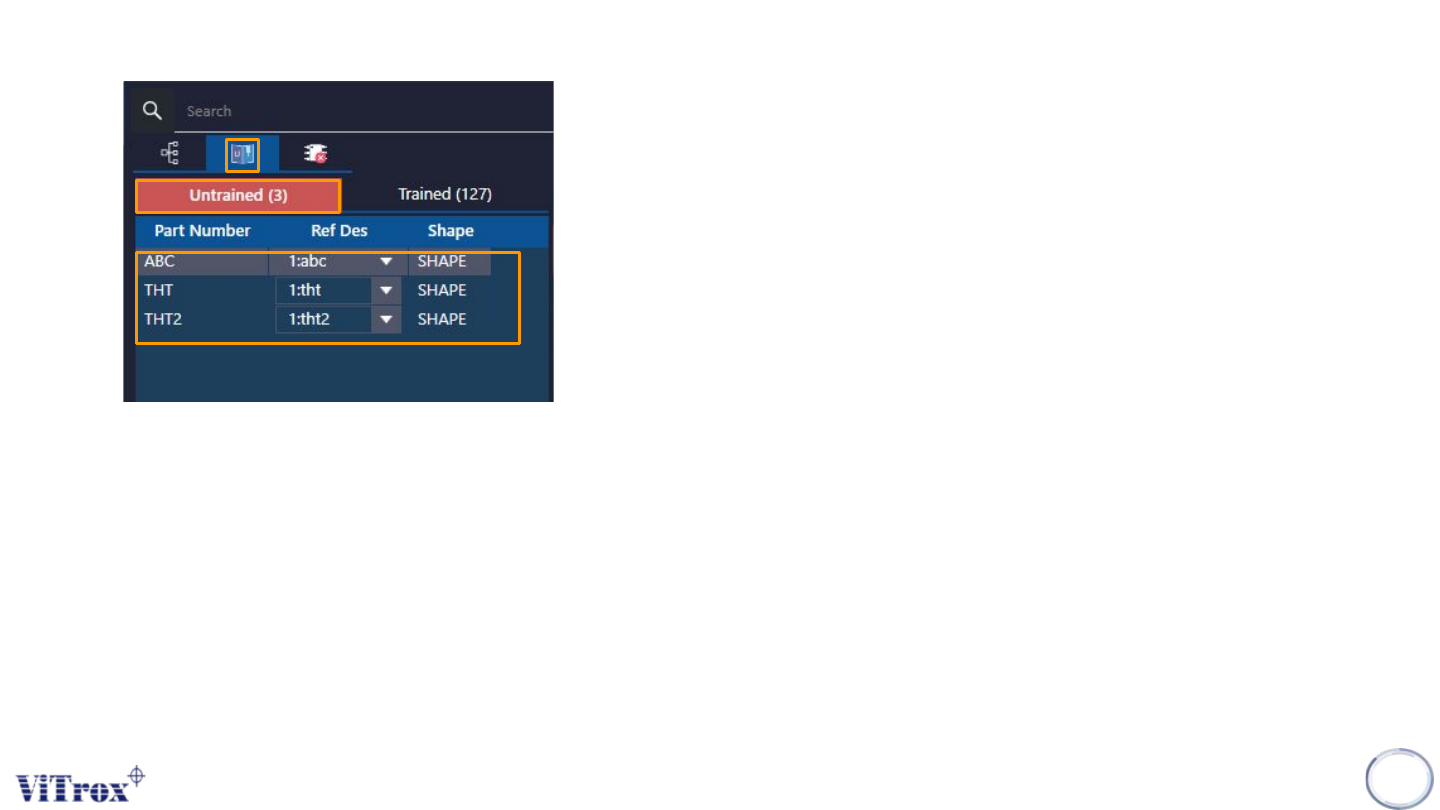
3. Go to the “Untrained List”, select the component part number that haven’t trained with algorithm.
1
2
3
4. User have options to trained the algorithm as below:
● Existing golden algorithm. (Select from the algorithm list)
● Create copy from existing algorithm (Any tuning will not affect the existing algorithm )

Copyright © ViTrox All Rights Reserved.
321
Assign Existing Algorithm
Copyright © ViTrox All Rights Reserved.
322
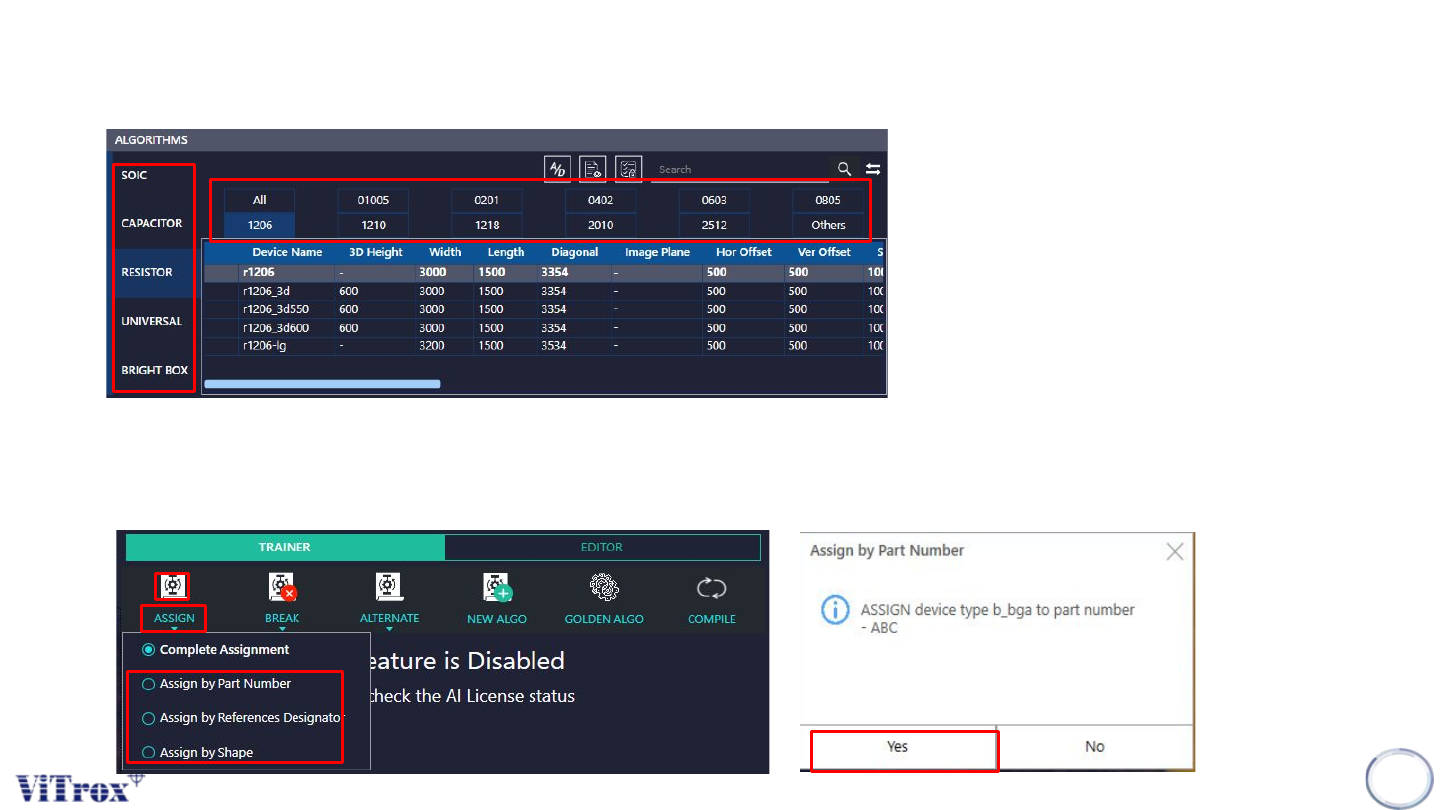
1. From the algorithms list, User may select the algorithm based on components category (C,R,B,S,U)
and component sizes.
2. Select the algorithm that need to take as a template, place the mouse cursor at the “Assign”, Select
Assign by Part number, Ref Des or shape based on user and press on the icon.After that press on
“Yes.”
1
2
3