Smart Gui - Algorithm Training Material_rev1.pdf - 第308页
Copyright © ViT rox All Rights Reserved . GrayScale Editor - Setup 308 1. Select the Image Plane Angle that having the best contrast. 2. T ick Inverse selection to inverse the logic. Grayscale Thres Pass Fail Grayscale T…
Copyright © ViTrox All Rights Reserved.
GrayScale Editor - Setup
307
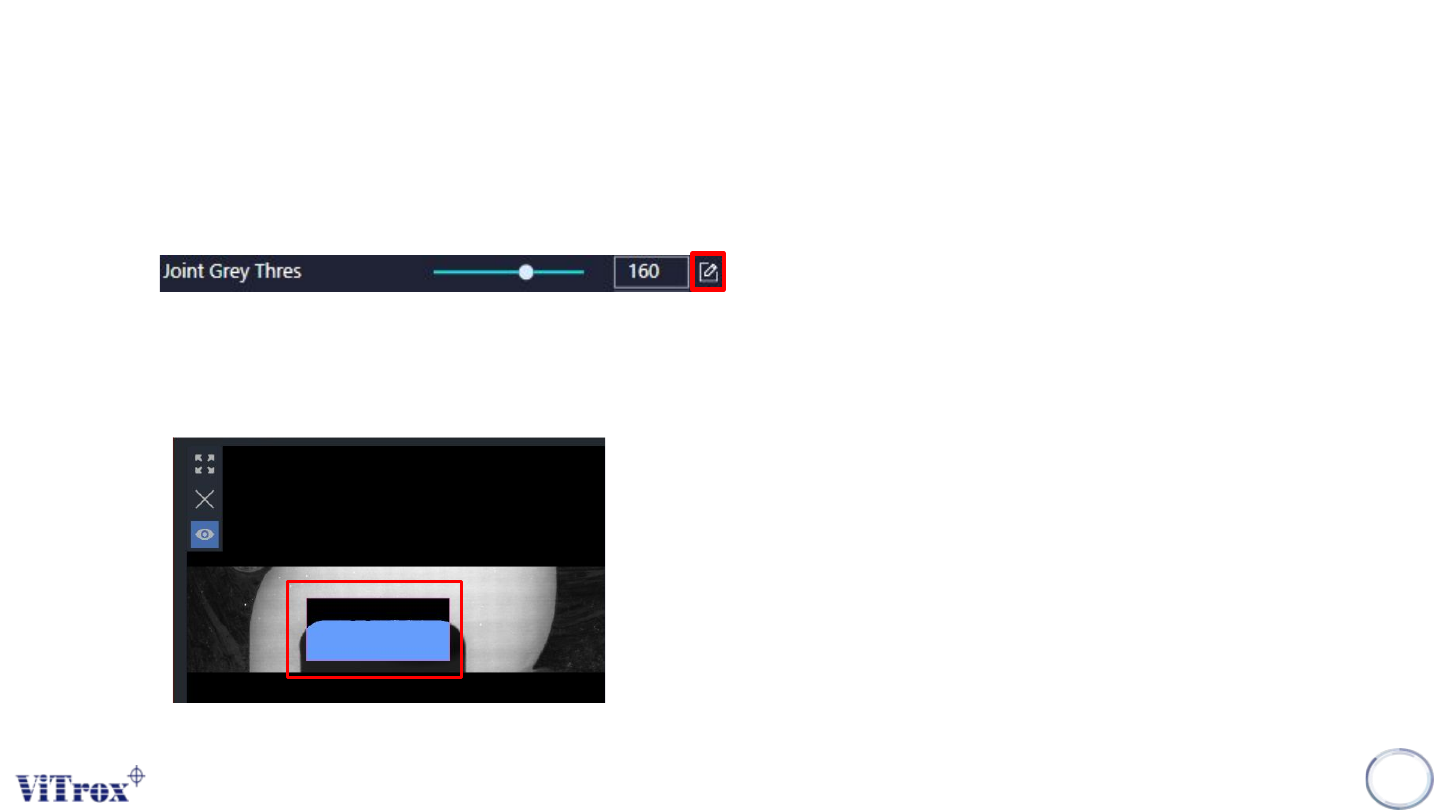
1. User may click on the icon that shown below to enter the Grayscale Editor.
● This icon usually available at the place that use to setup the grayscale value.
2. Drag the size of ROI on the Component Image Display
● The region that highlighted in blue is the region selected.
Copyright © ViTrox All Rights Reserved.
GrayScale Editor - Setup
308
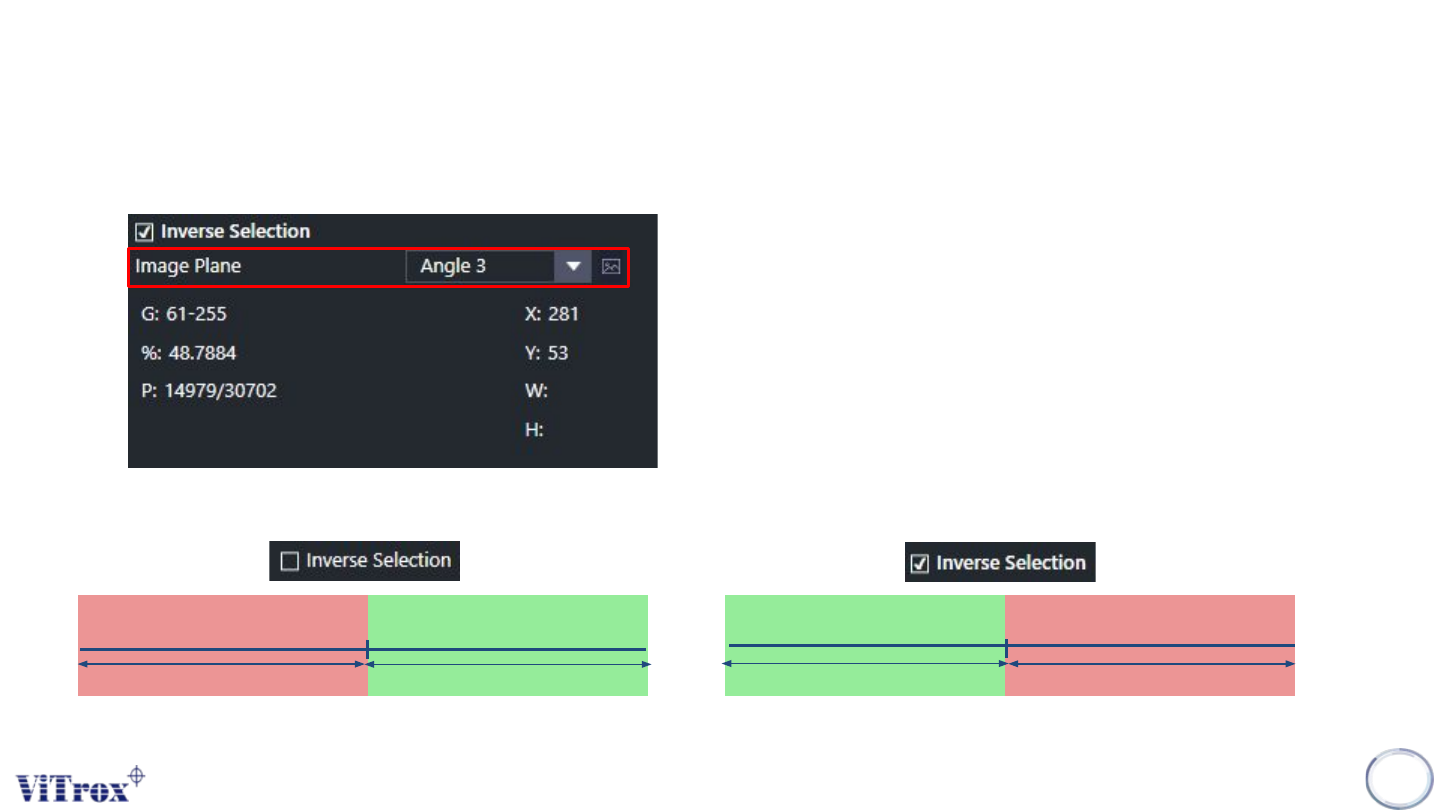
1. Select the Image Plane Angle that having the best contrast.
2. Tick Inverse selection to inverse the logic.
Grayscale Thres
Pass
Fail
Grayscale Thres
Pass
Fail
Copyright © ViTrox All Rights Reserved.
GrayScale Editor - Setup
309
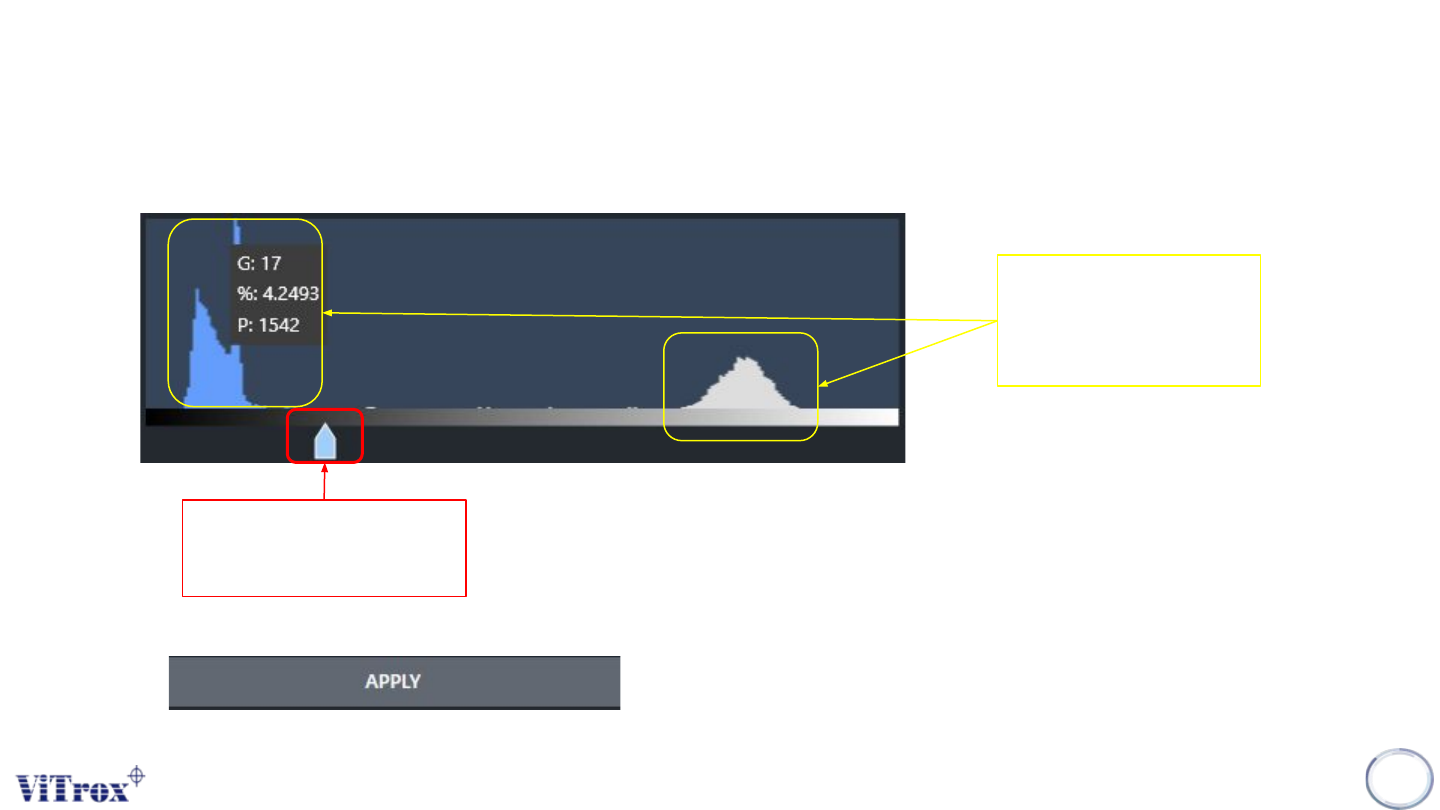
3. User may drag the arrow to select the grayscale value.
4. User also able to know the quantity of pixels with the grayscale values.
Quantity of pixel
with the grayscale
value
Arrow to select the
gray scale value.
5. Click apply to set the threshold value.