Smart Gui - Algorithm Training Material_rev1.pdf - 第93页
Copyright © ViT rox All Rights Reserved . 93 S-type Algorithm 5. Side Pins ● T o define the number of leads for 4 sides (North, South, East, West) 6. Lead Size ● T o define the size for the lead. 7. Lead Pitch ● T o defi…
Copyright © ViTrox All Rights Reserved.
92
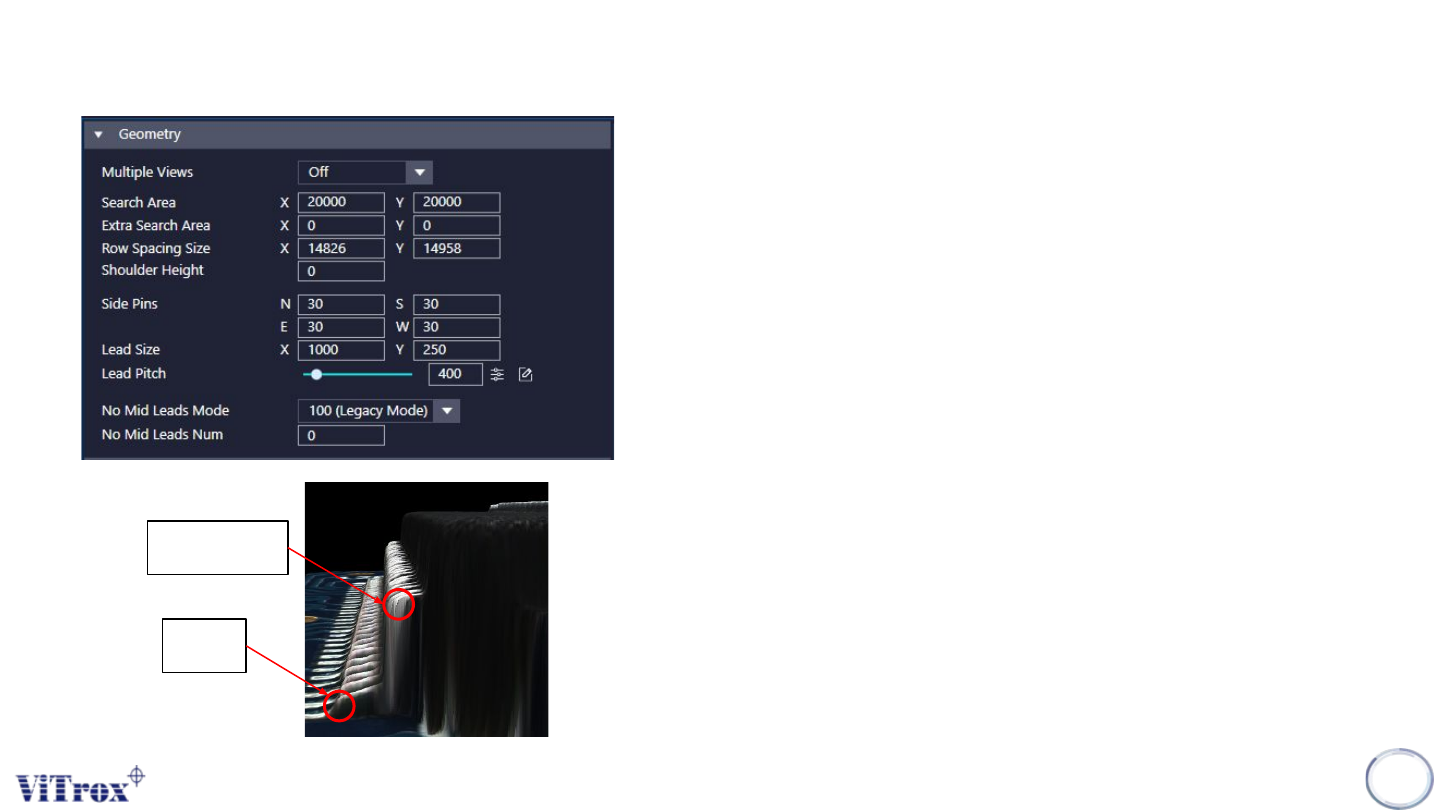
1. Search Area
● To adjust the search area size.
● Search Area must be slightly larger than the component.
2. Extra Search Area
● Extra Search Area is used to force a component towards the center of the
field of view. (Units:micron)
● The Search area extra specifies are area around a components search are
which cannot be allowed to fall at the edge of the field of view. This could
be used for components which appear different at the edge of the field of
view, e.g. tall components.
● It has a maximum value of 20000. A typical value is 15000.
3. Row Spacing Size
● To define the distance of the rows (South, North, East & West) sides of
leads from the centroid.
4. Shoulder Height
● specifies the height difference between the lead shoulder and the lead toe
on a gullwing lead.
● The default value is 0. Recommended value is the actual height difference
in microns (typically 1000).
● This setting apply parallax correction on the leads (if the value is set more
than 0)
Shoulder
Toe
S-type Algorithm
Copyright © ViTrox All Rights Reserved.
93
S-type Algorithm
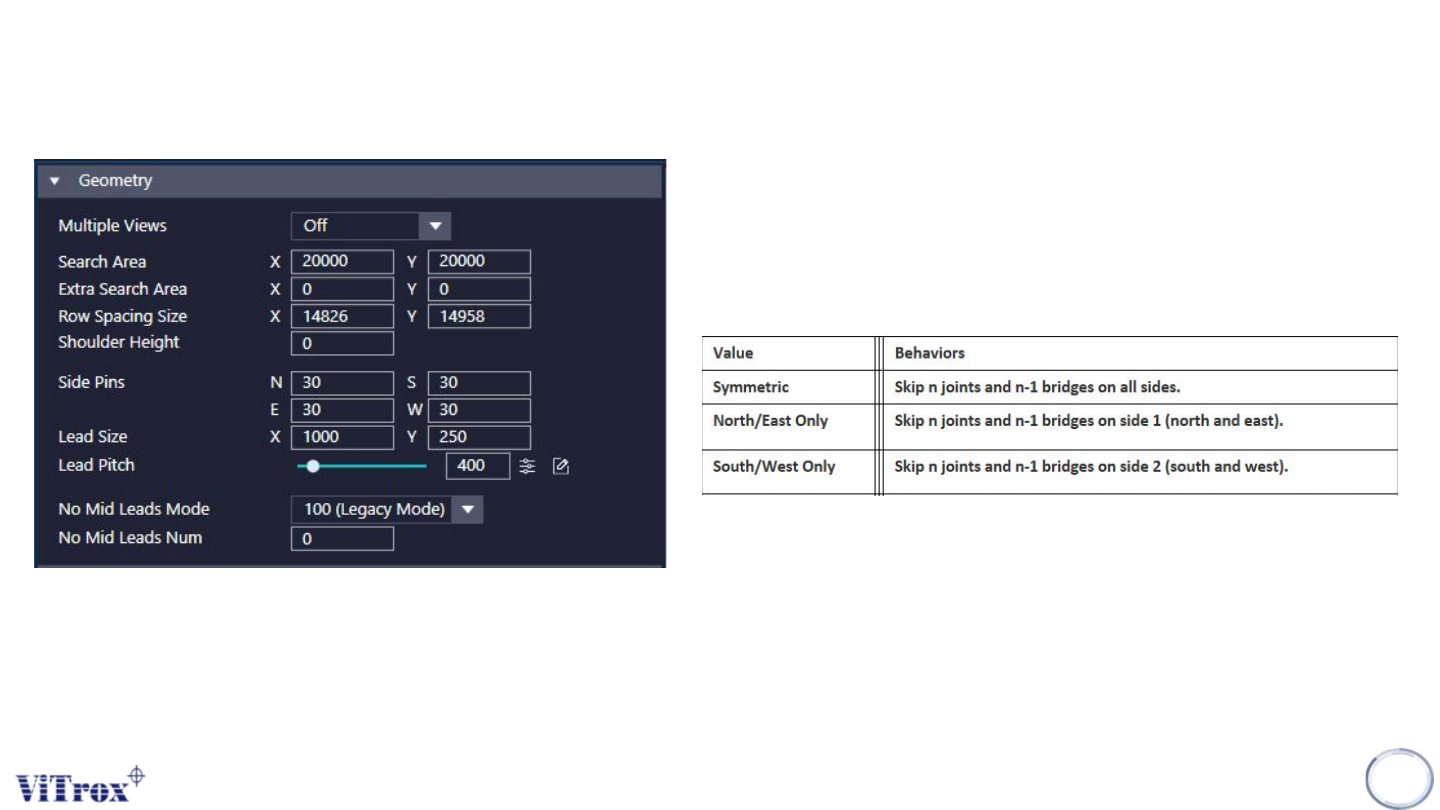
5. Side Pins
● To define the number of leads for 4 sides (North, South, East, West)
6. Lead Size
● To define the size for the lead.
7. Lead Pitch
● To define the distance between leads.
8. No Mid Leads Mode
9. No Mid Lead Number
● The number of leads to be omitted from the middle of a row of leads
during inspection
Copyright © ViTrox All Rights Reserved.
S-type Algorithm
94
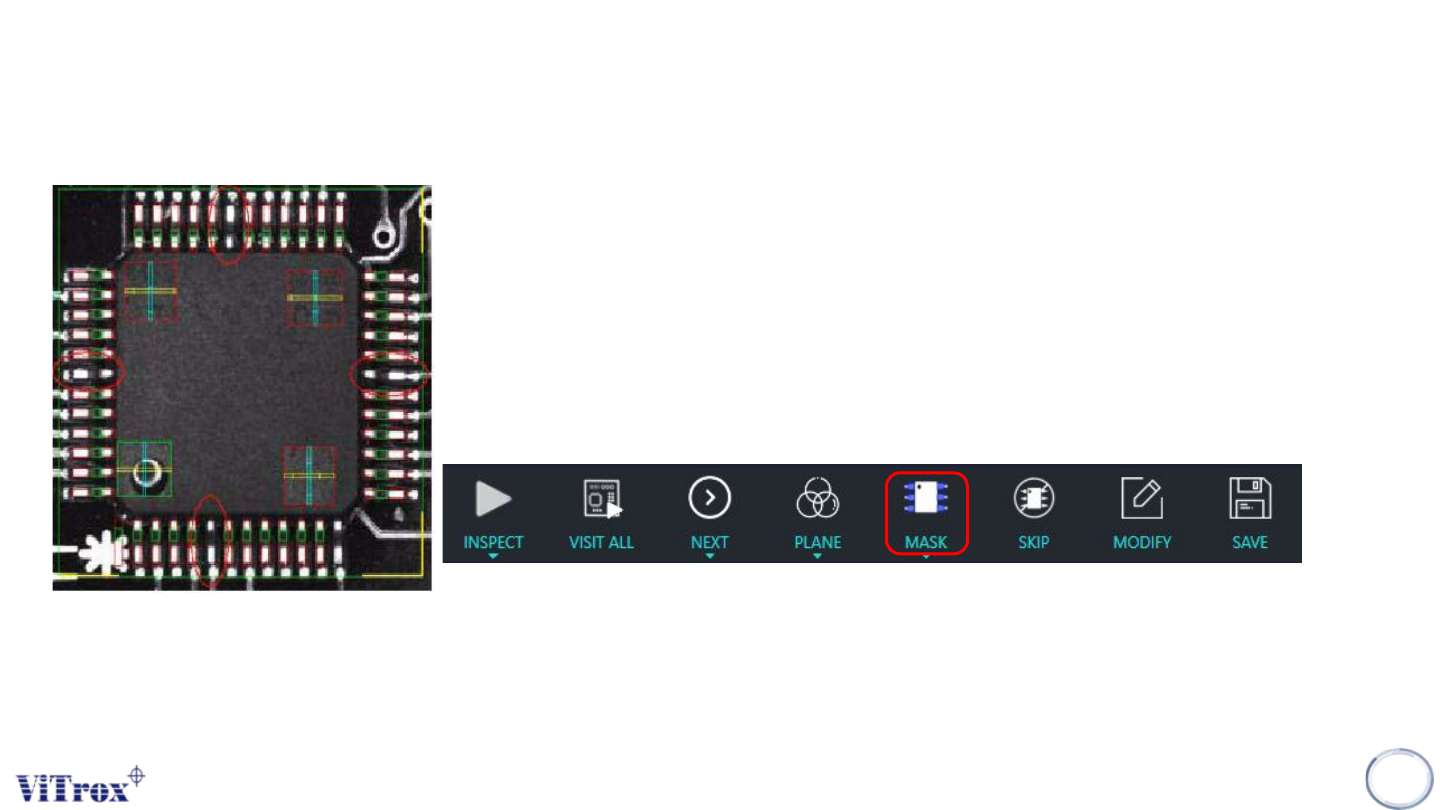
It is not possible to omit one lead from one side for a 4 sided
device using No Mid Lead Mode. If there is a need to omit pins
in other patterns, then Error Masks must be used to mask joint
and bridge errors – Please refer to Action on Failure training
module.