Smart Gui - Algorithm Training Material_rev1.pdf - 第288页
Copyright © ViT rox All Rights Reserved . 288 1. Page Comment ● T o leave your remarks. 2. Number of Boxes ● T o set the number of boxes used for polarity checking ● 2 boxes or 4 boxes 3. Polarity Box Size & Polarity…

Copyright © ViTrox All Rights Reserved.
287
Polarity Inspection
Copyright © ViTrox All Rights Reserved.
288
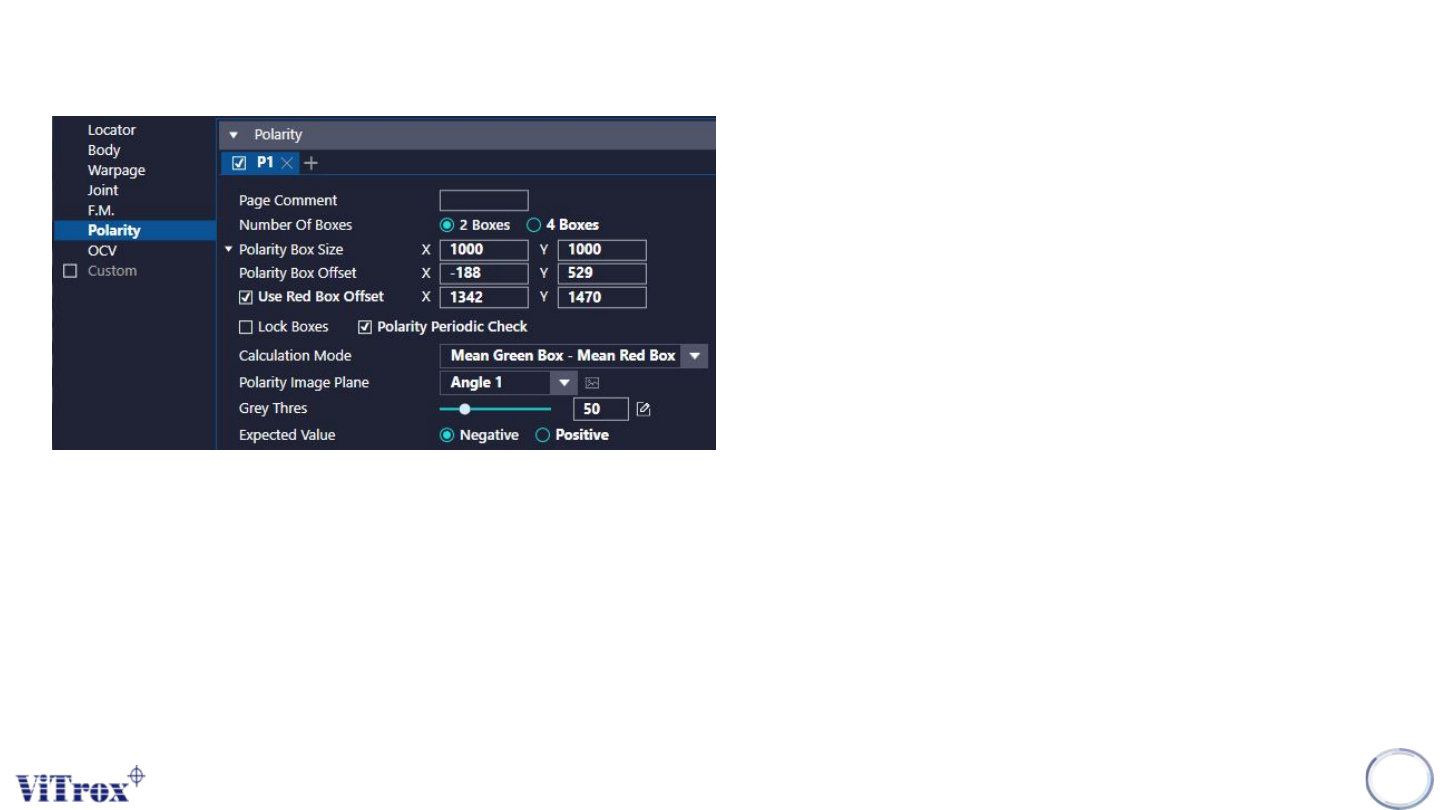
1. Page Comment
● To leave your remarks.
2. Number of Boxes
● To set the number of boxes used for polarity checking
● 2 boxes or 4 boxes
3. Polarity Box Size & Polarity Box Offset
● To adjust the sizes & offset for the Side Fillet Boxes
● Can drag the boxes to change the size and offset
4. Used Red Box Offset
● To set the red box as the movable box.
● After enable use red box offset, there is additional X and Y able
to fill in.
● Can drag on the boxes.
5. Lock Boxes
● Lock Boxes are used to disable to follow the locator for all
polarity boxes.
Polarity
Copyright © ViTrox All Rights Reserved.
289
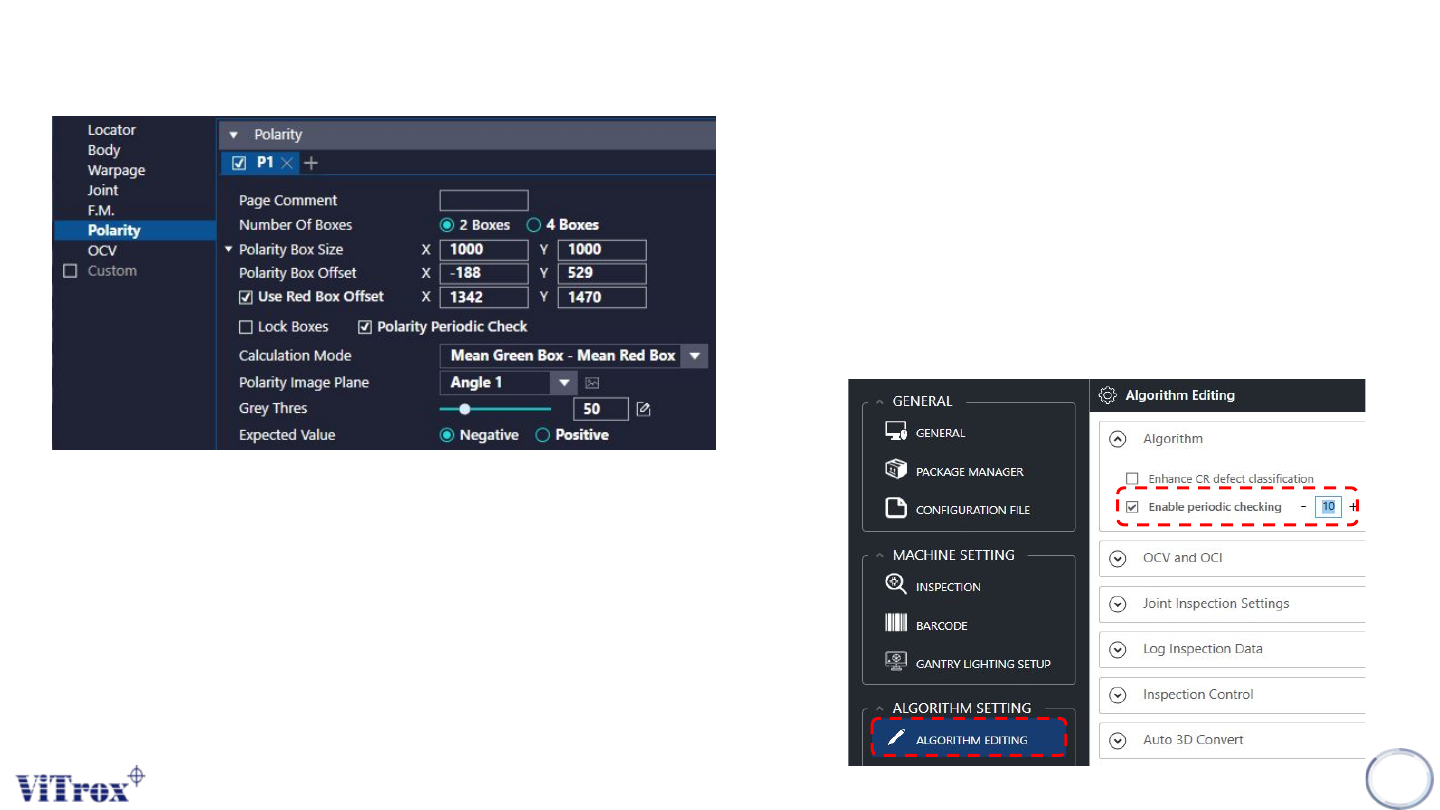
6. Polarity Periodically Check
● When turn on enable periodic checking and set to 10, every 10th
boards that enable polarity periodic check will perform polarity
inspection, otherwise the another 9 boards will skip the
inspection. If the board finished inspection when the periodic
count at 6, for the next board inspection, the periodic count will
start from 7.
● Close SmartG software will reset the periodic count. The
programs that did not enable polarity periodic check will inspect
as usual.
Polarity