Smart Gui - Algorithm Training Material_rev1.pdf - 第14页
Copyright © ViT rox All Rights Reserved . CR T ype Algorithm - Body 14 1. Coplan V ert Thres (um) ● T ick this to enable the vertical direction for coplan inspection. ● Inspection result will prompt out Coplan if the abs…
Copyright © ViTrox All Rights Reserved.
CR Type Algorithm - Body
13
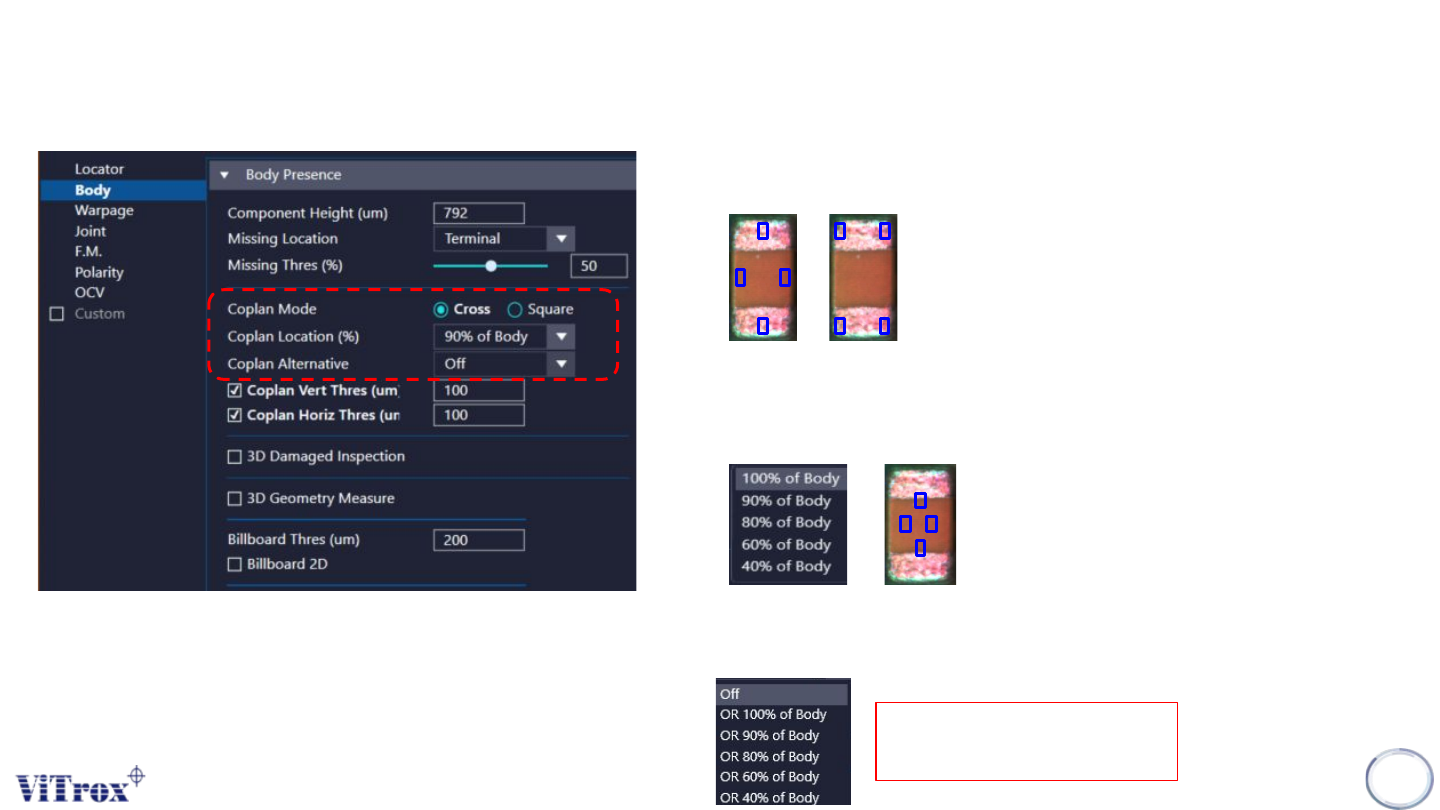
Eg. for 40%
2. Coplan Location
● To adjust the location for the coplan inspection boxes.
● The smaller the percentage, The inner the boxes towards the
centroid
1. Coplan Mode
● To adjust the location for the coplan inspection boxes.
● The choices as follows:
Cross Square
3. Coplan Alternative
● Add another AND relationship coplan alternative which different
in the coplan location.
Both Primary and Alternative
must pass in order to pass
Copyright © ViTrox All Rights Reserved.
CR Type Algorithm - Body
14
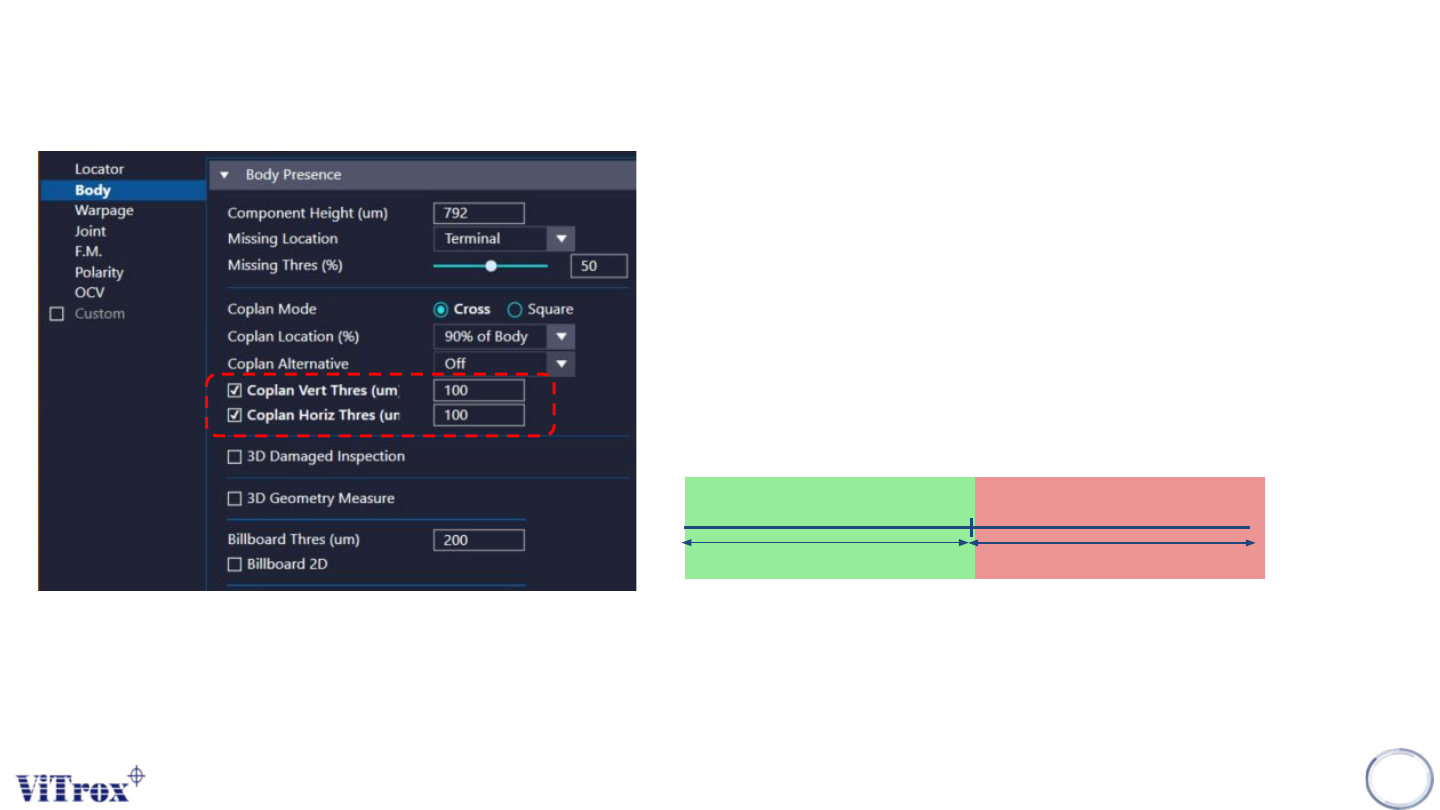
1. Coplan Vert Thres (um)
● Tick this to enable the vertical direction for coplan inspection.
● Inspection result will prompt out Coplan if the absolute difference
between the opposite boxes in vertical direction is more than the
threshold set.
2. Coplan Horiz Thres (um)
● Tick this to enable the horizontal direction for coplan inspection.
● Inspection result will prompt out Coplan if the absolute difference
between the opposite boxes in horizontal direction is more than
the threshold set.
Coplan Thres (um)
Pass
Fail
Copyright © ViTrox All Rights Reserved.
CR Type Algorithm - Body
15
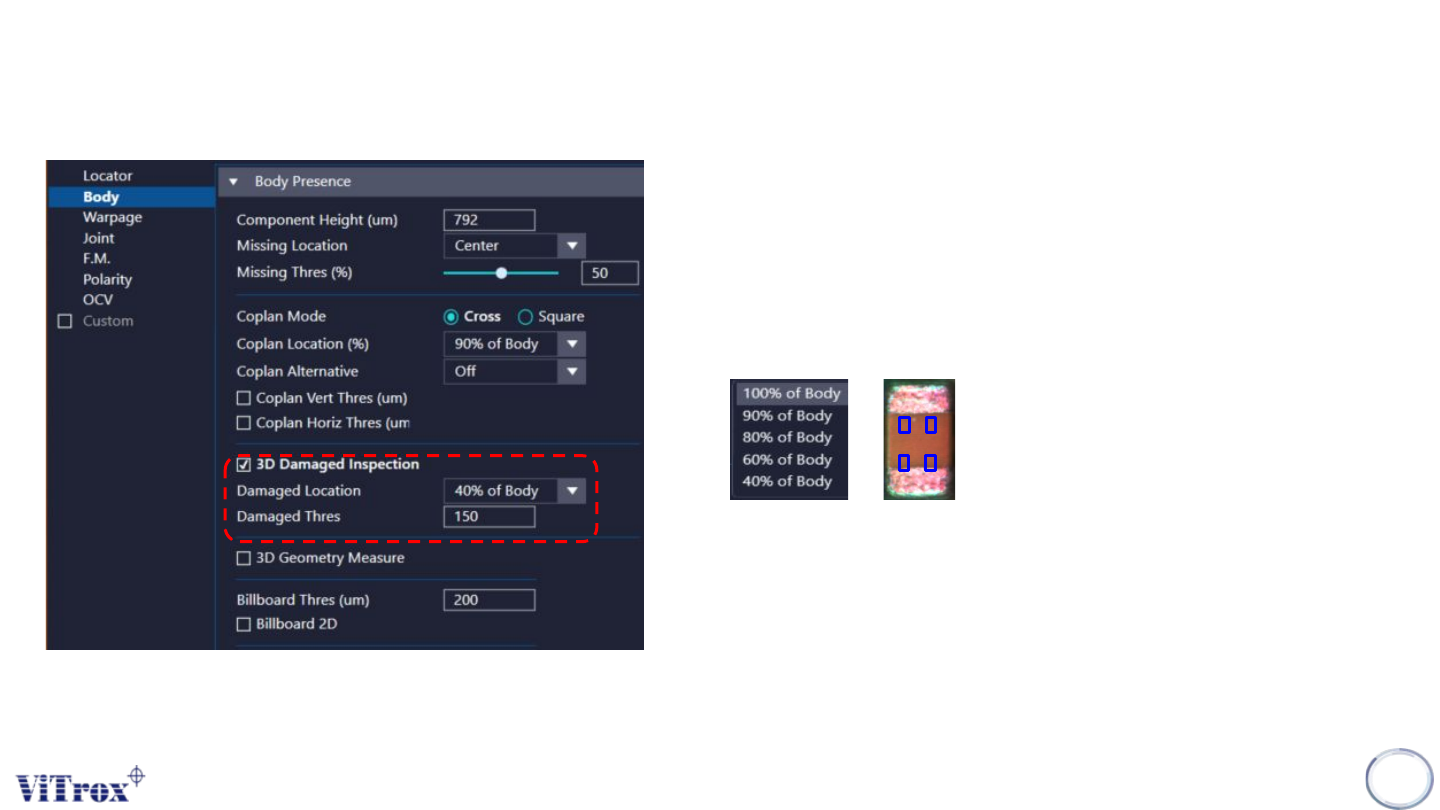
1. 3D Damaged Inspection
● Tick this to enable the 3D Damaged inspection.
● Inspection result will prompt out Coplan if the absolute difference
between the opposite boxes in vertical direction is more
Eg. for 40%
2. Damaged Location
● To adjust the location for the Damaged inspection boxes.
● The smaller the percentage, The inner the boxes towards the
centroid
3. Damaged Thres (um)
● Software will check the height of these 4 boxes, the component
will fail as “Damaged” if the absolute height different between
any one of the ROI's height and component height higher than
damaged threshold.