Smart Gui - Algorithm Training Material_rev1.pdf - 第264页
Copyright © ViT rox All Rights Reserved . Analysis Mode Curve Length Threshold (um) 255 Width Threshold (um) 255 Criteria Relationship AND/ OR Bright Defect Count 255 Dark Defect Count 255 Bright Defect Fail As: Off Dark…
Copyright © ViTrox All Rights Reserved.
Analysis Mode Blob
Bright Min Size (px) 255
Dark Min Size (px) 255
Bright Defect Count 255
Dark Defect Count 255
Bright Defect Fail As: Off
Dark Defect Fail As: Off
Inspect and Analysis (Analysis Tab)
1. Analysis Mode: Blob is used when inspected defect is a chunk or a blob, please refer to the example
given in the slide
2. Bright Min Size (px)/ Dark Min Size (px)
a. The defect should be equal or higher than the pixel set in the tab to classify it as defect set by user.
3. Bright / Dark Defect Fail As:
a. This would prompt the defect set by users
263
Copyright © ViTrox All Rights Reserved.
Analysis Mode Curve
Length Threshold (um) 255
Width Threshold (um) 255
Criteria Relationship AND/ OR
Bright Defect Count 255
Dark Defect Count 255
Bright Defect Fail As: Off
Dark Defect Fail As: Off
Inspect and Analysis (Analysis Tab)
1. Analysis Mode: Curve is used to classify or detect a scratch on surface
2. Length/ Width Threshold (micron)
a. The defect would need to have the length or width of the micron set by user to classify as defect
3. Criteria Relationship: (AND / OR) => Length (AND / OR) width to classify as defect
4. Bright/ Dark Defect Count (Same as Blob)
5. Bright/ Dark Fail As (Same as Blob)
264
Copyright © ViTrox All Rights Reserved.
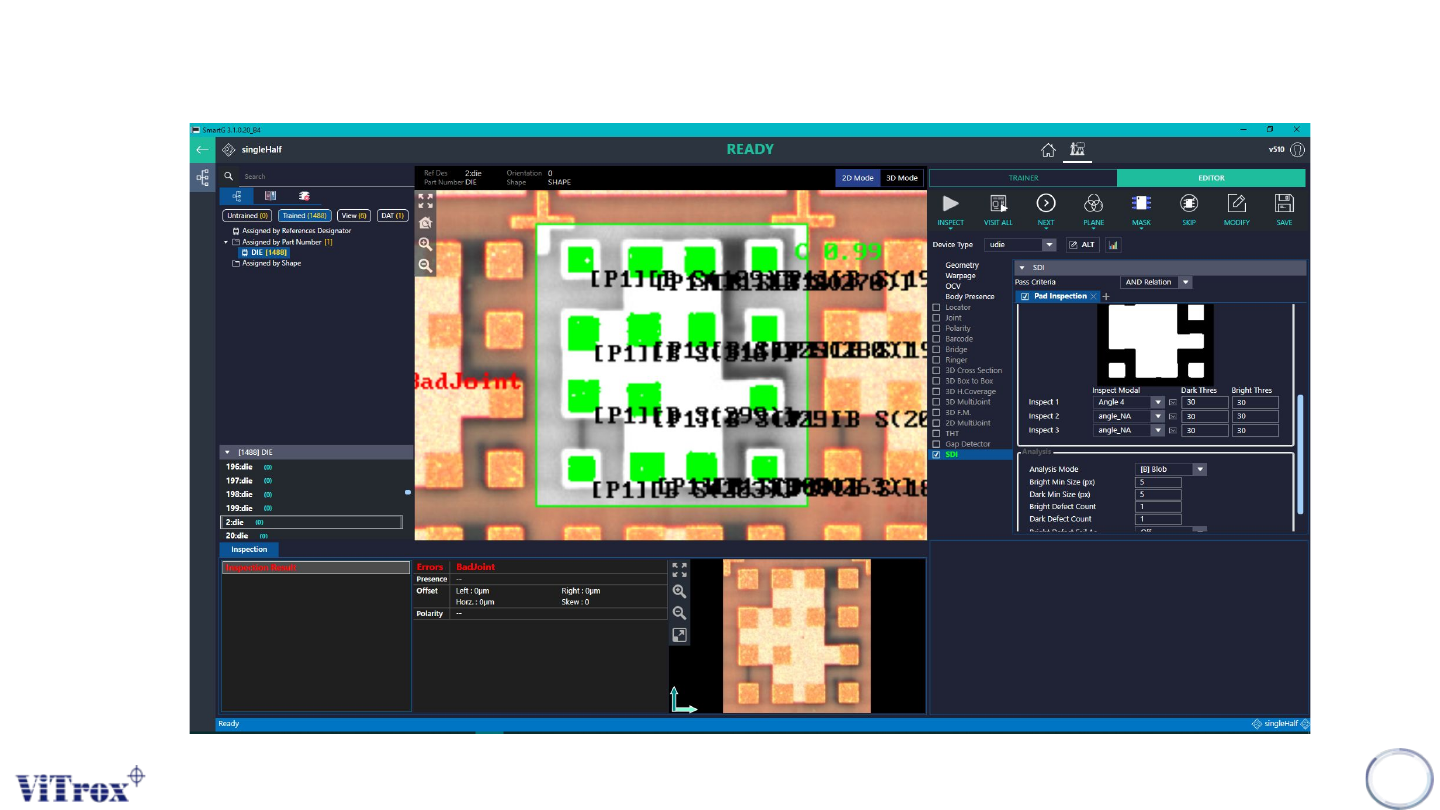
Inspection Results
265