Smart Gui - Algorithm Training Material_rev1.pdf - 第199页
Copyright © ViT rox All Rights Reserved . U-type Algorithm - 3D Cross Section 199 a. Follow Locator ● Follows locator is used to follow the body locator and lead relocation feature. b. Box Size & Box Offset ● T o adj…

Copyright © ViTrox All Rights Reserved.
198
Ringer
*Refer S-Type Ringer
Copyright © ViTrox All Rights Reserved.
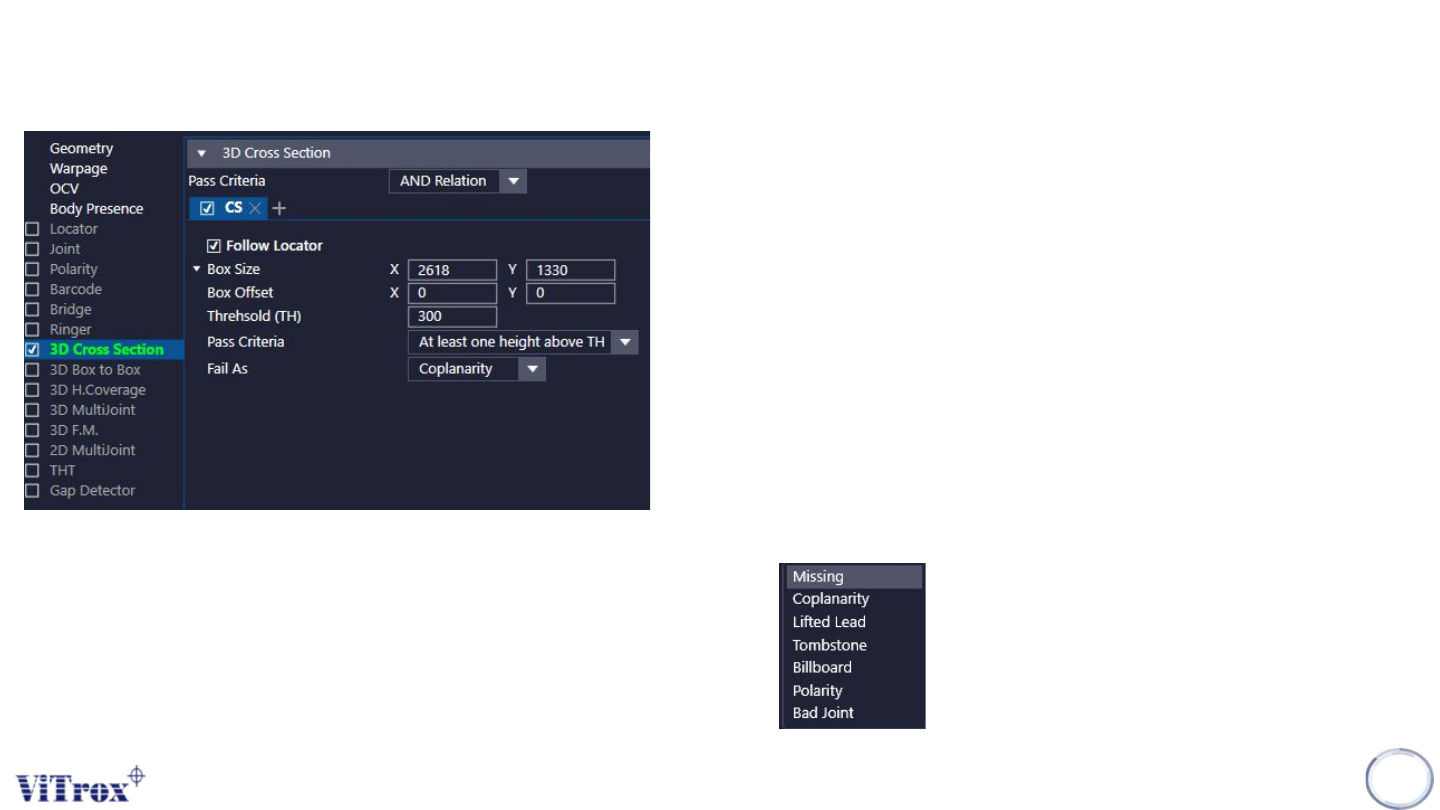
U-type Algorithm - 3D Cross Section
199
a. Follow Locator
● Follows locator is used to follow the body locator and lead relocation
feature.
b. Box Size & Box Offset
● To adjust the size of Inspection Box & offset of Inspection Box.
c. Threshold
● Threshold is used to set the pass criteria regarding to the height
value for inspection at the selected region. After inspection, the pixel
will contain the height value.
d. Pass Criteria
● Pass Criteria is used to set the criteria for the inspection to pass.
There are 2 types of pass criteria:
➢ All height below the TH
➢ At least one height above TH
e. Fail As
● Used to set defect name when this algorithm fail.
Copyright © ViTrox All Rights Reserved.
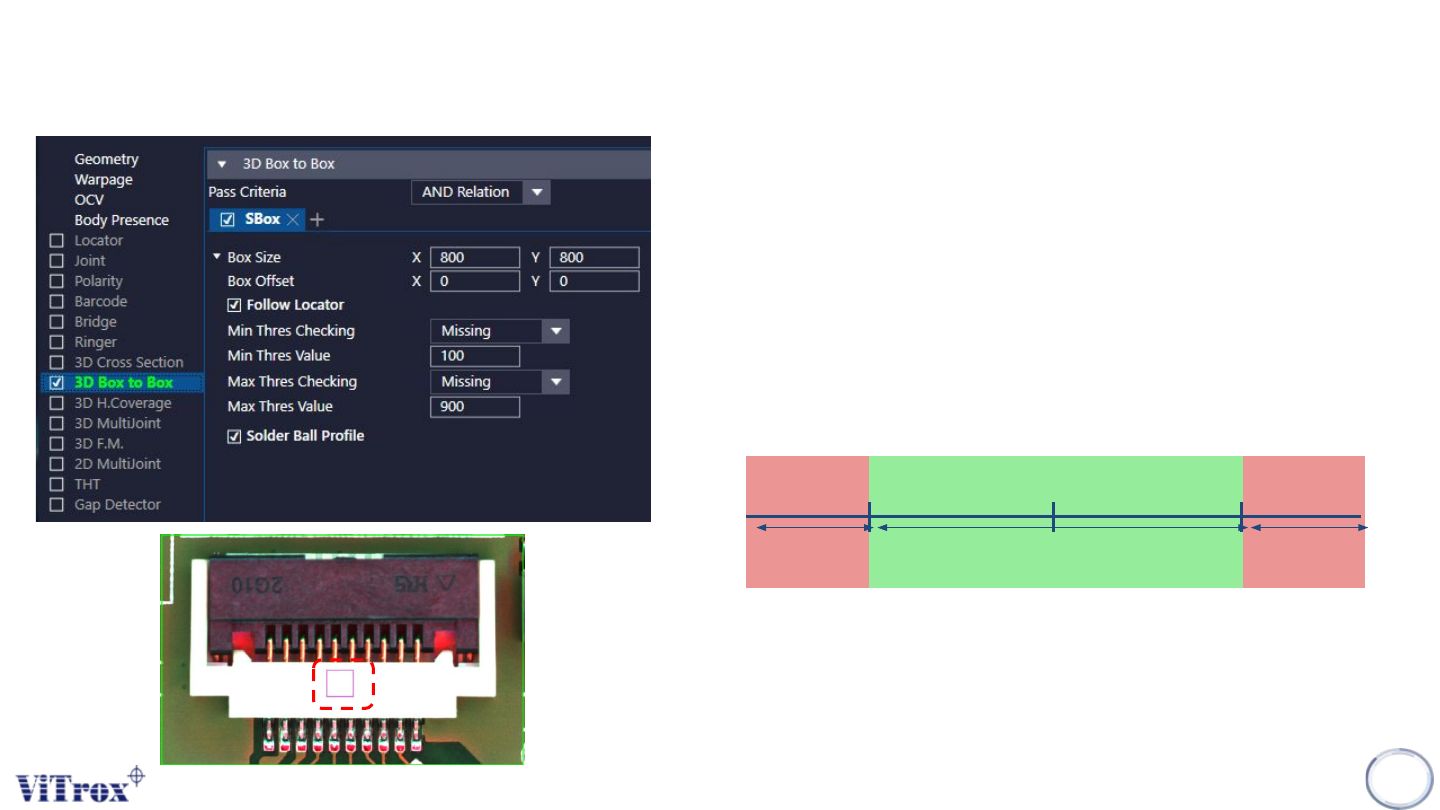
U-type Locator - 3D Box to Box
200
1. Box Size & Box Offset
● To adjust the inspection box size & inspection box offset
2. Follow Locator
● Tick this to let the inspection box follow the locator.
3. Min Thres Checking
● To set the error code when min height checking fail.
4. Min Thres Value
● To set the minimum Height value
5. Max Thres Checking
● To set the error code when min height checking fail.
6. Max Thres Value
● To set the maximum Height value
7. Solder Ball Profile
● Tick This when use this algo to inspect solder ball.
Height Measured
Min Height
Max Height
Pass
FailFail
3D Single Box