Smart Gui - Algorithm Training Material_rev1.pdf - 第276页
Copyright © ViT rox All Rights Reserved . OCV Inspection 276 1. Allow 180 Rotation & Polarity checking ● Allow 180 Rotation is used to allow the OCV pass criteria of 0 degree rotation and 180 degree rotation. If this…
Copyright © ViTrox All Rights Reserved.
OCV Inspection
275
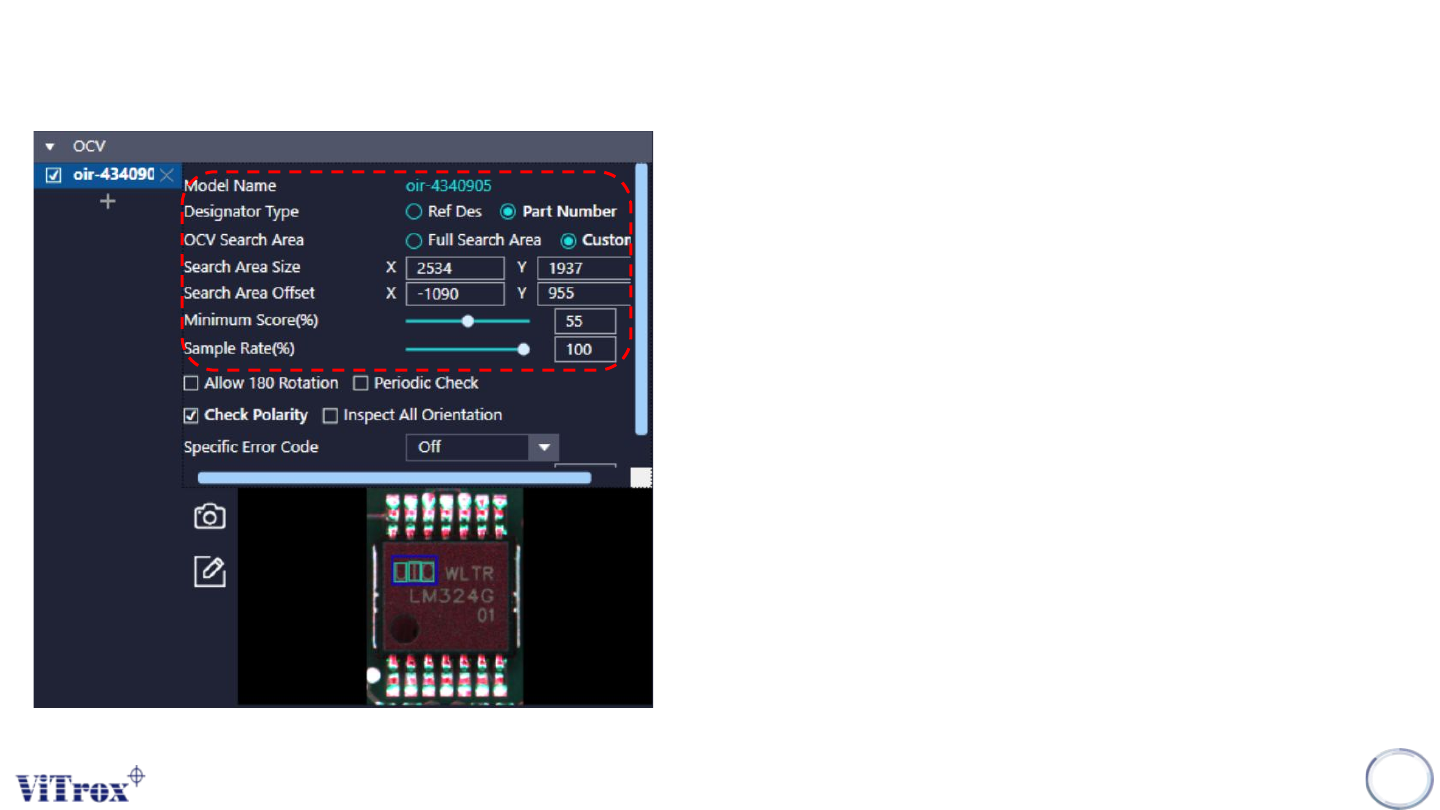
1. Model Name
● Shows the model name for the OCV template.
2. Designator Type
● Assign the OCV template by either Ref Des or Part number.
3. OCV Search Area
● Two mode: Full search area & Custom
● Full search area is used to match the OCV in full template
● Custom is used to match the OCV in custom location. (default)
4. Search Area Size & Search Area Offset
● To adjust the size and offset for custom search area.
5. Minimum Score (%)
● The minimum score to pass the OCV for every ROI.
6. Sample Rate (%)
● Run the OCV in sampling mode
Copyright © ViTrox All Rights Reserved.
OCV Inspection
276
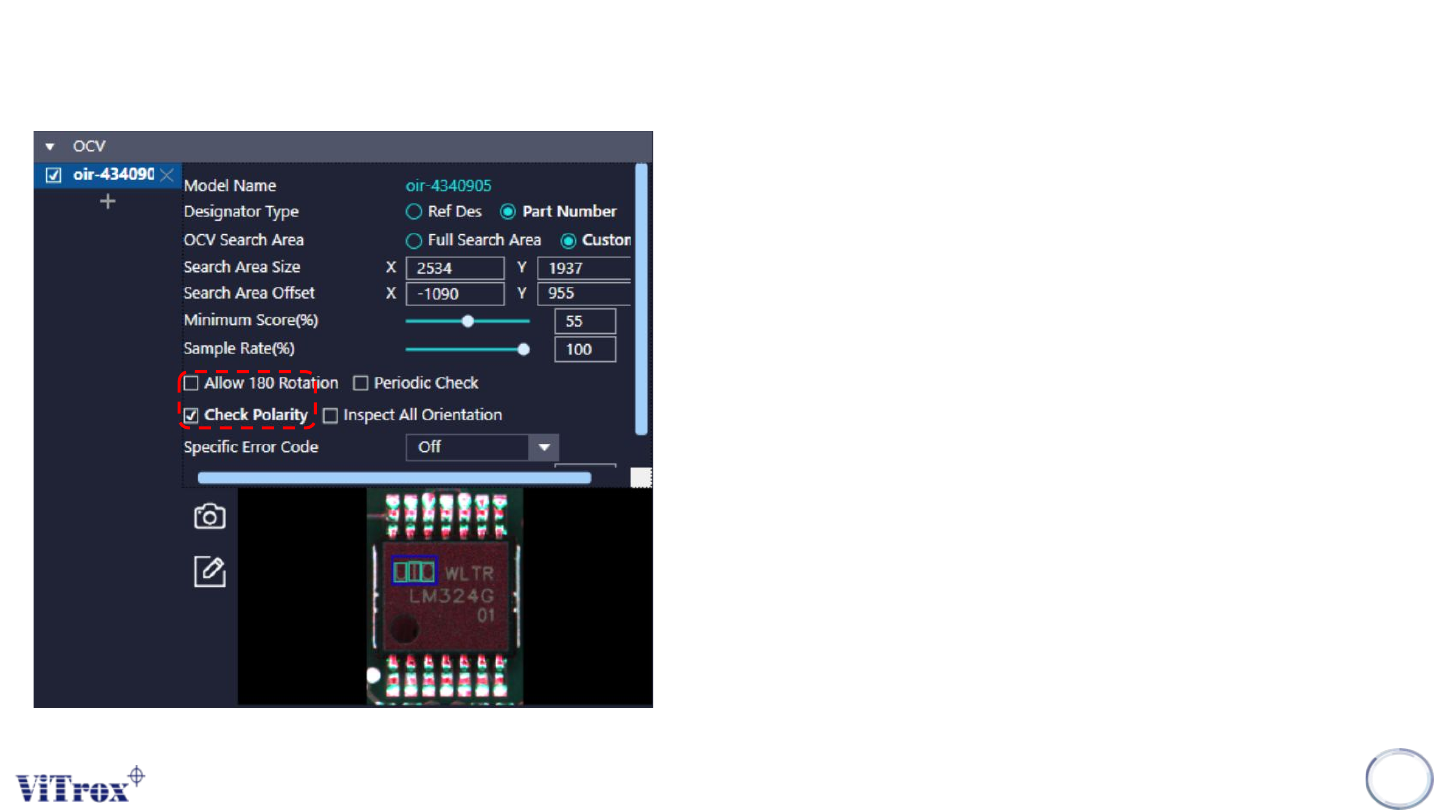
1. Allow 180 Rotation & Polarity checking
● Allow 180 Rotation is used to allow the OCV pass criteria of 0
degree rotation and 180 degree rotation. If this feature enable, this
component that rotate 180 degree will consider as pass.
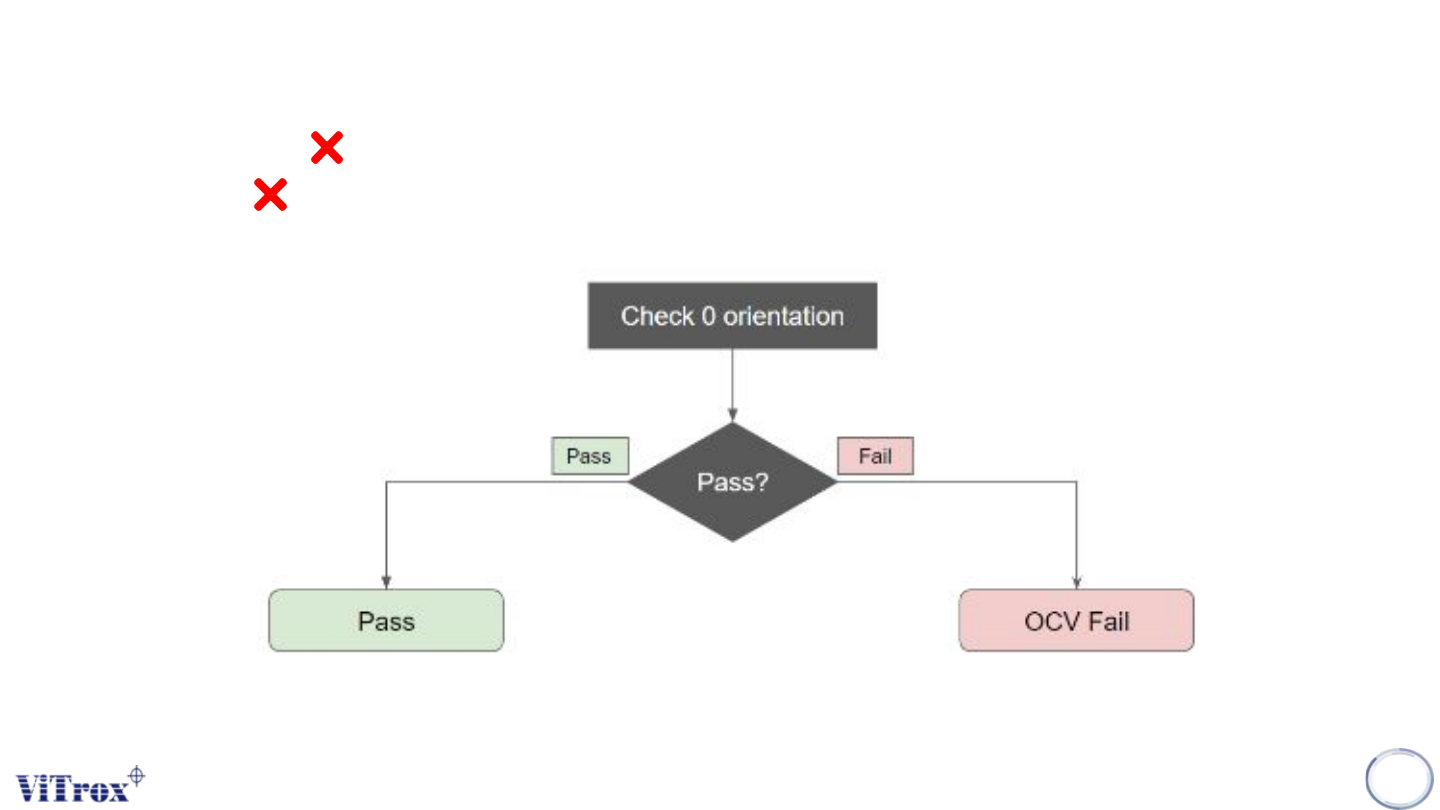
● Check Polarity is used to inspect the polarity defect by OCV
algorithm. If Check Polarity is enable, the component OCV
inspection value in 0 orientation has higher marks than 180
orientation will consider as pass. When Allow 180 Rotation is
enable, check polarity setting will be hidden. See figure below.
● Note: The cycle time will be increased.
Copyright © ViTrox All Rights Reserved.
OCV Inspection
277
Allow 180 Rotation
Check Polarity